Changelog
March 2026 Update: Project Workspace
March 31, 2026
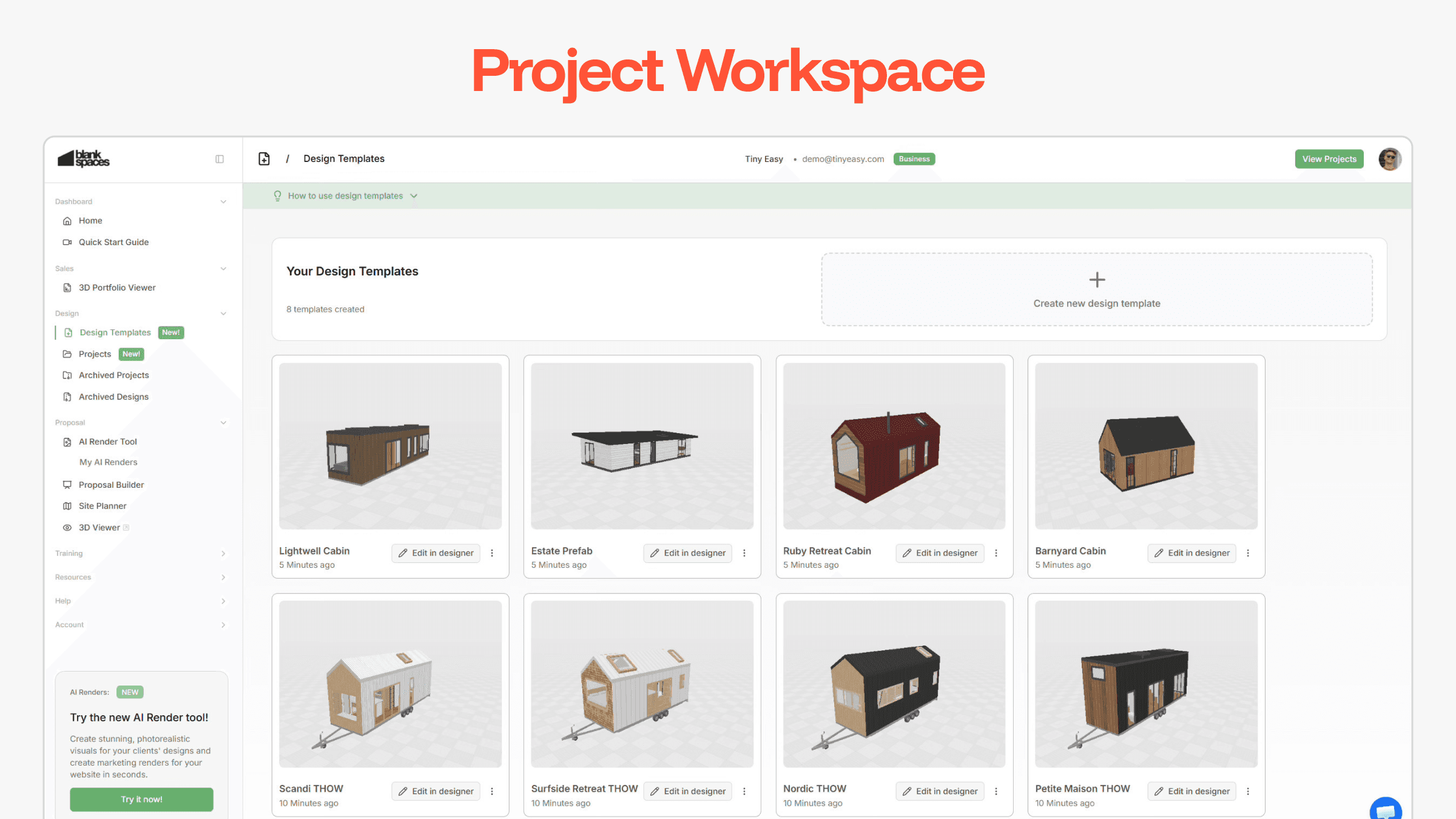
We’ve launched a major update to the Tiny Easy Dashboard!
The Project Workspace is a new way to create, organize, and manage your projects and designs directly from your Dashboard - instead of accessing them through the 3D Designer software.
As your business grows, so does the number of leads, signed clients, and their attached revisions, and design variations.
The Project Workspace gives you a clearer structure for managing:
Active Projects assigned to clients
Design Variations attached to each Project
Template Models of your range of “staple designs” your business is known for!
This update lays the foundation for a more efficient workflow when managing multiple jobs, and working on closing the next client!
Read further to learn how to transition your designs into this new Project Workspace.
Added
Design Templates:
Turn your staple models into reusable templates.
Create and manage templates directly from your dashboard.
Rename designs without opening the design software
Start new designs for clients with your own curated templates
Your model range becomes structured and ready to deploy at any time
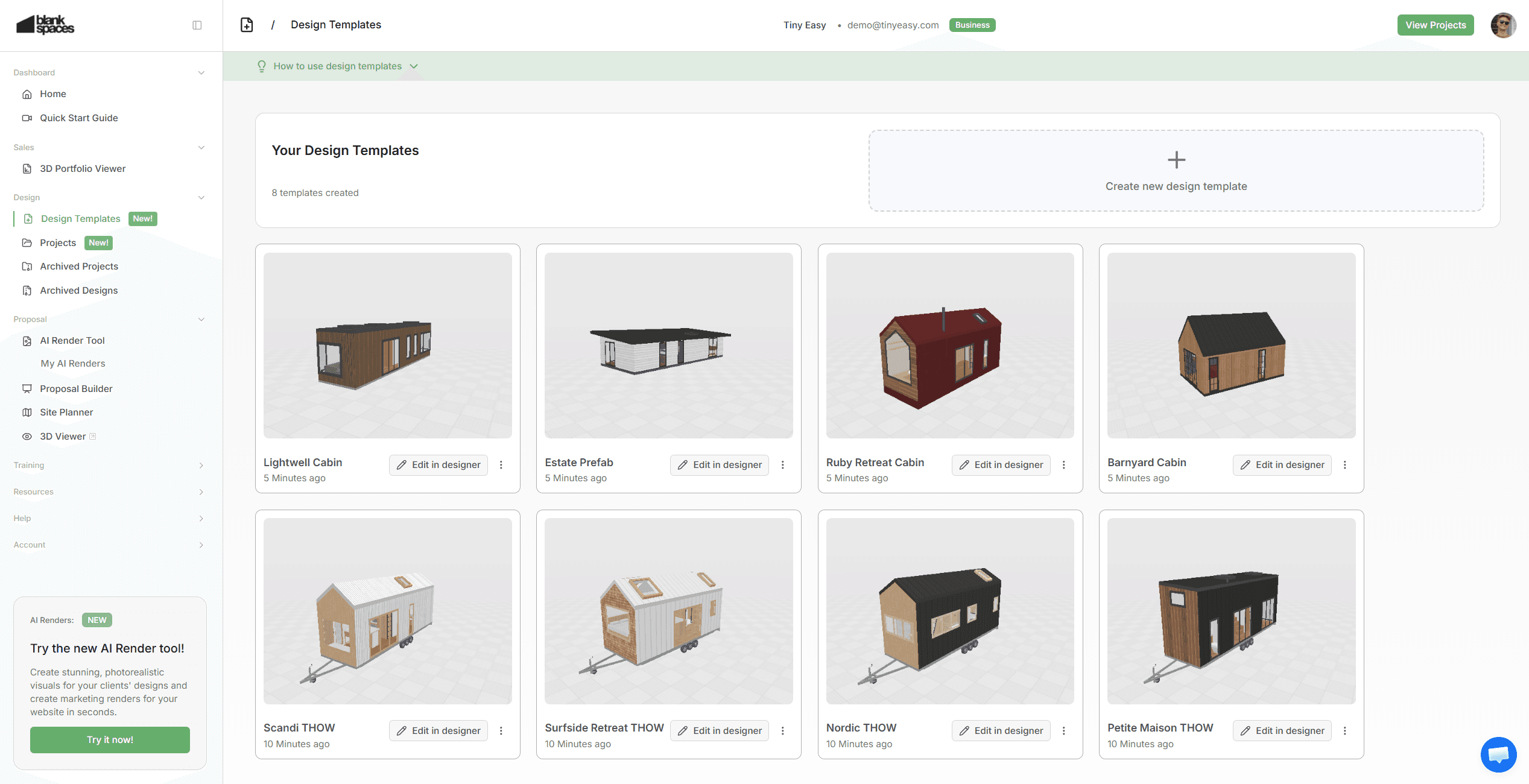
Projects:
Create a dedicated project for each new lead or client.
Within each project you can:
Assign and manage designs for each project. Create multiple variations & revisions for each client easily.
Store client details
Add project information for internal use
Instead of keeping designs scattered across a long list in your account, every project & dedicated design now has a clear home.
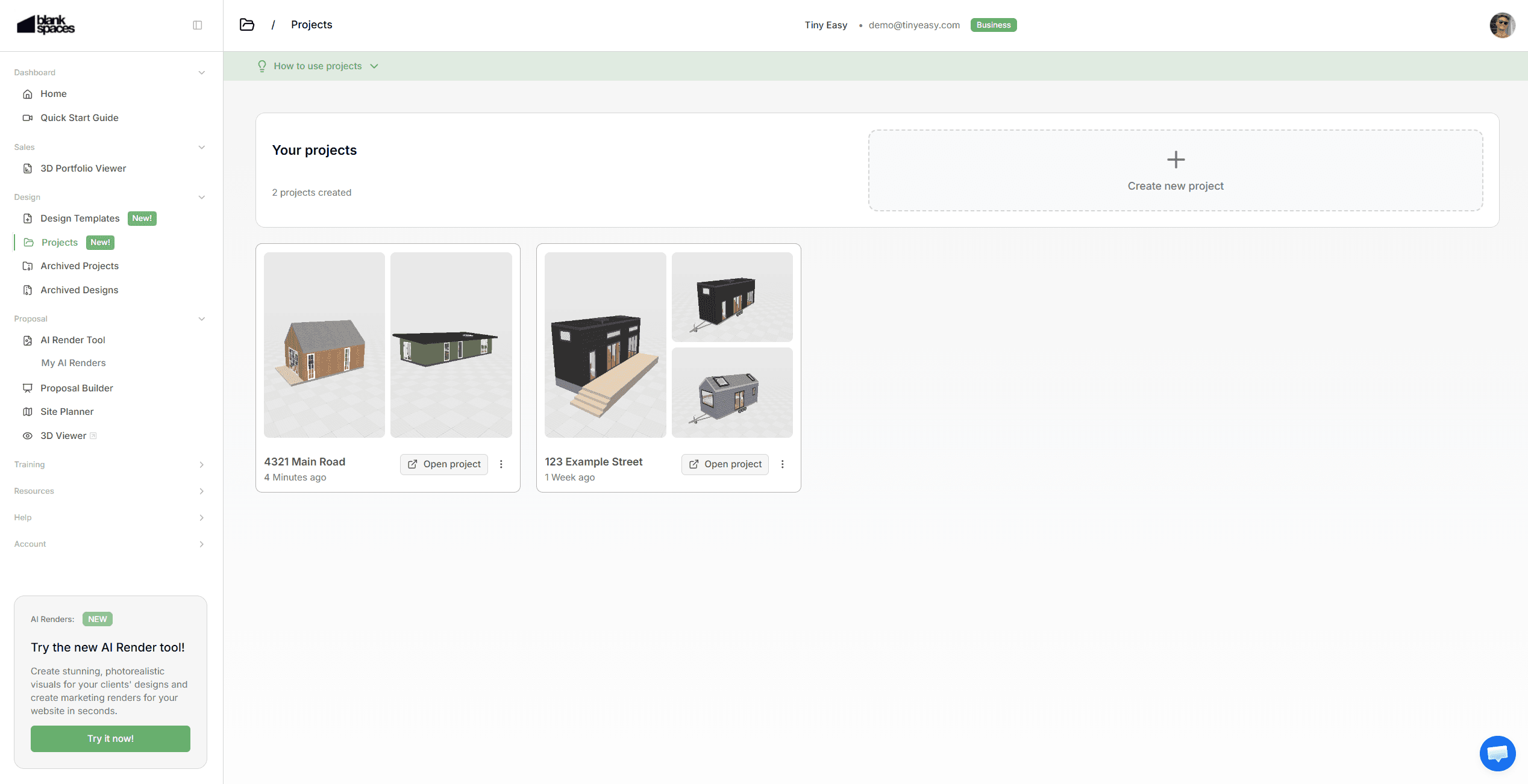
Project Designs:
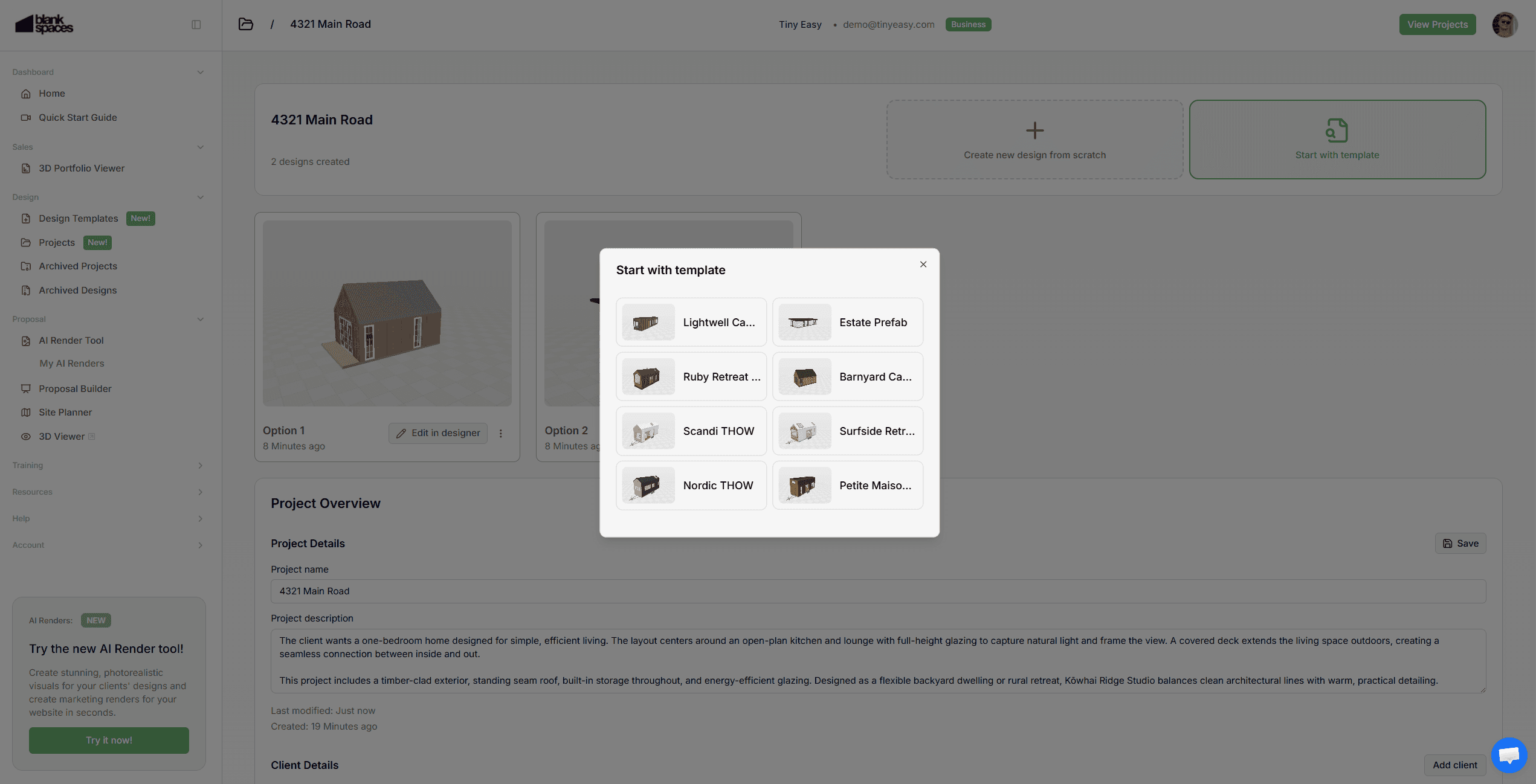
Inside each project, you can:
Create a brand new design from scratch
Choose from one of your existing design templates.
Keep multiple designs organized under one project.
This makes it easier to manage revisions and compare options without losing structure.
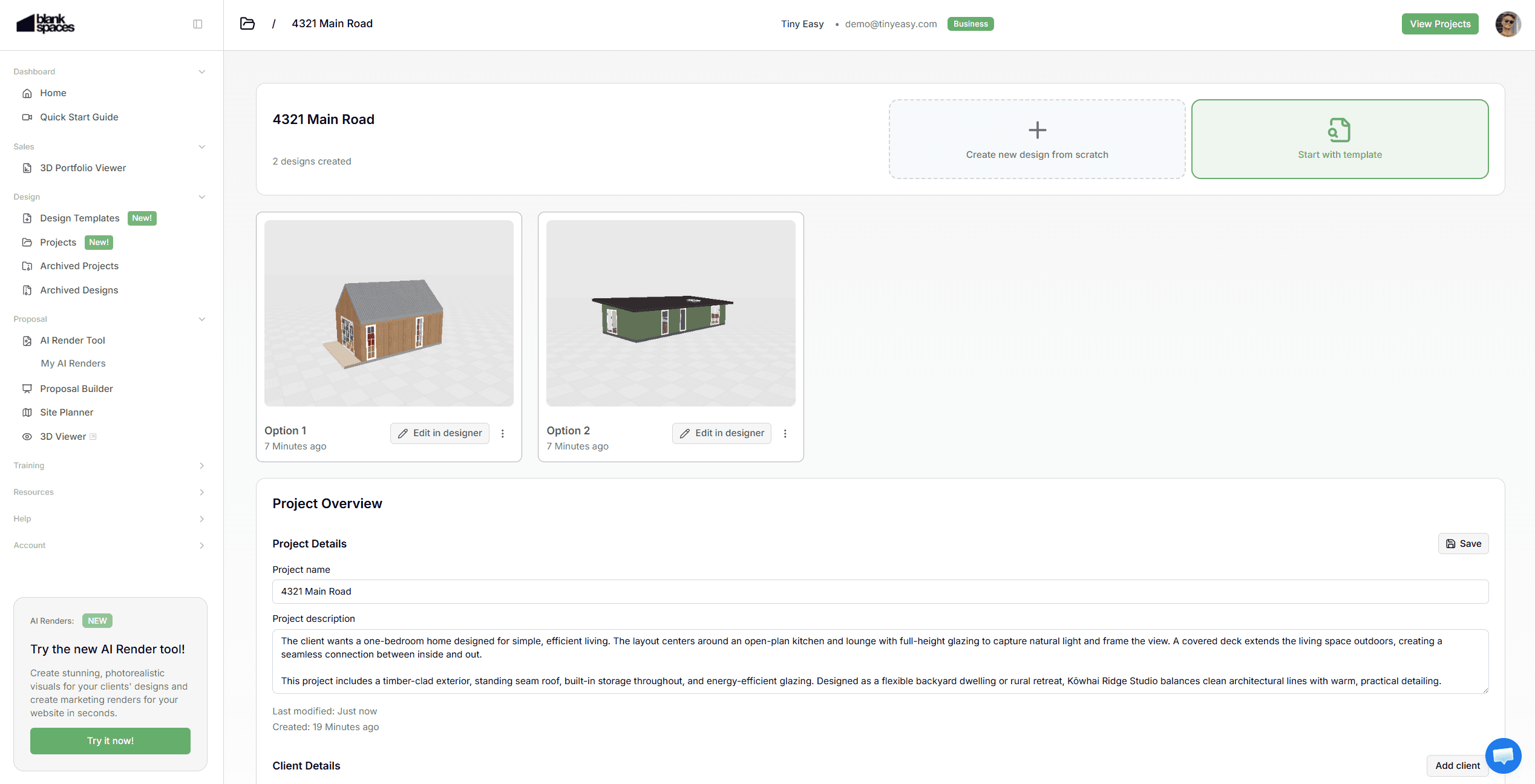
Design Archiving:
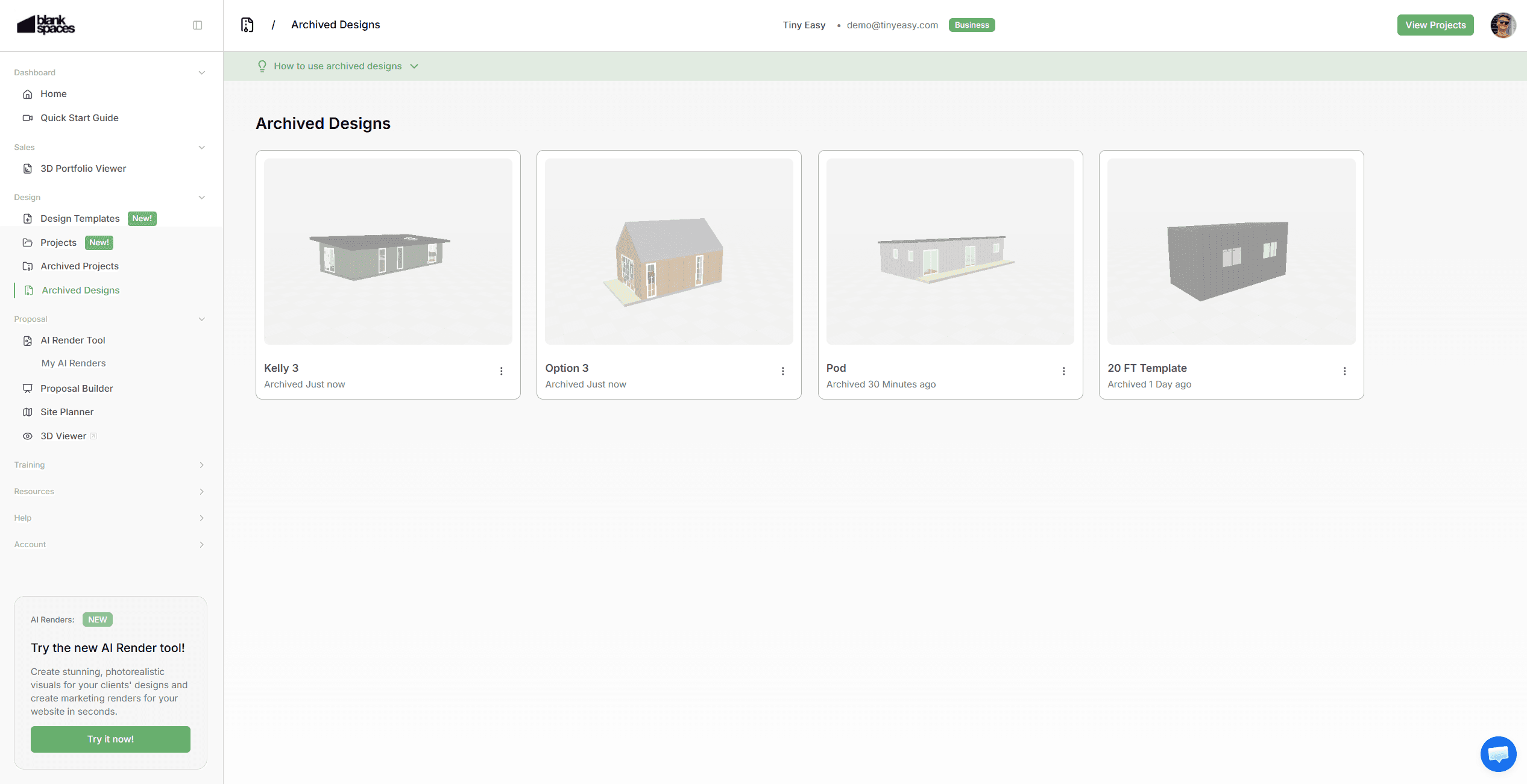
We’ve introduced a flexible archiving system for better organisation.
You can now archive:
Design Templates
Designs within Projects
Archiving helps you:
Keep your active workspace clean
Remove old or unused designs without deleting them
Free up space if you're approaching capacity for your plan
Archived designs are stored safely in a dedicated Archived Designs page.
You can restore them by:
Moving them back into an active project
Turning them into a template
Permanent deletion can only happen from the archived section, reducing the risk of accidental loss.
Project Archiving:
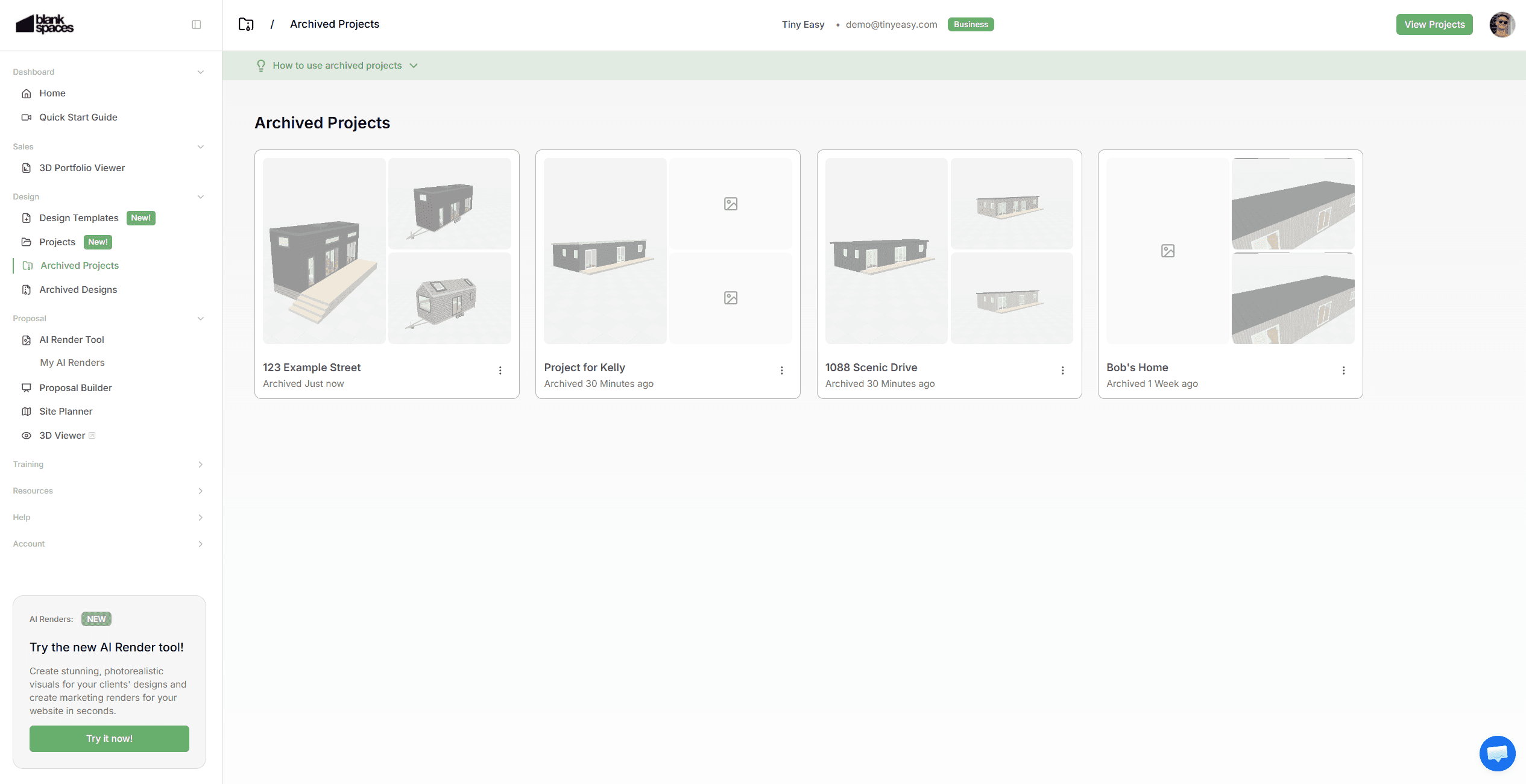
Projects can also be archived once completed or no longer active.
Archived projects move out of your active workspace
Designs inside archived projects remain safely stored
You can reactivate projects when needed
This ensures your active workspace only shows current jobs, making it easier to focus on what’s on the go.
Transitioning Your Existing Designs into the Project Workspace
As we move your Designs to be managed within the 3D Designer Software, into the Project Workspace within your Dashboard, it’s time for you to mkae this transition too!
All of your existing, unsorted Designs will be moved into the Archived Designs page.
From there, you can now work on sorting your Designs!
We recommend going through your list of Designs to:
Set any of your “Staple Models” as your new Template Designs.
Create Projects for any active clients & leads you are working on.
Move any Designs into their new dedicated Projects.
Any Designs you no longer need, simply leave them in your Archived Designs for later!
Improvements to Your Existing Designer Subscription
Alongside the Project Workspace, we've updated how our subscription plans work to better reflect how you actually use the designer.
Rather than basing subscriptions on static "business size", we've introduced a more flexible Tier system.
This means you can adjust your Tier anytime depending on the capacity you need from the 3D Designer, so you're never overpaying or held back.
When business is quiet, downgrade to save money. When things get busy, upgrade your Tier to handle more projects and close more clients.
Each Tier now includes capacities for:
Design templates
Projects
Designs with Projects
To make this transition seamless, we have converted existing customers to their respective Tier in the new system,
As a bonus, existing customers have temporarily upgraded to the next highest tier of their subscription, free of charge for the next 3 months.
During this time, we recommend getting familiar with the structure and organizing your workspace. If your workflow needs more or less capacity, just reach out; week help you find the right fit, including custom setups if needed.
To manage your Tier:
Go to the Licenses page in the Dashboard to view your Tier. Click the "Change Plan" button to view all available Tiers.
Improved
Clearer Access to your Designs
We've simplified how you access and create designs inside of Tiny Easy.
Previously, designs lived primarily inside the design software. Now, you can create and manage them directly from the dashboard — making it easier to control where designs are stored and how they’re organised. This gives you a clearer structure from the start of every project.
Your Templates, Not Ours
Instead of using “Tiny Easy Templates” you can now use your own Design Templates.
This update reinforces ownership of your model range. Your templates are the foundation of your projects — ready to customise, and deploy whenever a new lead comes in.
You can still take inspiration of the Tiny Easy Templates when creating a new design from scratch.
Safer Design Recovery
With the introduction of Archived Designs, you now have a safety layer.
If a design is removed from a project or templates list, it’s not gone forever. You can access archived designs and restore them.
Only designs that are manually deleted from the Archived Designs page are permanently removed.
This reduces the risk of accidental loss while still giving you full control.
Ongoing Development
The Project Workspace is just the beginning.
We’re actively building tools to strengthen your Sales → Design → Proposal → Hand Off workflow, with a strong focus on improving the Proposal stage.
Here’s what’s coming next:
Proposal Builder:
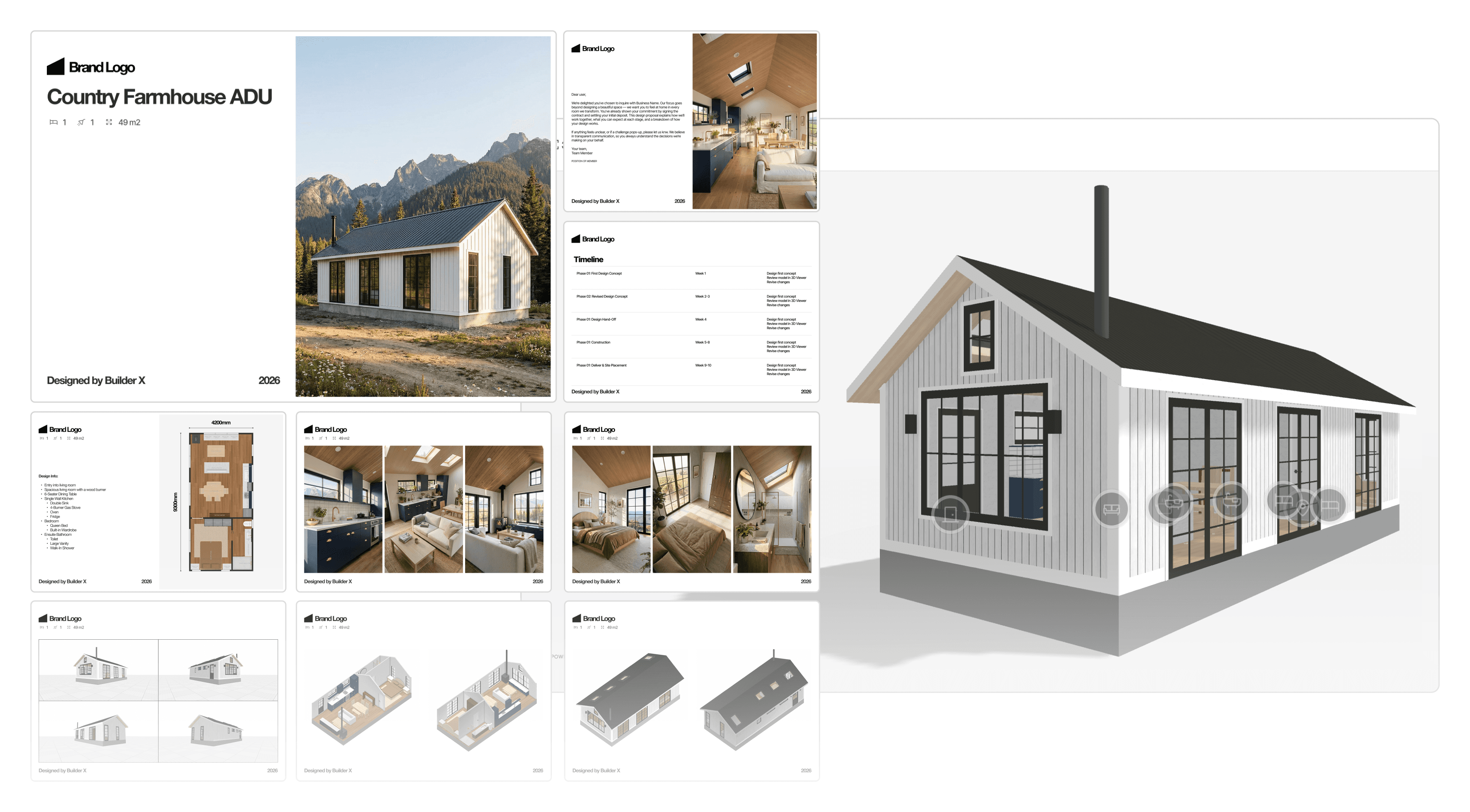
Create professional, branded proposals directly from your projects. This will allow you to create a stunning proposal Experience & Document to make your next clients say “yes” easier!
Some of the points a proposal will include are:
Cover pages
About your business
Floor plans
AI renders & Images
Specifications
Pricing breakdowns
Terms & next steps
All generated from one structured workflow inside Tiny Easy!
Want early access?
Site Placement / Site Planner Tool:
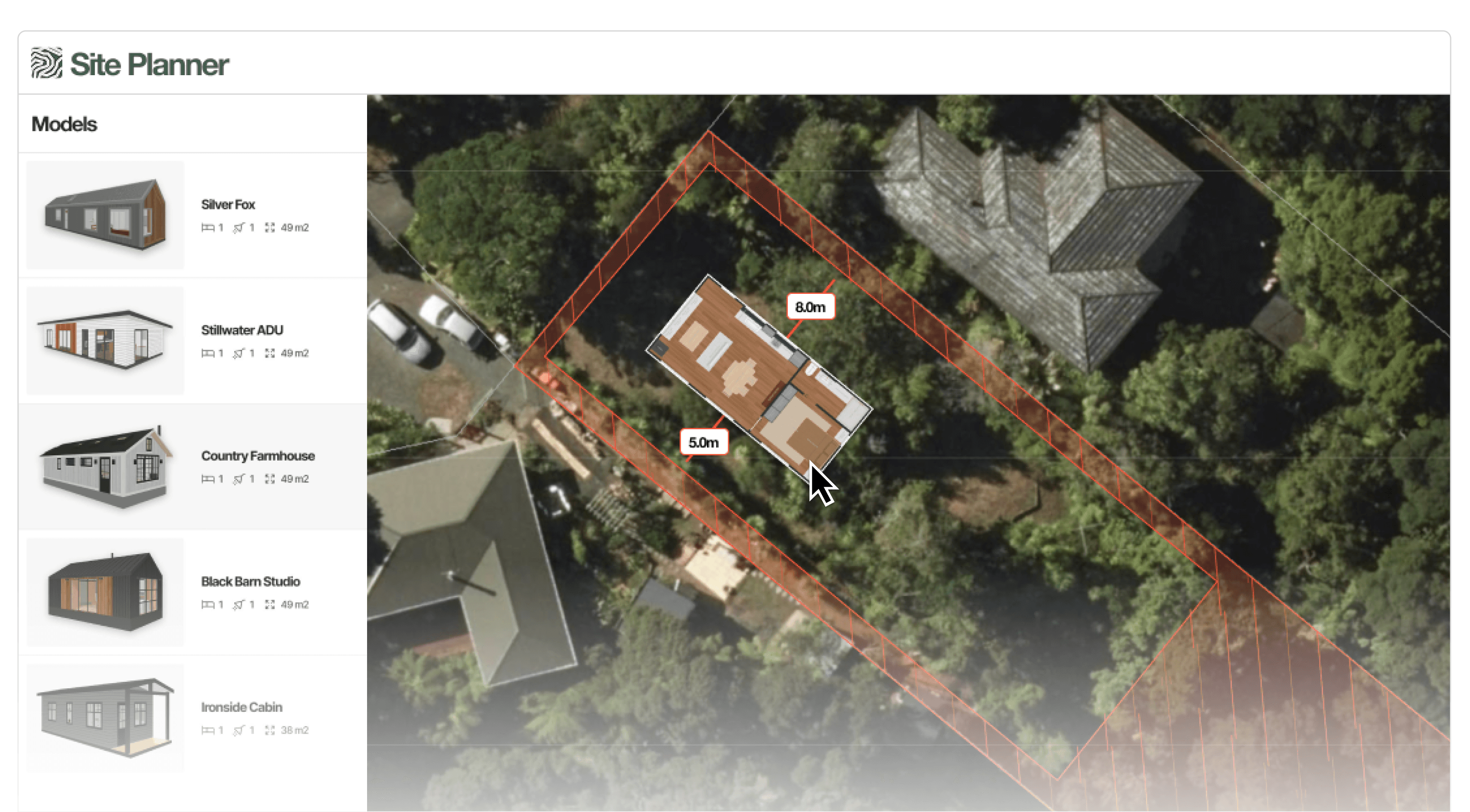
Quickly test whether a design fits on your client’s site.
Load a property by address
Overlay key site constraints
Test placement in minutes
Generate a client-friendly site plan
Answer the most common early-stage question fast:
“Will it fit, and is it allowed?”
Reduce back-and-forth before investing hours in drawings.
Want to see how it works?