Tiny House Design
Rocky Mountain | Tiny House with bedroom downstairs


About Rocky Mountain Tiny House
1
1
364 sq ft
Rocky Mountain is a downstairs bedroom tiny house design suitable for 1-2 people. The design is centered around downstairs living with 1 spacious bathroom, a modern u-shaped kitchen with an island and the 1 downstairs bedroom. This one-level tiny house is perfect if you're looking to downsize, and don't want to climb on a loft every day!
Dimensions
Imperial: 30ft x 10ft
Metric: 10m x 3m
Layout
1 Bed
1 Bath
Overall Floorspace
Square Feet: 30 sq. ft
Square Meter: 30sqm
Design Type
Tiny Homes on Wheels
& Park Models
Sleeps
Up to 2
2 Adults
Plans/Blueprints Available
PDF Tiny Home on Wheels & Park Model PlansAvailable in metric & imperial
Software Used:
Design from scratch or, customize templates with 3D Designer
Plans Exported With:
Export with instant generate plans tool & Take off tool in 3D Designer
Images Generated With:
Images generated with AI Render Tool add-on for 3D Designer
Tiny House Exterior
Gable Shaped Tiny House Exterior:
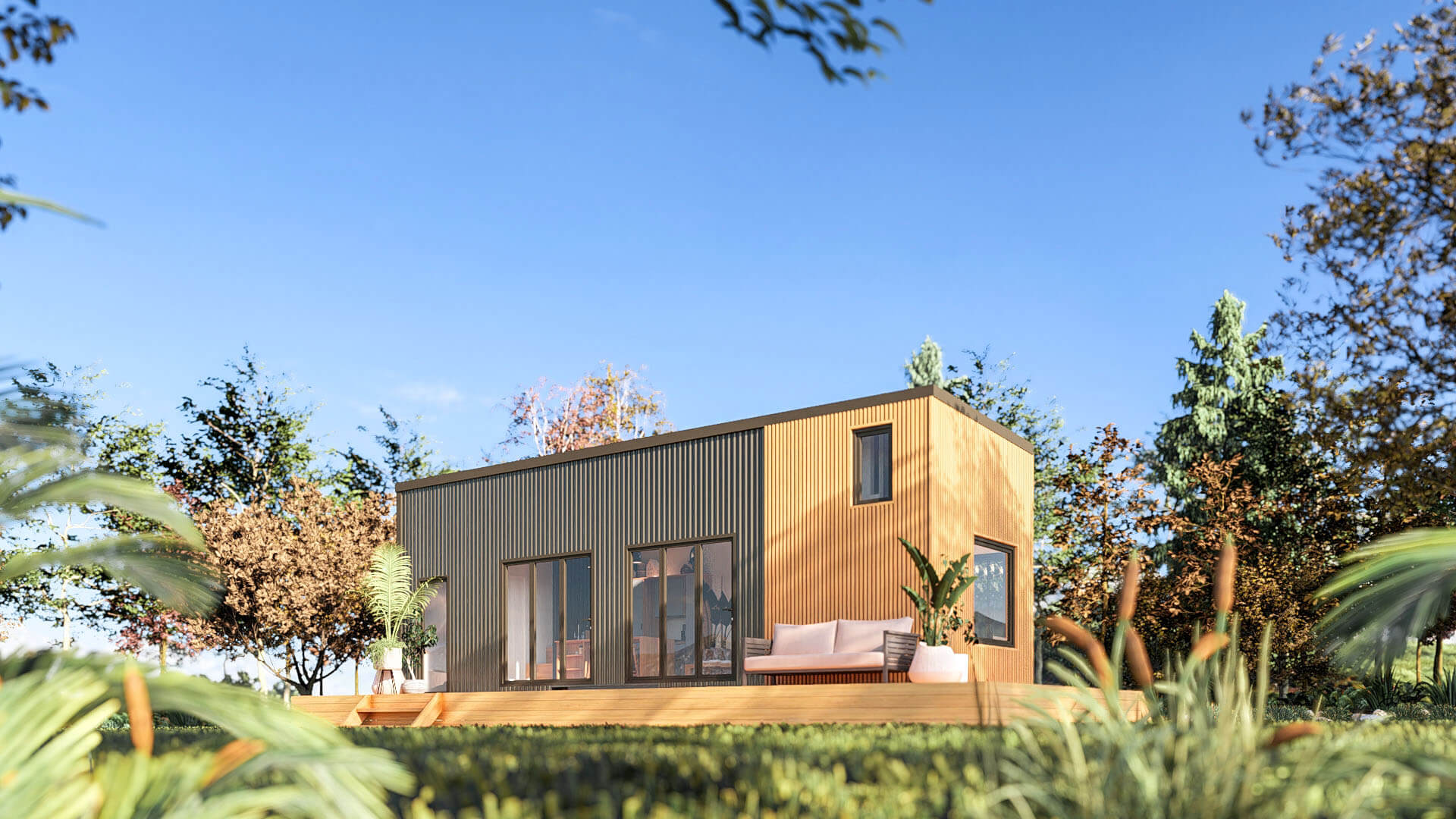
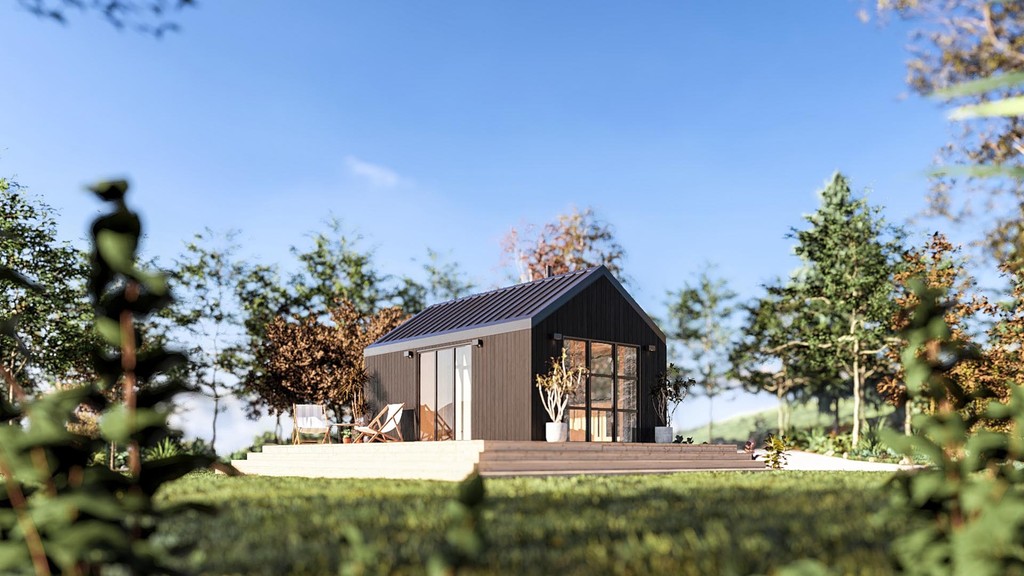
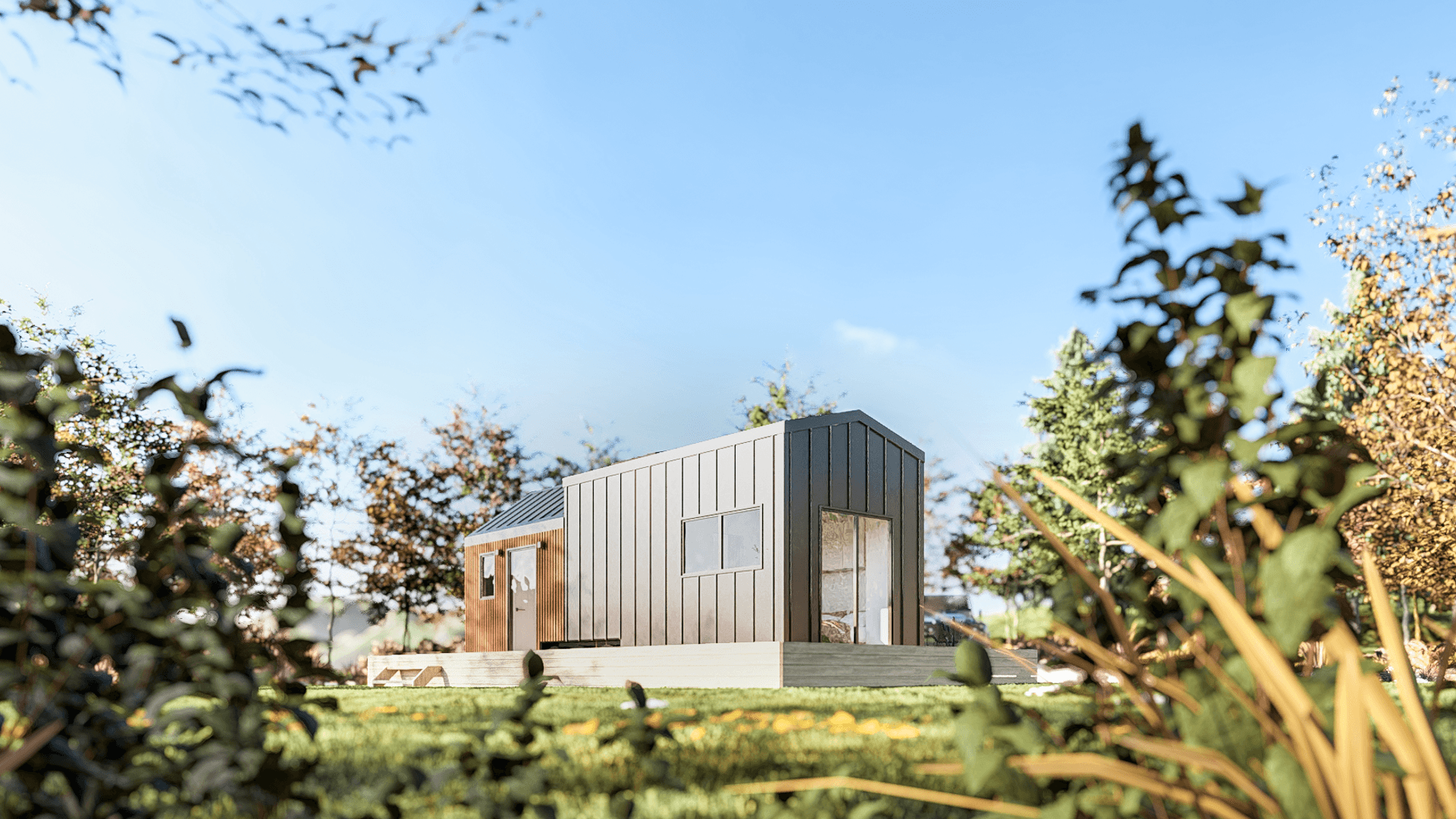
Picture this: A standout facade with 2 gable roof sections, a fender style trailer and eye-catching iron sand standing seam cladding. The smaller section of the tiny home boasts a feature timber facade, adding a touch of warmth and earthiness to this tiny home.

Tiny House Interior
Open Plan Tiny Home Layout
Step inside, and you'll be welcomed by an open floor layout. The entrance guides you seamlessly towards the heart of the home - the kitchen. The contemporary chic style sets the tone, featuring pops of light blue cabinetry and oak accents throughout. It's trendy, cozy, and oh-so-inviting!

Tiny House Kitchen & Dining
U-shaped Kitchen Layout + Dining!
Your U-Shaped kitchen is the ultimate storage-heavy, space-efficient cooking environment! Fully equipped with the standard fridge-freezer combo, a 4-plate cooktop and oven, and even a dishwasher - because who wants to wash dishes in a tiny home, right? The kitchen island is double used, providing ample storage and cooking space and a perfect spot for bar-style dining. Functional and fabulous!

Tiny House Living Room
Bright Open Tiny House Living Room
Relaxation central! The living room features a 2-seater sofa, a TV unit with storage, and two skylights that let the natural light flood in. A stylish barn door separates this cozy space from the downstairs bedroom, creating a perfect balance between open and private.

Tiny House Downstairs Bedroom
Tiny Home Bed on The Ground Floor!
On the other side of the barn door, the downstairs bedroom awaits - the perks of a single level tiny house layout. This tiny house with the downstairs bedroom features a standard queen bed and a double wardrobe space with over head storage!
If you're looking for more tiny houses with the bedroom downstairs check out our Scandi, Surfside Retreat and Alpine Haus.

Tiny House Bathroom
A luxuorius tiny house bathroom layout with a bathtub!
Opposite the downstairs bedroom in this tiny house, you will find the bathroom! A 2-drawer cabinet, vanity, a compost toilet (eco-friendly vibes!), a bath for those relaxing evenings and a space-saving laundry cupboard - talk about maximizing space!

How We Designed this Cabin Concept
Every part of this cabin plan concept, from the exterior details to the interior layout, was designed entirely within the Tiny Easy platform. No third-party tools, no hand-drawn floor plans, no outsourced renderings. From the first concept through to final handoff documents, the whole process lived in one place.
Design Creation
For builders, one of the biggest bottlenecks in turning interest into a real sales conversation is the time it takes to get a clear design in front of a client. Traditional 3D design tools can be slow to learn, and relying on a designer or draftsperson for every early concept can add cost and delay before the client has even had a chance to properly understand the home.
The 3D Designer is Tiny Easy’s design workspace for creating, managing, and tailoring tiny homes, cabins, granny flats, ADUs, and more within one connected system. Builders can use it to build out their core model range, save designs as reusable templates, test new ideas, explore layout options, and refine their designs over time.
Inside the Designer, the structure can be shaped using tools like Foundation, Shell, and Roof, before completing the model with doors, windows, walls, interior doors, cabinetry, furniture, fixtures, lighting, and finishes. This gives builders a practical way to create complete 3D concepts without needing to start from scratch or rely on complex modelling workflows.
Where this becomes especially valuable is in the sales process. Instead of designing a new cabin from a blank canvas for every enquiry, builders can pull the most relevant model from their existing range into a client project, tailor the layout, finishes, openings, and key details, then present a concept that feels specific to that client.
That speed changes the quality of the conversation. Clients are not left trying to imagine the home from 2D plans, rough sketches, or verbal explanations. They can see the design clearly, understand the layout, explore the options, and build confidence in the direction before moving further into pricing, proposal, or approval.
For builders, the result is a faster and more professional path from enquiry to client-ready cabin concept. The 3D Designer helps turn design into a sales tool, giving builders a repeatable way to respond quickly, communicate clearly, and move serious clients forward while interest is still warm.

Visualization
Once a design is complete, the next challenge is presenting it in a way that actually converts interest into commitment. Traditionally, that meant outsourcing renders to a freelancer — which adds cost, turnaround time, and rounds of back-and-forth — or investing in professional rendering software that requires its own lengthy setup before a single image is produced. For a small home builder running a lean operation, neither is a sustainable way to work.
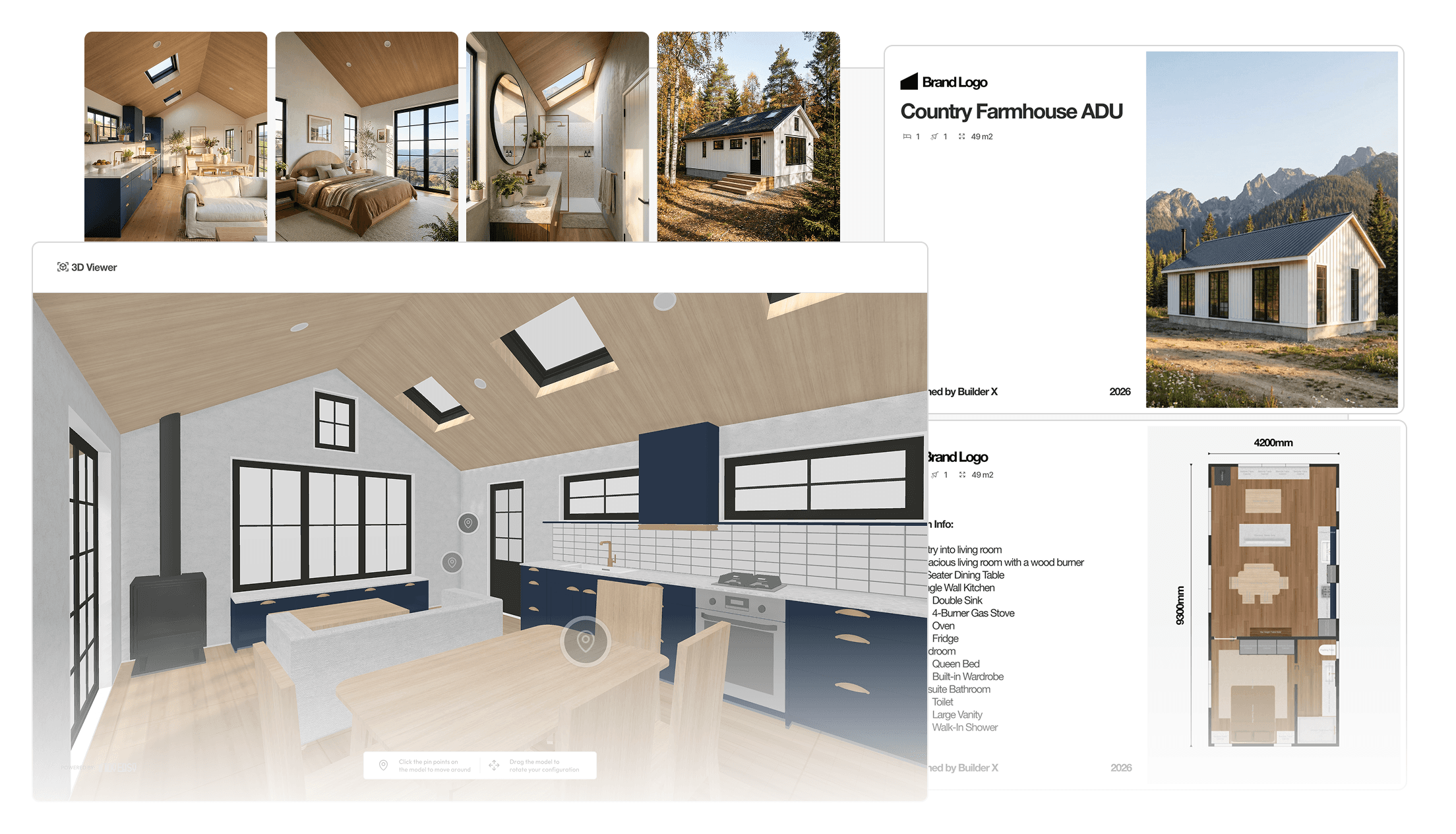
The AI Render Tool takes care of that. Once the design is finalised in the 3D Designer, renders are generated directly from within it. The only setup required is positioning the camera, choosing an environment, setting the time of day and season, and hitting render. The result is a photorealistic image of the home, produced in minutes rather than days — and at a fraction of the cost of conventional methods.
The 3D Viewer Tool adds another layer to the client experience, letting them explore the completed design in interactive 3D from any device. Sharing it is as simple as sending a link. Scale and spatial flow can be difficult to communicate on paper — paired with AI Renders, a 3D virtual tour gives clients the confidence to take the next step without hesitation.
Presentation
Once a design is ready, the next challenge os turning all the project information into a proposal that feel clear, professional, and easy for the client to understand.
For many builders, this is one of the most tedious parts of the sales process. The design may already be done, the renders may be ready, and the pricing may be prepared, but pulling everything together into a polished client proposal often means jumping between Canva, PowerPoint, PDF exports, spreadsheets, and old proposal templates that are either too rigid or too difficult to edit.
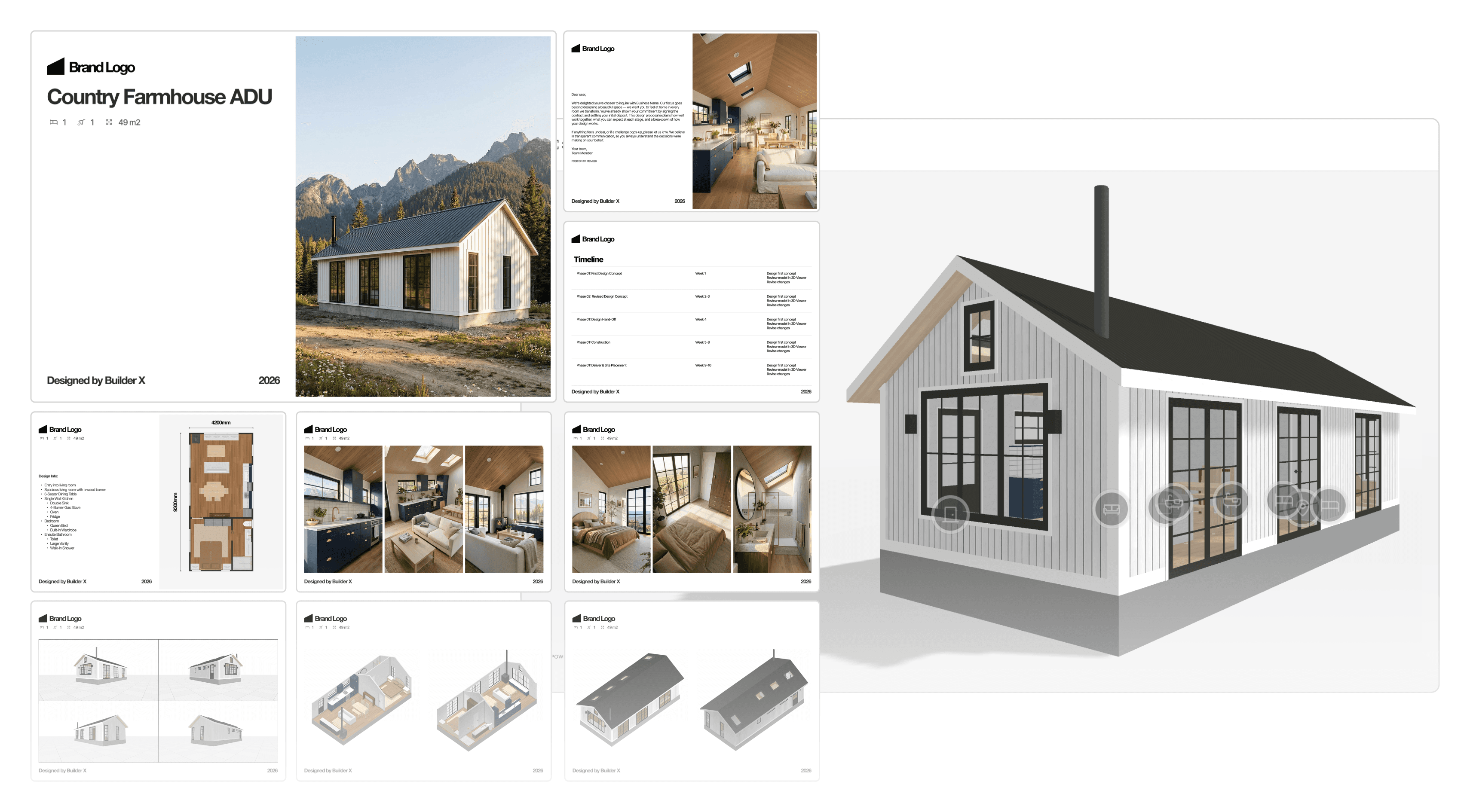
It helps builders bring together the key parts of a project, including 3D Viewers, PDF plans, AI Renders, specifications, pricing, inclusions, available options, and next steps, into one clear presentation.
Instead of starting from a blank document every time, builders can begin with suggested proposal templates designed around the way small home projects are actually sold. These templates provide a practical page structure for presenting a customised design, with sections for introducing the project, showcasing the design, explaining the layout, outlining specifications, presenting pricing, and guiding the client toward the next step.
This gives builders a faster way to insert the right content in the right order without needing to design a full proposal from scratch. Pages can be adjusted, removed, duplicated, or added as needed, so the proposal can still be tailored to the client without becoming a complicated custom design task.
The value is not just that the proposal looks better. It helps the client understand the project faster. Instead of receiving disconnected files, flat plans, separate renders, and a pricing document, they get one polished proposal that brings the design story together. They can see the home, understand the layout, review the key details, and know exactly what happens next.
For builders, this creates a more repeatable and professional sales workflow. It reduces the time spent assembling proposals manually, keeps presentations more consistent across the team, and helps move clients toward sign-off, approval, or deposit with greater confidence.
Handoff
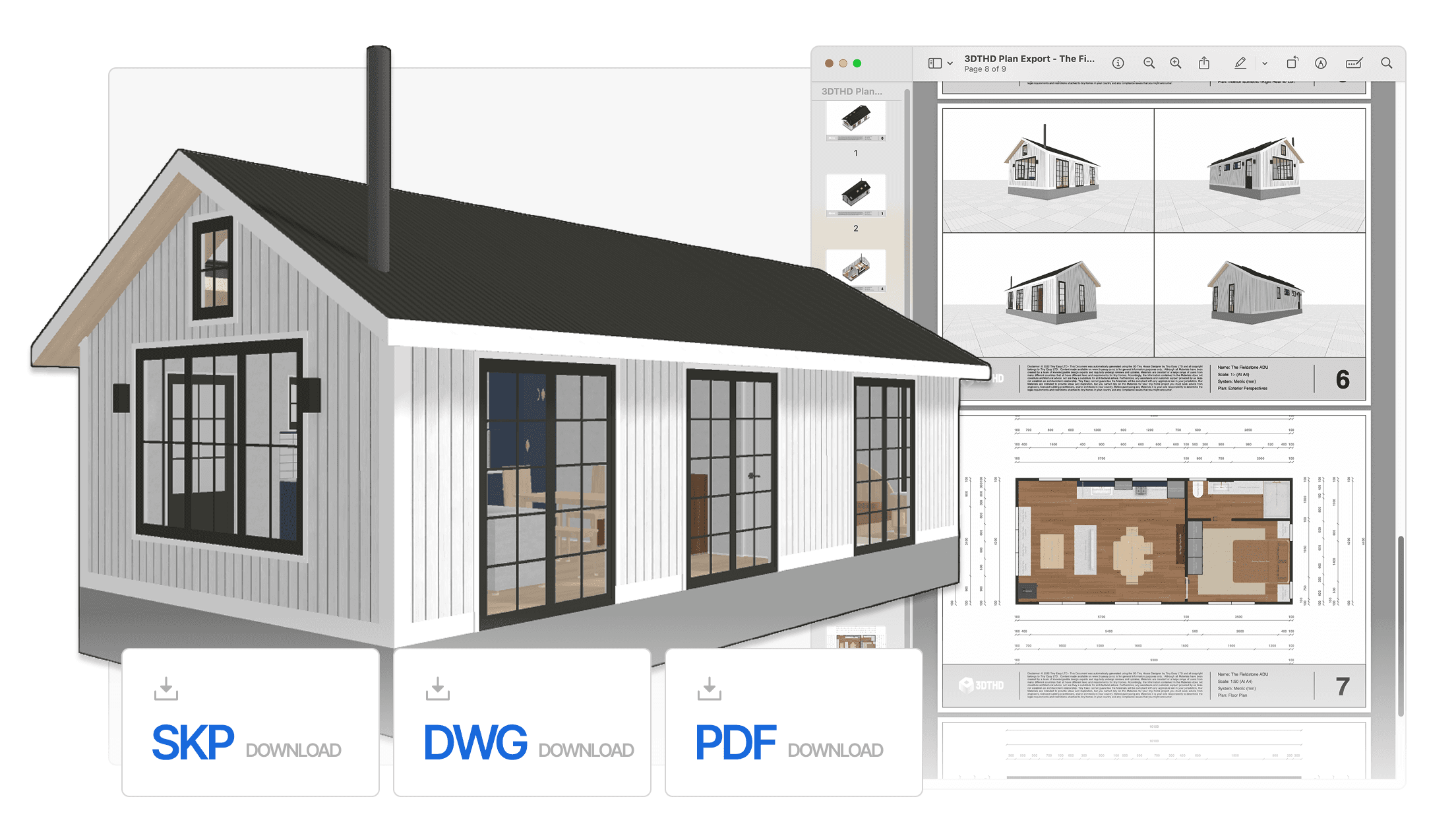
When the design is approved and it's time to move into documentation, the 3D Designer exports everything needed to take the project forward. PDF plans are generated directly from the model — accurate, professional documents that give a draftsperson or architect a clear picture of the design intent without any redrawing required.
Alongside the plans, an auto-populated material take-off spreadsheet exports directly from the design. Rather than manually costing a new model from scratch, the material list is already populated and ready to work from — saving hours in the estimation process and reducing the margin for error when putting a quote together.
For those who need to take the model further, the 3D Designer also exports a SketchUp file, allowing the design to be carried into more advanced workflows without having to rebuild from scratch.
For builders, this closes the loop on the entire process — from first sketch to professional handoff — without the design ever leaving the platform. It's a faster, cleaner way to work that reduces errors, saves cost, and keeps the project moving.
Ready to Design your Own?
This cabin design is proof that a small footprint doesn't mean compromising on quality — in the design, the experience, or the process behind it.
What made it possible wasn't a team of designers or an expensive production pipeline. It was a single platform, built specifically for the way small home builders actually work.
If you're a builder who wants to walk into your next client meeting with renders like these, proposals that are ready to go, and a process that runs end to end without the usual friction — book a call with us and let's talk about what you're building.


100+ Businesses use Tiny Easy in their Sales, Design & Proposal Workflow