Cabin Design
Ruby Retreat | 1 Bedroom Cabin Plan

1 Bed
1 Bath
224 sqft
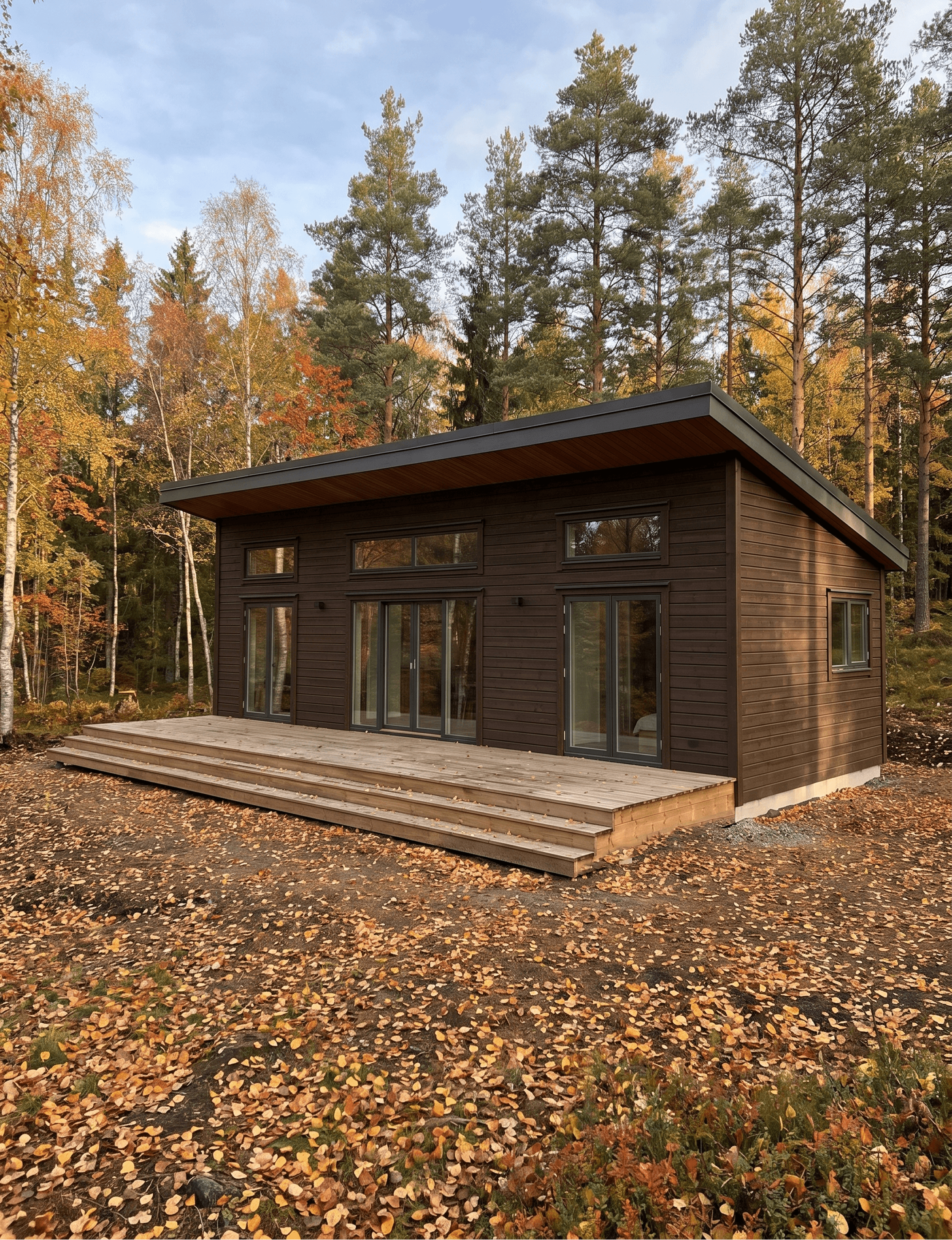
Ruby Retreat is a 1 bedroom cabin with loft concept designed around slow living — a compact, considered space where every detail invites you to be present. Created entirely within Tiny Easy Software, and brought to life through AI-Rendered Visuals, this design demonstrates how a small footprint can still deliver a full, rich living experience.
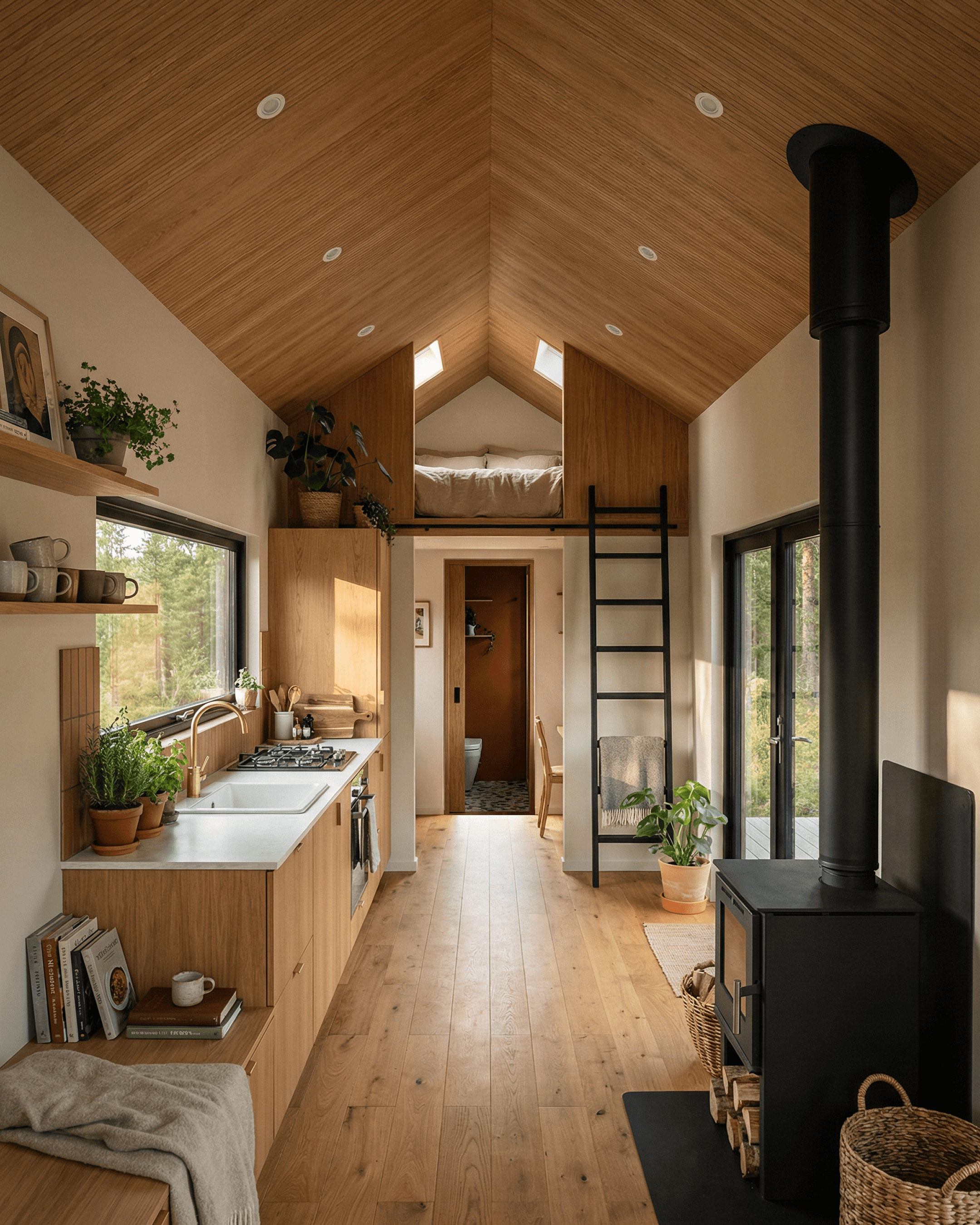
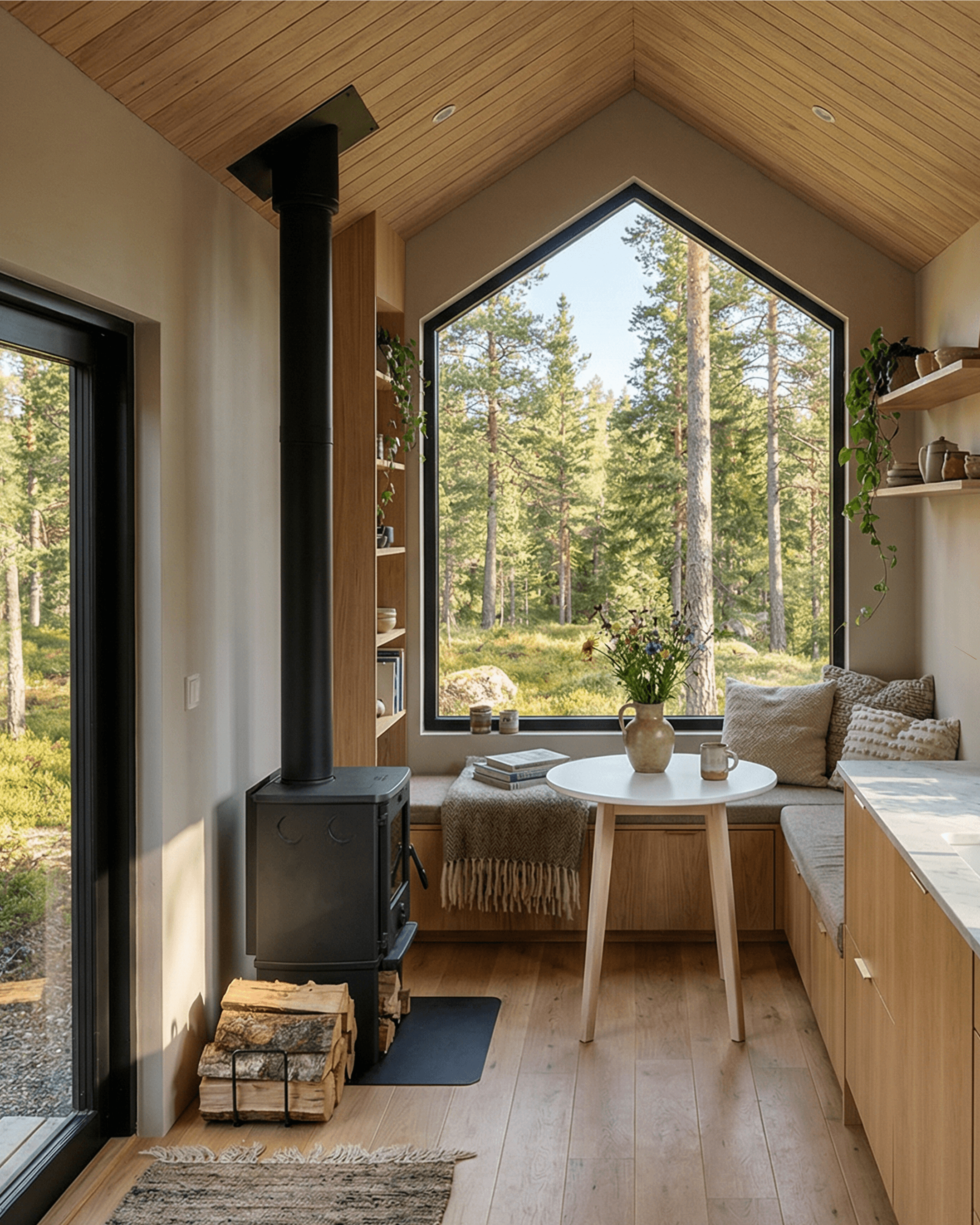
At its heart, Ruby Retreat cabin is about warmth — both literally and aesthetically. A central wood-burning stove anchors the open-plan living area, while natural timber finishes, earthy terracotta accents, and a palette of warm neutrals create an interior that feels like a deep breath of fresh air. Large picture windows and sliding doors dissolve the boundary between inside and out, keeping the surrounding forest ever-present throughout the space.
Cabin Design Specifications
Dimensions
Imperial: 32ft x 10ft
Metric: 10m x 3m
Layout
1 Bedroom
1 Bathroom
Design Type
Cabin
Sleeps
Up to 4
2 Adults, 2 Kids
Plans/Blueprints Available
Plans Exported With:
Export with instant generate plans tool & Take off tool in 3D Designer
Take an Interactive 3D Tour of Ruby Retreat
Step inside this cabin design and explore every corner at your own pace with our interactive 3D Viewer.
Design Walkthrough
Ruby Retreat Cabin Exterior
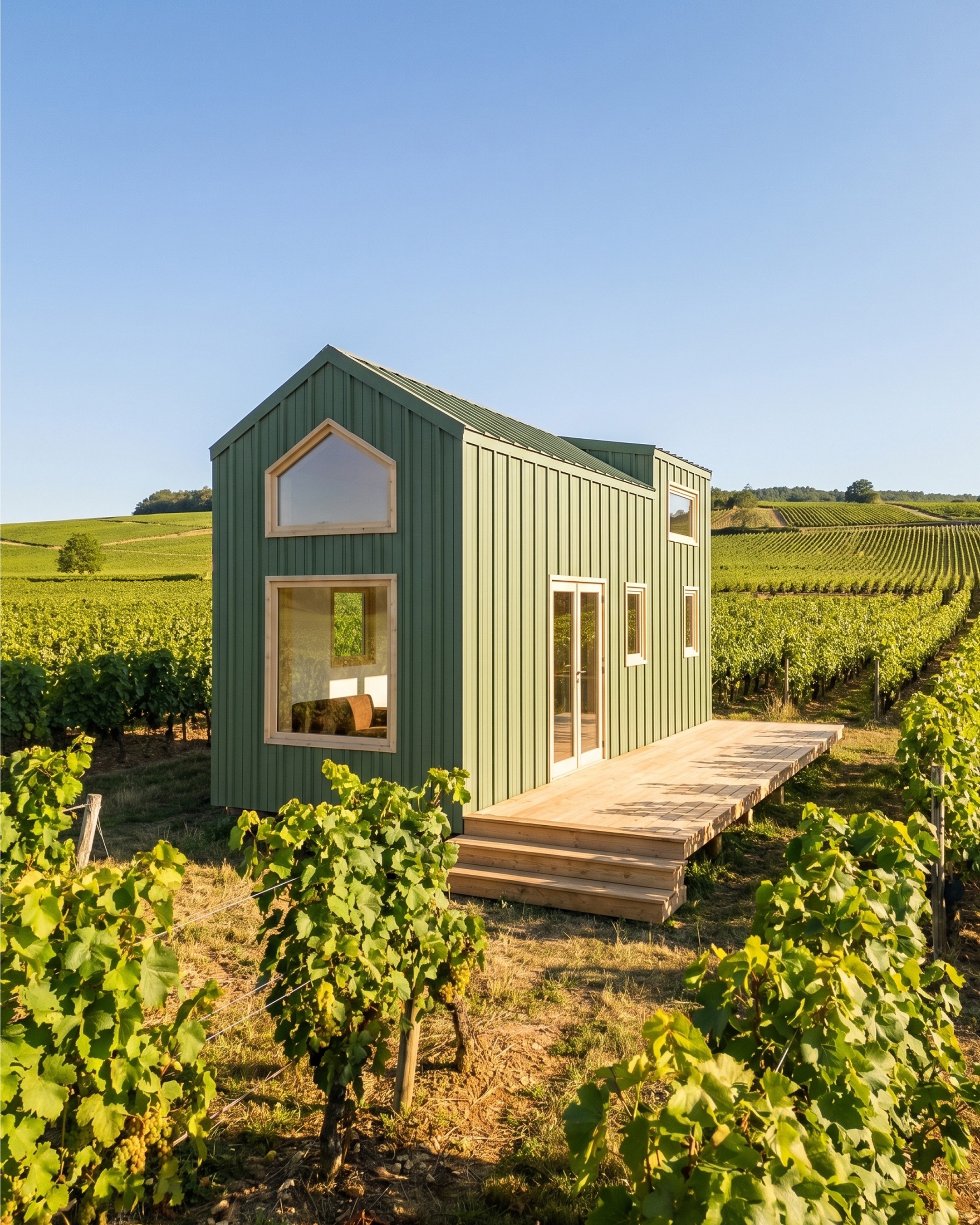
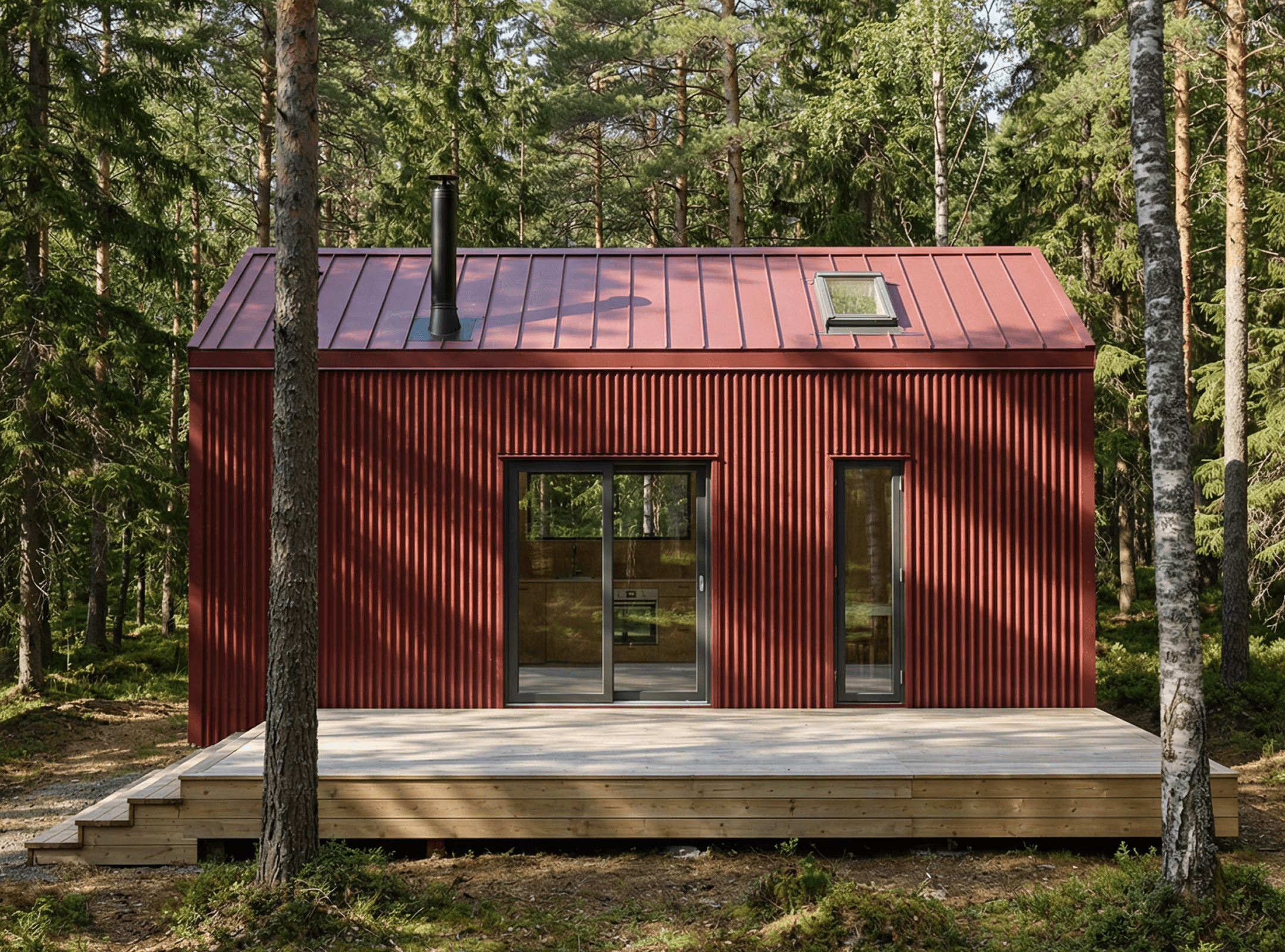
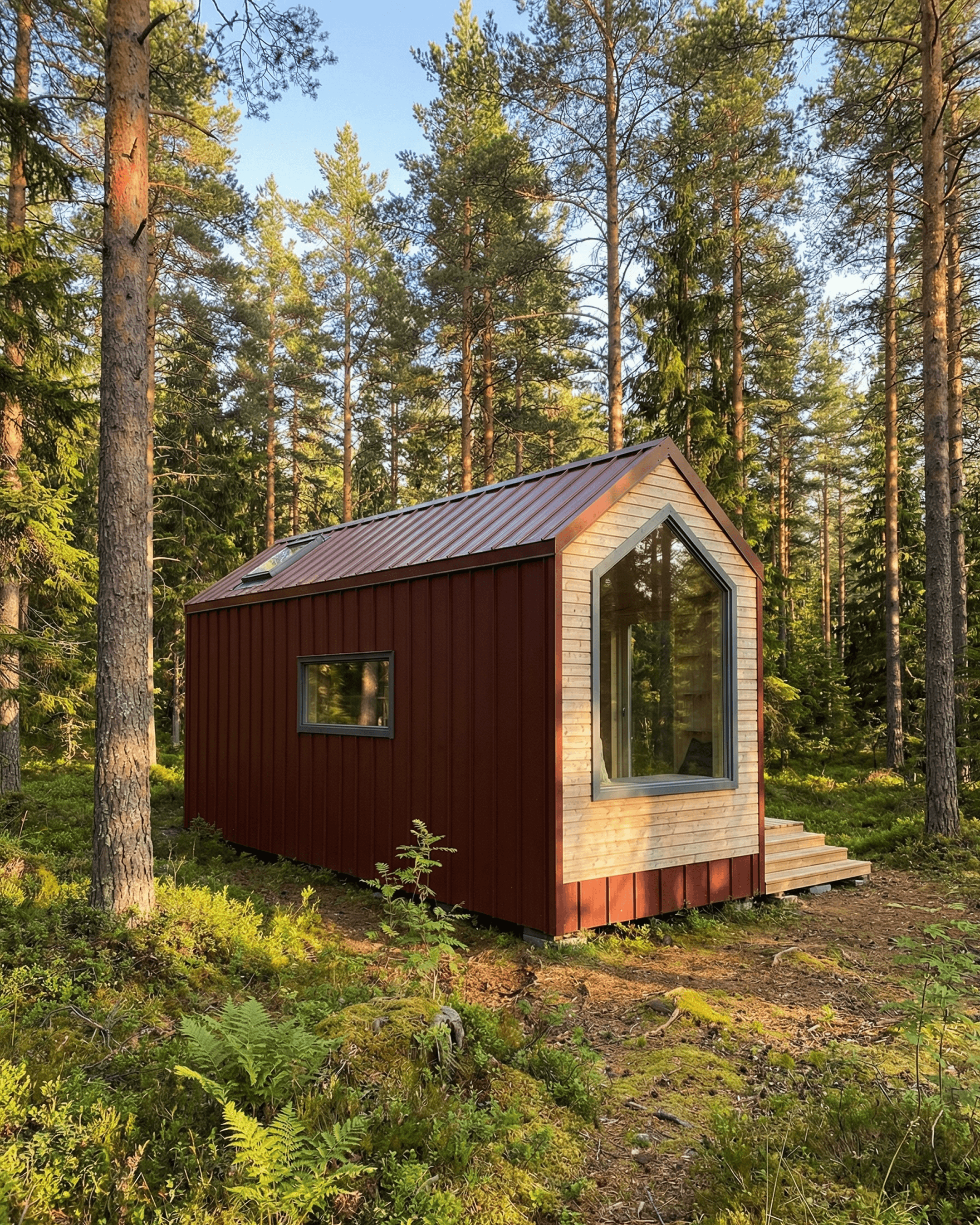
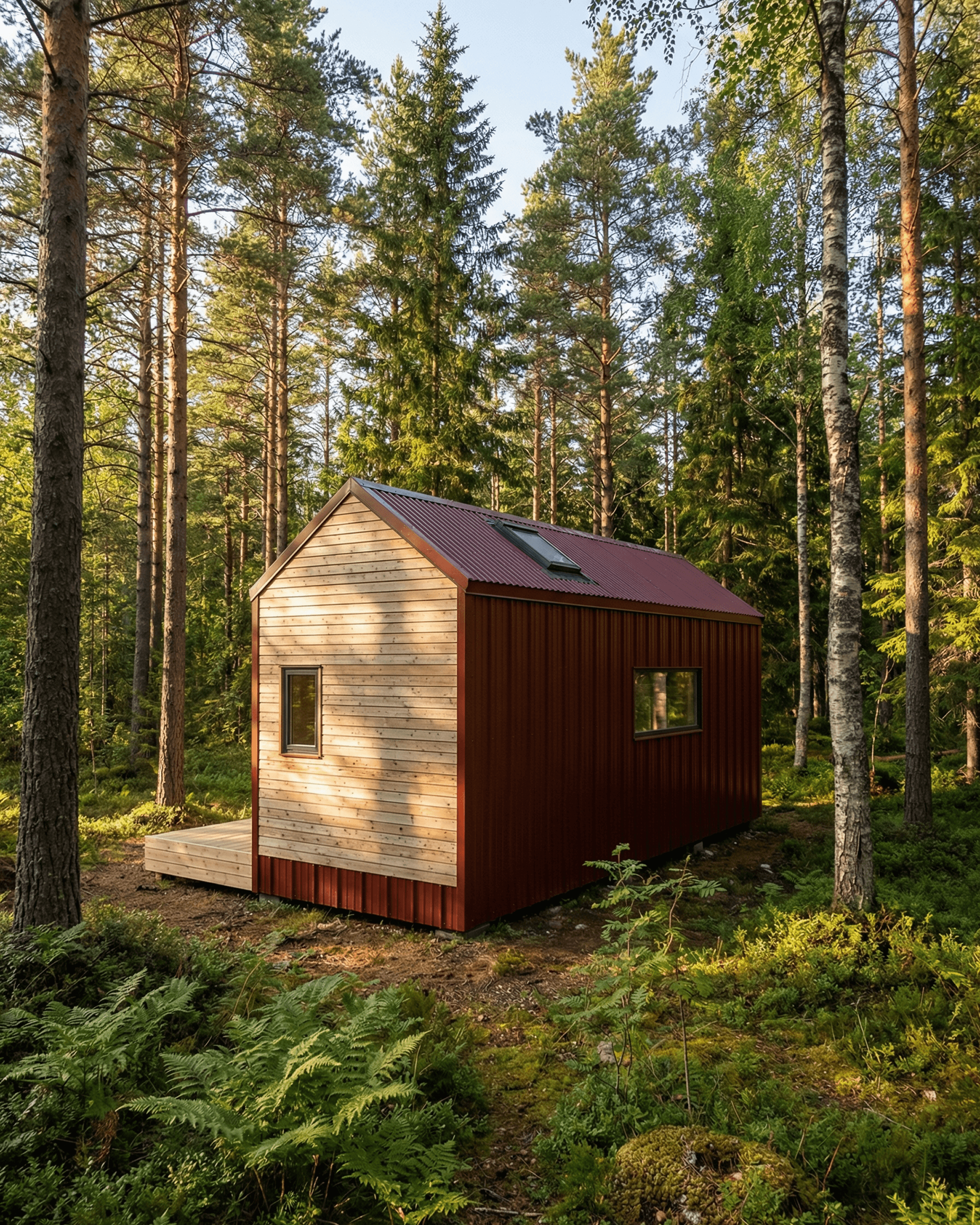
Ruby Retreat features a classic gabled cabin form clad in deep oxide "ruby" red corrugated metal on the long elevations, with natural vertical pine timber cladding finishing the gable ends. The matching corrugated metal roof carries the same red tone, with two skylights for natural lighting.
The front elevation features sliding doors opening onto a low-level timber deck with stepped entry — maximizing indoor-outdoor flow and making the most of the compact footprint.
A large pentagonal window dominates the rear gable end, drawing natural light deep into the cabin interior. Secondary casement windows are positioned along the side elevations to ensure cross-ventilation and light to each internal space.
Cabin Living Space
The open-plan living space runs the full width of the cabin beneath a vaulted timber-lined ceiling, which follows the pitch of the gable and gives the interior a spacious, airy feel well beyond its footprint. Light oak flooring and pale walls keep the space bright throughout the day.
A wood-burning stove provides a practical heating solution for cooler months, positioned centrally between the sliding doors and the dining nook. Full-height black-framed sliding doors on the front elevation open to the outdoor deck, allowing the living space to extend outside when the weather allows.
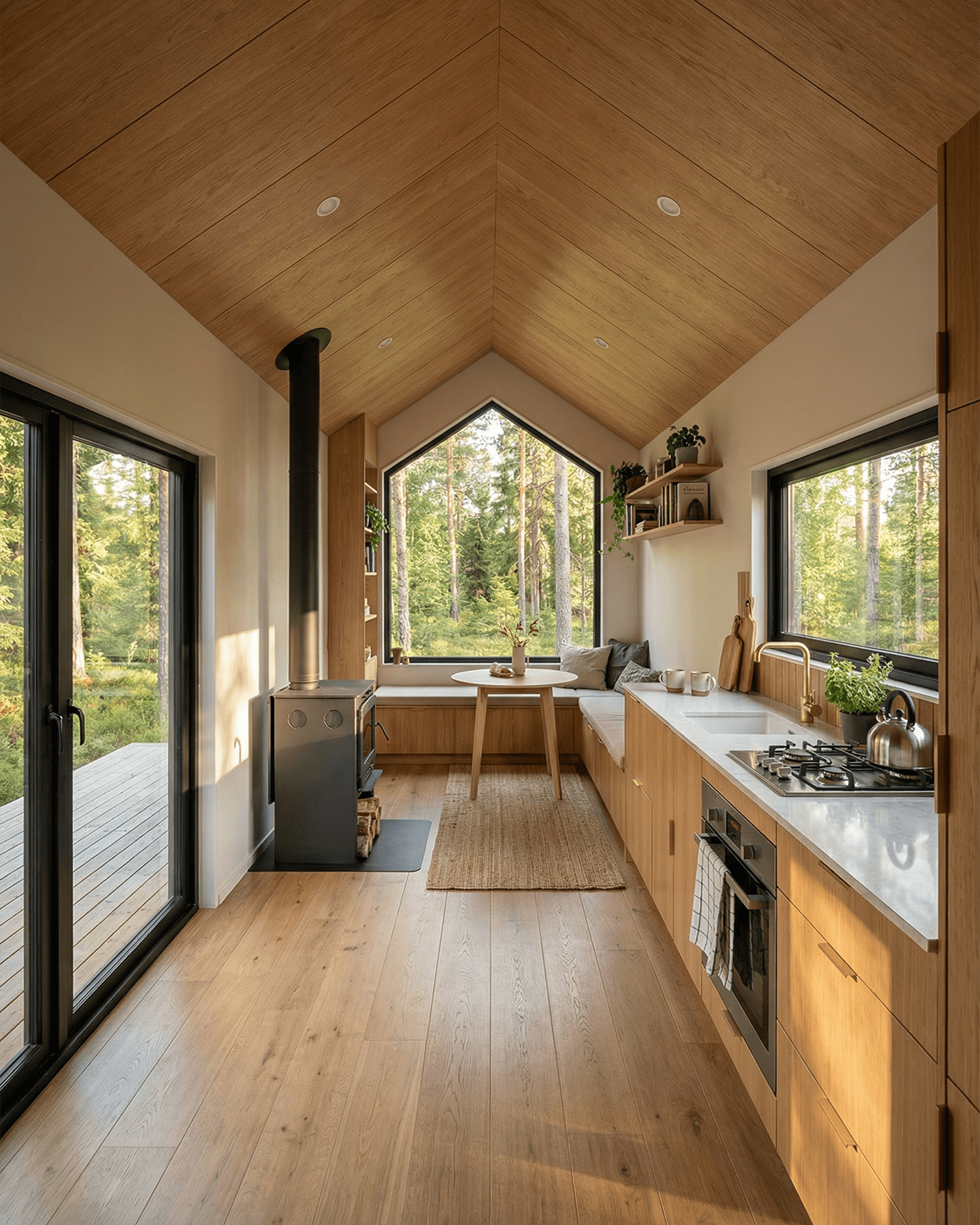
Cabin Kitchen & Dining
Stepping through the sliding doors, your eye is immediately drawn down the length of the cabin to the gable-end window ahead — but the kitchen running along the right-hand wall quickly draws you in with its warmth and simplicity.
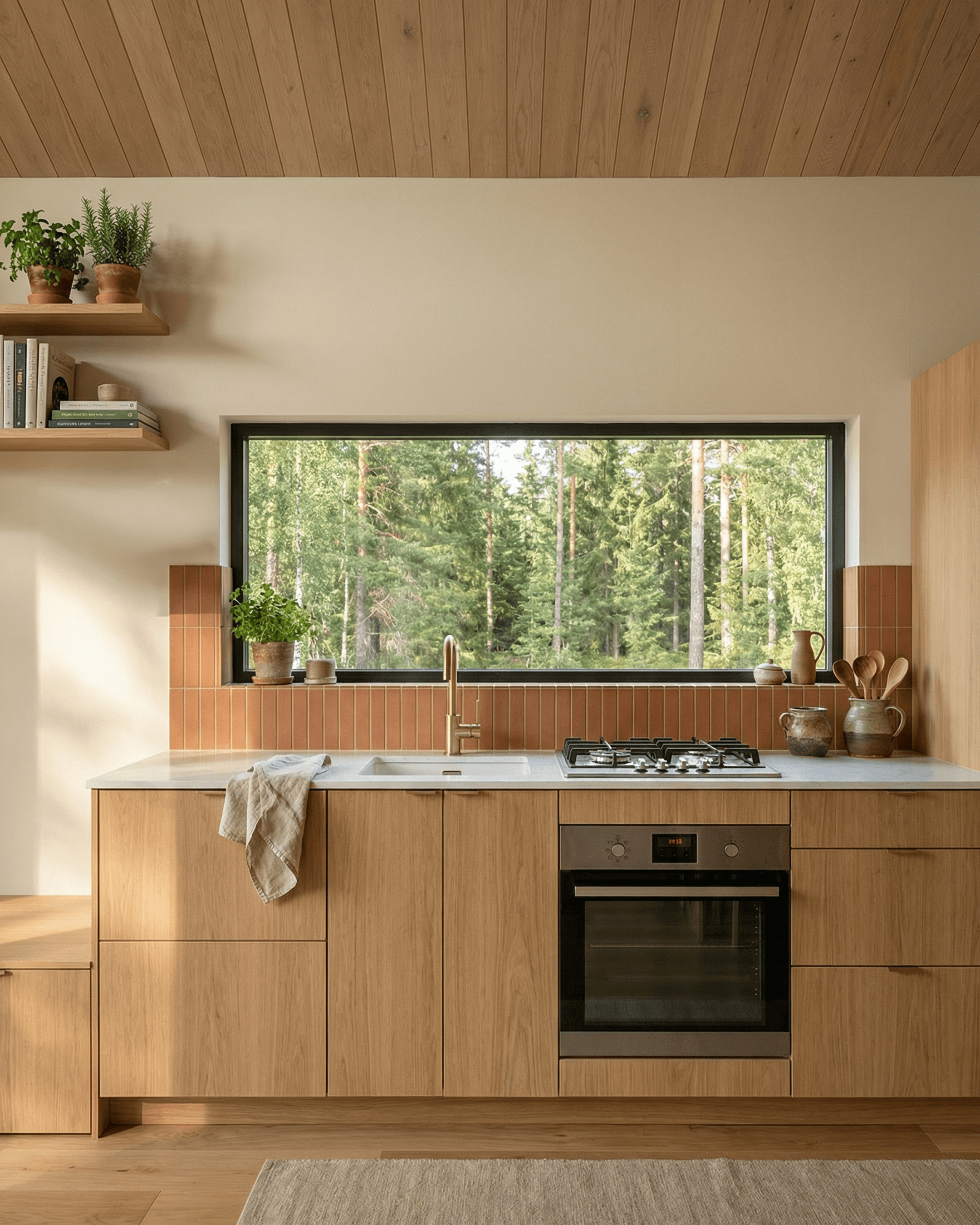
The kitchen is a single run of flat-fronted oak cabinetry in a rich, honeyed timber tone. There are no upper cabinets to interrupt the sightline — instead, a long, unbroken stretch of white stone bench top runs the full length of the wall, creating a clean and generous work surface. A four-burner gas hob sits flush into the counter, accompanied by an integrated under-bench oven. The brass mixer tap over a wide white undermount sink adds a considered touch of warmth to the hardware. A wide rectangular window frames the tree line at eye level directly above the prep area, so cooking here always feels connected to the landscape outside.
Between the kitchen run and living nook, a short terracotta-tiled splashback introduces the cabin's first pop of colour — warm brick-red rectangular tiles that echo the exterior cladding and offer a preview of the bathroom palette to come. Open timber shelving above holds cookbooks, ceramics, and a few trailing plants, giving the kitchen an approachable, lived-in feel.
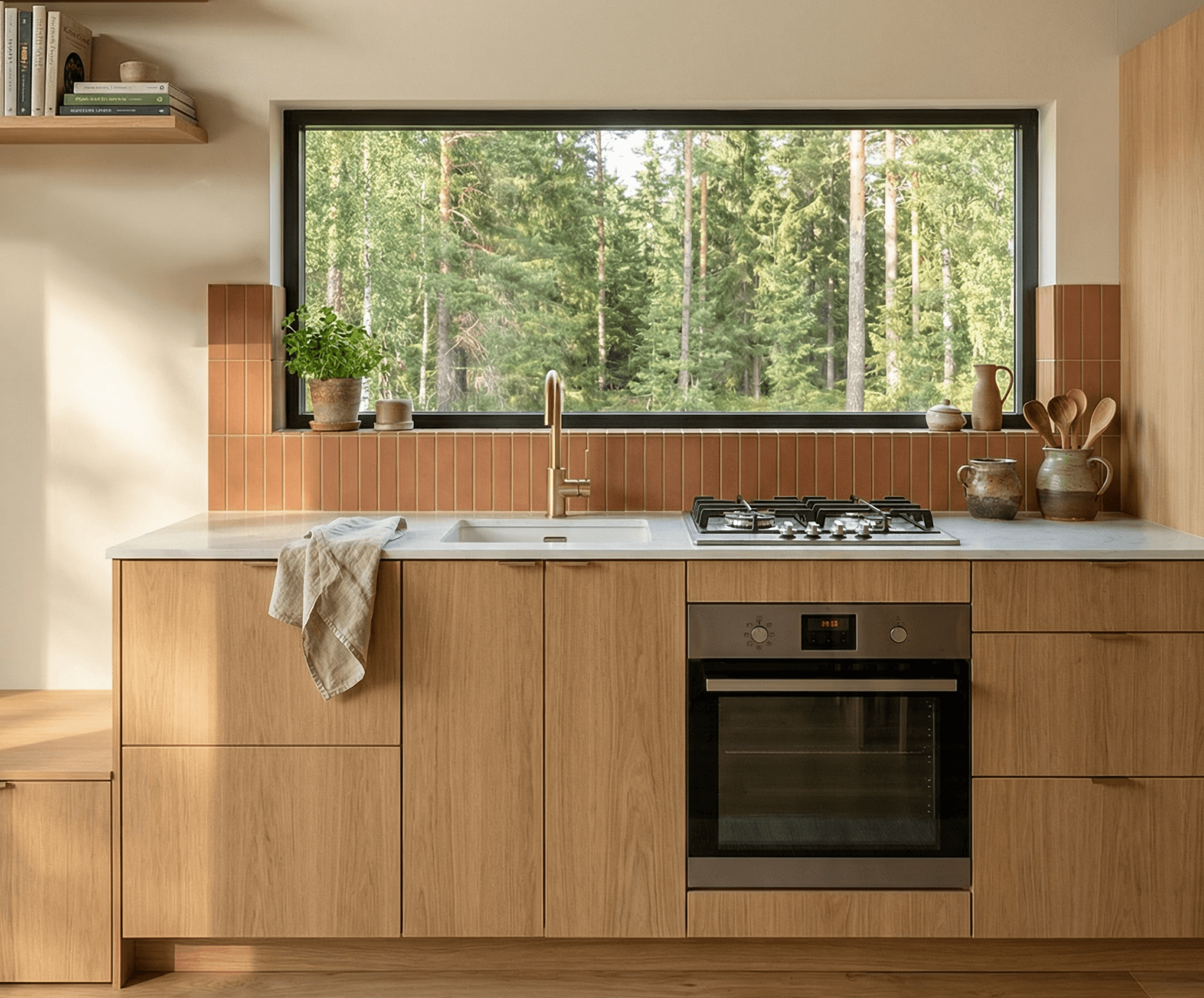
Cabin Office / Study Area
A dedicated study area is built into the layout alongside the bathroom — a long desk running beneath a wide window, paired with built-in timber shelving for storage. This makes Ruby Retreat as a practical option as a work-from-home space, not just a short-stay retreat.
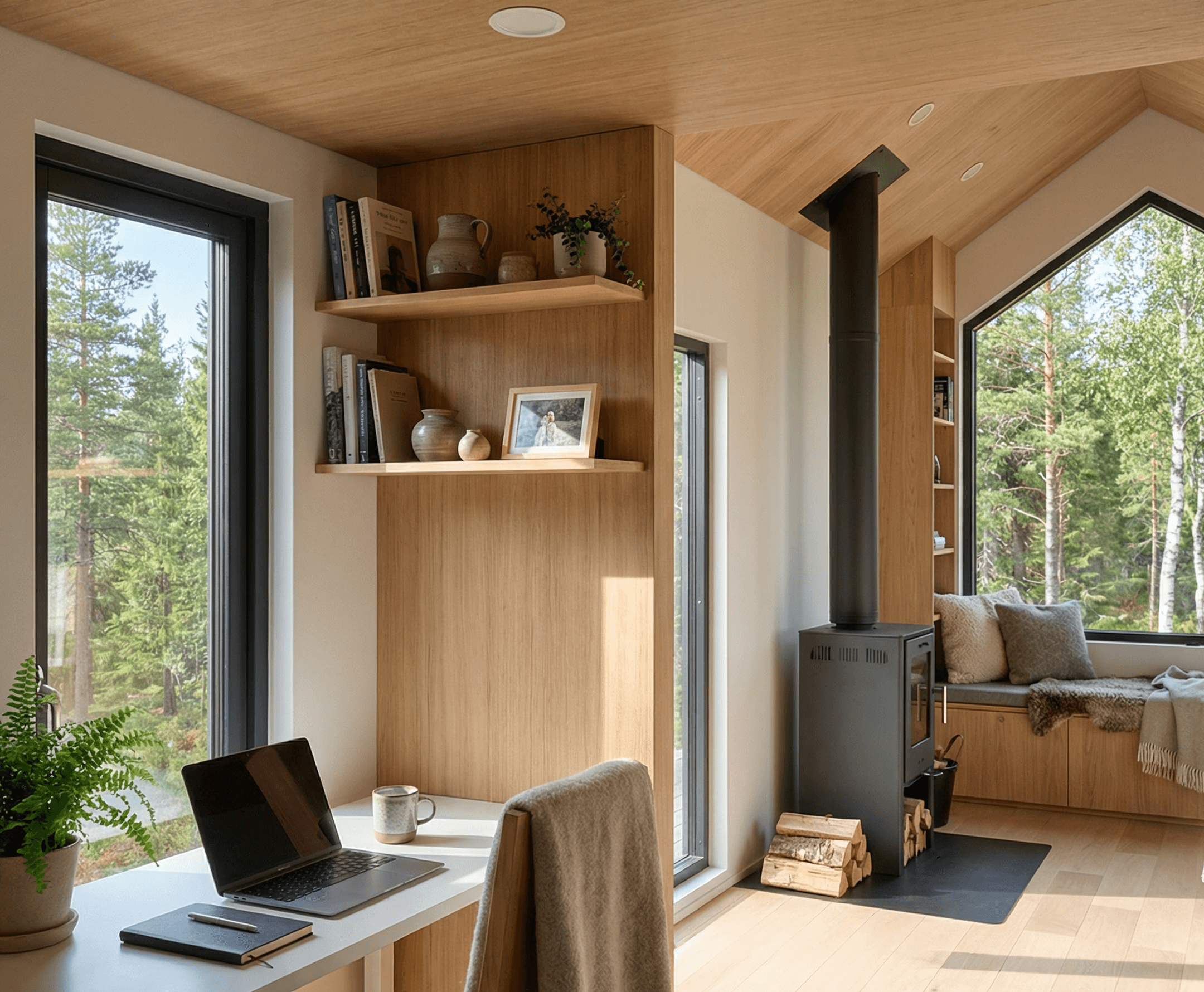
Cabin Bathroom
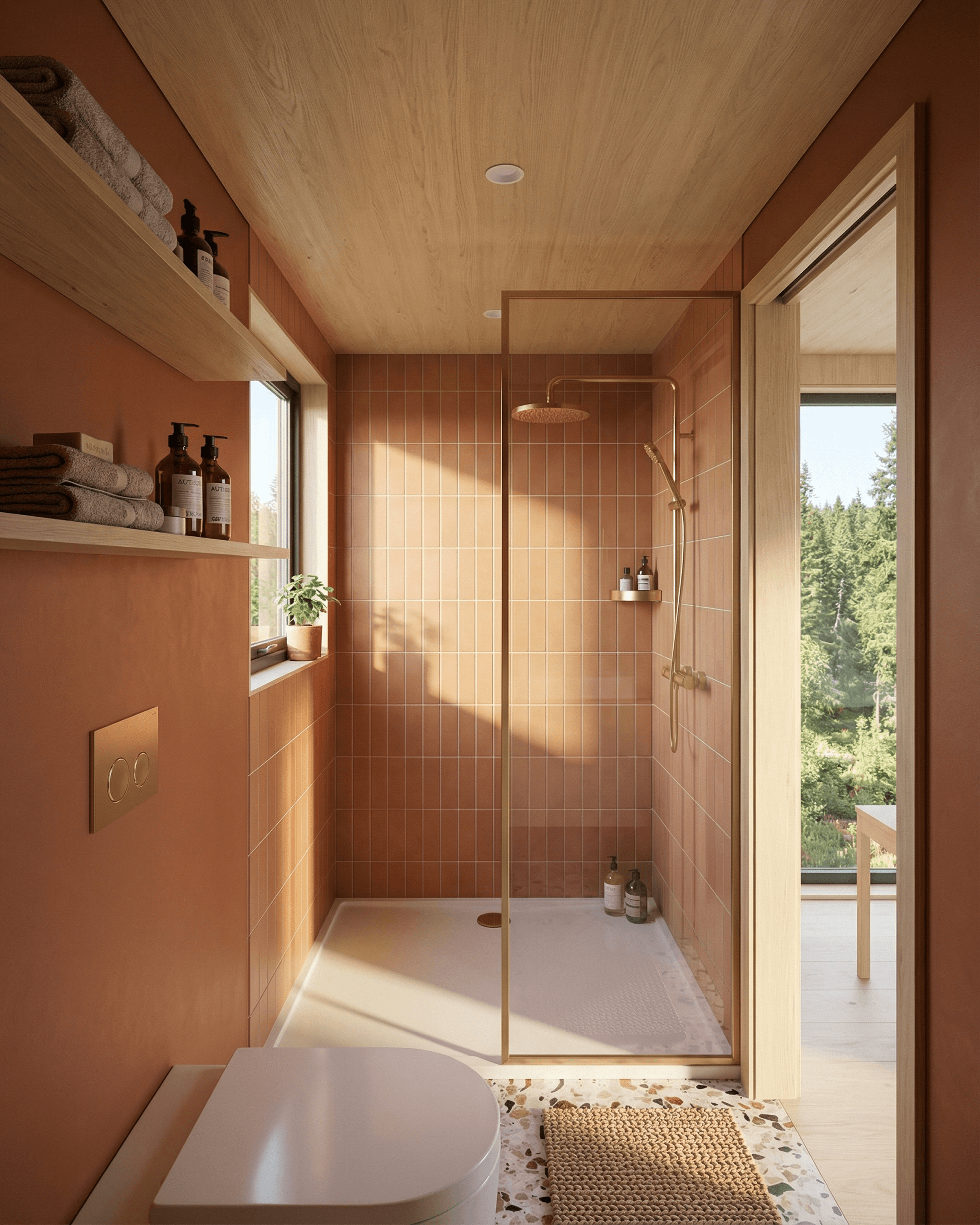
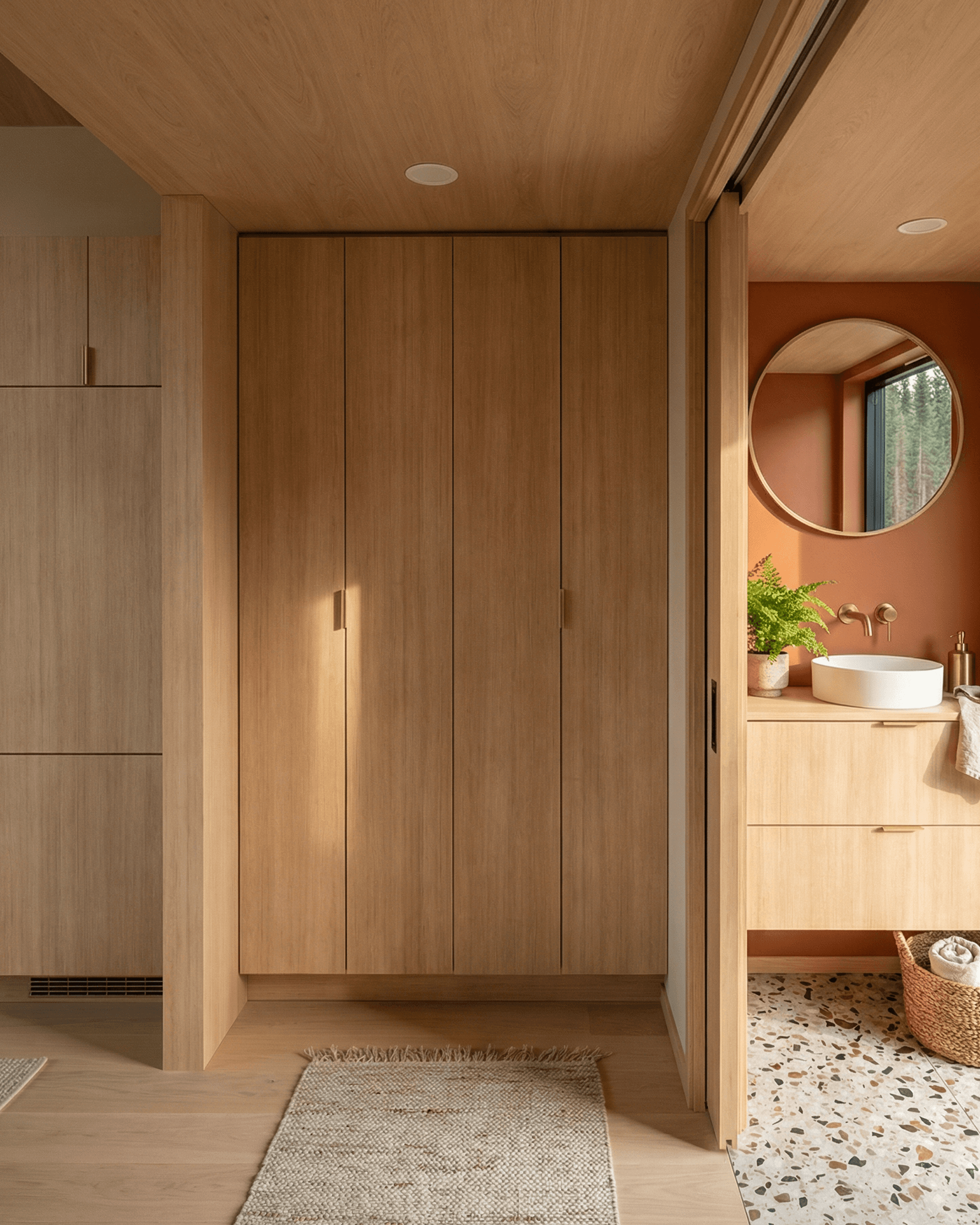
The bathroom features deep terracotta-painted walls paired with a warm terrazzo floor — a bold, cohesive colour palette that gives this compact room a strong design identity. The floating oak vanity with a round vessel sink and brass wall-mounted tapware continues the material language of the wider interior.
A walk-in shower with floor-to-ceiling terracotta square tiles and a brass-framed glass panel completes the space, alongside a wall-hung toilet and open timber shelving for towels and essentials.
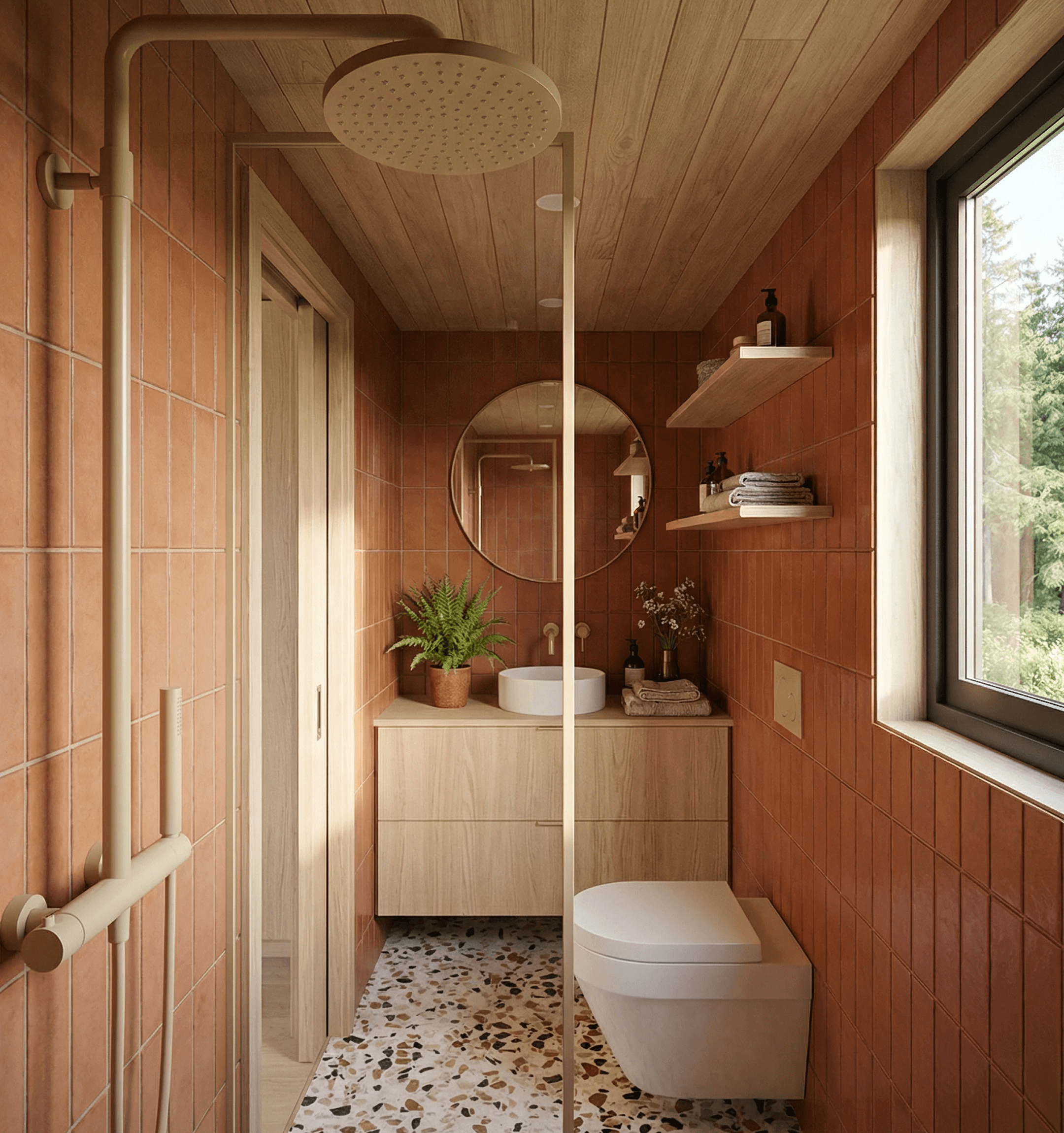
Cabin Storage / Laundry
Full-height built-in oak cabinetry in the hallway zone provides ample storage and houses the laundry, integrated behind the floor-to-ceiling panels with slim brass hardware, everything stays out of sight — keeping the interior clean and uncluttered despite the compact footprint.
Cabin Loft Bedroom
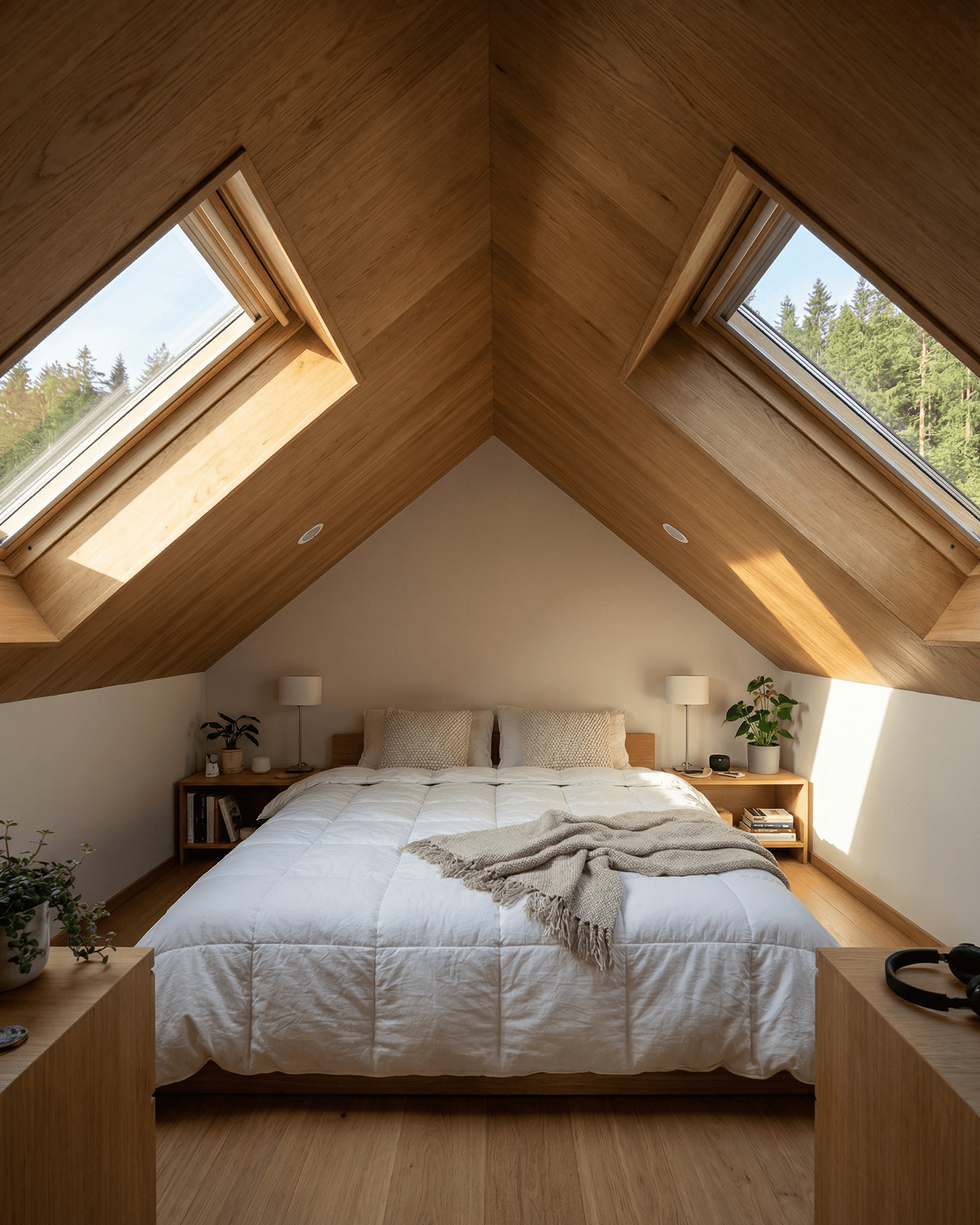
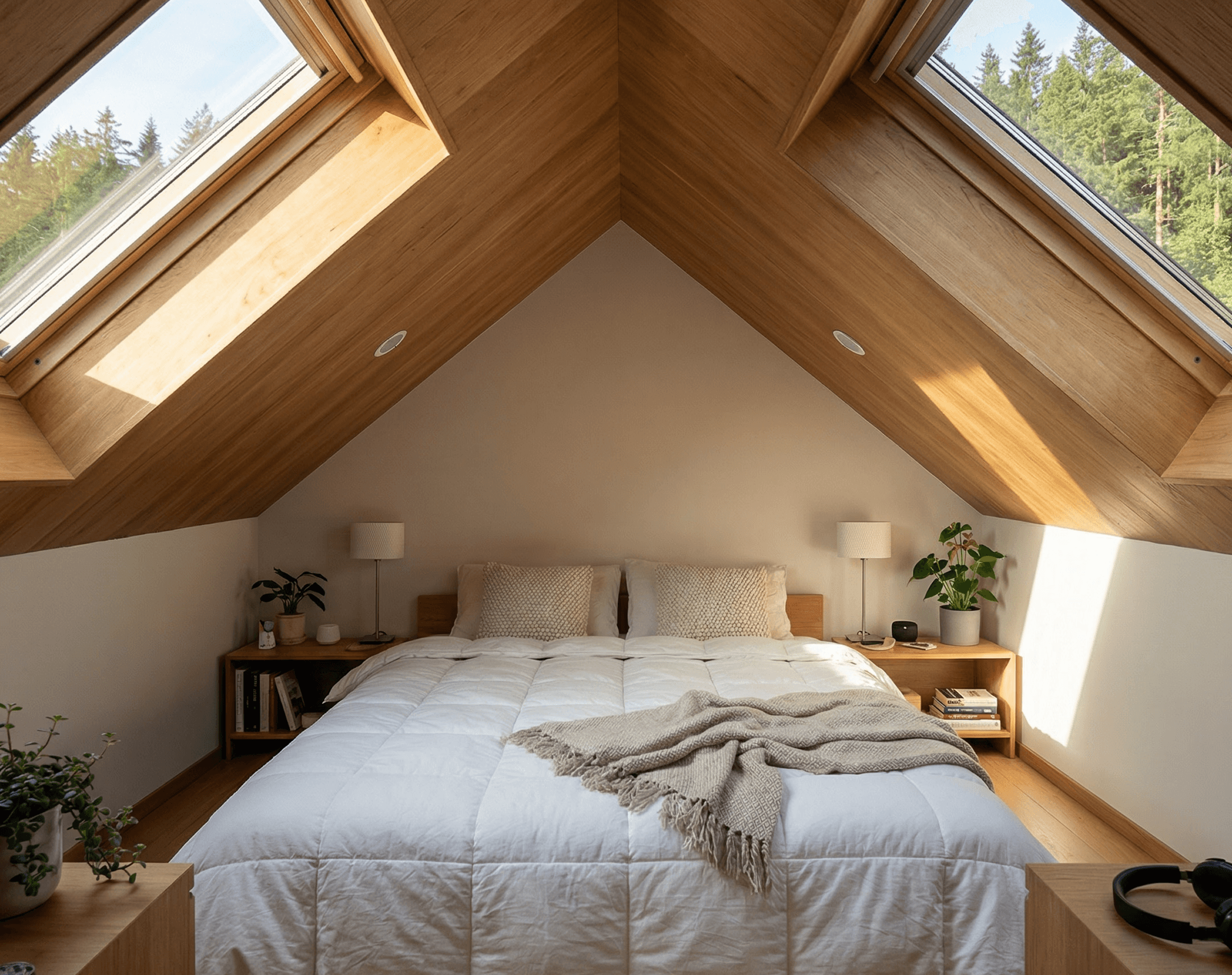
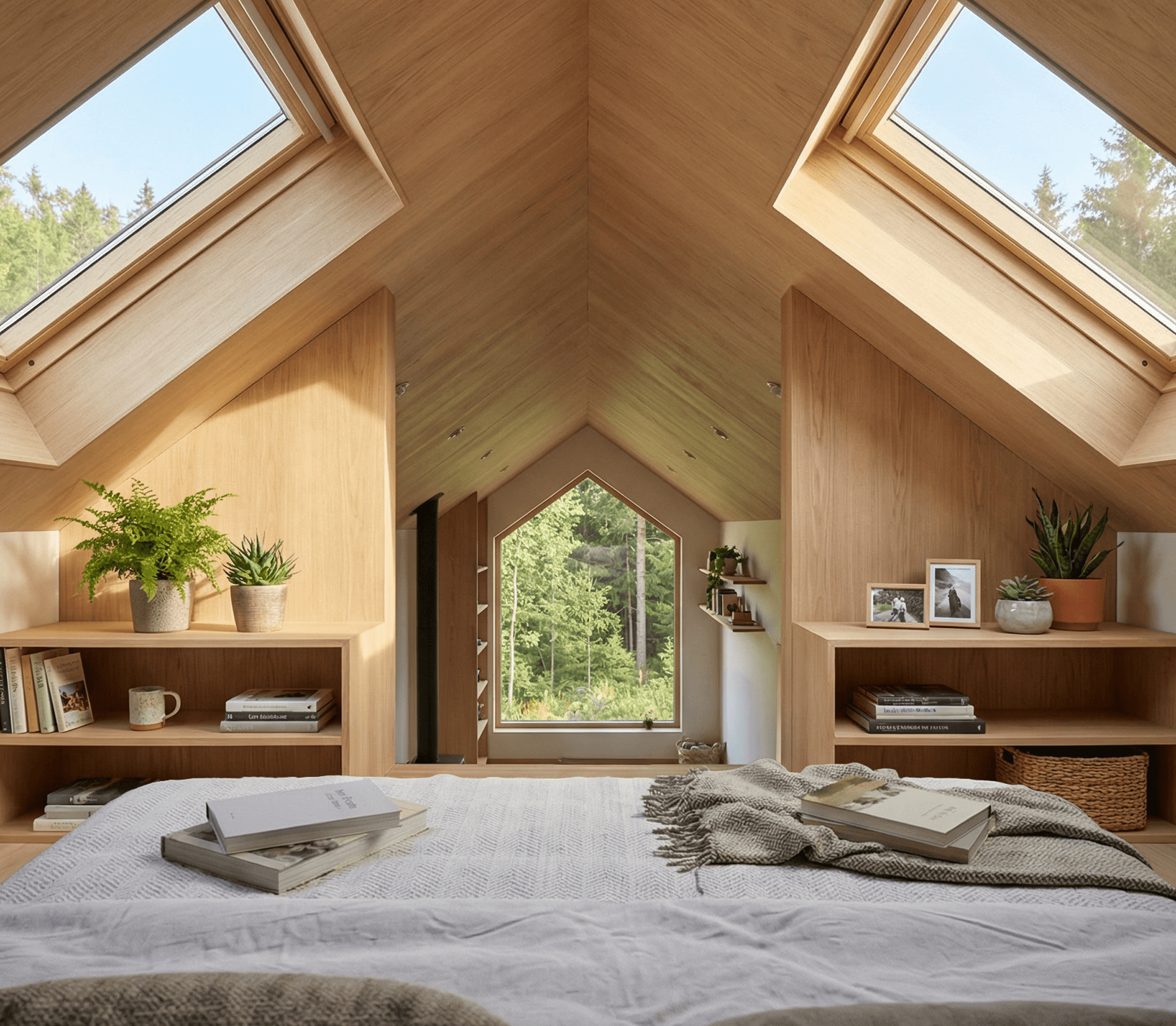
The loft bedroom is accessed via a black steel ladder from the main living area. Timber boards line the pitched ceiling, with oak bedside tables flanking the bed on both sides for extra storage.
Two large skylights set symmetrically into the roof bring natural light directly into the sleeping space, while the gable-end picture window at the foot of the bed frames an outlook to the outdoors. It's a well-resolved loft bedroom that makes smart use of the roofline geometry.
How We Designed this Cabin Concept
Every part of this cabin plan concept, from the exterior details to the interior layout, was designed entirely within the Tiny Easy platform. No third-party tools, no hand-drawn floor plans, no outsourced renderings. From the first concept through to final handoff documents, the whole process lived in one place.
Design Creation
For builders, one of the biggest bottlenecks in turning interest into a real sales conversation is the time it takes to get a clear design in front of a client. Traditional 3D design tools can be slow to learn, and relying on a designer or draftsperson for every early concept can add cost and delay before the client has even had a chance to properly understand the home.
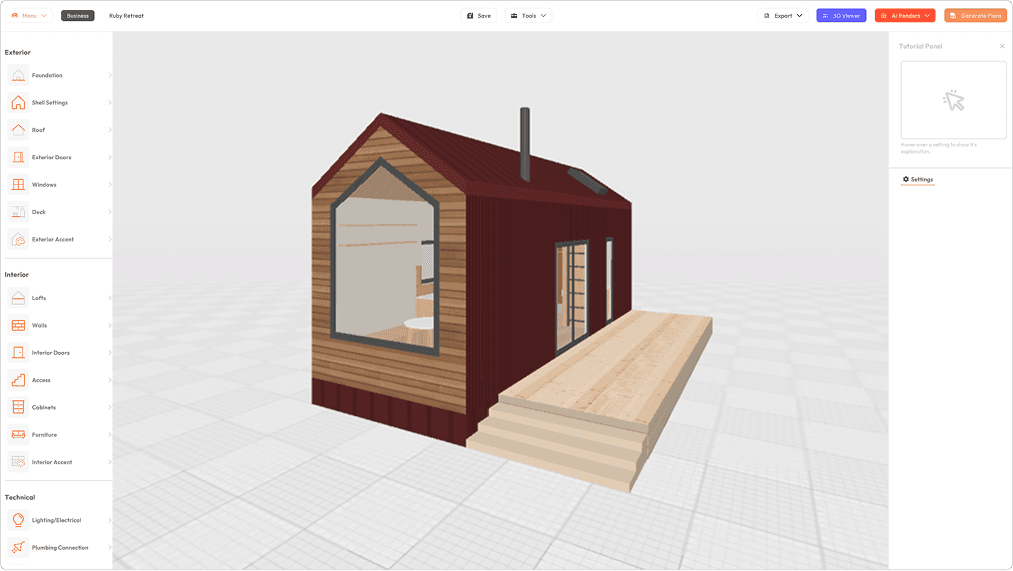
The 3D Designer is Tiny Easy’s design workspace for creating, managing, and tailoring tiny homes, cabins, granny flats, ADUs, and more within one connected system. Builders can use it to build out their core model range, save designs as reusable templates, test new ideas, explore layout options, and refine their designs over time.
Inside the Designer, the structure can be shaped using tools like Foundation, Shell, and Roof, before completing the model with doors, windows, walls, interior doors, cabinetry, furniture, fixtures, lighting, and finishes. This gives builders a practical way to create complete 3D concepts without needing to start from scratch or rely on complex modelling workflows.
Where this becomes especially valuable is in the sales process. Instead of designing a new cabin from a blank canvas for every enquiry, builders can pull the most relevant model from their existing range into a client project, tailor the layout, finishes, openings, and key details, then present a concept that feels specific to that client.
That speed changes the quality of the conversation. Clients are not left trying to imagine the home from 2D plans, rough sketches, or verbal explanations. They can see the design clearly, understand the layout, explore the options, and build confidence in the direction before moving further into pricing, proposal, or approval.
For builders, the result is a faster and more professional path from enquiry to client-ready cabin concept. The 3D Designer helps turn design into a sales tool, giving builders a repeatable way to respond quickly, communicate clearly, and move serious clients forward while interest is still warm.
Visualization
Once a design is complete, the next challenge is presenting it in a way that actually converts interest into commitment. Traditionally, that meant outsourcing renders to a freelancer — which adds cost, turnaround time, and rounds of back-and-forth — or investing in professional rendering software that requires its own lengthy setup before a single image is produced. For a small home builder running a lean operation, neither is a sustainable way to work.
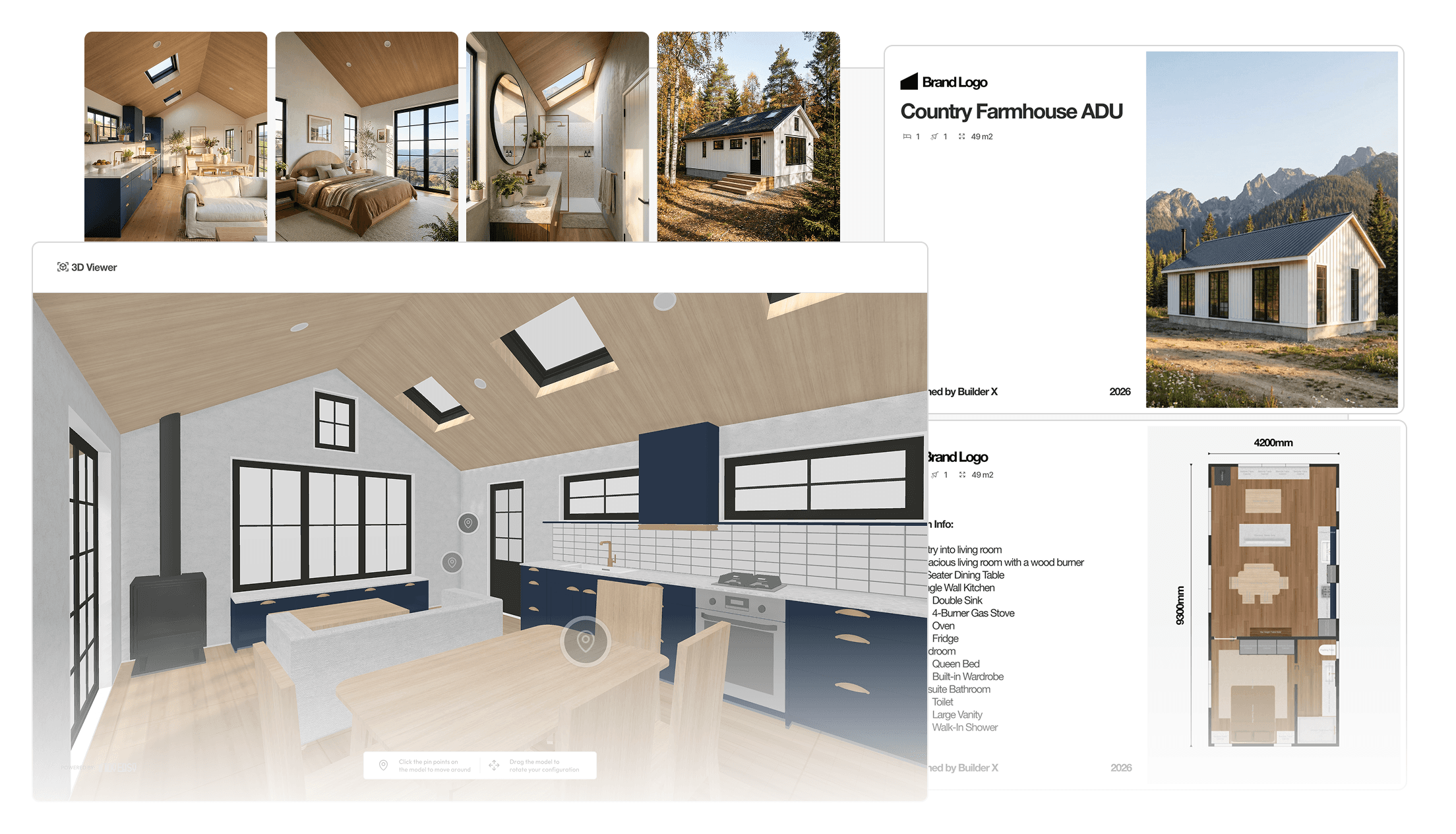
The AI Render Tool takes care of that. Once the design is finalised in the 3D Designer, renders are generated directly from within it. The only setup required is positioning the camera, choosing an environment, setting the time of day and season, and hitting render. The result is a photorealistic image of the home, produced in minutes rather than days — and at a fraction of the cost of conventional methods.
The 3D Viewer Tool adds another layer to the client experience, letting them explore the completed design in interactive 3D from any device. Sharing it is as simple as sending a link. Scale and spatial flow can be difficult to communicate on paper — paired with AI Renders, a 3D virtual tour gives clients the confidence to take the next step without hesitation.
Presentation
Once a design is ready, the next challenge is turning all the project information into a proposal that feels clear, professional, and easy for the client to understand. For many builders, this is one of the most tedious parts of the sales process. The design may already be done, the renders may be ready, and the pricing may be prepared, but pulling everything together into a polished client proposal often means jumping between Canva, PowerPoint, PDF exports, spreadsheets, and old proposal templates that are either too rigid or too difficult to edit.
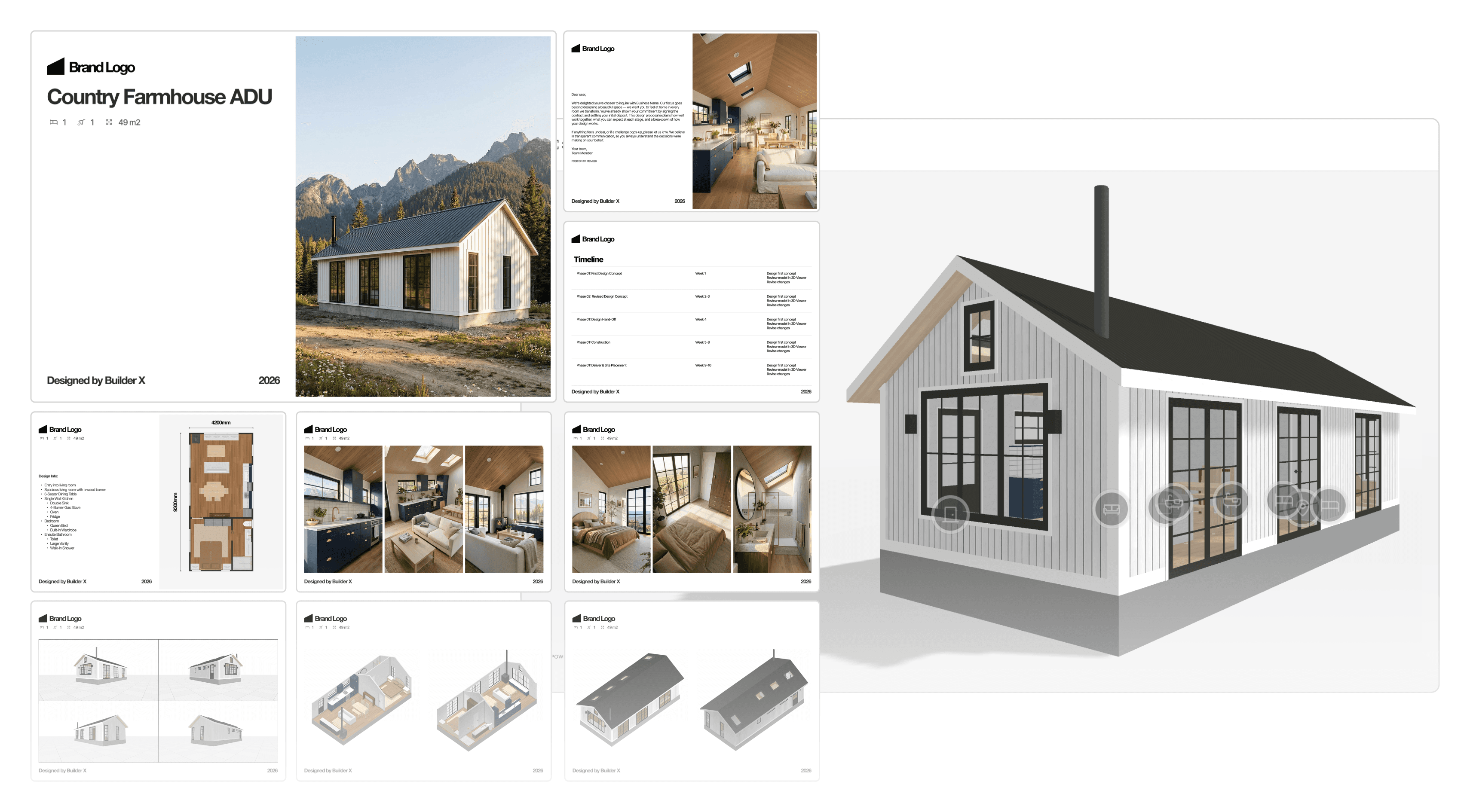
The Proposal Builder is Tiny Easy’s proposal creation tool for building professional, branded client proposals within one platform. It helps builders bring together the key parts of a project, including 3D Viewers, PDF plans, AI Renders, specifications, pricing, inclusions, available options, and next steps, into one clear presentation.
Instead of starting from a blank document every time, builders can begin with suggested proposal templates designed around the way small home projects are actually sold. These templates provide a practical page structure for presenting a customised design, with sections for introducing the project, showcasing the design, explaining the layout, outlining specifications, presenting pricing, and guiding the client toward the next step.
This gives builders a faster way to insert the right content in the right order without needing to design a full proposal from scratch. Pages can be adjusted, removed, duplicated, or added as needed, so the proposal can still be tailored to the client without becoming a complicated custom design task.
The value is not just that the proposal looks better. It helps the client understand the project faster. Instead of receiving disconnected files, flat plans, separate renders, and a pricing document, they get one polished proposal that brings the design story together. They can see the home, understand the layout, review the key details, and know exactly what happens next.
For builders, this creates a more repeatable and professional sales workflow. It reduces the time spent assembling proposals manually, keeps presentations more consistent across the team, and helps move clients toward sign-off, approval, or deposit with greater confidence.
Handoff
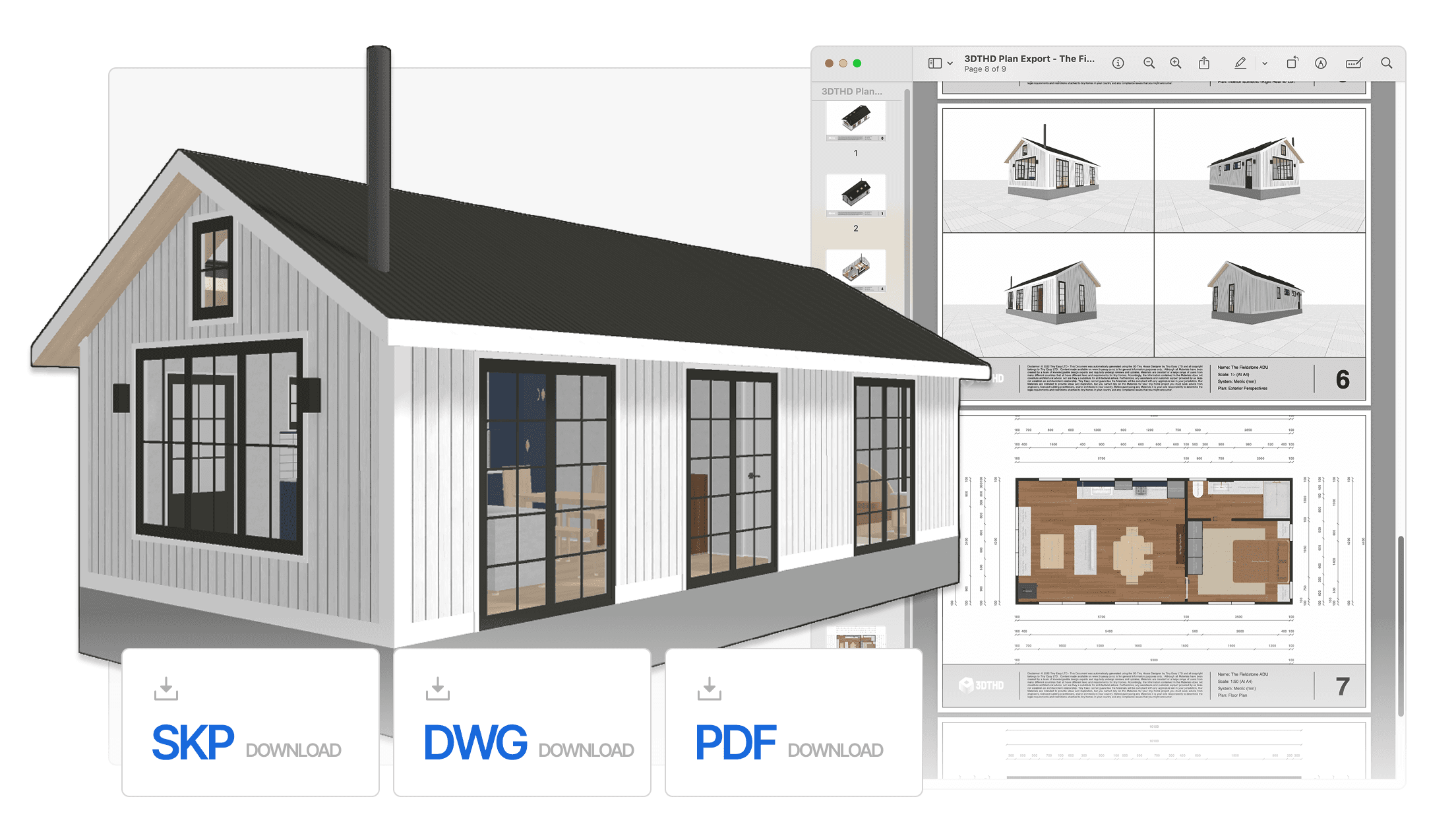
When the design is approved and it's time to move into documentation, the 3D Designer exports everything needed to take the project forward. PDF plans are generated directly from the model — accurate, professional documents that give a draftsperson or architect a clear picture of the design intent without any redrawing required.
Alongside the plans, an auto-populated material take-off spreadsheet exports directly from the design. Rather than manually costing a new model from scratch, the material list is already populated and ready to work from — saving hours in the estimation process and reducing the margin for error when putting a quote together.
For those who need to take the model further, the 3D Designer also exports a SketchUp file, allowing the design to be carried into more advanced workflows without having to rebuild from scratch.
For builders, this closes the loop on the entire process — from first sketch to professional handoff — without the design ever leaving the platform. It's a faster, cleaner way to work that reduces errors, saves cost, and keeps the project moving.
Ready to Design your Own?
This cabin design is proof that a small footprint doesn't mean compromising on quality — in the design, the experience, or the process behind it.
What made it possible wasn't a team of designers or an expensive production pipeline. It was a single platform, built specifically for the way small home builders actually work.
If you're a builder who wants to walk into your next client meeting with renders like these, proposals that are ready to go, and a process that runs end to end without the usual friction — book a call with us and let's talk about what you're building.