Product
Bridge the imagination gap with 3D house rendering. Discover how high-quality 3D visuals help builders close more sales and bring modern home designs to life.
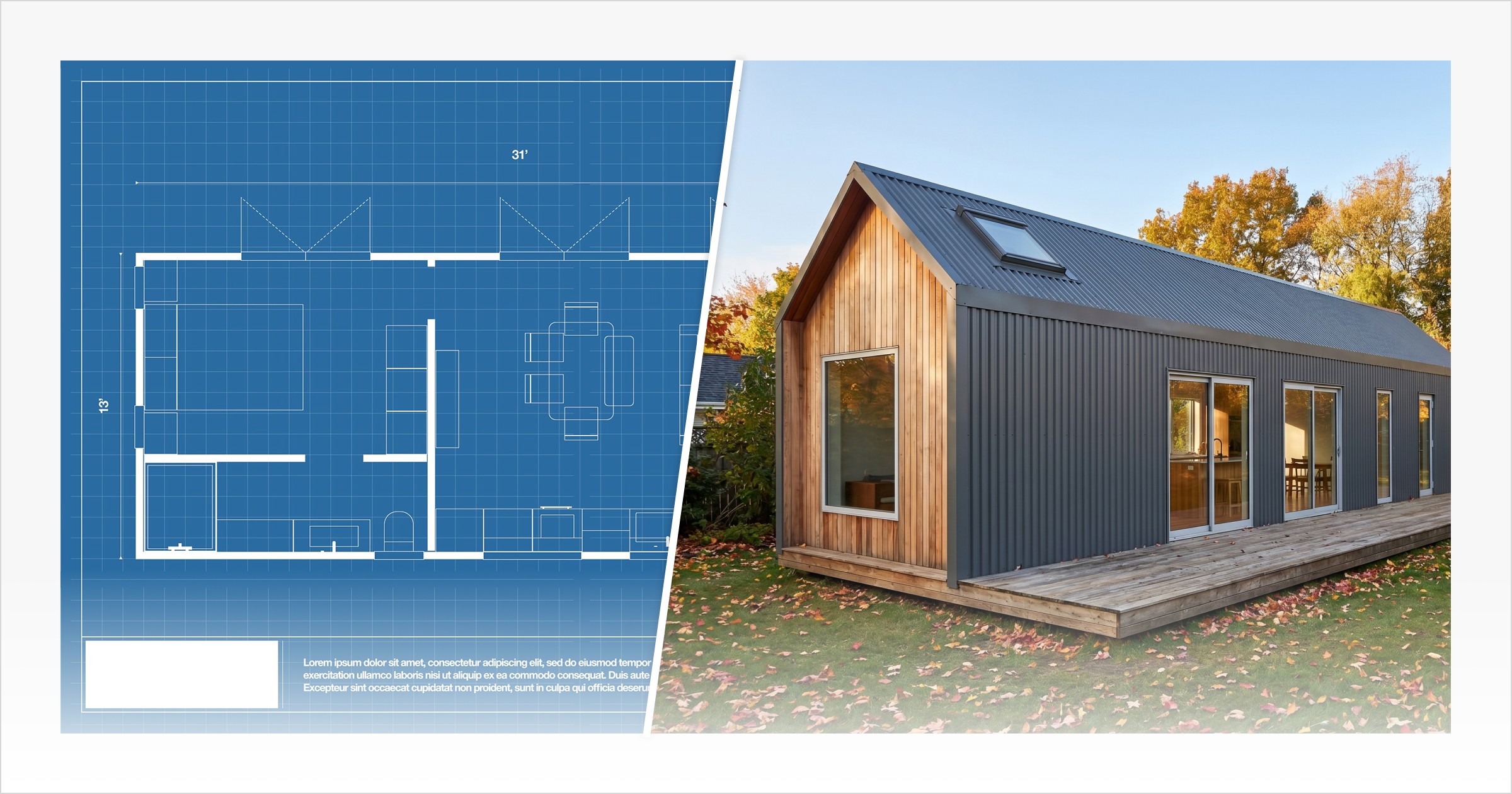
The Imagination Gap: Why 2D Blueprints With No 3D Rendering of a House Are Killing Your Sales
Picture this: a prospective buyer sits across from you, looking at a set of blueprints and trying to piece together what their future home might actually feel like. Without a clear 3D rendering of a house, every change you describe still has to live in their imagination. They nod, ask a few questions, and say they’ll think about it. Then the conversation goes quiet. That moment of hesitation has a name: the imagination gap.
Most clients simply cannot translate a flat line drawing into a living, breathing home. Dimensions, symbols, and dashed lines mean nothing to someone who isn't a trained architect. When buyers can't picture themselves in the space, they don't commit. They stall. And stalled decisions cost builders real money.
"The firms thriving in 2025 understand that visualization has evolved from a presentation tool into a design methodology." — Exeleon Magazine
This is exactly where a 3D rendering of a house changes everything. Rather than asking clients to imagine, you show them. Photorealistic visuals eliminate ambiguity, build emotional connection, and accelerate pre-sale decisions before a single foundation is poured. When builders weigh the cost of 3D house rendering against a single lost sale, the math becomes hard to ignore.
The sections ahead break down what rendering actually is, how it works, and why it's become the sharpest closing tool in a modern builder's arsenal.
What Is 3D House Rendering? And Why It's Different from 3D Modeling
The terms 3D modeling and 3D rendering are often used interchangeably, but they refer to different parts of the design and visualization process.
A 3D model is the digital version of the home itself. It allows the shape, layout, proportions, roofline, windows, doors, interior spaces, cabinetry, fixtures and other design details in three dimensions. It helps builders and buyers understand how the home is structured before it’s built.
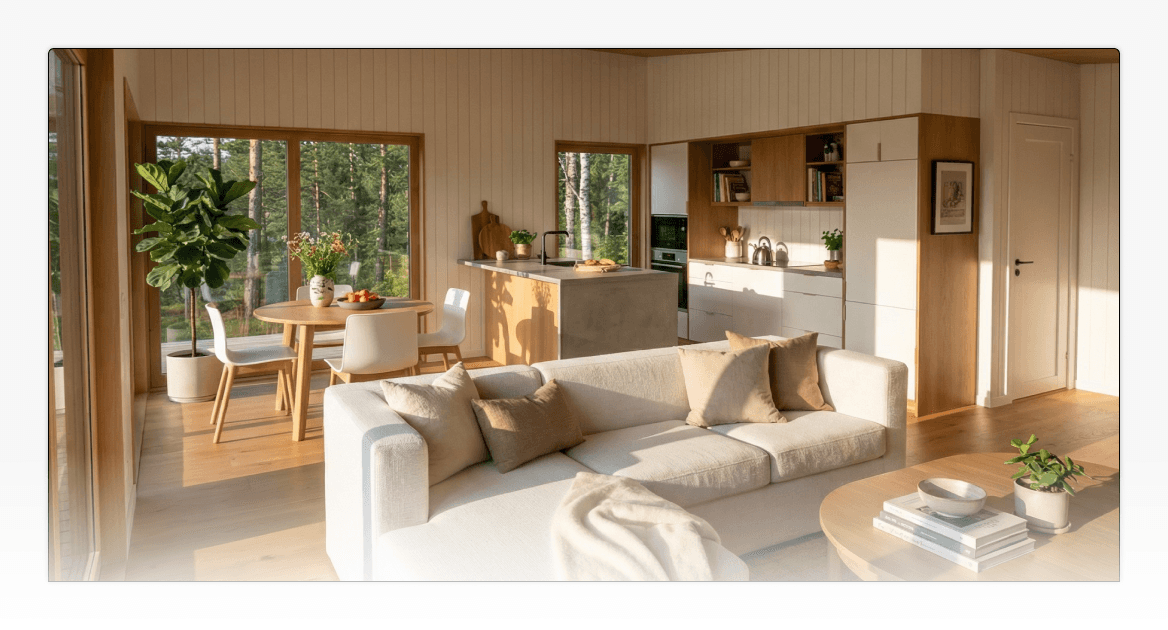
A 3D rendering of a house is the visual image created from that model. Rendering adds the lighting, shadows, surrounds, and showcases textures and materials that make the design feel realistic and emotionally engaging.
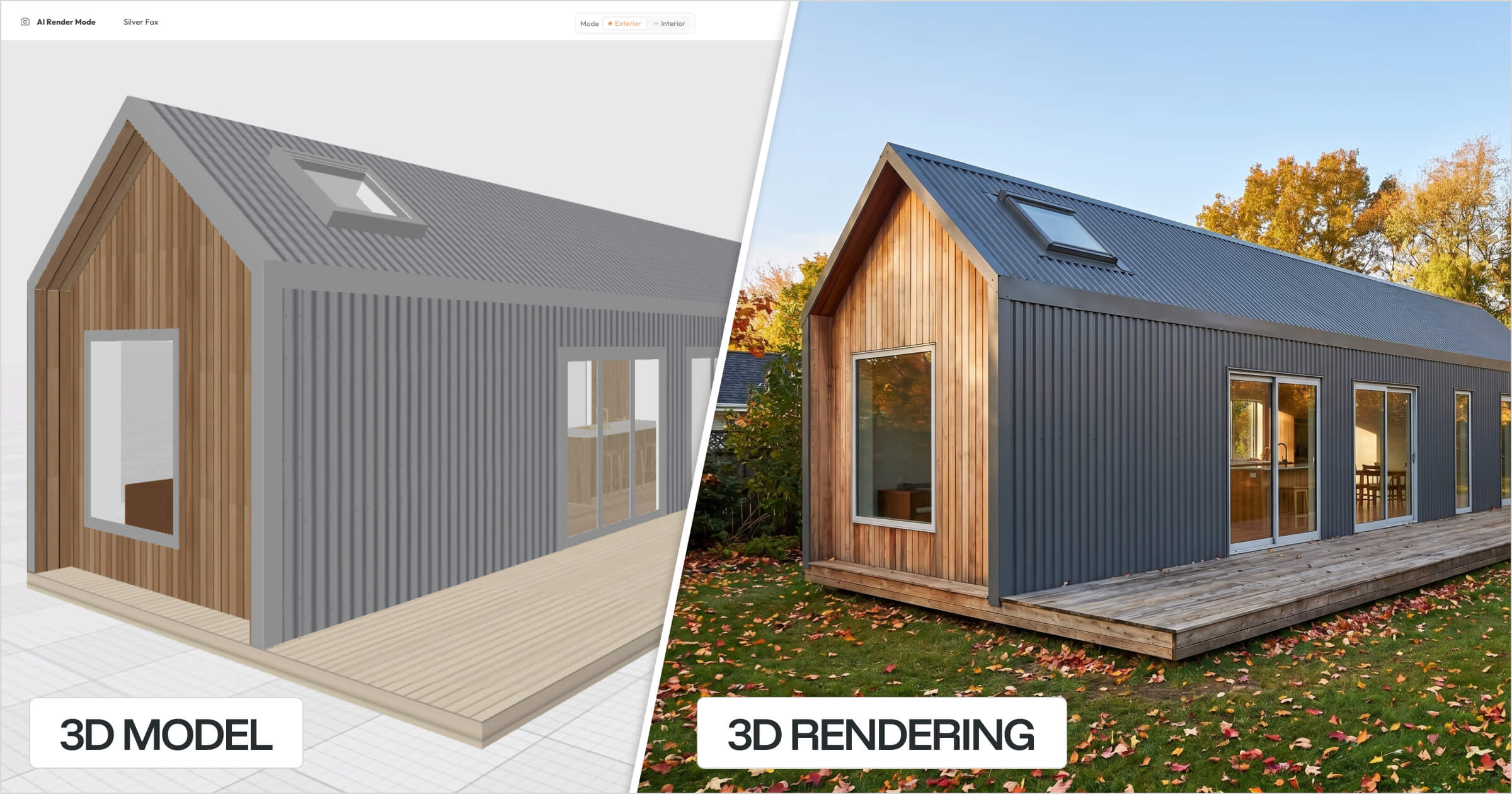
*The image above showcases a 3D Model & 3D Render created in Tiny Easy's 3D Designer & AI Render Tool
Feature | 3D Modeling | 3D Rendering |
|---|---|---|
What it is | A digital 3D geometric shape of an object. | A photorealistic image or experience produced from that model |
What it shows | Shapes, dimensions, spatial layout, design details | Lighting, materials, textures, finishes, shadows, landscaping, and atmosphere. |
Output format | Wireframe or basic 3D object | Still image, AI render, 360° visual, animation, or interactive 3D configurator. |
Buyer experience | Technical, hard to emotionally connect with | Immediate, photo-realistic, and visually compelling |
Think of the 3D model as the digital 3D drawing of a house. It is where the design takes shape, where changes can be made, and where the layout can be tested. House rendering is what happens when that model is dressed for presentation, with realistic materials, lighting, textures, and surroundings that help the buyer picture the final result.
A 3D model answers: “How is the home designed?”
A 3D rendering answers "What will the home really look and feel like?”
Both matter. The model gives builders the working foundation for design changes, walkthroughs, plans, and client discussions. The render turns that design into a visual story buyers can understand quickly.
Today, rendering can go far beyond static images. Builders can use realistic renders, 360-degree visuals, interactive walkthroughs, and 3D configurators to help buyers explore a design, compare options, and understand changes before making a decision. Each format supports a different stage of the sales conversation, but the goal is the same: to close the gap between what the builder understands and what the buyer can confidently imagine.
The Business Case: 3 Ways 3D Visuals Protect Your Bottom Line
Now that you understand what 3D house rendering actually is, the next question is practical: does it move the needle for small builders? The short answer is yes — and the data backs it up across three areas that directly affect your revenue. The same principles that have made 3D rendering for real estate marketing a standard practice apply directly to small home builders managing their own sales workflow.
1. Speed: Cutting the Time from Lead to Contract
Buyers who can see a finished home make decisions faster. That's not a theory — it's measurable. According to The Architect's Diary, properties marketed with 3D virtual walkthroughs and high-quality renderings close up to 31% faster than those relying on traditional 2D listings.
That speed advantage shows up clearly when you consider how buyers actually respond to a well-presented 3D rendering of a modern house. Instead of squinting at a floor plan and trying to piece together what the finished result might look like, they can see it — the roofline, the materials, the way light hits the facade. That clarity removes hesitation and moves the conversation forward.
For a small builder carrying land, materials, and labor costs while waiting on a signed contract, that time compression directly reduces overhead. Faster decisions mean lower carrying costs — and healthier margins.
Builder's Takeaway: Replacing a blueprint review with a rendered walkthrough doesn't just impress clients — it shortens your sales cycle in a measurable way.
2. Accuracy: Fewer Change Orders, Fewer Surprises
Misaligned expectations are expensive and confusing. When a client has to interpret a home from a 2D technical drawing, they may ask for changes without fully understanding how the layout, proportions, and space actually work together. Each revision adds friction to the sales process, creating more back-and-forth before the client feels confident enough to sign or pay a deposit. According to ZealousXR, using 3D visuals as a design-phase roadmap reduces change orders by 30%.
As Chaos notes, architectural visualization creates a shared visual reference between builders and clients — one that significantly reduces misinterpretation before construction begins.
Builder's Takeaway: Every change order you prevent is pure margin protection. Visuals align expectations early, when adjustments are still cheap.
3. Conversion: Turning Browsers into Buyers
For builders with repeatable home models — think ADUs, tiny homes, or spec builds — interactive visual tools give prospective buyers the confidence to act. PureWeb reports that companies using interactive 3D configurators see conversion rates up to 40% higher than those using traditional online methods.
When a buyer can explore finish options and layouts before ever calling you, they arrive at that conversation pre-sold — not just curious.
Builder's Takeaway: Visual tools don't replace your sales process. They warm up every lead that enters it.
Those three wins — speed, accuracy, and conversion — each map to a different type of rendering. And knowing whichvisual tool to use in which situation is where most small builders leave money on the table.
Types of 3D Rendering Every Small Builder Needs
Not all renders serve the same purpose. The most effective builders treat 3D rendering for real estate the way a good salesperson treats their toolkit — every tool has a job, and knowing which one to reach for makes all the difference.
Here's a breakdown of the four core render types and where each one earns its place in your sales process:
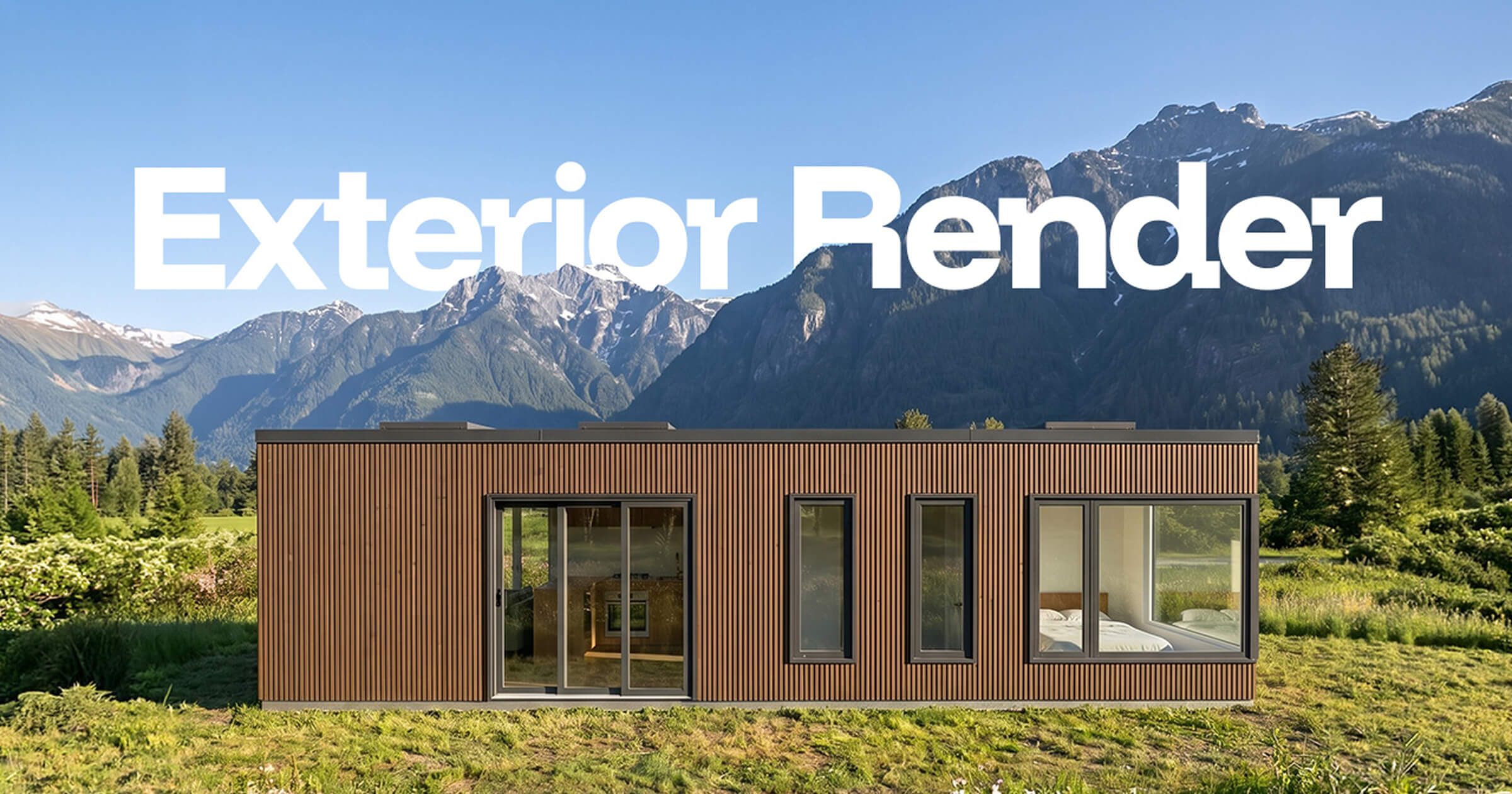
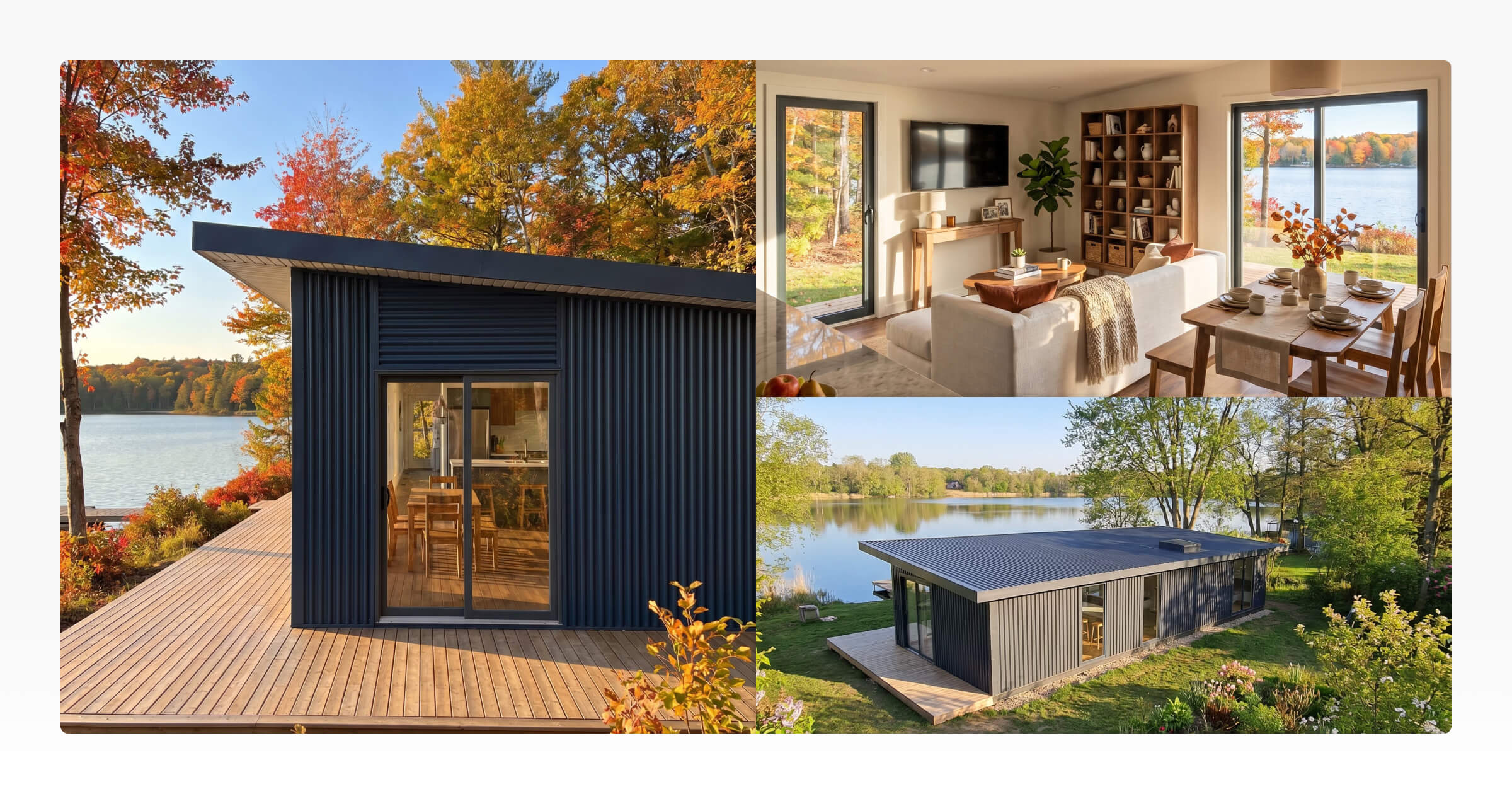
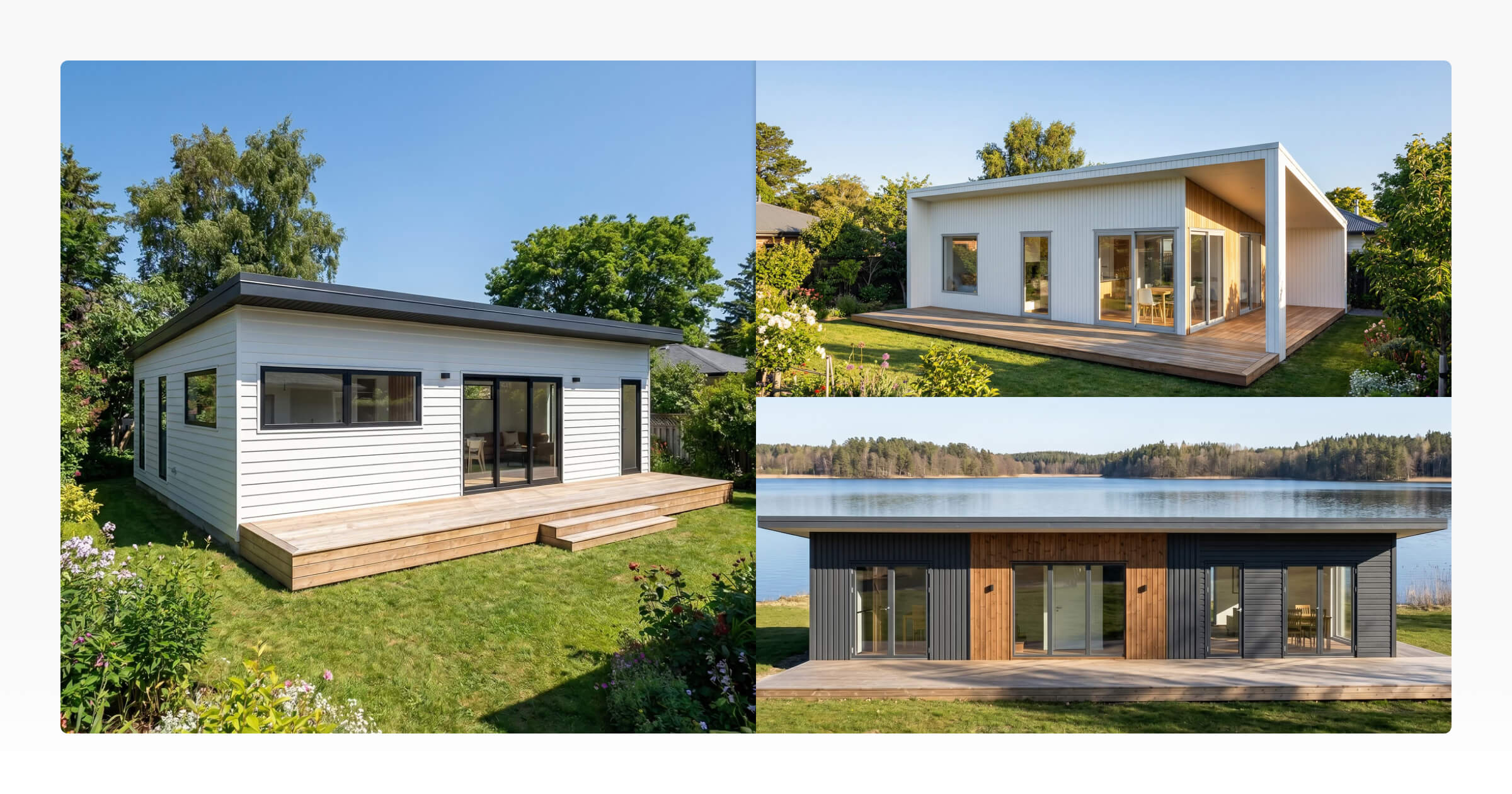
Exterior Rendering — Selling Curb Appeal This is your first impression. Exterior renders show how a home sits on its lot, how it relates to neighboring structures, and how finishes look in natural light. Sales Use Case: Use these early in conversations to generate excitement and secure initial buy-in before a client has even seen a floor plan.
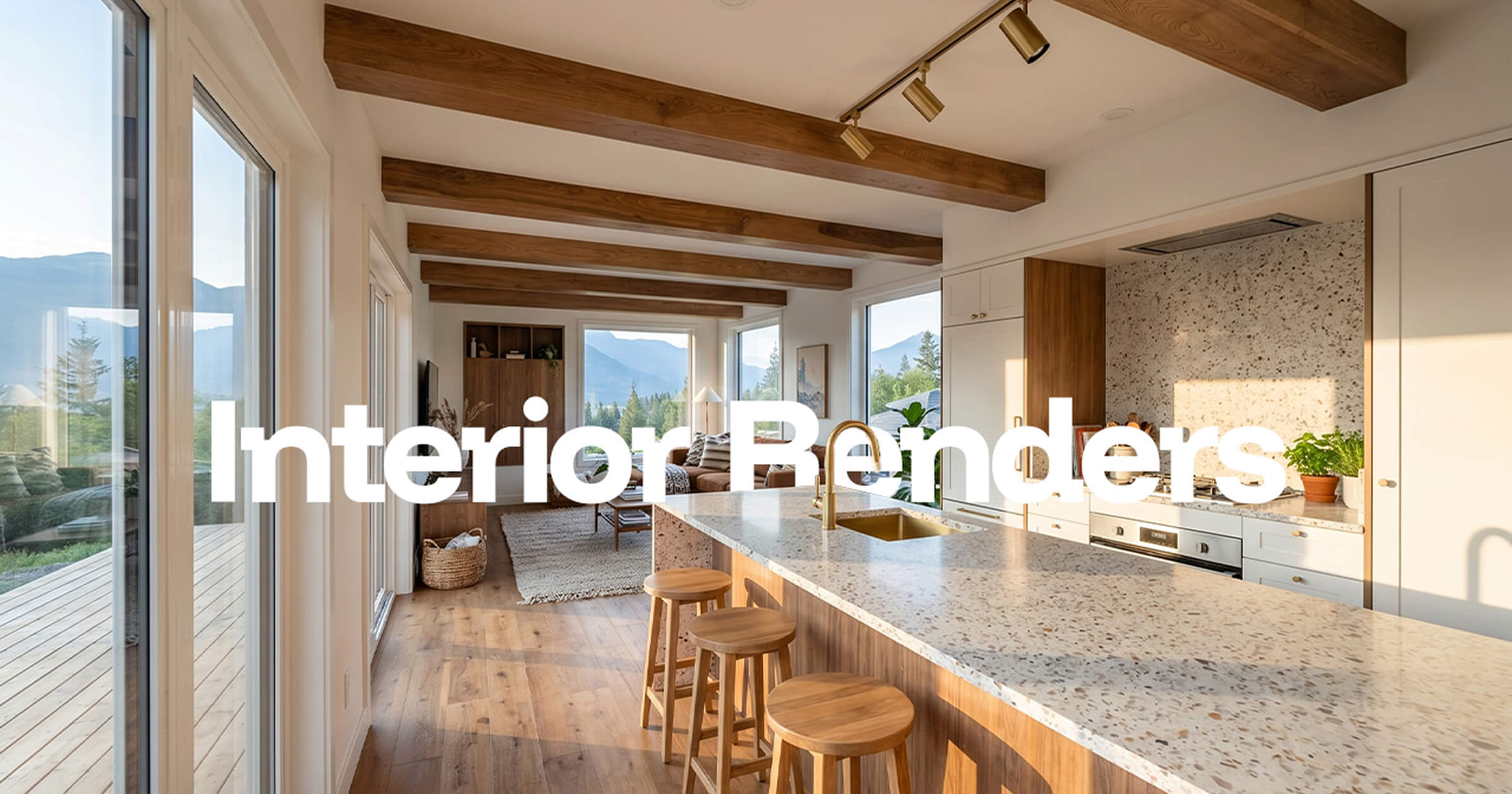
Interior Rendering — Making Compact Spaces Feel Livable For tiny homes and ADUs, interior renders do heavy lifting. They help clients visualize flow, ceiling height, and natural light in ways that dimensions on paper simply can't convey. Sales Use Case: Deploy these when a client hesitates about square footage — showing beats explaining every time.
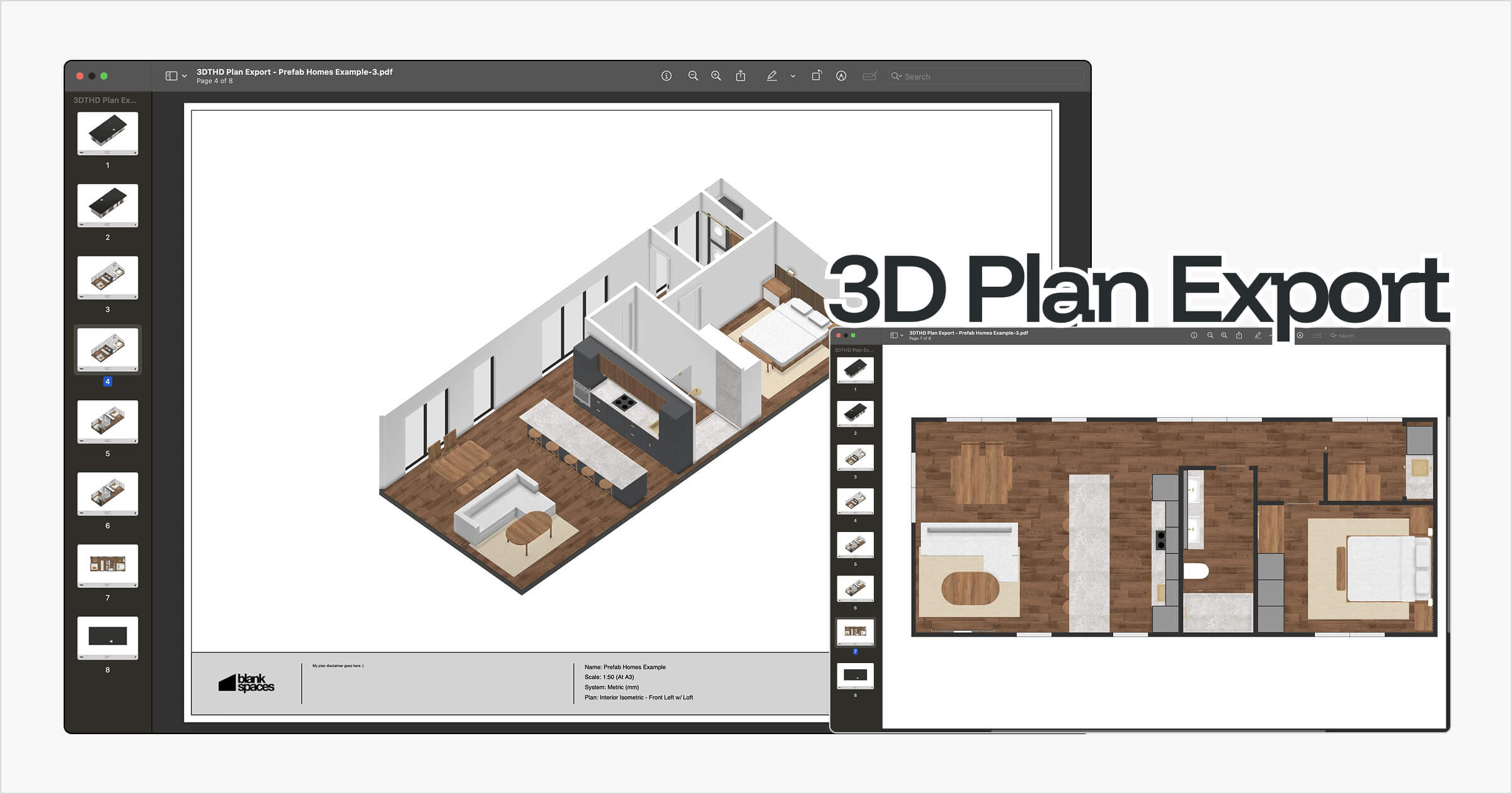
3D Floor Plans — Communicating Layout and Function 3D floor plans are particularly effective for small homes, demonstrating how multi-functional furniture and smart storage actually fit within a tight footprint. Sales Use Case: Ideal for follow-up presentations when clients want to understand livability before committing.
Photorealistic vs. Conceptual Style — Matching Detail to Stage High-end photorealistic renders signal a finished, polished product. Sketchy or conceptual styles, on the other hand, invite collaboration — they communicate "this is still flexible." Sales Use Case: Use conceptual renders during early design discussions; switch to photorealistic visuals when closing.
The right render at the right moment accelerates decisions — and prevents the kind of late-stage design changes that cost builders real money.
Of course, knowing which renders to produce is only half the equation. The other half is understanding what they actually cost — and whether outsourcing, in-house production, or a smarter AI-driven workflow makes the most sense for your business.
The Cost of 3D House Rendering: Outsourcing vs. AI Rendering Software
Understanding the value of 3D visuals is one thing. Understanding what they'll cost your business is another.
Outsourced rendering is priced per deliverable — typically per image, view, or revision package. According to RealSpace3D, a single professional exterior render starts around $399 and can climb well past $1,500 depending on complexity. MyArchitectAI puts the residential range at $250–$2,800 for still images, with 360° panoramas and animations pushing costs significantly higher.
For a one-off hero shot of a 3D rendering of a modern house destined for a brochure, that investment may be justified. But when clients want to see three color options, two façade variations, and a revised landscape layout? The invoices stack up fast.
The hidden cost is often bigger than the invoice itself. Every outsourced render requires briefing time, back-and-forth feedback, revision cycles, and waiting, sometimes days, before you have something to show a client. That lost momentum during an active sales conversation has a real dollar value that never appears on a quote.
Approach | Typical Cost Per Image | Speed | Flexibility | Best For |
|---|---|---|---|---|
Outsourced studio | $300–$2,800+ | Days to weeks | Low (paid revisions) | Hero marketing images |
Traditional in-house software | Lower per image over time | Hours | Moderate | Teams with dedicated specialists |
AI rendering software | Subscription or per-use | Minutes | High | Small builders, frequent iterations |
Traditional in-house rendering reduces per-image costs over time, but introduces its own overhead: software licenses, hardware, training, and specialist skills most small builder teams simply don't have.
AI rendering software changes the cost model entirely. Instead of treating every visual as a separate outsourced project, builders generate images directly from their existing design workflow — quickly, repeatedly, and without a briefing document in sight.
That efficiency advantage becomes even more powerful when the rendering tool is connected directly to your design and sales workflow — which is exactly what the next section covers.
Workflow Efficiency: How to Render a House in 10 Seconds
The cost comparison in the previous section tells half the story. The other half is time — and in a client meeting, time is everything.
The traditional rendering problem is simple: producing a finished image through conventional 3D pipelines means waiting hours, sometimes days, for software to "bake" lighting, shadows, and textures into a single frame. By the time the image is ready, the client has gone cold or changed their mind entirely. That delay doesn't just slow your workflow — it actively costs you sales.
Modern cloud-based rendering engines can now produce high-quality visuals in seconds rather than hours, enabling real-time design iterations directly with clients. That shift changes everything about how a builder can run a sales conversation.
How Tiny Easy’s AI Render Tool Fits In
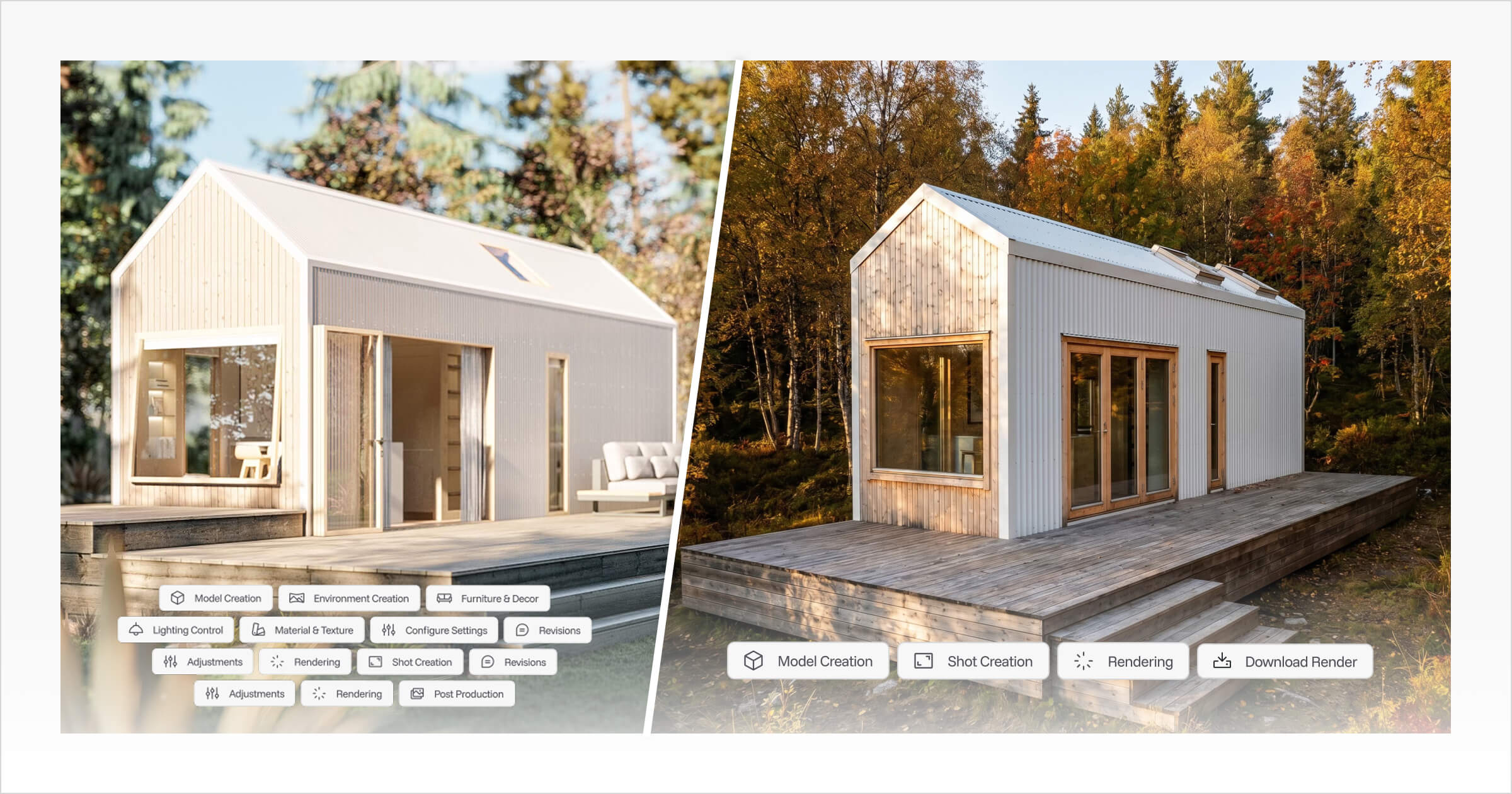
Tiny Easy’s AI Render Tool is designed to make this faster rendering workflow practical for small home builders. Once a design has been created in the 3D Designer, builders can generate polished exterior or interior visuals from the same model, without exporting to separate rendering software or managing a complex rendering setup.
This means renders can be created as part of the normal sales and design workflow, whether they are used for website visuals, social media, client proposals, or follow-up conversations. Instead of waiting on a traditional rendering process, builders can quickly turn a working 3D design into visuals that help buyers understand the home and move forward with more confidence.
The The Three-Step Tiny Easy Workflow That Helps Buyers Say Yes
A strong 3D rendering of a house does not start with a disconnected image. It starts with a clear design. Tiny Easy helps builders move from a working 3D model to client-ready visuals, so buyers can understand the home before they commit.
Step 1: Design
Build from your existing model range, customize a template, or create a new concept inside the 3D Designer. Adjust the layout, roofline, windows, doors, cabinetry, fixtures, and finishes so the design reflects the actual home being discussed.
Step 2: Visualize
Use the completed 3D model to create buyer-friendly visuals. Generate AI renders, share an interactive 3D Viewer, or export floor plans, elevations, and perspective views. This helps buyers move from “I think I understand” to “I can see it.”
Step 3: Present
Bring the visuals together into a clearer sales conversation. Use the renders, 3D Viewer links, and plan exports in your proposal, follow-up email, or client presentation. Instead of leaving the buyer with only notes and imagination, you give them something visual, specific, and easy to review.
This is where the same thinking behind 3D rendering for real estate marketing applies to small home builders. Strong visuals help buyers understand a property before they enquire, visit, or commit. For compact home, cabin, prefab, ADU, and tiny home builders, that visual clarity matters even more when the home has not been built yet or the buyer is comparing layout and finish options.
A realistic render can attract attention, but when it is connected to the actual 3D model, plans, and proposal process, it becomes more than a marketing image. It becomes part of the sales journey, helping buyers understand the design and feel more confident taking the next step.
Choosing the Right 3D Rendering Software for Your Business
The right tool isn't the most powerful one — it's the one that fits your workflow, your clients, and your sales process. Picking 3D rendering software for builders means balancing capability against practicality.
Best For: High-End Custom Architecture Tools like Revit or ArchiCAD are built for complex, technical projects requiring detailed modeling and specialist workflows. However, they demand significant learning investment, strong 3D modeling skills, and high-performing hardware. For most residential builders, that's more infrastructure than the output justifies.
Best For: Early Homeowner Exploration DIY design tools can help clients visualize early ideas, but they rarely support a professional sales process or produce the polished visuals that close deals.
Best For: Builders Who Sell Platforms designed around speed, simplicity, and presentation — like Tiny Easy — let builders design, render, share, and present without a complex pipeline. As Reddit's architecture community regularly points out, matching software complexity to actual output needs prevents over-investing in unused features.
The bottom line: Choose based on speed, ease of use, visual quality, and whether the tool actively supports your sales process — not just the render itself.
Conclusion: Better Visuals Help Buyers Make Better Decisions
A 3D rendering of a house is not just a nice marketing asset. For builders, it can be the difference between a buyer who understands the design and a buyer who quietly disappears because they cannot picture the finished home.
Blueprints, floor plans, and technical drawings still matter, but they are not always enough to carry a sales conversation on their own. Buyers need to see the home, understand the layout, compare options, and feel confident about what they are moving toward. That is where 3D models, AI renders, walkthroughs, and proposal-ready visuals become part of a stronger sales process.
For small home, cabin, prefab, ADU, and tiny home builders, the real value is not just faster rendering. It is having a workflow where design, visuals, plans, and client presentations are connected. Instead of treating every render as a separate project, builders can use Tiny Easy to move from a working 3D design to polished visuals that support website marketing, sales conversations, proposals, and client follow-ups.
If you are interested in using Tiny Easy’s AI Render Tool for your business, book a demo with our team. We’ll walk you through how the tool works, how it fits into your current design and sales process, and whether it is the right fit for the way you present homes to your buyers.



About the Author
Eujenne | Co-founder of Tiny Easy and has 8+ years of experience in the tiny house and small home industry.
She built her own tiny home on wheels with her partner and co-founder Laurin, and has designed several popular Tiny Easy concept homes, including the Scandi, Petite Maison, and 10x10 Tiny House on Wheels. At Tiny Easy, Eujenne works across UI/UX, product education, content marketing, and builder resources, helping small home businesses use 3D design and visual sales tools to improve their design, sales, and client communication workflows.