Product
Most rendering bottlenecks start before the render. Learn practical techniques to plan, build, and scale your rendering workflow faster
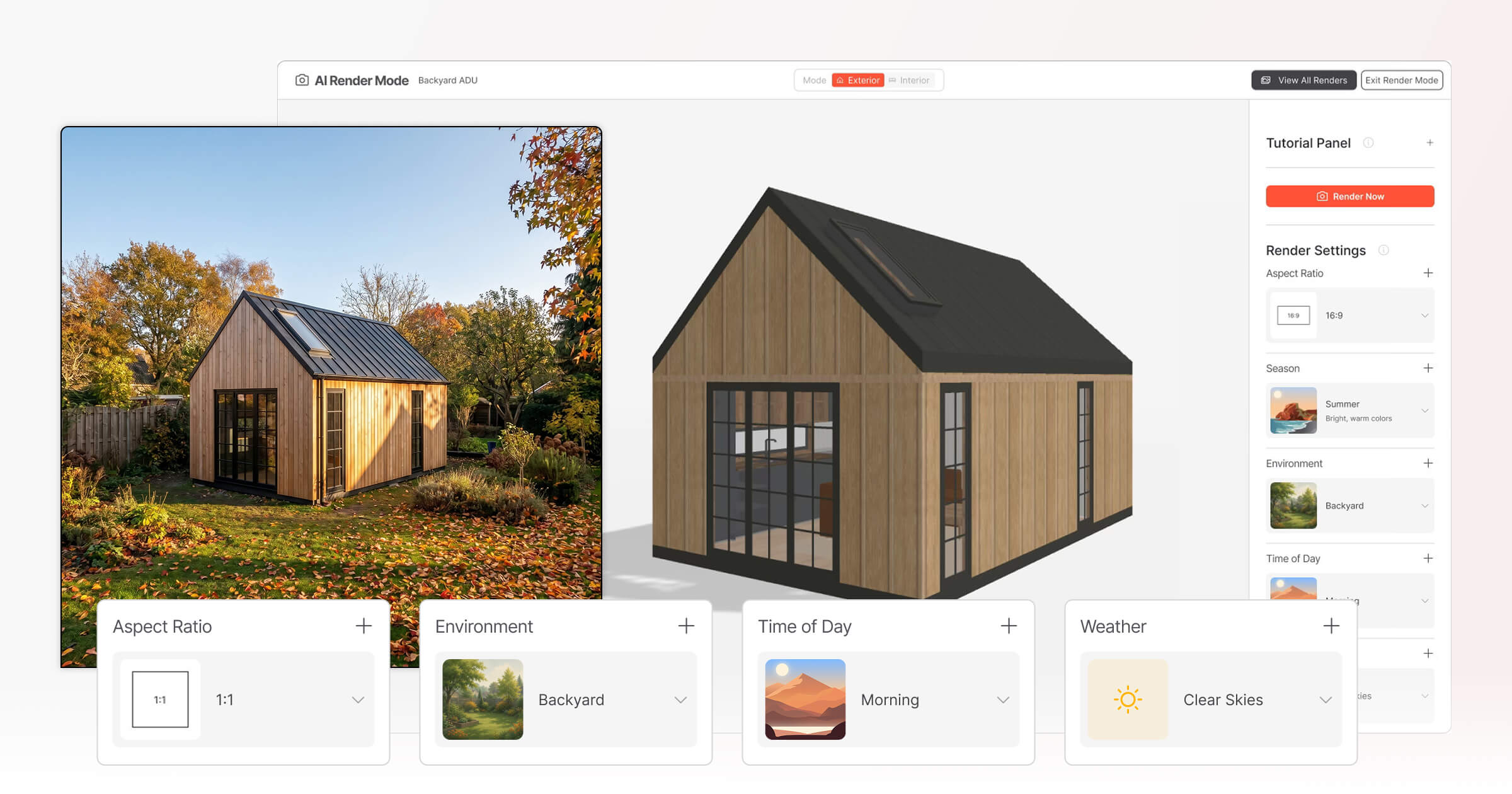
For small home builders, the gap between a great design and a confident buyer often comes down to one thing: how quickly and clearly you can show a buyer what the finished home could look like. Waiting days for updated visuals, chasing freelancers for revisions, or sending flat floor plans to buyers who can't read them — these are real workflow problems that slow down sales and erode buyer confidence.
That is where an AI Render Tool can change the workflow. Instead of treating renders as a technical deliverable produced somewhere downstream, builders can use AI rendering software to generate polished visual concepts much faster from an existing 3D design. AI rendering is increasingly being used to reduce the time spent on repetitive visualization tasks such as lighting, material adjustments, and scene styling.
“The AI handles the repetitive setup work while architects focus on the vision… — The KOW Company
This guide walks through the practical techniques that small home builders are using to get more out of their rendering workflow: from setting up models correctly and choosing the right environmental context, to iterating with clients in real time and turning finished renders into assets that work across proposals, websites, and social media.
Whether you're building cabins, prefab homes, ADUs, or granny flats, the goal is the same: faster visuals, clearer communication, and a smoother path from first enquiry to signed contract.
Key Takeaways
Why the AI Render Tool Changes Everything: Solving the Visualization Bottleneck in Home Builder Sales
Imagine losing momentum with a buyer not because the design was wrong, but because the visuals were not ready in time. In compact home sales, that scenario is easy to understand. A buyer asks to see a cabin in a different exterior finish, an ADU in a more suburban backyard setting, or a tiny home in a warmer lifestyle scene. If the answer is “we’ll send that next week,” the conversation can cool before it has a chance to move forward.
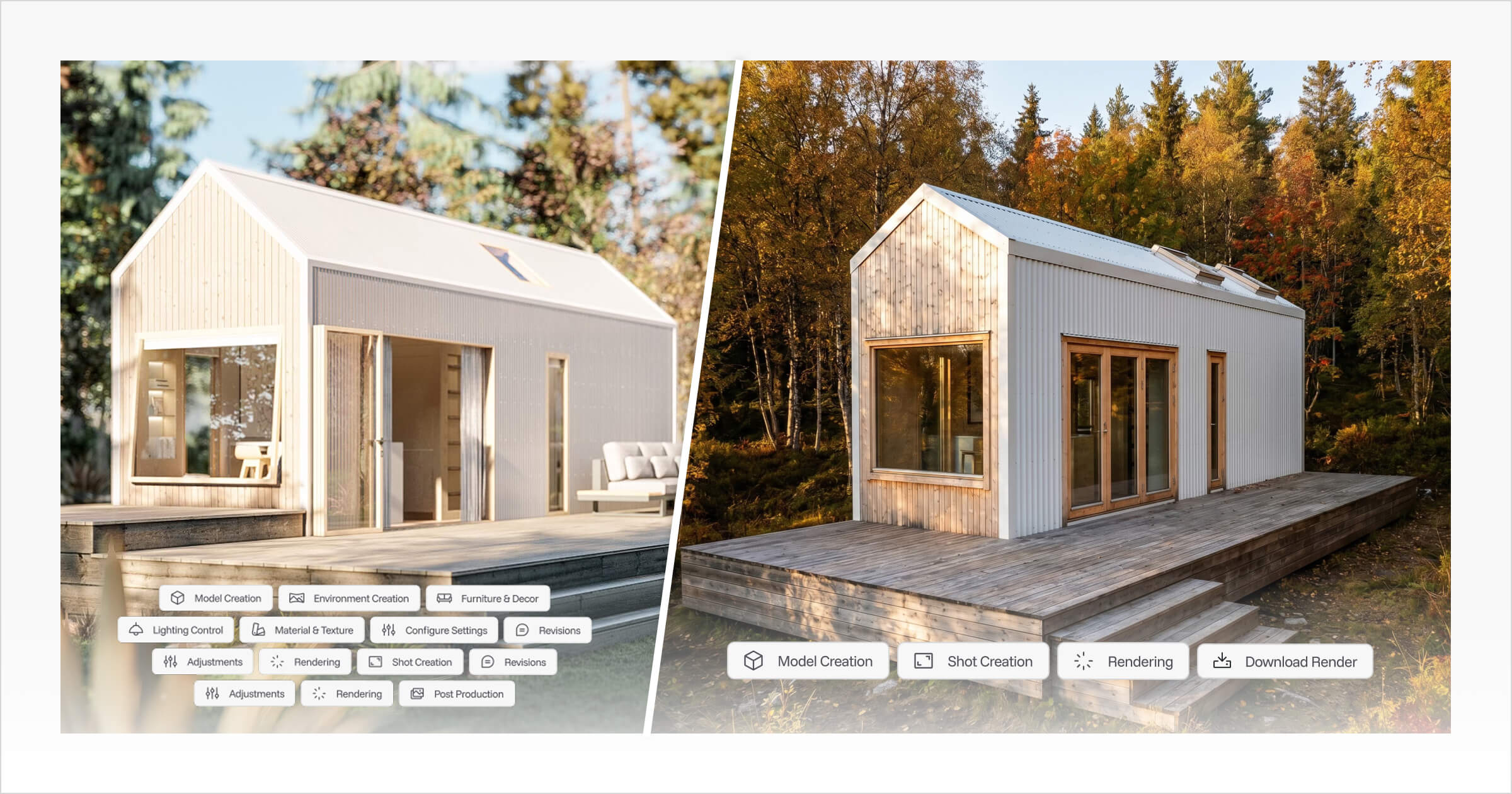
Traditional 3D rendering can be slow because it often requires manual material assignment, lighting configuration, camera setup, scene styling, rendering, and post-production. Even when the design itself is complete, the visual production process can still become its own separate workload.
I experienced this bottleneck first-hand while creating renders for Tiny Easy’s own preset designs. Before we built our AI Render Tool, even getting one render to look realistic could take two to three working days once lighting, materials, textures, camera angles, and scene styling were adjusted. For larger design campaigns, including our Scandi and 10x10 tiny house templates, the process often stretched across several weeks before the visuals reached the standard we were happy with.
"Traditional rendering was never just render time. It was the setup, testing, tweaking, exporting, reviewing, and reworking that made the workflow so heavy. With Tiny Easy’s AI Render Tool, visuals that once took days to prepare can now be generated and refined in under an hour." — Eujenne | Co-founder of Tiny Easy
Slow visuals do not just delay design decisions. They can invite doubt, more comparison shopping, and more back-and-forth. Outsourcing renders to freelancers can add another layer of friction because every revision may require a new brief, another email thread, and another turnaround window.
The smarter shift is toward sales-first visualization: treating renders not only as final marketing images, but as flexible visual assets that support the sales process earlier. When builders can create and review visual options faster, they can keep buyer momentum intact and make design conversations feel more concrete.
That is the gap a purpose-built AI Render Tool is designed to close. Instead of relying on separate rendering software, external visualizers, or generic prompt-based image tools, builders can use AI rendering software inside their design workflow to create polished visuals faster from the designs they are already working on.
The practical question is: what does that optimized workflow look like step by step?
The Optimized AI Workflow: From 3D Design to Marketing-Ready Renders
The previous section established how render delays can quietly kill buyer momentum. The solution isn't working faster manually, it's building a smarter workflow that removes friction at every stage. Applying effective 3D rendering workflow optimization techniques means thinking about the full journey, from model preparation through to finished marketing assets, and making sure each step connects cleanly to the next. Here's exactly how to move from a finished 3D model to polished, client-ready visuals using AI rendering software without the bottlenecks.
Step-by-Step: From Model to Marketing Asset
Prepare your 3D model first. Before generating a single render, confirm the model is complete — rooflines, cladding, windows, and landscaping placeholders all in place. Incomplete geometry produces confusing output that wastes iterations. For ADU builders, this step matters even more — compact designs leave little room for visual ambiguity, and 3D visualization for ADUs works best when the model accurately reflects the finished build.
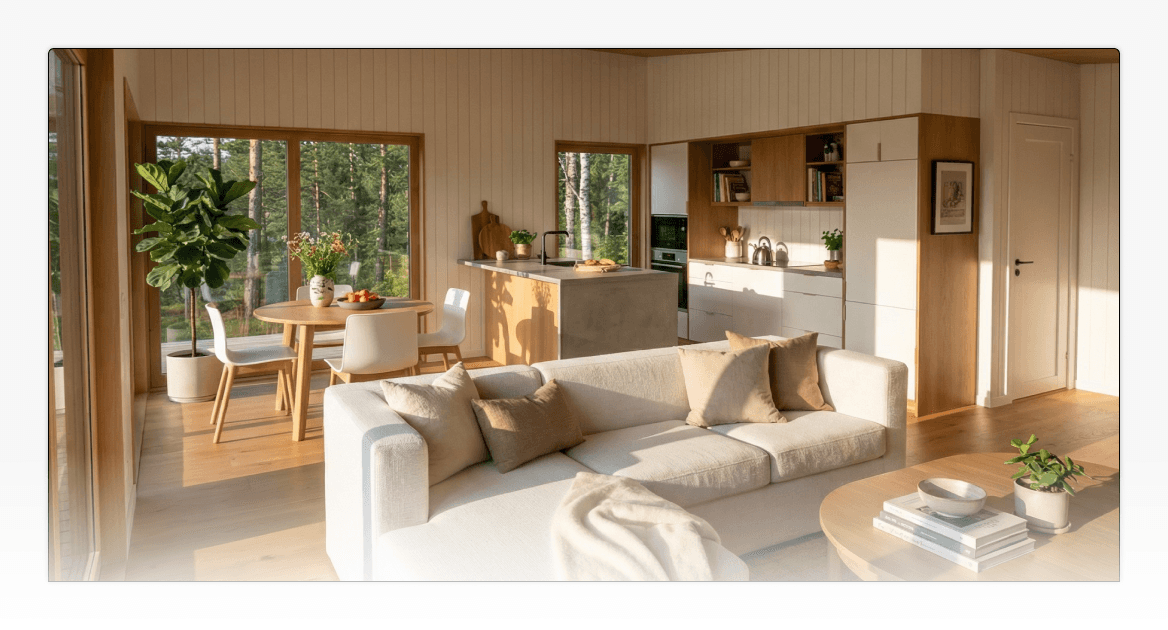
Open the AI Render Tool directly inside the 3D Designer. Tiny Easy's AI Render Tool integrates natively into the platform, enabling a streamlined one-click transition from design mode to render mode. It allows builders to create exterior renders & interior renders from their design workflow instead of waiting on external render production.
Select your camera angle and aspect ratio. This step is more strategic than it sounds. Different platforms demand different framing — a wide horizontal crop works for website hero images and printed brochures, while a taller vertical format performs better on Instagram and Pinterest feeds.
Dial in environmental controls. Choose time of day, season, and weather conditions that feel relevant to the client's actual site and climate. A coastal home sells differently under a warm golden-hour sky than under flat midday light. For 3D visualization for ADUs, consider showing the unit in context with the primary dwelling — it helps buyers understand scale, setbacks, and how the design sits on the lot.
Generate multiple render variations. Instead of trying to create one perfect image straight away, generate several directions. Try different camera views, lighting moods, seasons, or environments. Because AI rendering can shorten the time needed to create visual options, builders can compare more directions before choosing the strongest image.
Deploy across every sales channel. Final renders slot directly into proposals, website listings, social media posts, email campaigns, printed This helps the house renders become part of the buying journey rather than sitting separately as a screenshot or email attachment., and live sales conversations.
Pro Tip — Aspect Ratio Selection:
Before hitting render, match your aspect ratio to the intended output. Use 16:9 for websites and presentations, 4:5 or 9:16 for social media, and standard print ratios for brochures. Getting this right upfront eliminates the need for awkward cropping later.
The workflow above handles the technical steps efficiently — but the real selling power lives inside one specific decision: the environmental context you choose for each render. That's where good visuals become genuinely compelling ones.
Mastering Environmental Context: Selling the Lifestyle, Not Just the Structure
High-quality renders help buyers emotionally connect and "see the vision" of a home that doesn't yet exist, a dynamic that's critical for securing early-stage contracts.
That emotional connection isn't just about showing walls and rooflines. It's about atmosphere. One of the most impactful, and frequently underused, elements of effective 3D rendering workflow optimization techniques is environmental context: lighting, time of day, season, and setting.
One of the most useful parts of an AI rendering workflow is the ability to quickly test different environmental directions. Instead of manually rebuilding a scene for every visual mood, builders can compare several options and choose the one that best fits the client, platform, or sales moment.
"The most effective visualizations focus on cinematic storytelling, creating an emotional connection…" — Chaos Blog
Lighting Mood Sets the Emotional Tone
Lighting is one of the most underestimated controls inside any ai rendering software — and one of the fastest ways to shift how a buyer feels about a design. Warm lighting signals comfort, safety, and livability. Golden hour renders bathe a facade in amber tones that feel aspirational without feeling unrealistic. In contrast, cold or neutral lighting, while technically accurate, often reads as sterile and generic, making even a well-designed home feel like a product sheet rather than a future life.
A practical guide to lighting selections:
Midday: Best for showcasing lot size, exterior details, and landscaping clarity
Golden hour: Ideal for emotional marketing materials and lifestyle-forward campaigns
Overcast: Useful for accurate material color representation without harsh shadows
Evening/dusk: Powerful for interior light-spill renders and luxury positioning
Matching Environment to the Buyer's Reality
The environment setting should reflect where the buyer expects the home to sit. A rural cabin, suburban ADU, coastal tiny home, and backyard granny flat should not all look like they exist in the same imaginary paddock.
For example:
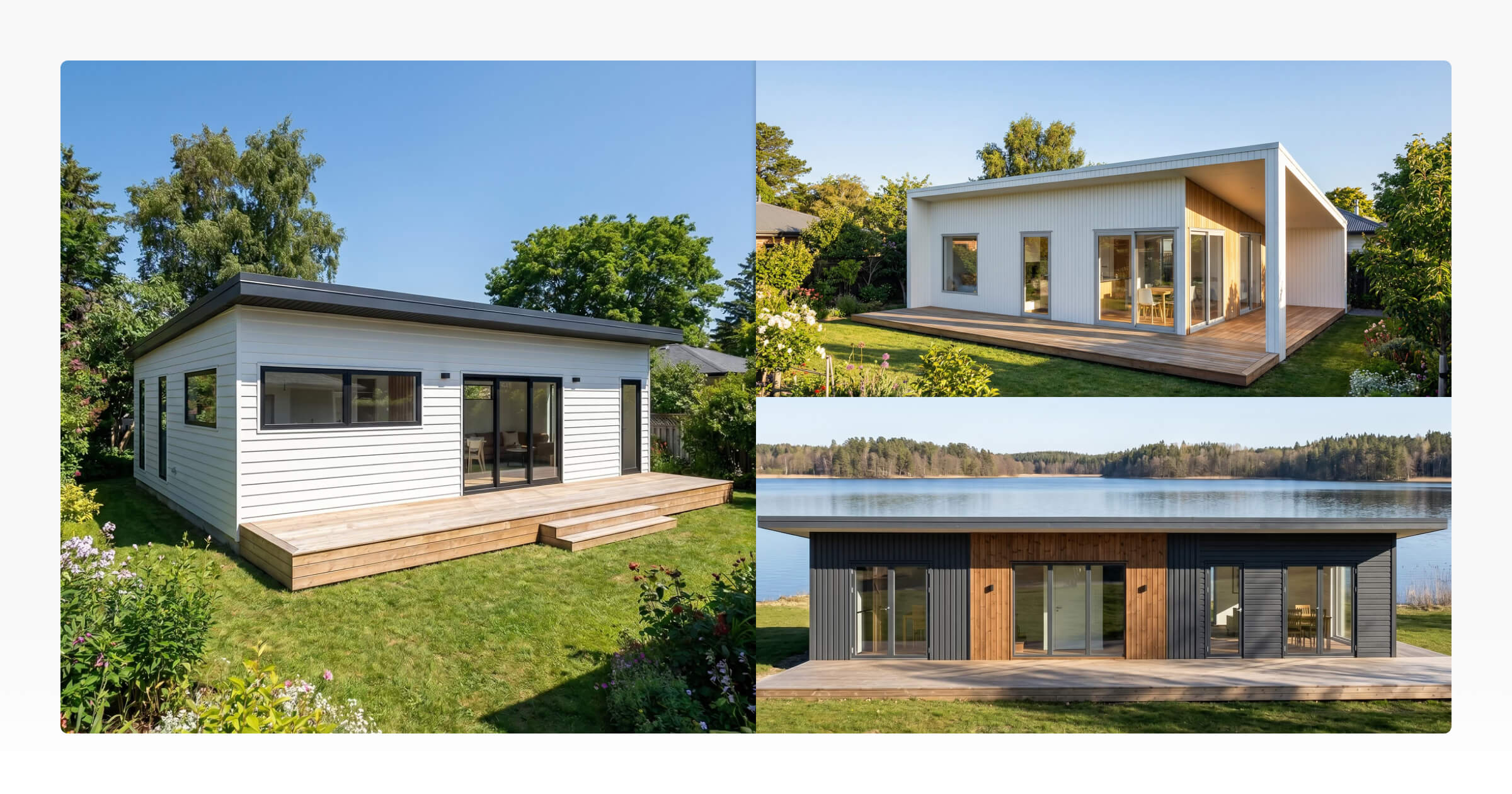
A backyard ADU may need a suburban garden, fence line, neighbouring trees, or a compact site context.
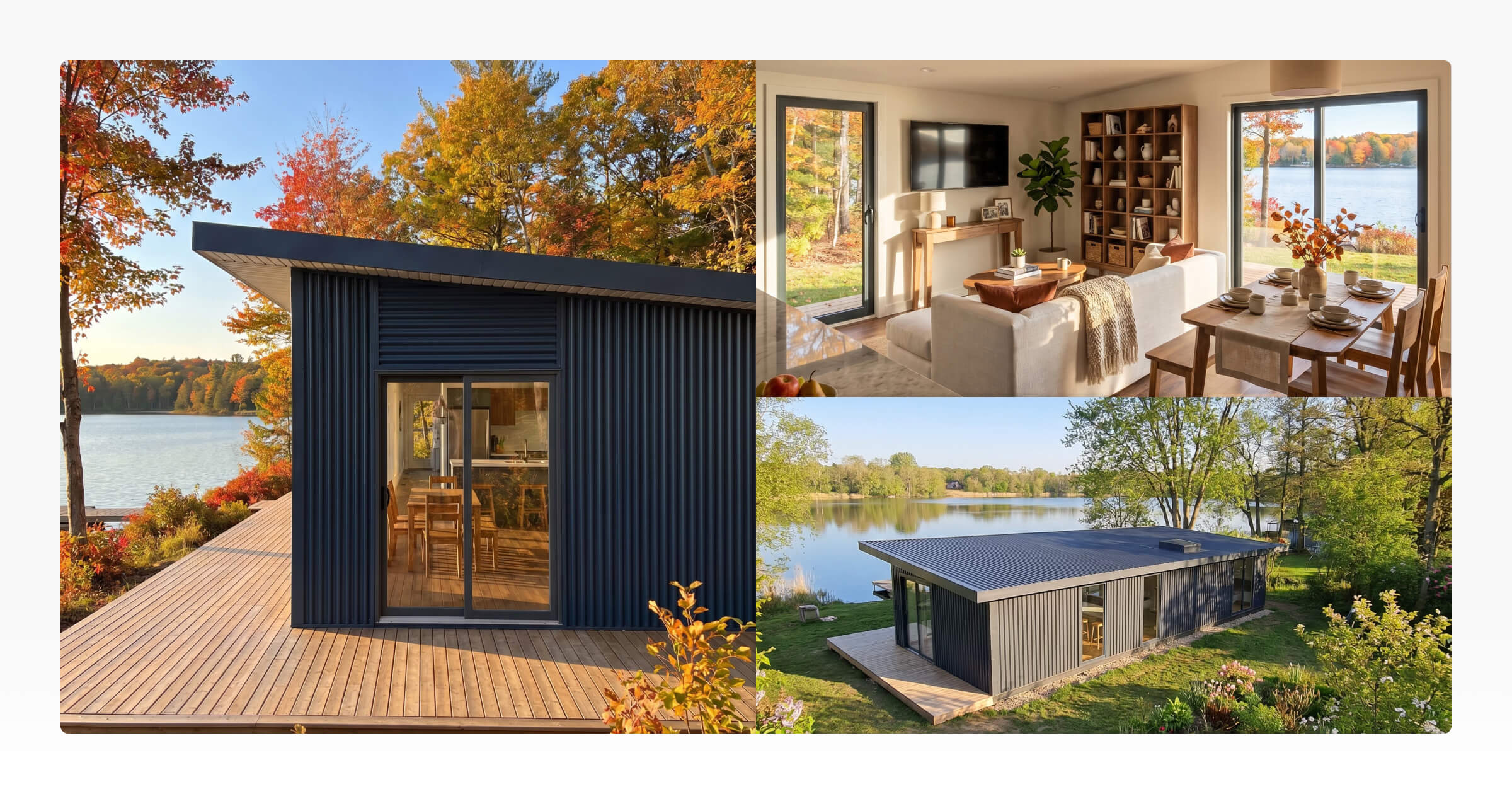
A cabin may feel more believable in a forest, lakefront, meadow, or rural environment.
A prefab or modular home may need a clean site setting that highlights the form and exterior finish.
A tiny home may benefit from lifestyle-led scenes that show warmth, scale, and livability.
Generating multiple environmental directions gives clients something concrete to react to. Instead of asking them to imagine the difference between “rural,” “suburban,” or “coastal,” you can show them.
Review and Refine: The Iterative Advantage of AI Rendering Software
Traditional rendering workflows often create a slow feedback loop: collect feedback, brief the changes, wait for revisions, review the new image, and repeat. AI rendering software can reduce that delay by making it easier to generate multiple visual directions from the same base design.
Real-time iteration is now the standard. According to PropertyRender.com, the ability to generate multiple render options allows for real-time design iterations during client meetings — turning passive presentations into active, collaborative conversations. A builder can adjust a roofline, swap exterior cladding, or test a new color palette on the spot, while the client watches the vision evolve.
Instead of waiting days to compare one cladding finish against another, builders can test different moods, environments, or camera angles much earlier in the process. AI rendering tools are increasingly being used to automate time-consuming visual tasks such as lighting, material adjustments, and scene refinement, which gives teams more time to focus on design communication and client decision-making.
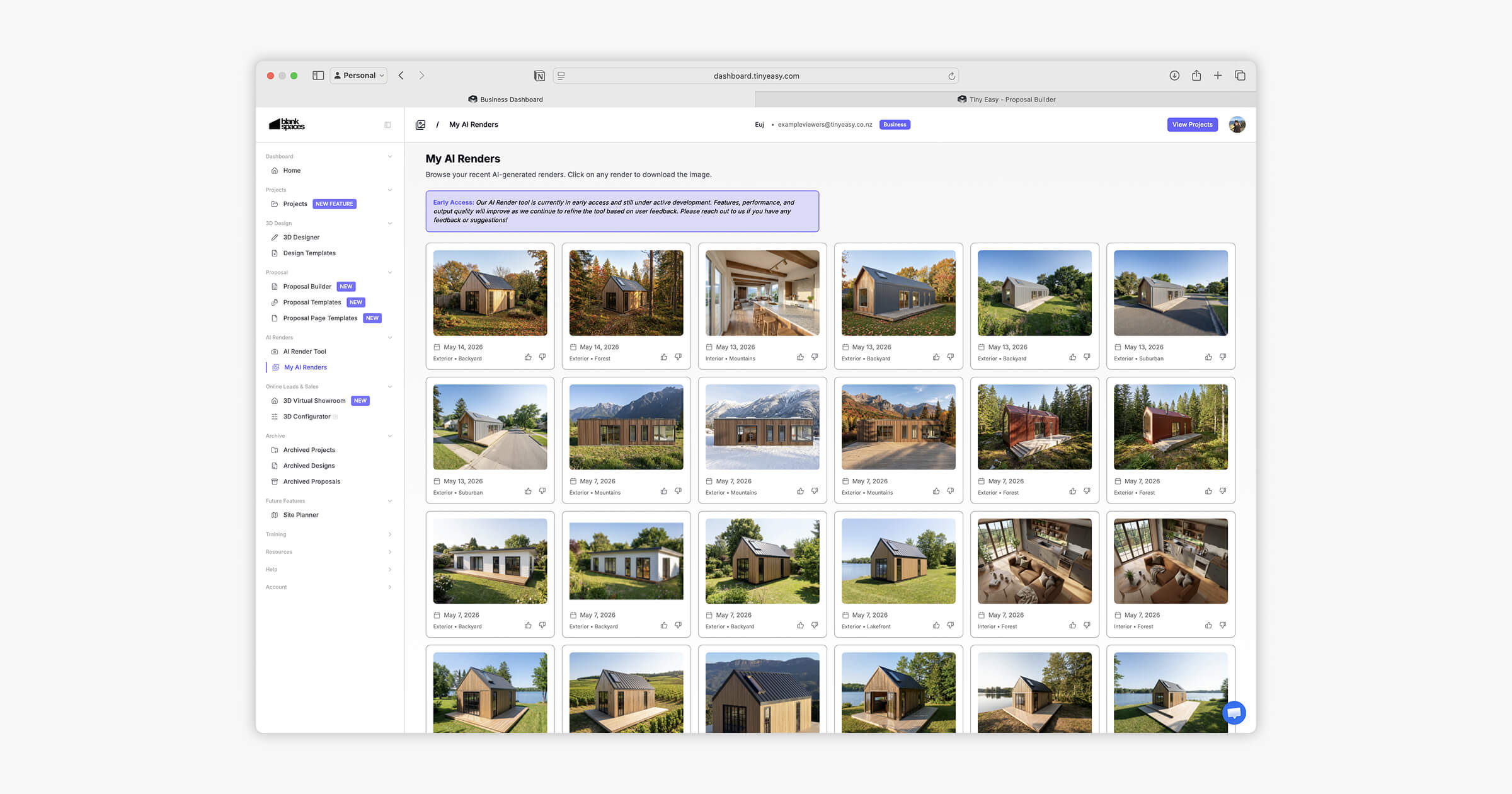
In practice, what once required a full production cycle for a single image can now yield 5–10 distinct variations in the same timeframe. This is especially valuable in 3D visualization for ADUs, where buyers often want to explore finish options across compact, detail-sensitive spaces.
Material and color exploration no longer demands manual re-texturing. AI tools allow teams to cycle through finishes — warm wood tones, brushed concrete, painted stucco — systematically and quickly, as noted by Autodesk University's AI rendering research.
Faster iteration doesn't just save time — it builds buyer confidence. And as the next section reveals, that confidence has a measurable impact on how quickly deals actually close.
ROI Analysis: How AI Visualization Accelerates the Sales Cycle
Faster renders and stronger visuals are not just creative wins. They can support a smoother sales workflow by helping buyers understand the design earlier, compare options more easily, and feel more confident about an unbuilt home.
"Buyers feel more confident investing… when they clearly see the finished product through lifelike renderings…” — Transparent House
According to The Kow Company, construction companies utilizing AI visualization tools report sales cycles moving 40–50% faster than those relying on traditional methods. That's not a marginal improvement. That's a structural shift in how construction businesses compete.
From Unbuilt to Under Contract
For ADU builders and prefab manufacturers, this advantage is especially pronounced. Prefab home sales toolspowered by AI rendering software allow prospects to evaluate finishes, layouts, and spatial proportions with a clarity that flat floor plans simply can't match. The result: AI-powered visualization increases pre-construction sales rates by 30–35% for businesses selling unbuilt products — a direct lift attributable to buyer confidence, not price adjustments.
Physical site visits still have their place, but high-resolution renders reduce the number of "I need to see it in person" hesitations that stall decisions. When a buyer can virtually walk through a kitchen or evaluate how natural light falls through a bedroom window, ambiguity drops — and so does friction.
Traditional vs. AI Workflow ROI
Metric | Traditional Rendering Workflow | AI-Assisted Rendering Workflow |
|---|---|---|
Render setup | Manual lighting, materials, camera, scene setup | Guided settings from an existing 3D design |
Revision turnaround | Often hours, days, or longer depending on the process | Faster iteration and multiple visual options |
Outsourcing dependency | Often requires freelancers or visualizers | Can reduce reliance on external rendering support |
Buyer communication | Often relies on floor plans, screenshots, or delayed visuals | Supports clearer visual conversations earlier |
Sales asset creation | Renders may arrive late in the process | Renders can be reused across proposals, websites, social media, and brochures |
The Emotional Connection Factor
In high-value home sales, buyers are not only evaluating dimensions, inclusions, and price. They are also trying to picture themselves inside the finished space. That is hard to do with technical drawings alone. This is especially true with 3D visualization for ADUs, where compact footprints can make it harder for buyers to imagine livability — until a well-crafted render makes it undeniably real. Emotional resonance, more than any feature list, drives the urgency to commit.
That emotional leverage doesn't stay locked inside a single presentation. Once these assets exist, the question becomes: where else can they work for your business? The next section breaks down exactly how to deploy your AI renders across every channel in your marketing mix.
Multi-Channel Deployment: Getting the Most Out of Your AI Renders
Optimizing your 3D rendering workflow with AI is only half the equation. Where you deploy those rendersdetermines how much value they actually generate. A single high-quality AI render can work across multiple touchpoints simultaneously — keeping production costs low while maintaining a polished, consistent brand presence.
According to TinyEasy.com, a smart deployment strategy spans websites, proposals, social media, and print materials. Here's a practical checklist to maximize every render you produce:
Website Galleries:
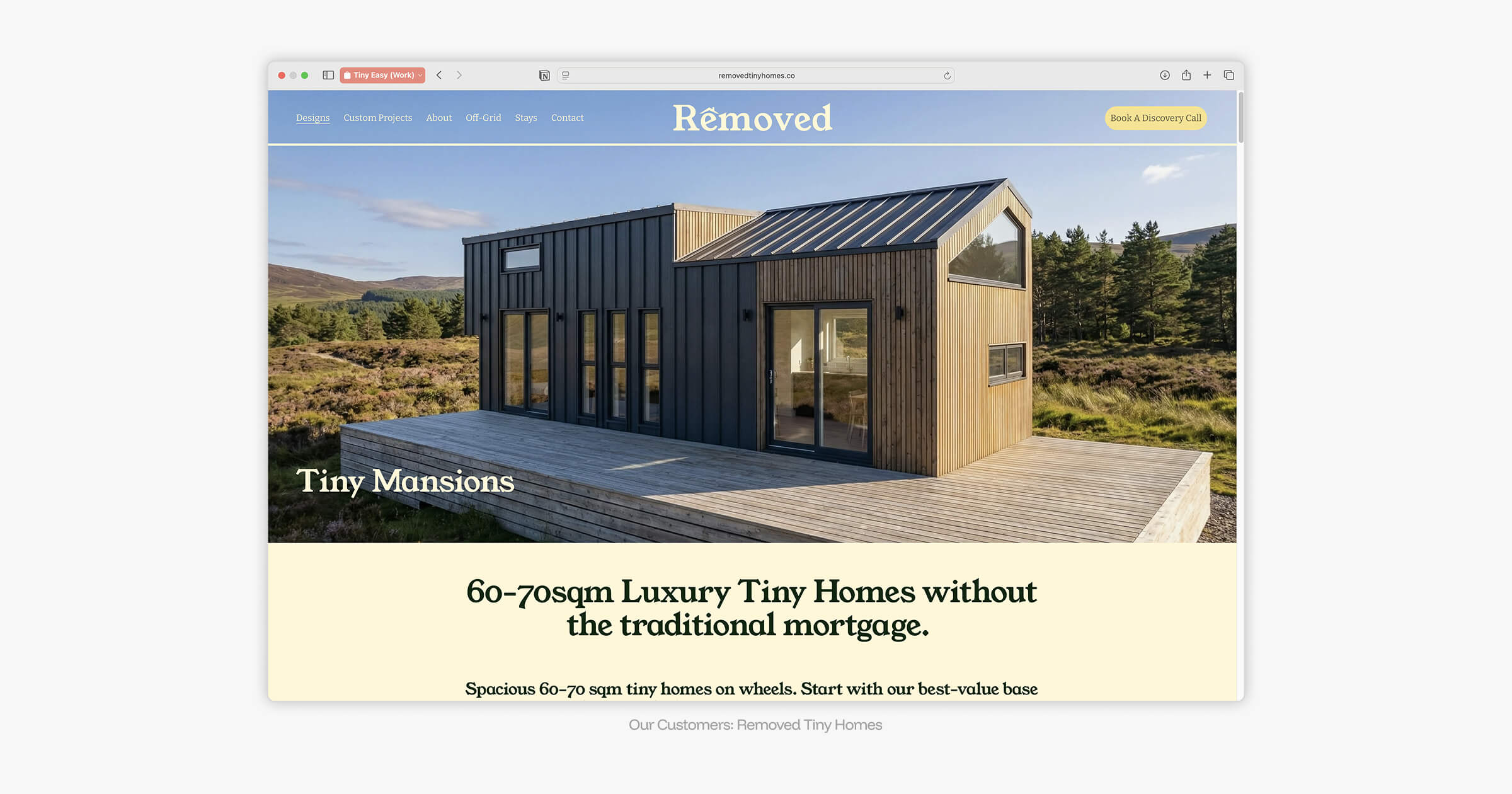
Rotate fresh visuals regularly to signal an active, thriving business. AI's fast iteration cycle means builders with model ranges, renders can help show different exterior styles, environments, or seasonal moods without needing a full photoshoot for every variation.
Sales Proposals
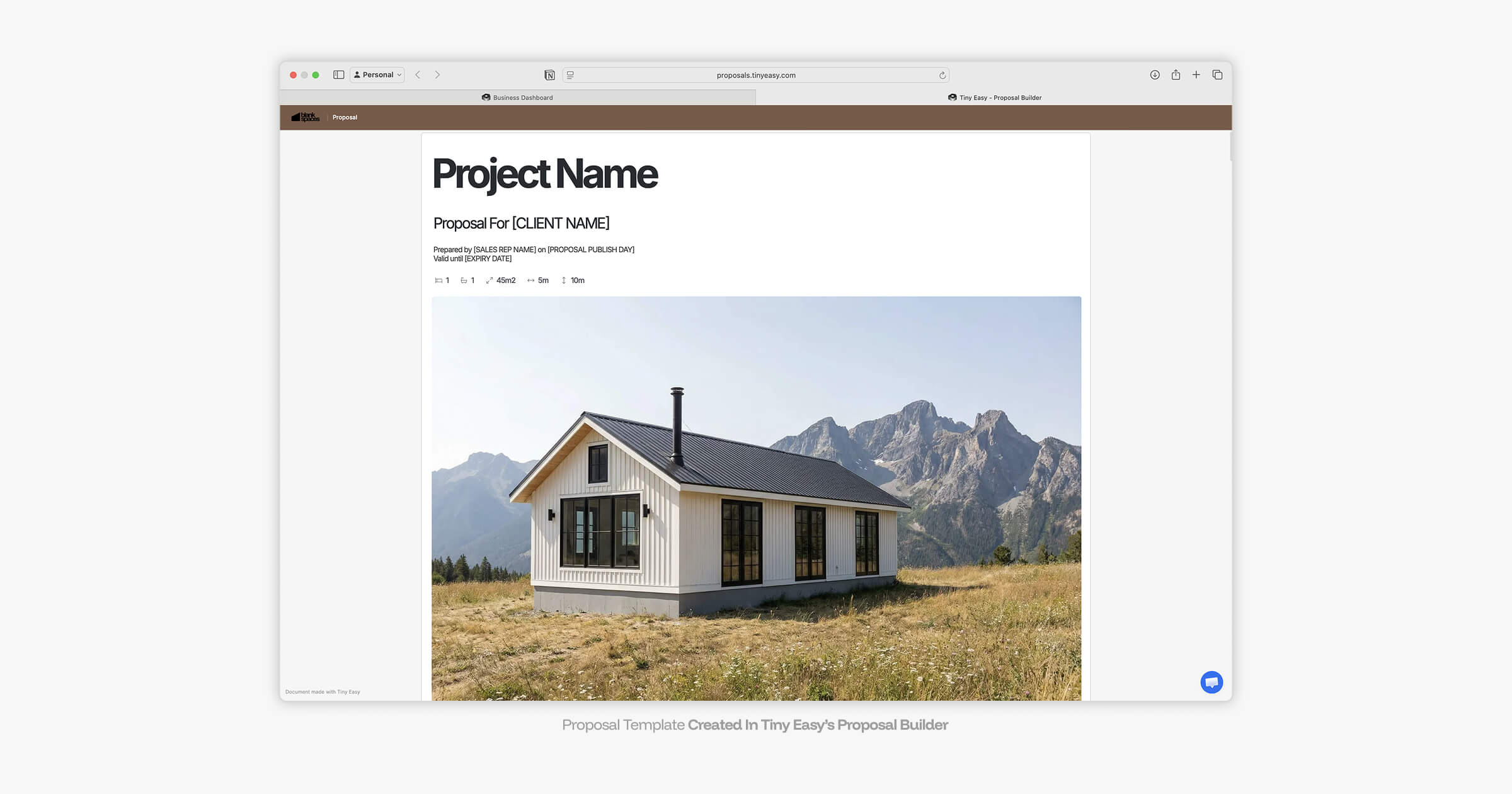
Add renders into your proposal workflow to help clients connect the design, layout, finishes, and overall vision in one place.
With Tiny Easy’s Proposal Builder, these visuals can become part of a more polished sales package rather than sitting separately as screenshots, image files, or email attachments. A compelling visual in a proposal doesn't just inform — it closes deals.
Social Media
Lifestyle-oriented renders feed the algorithm for Instagram & Pinterest. Consistent, high-quality content builds brand authority and attracts organic discovery without expensive photography overhead.
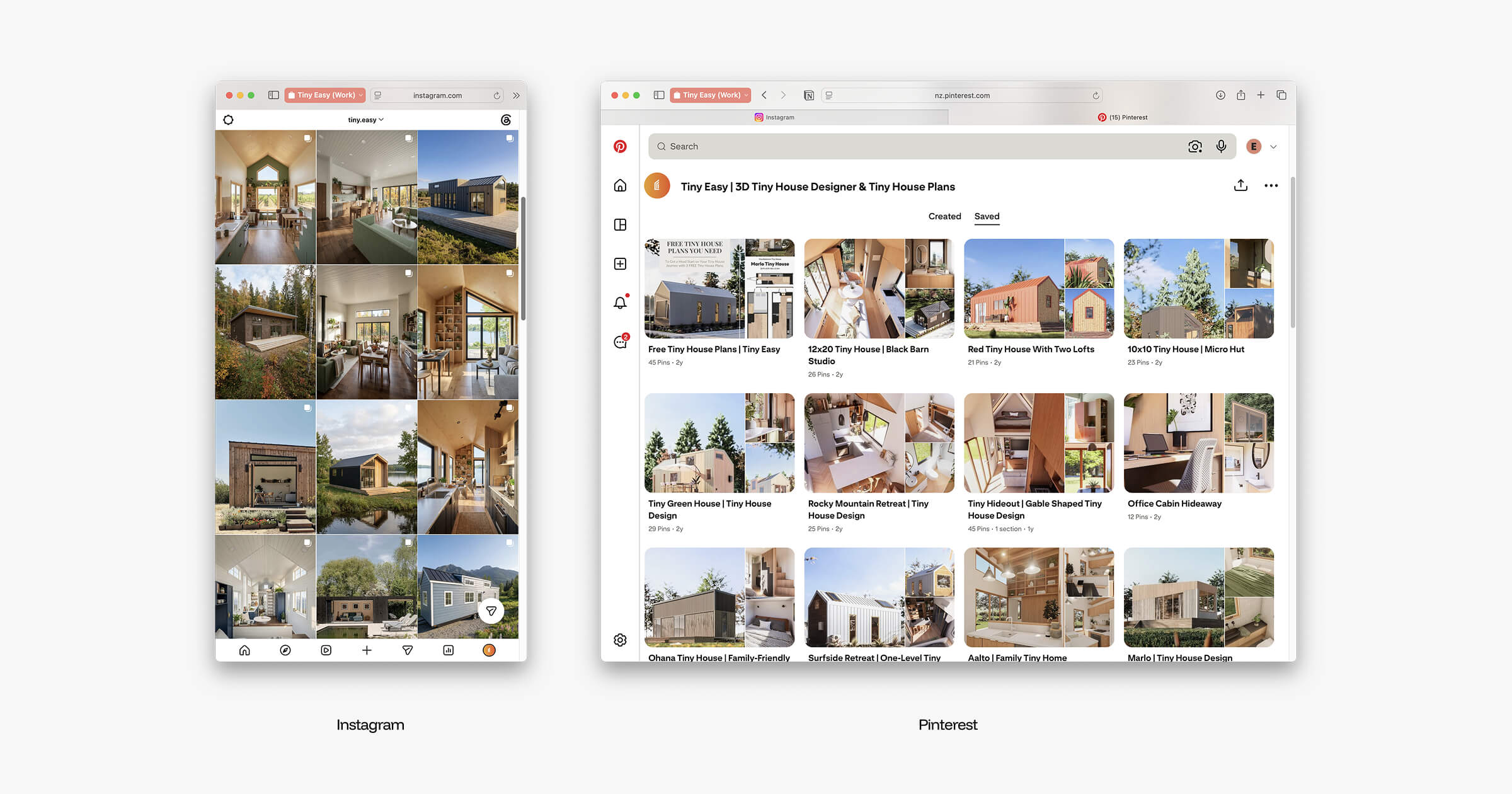
Brochures and Sales Materials
Use renders in brochures, expo handouts, model range documents, and printed sales materials. For compact home builders, polished visuals can make the business feel more established and help buyers understand the design before they speak to the sales team.
Client Conversations
Renders can also be used during live sales conversations. Instead of relying only on floor plans or technical drawings, builders can show a clearer visual direction and use that image to discuss finishes, layout, environment, and next steps.
The bottom line: every AI render should have a job. If it can support the website, proposal, social media, brochure, and sales conversation, it becomes more than an image. It becomes a reusable sales asset.
Conclusion: Faster Renders Create a Clearer Sales Workflow
Optimizing a 3D rendering workflow is no longer just about better hardware, more advanced render settings, or spending hours perfecting lighting and materials. For small home builders, the bigger opportunity is removing the slowest parts of the process altogether.
Tiny Easy’s AI Render Tool helps builders move from 3D design to polished visual content faster, using a workflow built around camera views, aspect ratios, lighting, season, weather, and environment settings. Instead of waiting on outsourced renders or rebuilding scenes in separate software, builders can create multiple visual directions from their existing designs and use those renders across websites, proposals, social media, brochures, and client conversations.
The result is not just a faster rendering process. It is a clearer design and sales workflow. Buyers can understand the design sooner, compare options more easily, and picture the finished home before it exists.
For builders selling tiny homes, ADUs, cabins, prefab homes, modular homes, granny flats, or other compact homes, that visual clarity can make the sales journey feel less abstract and more confident.
Want to see how this could work inside your own design and sales process?
Book a demo of Tiny Easy’s AI Render Tool and see how your 3D designs can become marketing-ready visuals faster.



About the Author
Eujenne | Co-founder of Tiny Easy and has 8+ years of experience in the tiny house and small home industry.
She built her own tiny home on wheels with her partner and co-founder Laurin, and has designed several popular Tiny Easy concept homes, including the Scandi, Petite Maison, and 10x10 Tiny House on Wheels. At Tiny Easy, Eujenne works across UI/UX, product education, content marketing, and builder resources, helping small home businesses use 3D design and visual sales tools to improve their design, sales, and client communication workflows.