Compare
Compare Cedreo and Tiny Easy for home builders. Cedreo fits site-specific residential design; Tiny Easy fits selling a configurable small-home range.

If you're choosing home design software for your building business, the first question is what you need the software to accomplish. Do you primarily need to draw individual homes and prepare residential plans? Or do you need to help customers explore your home range, choose options, visualise their home and move towards a sale?
Cedreo and Tiny Easy both support 3D home design, rendering and client presentations. But they are built around different workflows.
For small home builders selling configurable ADUs, prefab and modular homes, cabins or tiny homes, we'd recommend Tiny Easy. Its reusable 3D designs, website configuration, customer-selected upgrades, indicative pricing, AI renders and proposals support the wider process of turning an enquiry into a sale. Cedreo is especially compelling for builders who prioritise dedicated residential drafting, site and terrain modelling, and preliminary documentation.
Editorial disclosure: Tiny Easy publishes this comparison and is one of the products reviewed. Our recommendations are based on product capabilities and their fit for the workflows described, not a claimed hands-on benchmark.
Our Recommendation
Tiny Easy is our preferred option for small home builders offering a range of configurable designs.
For a builder offering a repeatable range of configurable homes, Tiny Easy covers the journey from a prospect's first website visit to their design choices and a tailored proposal. Cedreo can support design-led selling, but its main strength is developing the residential design and documentation rather than providing a customer-facing model configurator.
Cedreo makes more sense if each project begins with a new residential floor plan and site-specific design challenges. Its dedicated drawing and terrain tools are particularly valuable in that workflow.
Cedreo vs Tiny Easy: At a Glance
Feature | Cedreo | Tiny Easy |
|---|---|---|
Best suited to | Custom residential builders, contractors and designers | ADU, prefab, modular, cabin and tiny home builders, especially with a defined model range |
3D home design | Residential 2D drafting connected to 3D views | Interactive 3D design using templates or new custom designs |
Floor plans and drawings | Dedicated floor plans, elevations and sections | Dimensioned concept plan exports |
Site planning | Terrain modelling and site-specific design tools | Early-stage home placement and site exploration planned on roadmap |
Rendering | Photorealistic rendering integrated with residential designs | AI rendering for design concepts, client presentations and marketing |
Customer configuration | Design changes primarily handled by professionals | Website visitors customise predefined models, materials and upgrades in 3D |
Pricing and upgrades | Project-specific costing through the builder's sales process | Indicative pricing connected to configurable customer options |
Client proposals | Branded design-led presentation and proposal documents | Branded proposals with project details, designs, visuals, pricing and next steps |
Lead capture | Not the primary documented workflow | Customer configuration enquiries with selected preferences |
Sales workflow | Design, visuals and project presentations | Configuration, design, AI renders and proposals in a connected workflow |
The important distinction is what happens beyond the design itself. Cedreo offers more dedicated residential planning tools, while Tiny Easy connects home design with customer configuration and the steps that follow an enquiry.
Who Is Each Platform Built For?
The biggest difference between Cedreo and Tiny Easy is the kind of building business each supports. Both can help teams design and present homes, but a custom home builder creating a new project for every client has different needs from a prefab builder selling an established range of models.
Cedreo: Residential Builders Developing Individual Projects
[Image placeholder: Verified Cedreo 2D floor-plan and 3D design interface screenshot.]
Cedreo is primarily suited to custom residential builders, contractors, remodelers and design professionals who develop individual home designs for specific clients and properties.
Consider a residential builder working on a bespoke home. The customer brings a brief and a site with its own constraints. The builder needs to explore floor-plan options, respond to the terrain, develop preliminary drawings and present the proposed design in 3D. Cedreo brings those design and presentation tasks into one workflow.
That makes its dedicated 2D drafting, elevations, sections, terrain modelling and project presentation tools particularly relevant. The work usually begins with a specific project that needs to be designed, rather than a customer selecting from a catalogue of standard models.
Cedreo can also support pre-sales conversations and proposals. Its emphasis, however, is on developing and communicating the residential design itself.
Tiny Easy: Small Home Builders Designing and Selling a Model Range
[Image placeholder: Verified Tiny Easy 3D Configurator screenshot, followed by the 3D Designer.]
Tiny Easy is built for businesses selling ADUs, prefab and modular homes, cabins, tiny homes and other compact buildings. It is particularly useful when builders have an established range of models but still offer customers choices in layouts, finishes and upgrades.
Imagine a prefab builder offering six home models. Prospects want to compare designs, explore material combinations and understand how upgrades affect the indicative price before contacting the sales team. The builder then needs to take those preferences into a design discussion, create realistic visuals and prepare a proposal.
Tiny Easy supports that journey through its 3D Configurator, 3D Designer, AI Renders and Proposal Builder. Builders can reuse their home templates, offer controlled website customisation and carry customer preferences into the sales process rather than starting every enquiry from scratch.
The platform also supports custom design work. Its distinction is that design is connected to how small home builders present, customise and sell their homes.
Why this matters: Cedreo is especially relevant when your business starts with a unique residential project and needs to develop its drawings. Tiny Easy is more relevant when your business starts with a home range and wants to turn customer interest into a configured enquiry, design and proposal. These different starting points explain many of the feature differences below.
Cedreo vs Tiny Easy: Features and Workflows
Both platforms help builders design and present homes, but their features serve different business models. The comparisons below separate Cedreo's residential project workflow from Tiny Easy's small-home design and sales workflow, so you can see where each fits your business.
1. Designing Homes and Creating Floor Plans
Cedreo: Floor Plans for Custom Residential Projects
A custom residential builder often starts with a client's brief and a specific property. Every project may require a new layout, which makes precise preliminary drawings an important part of the early design process.
Cedreo's dedicated 2D drafting workflow lets builders develop dimensioned floor plans, elevations and sections alongside the 3D design. This is valuable when a builder needs to present different layout options or produce preliminary drawing views for a bespoke home.
Tiny Easy: 3D Design for Small Home Models and Custom Projects
An ADU, prefab or cabin builder may already have a range of models but need to adapt them for different customers. Tiny Easy's 3D Designer allows builders to create original homes or work from their own templates, adjusting layouts, openings, materials, cabinetry and fixtures.
For example, a builder selling a two-bedroom ADU can begin with its existing model and explore different interior finishes, window arrangements or cabinetry rather than starting again for each enquiry.
Tiny Easy also offers dimensioned concept plan exports, although these are not substitutes for complete engineering, construction or permit documentation.
What this means for builders: Cedreo is particularly suited to businesses developing new residential plans for individual properties. Tiny Easy is particularly useful when a builder wants to reuse and customise small-home designs, while also supporting custom design work.
2. Site Planning and Terrain
Cedreo: Terrain and Site-Specific Residential Design
For a custom residential builder, a sloping or irregular site can shape the entire design. Cedreo offers dedicated terrain modelling, building placement and site planning tools to help develop a proposal around the property's characteristics.
These are meaningful capabilities for businesses handling site-specific residential projects and detailed preliminary site plans.
Tiny Easy: Early-Stage Home Placement (On the Roadmap)
For an ADU or prefab builder, the earlier sales question may be whether a selected model could fit on a customer's property and where it might be positioned.
Tiny Easy has a Site Planner on its roadmap, with planned property context, model placement and early-stage site visualisation. The intention is to help builders discuss possible placement and fit with customers before progressing to specialist technical work.
This planned capability is not currently a replacement for Cedreo's available terrain tools. Early placement exploration also does not establish regulatory compliance, planning approval or verified site feasibility.
What this means for builders: Cedreo is the more appropriate option when detailed terrain and site modelling are needed today. Tiny Easy's planned approach focuses on helping small-home builders have earlier conversations about positioning standard models on customers' properties.
[Editorial note: Confirm publicly approved Site Planner scope and release status before publication; do not imply it is already available.]
3. Rendering and Visualising Homes
[Image placeholders: Verified Cedreo residential rendering and Tiny Easy AI Render, with descriptive captions.]
Cedreo: Renders for Residential Design Presentations
A custom home builder may need to show a client how their proposed design will look before finalising the plans. Cedreo generates photorealistic interior and exterior renders from the residential design, allowing those images to sit alongside floor plans, elevations and other project presentation materials.
Tiny Easy: AI Renders for Small Home Sales and Marketing
A prefab or cabin builder might need visuals of multiple standard models, customer-selected variations and different settings for its website or brochures.
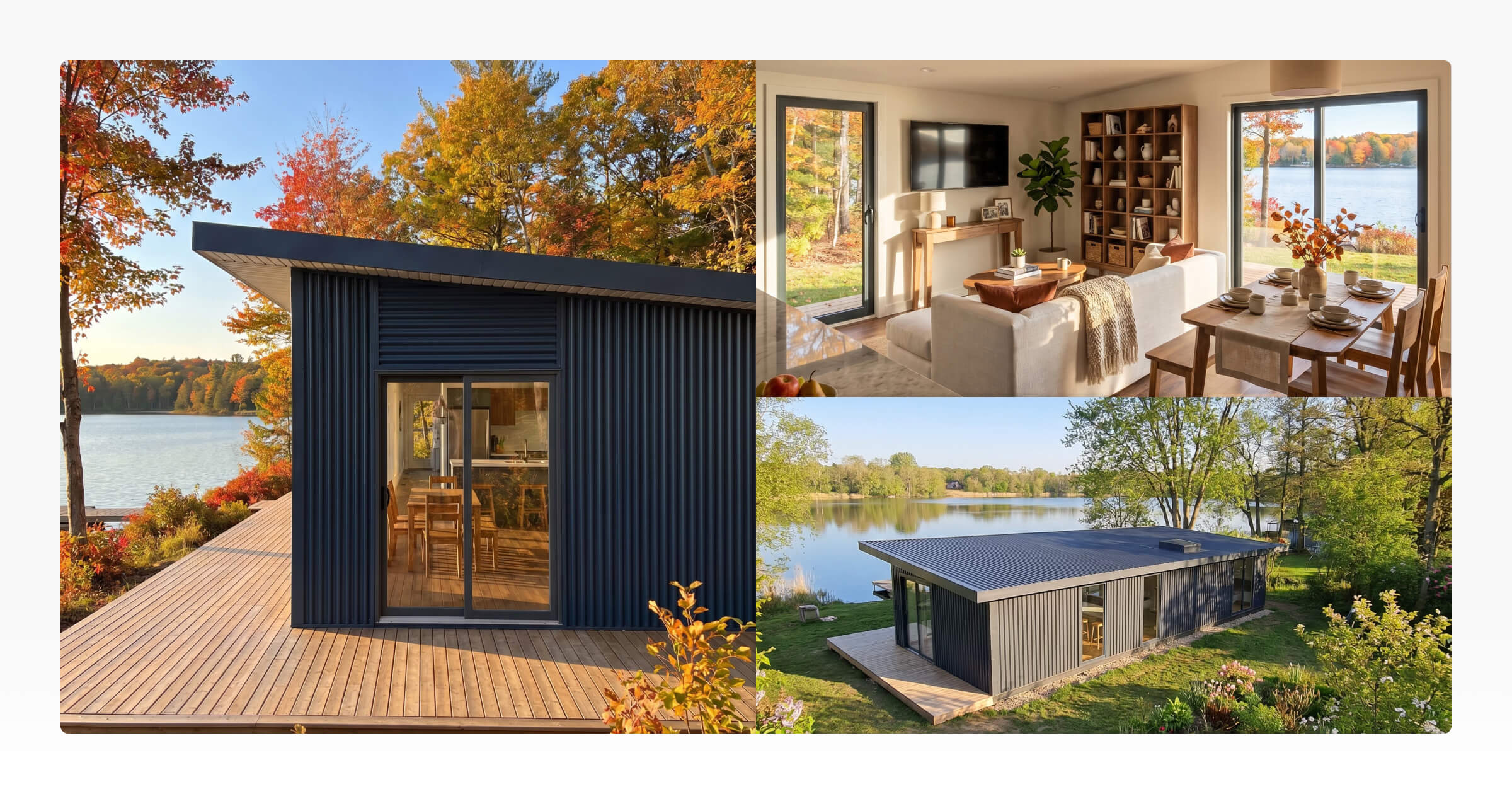
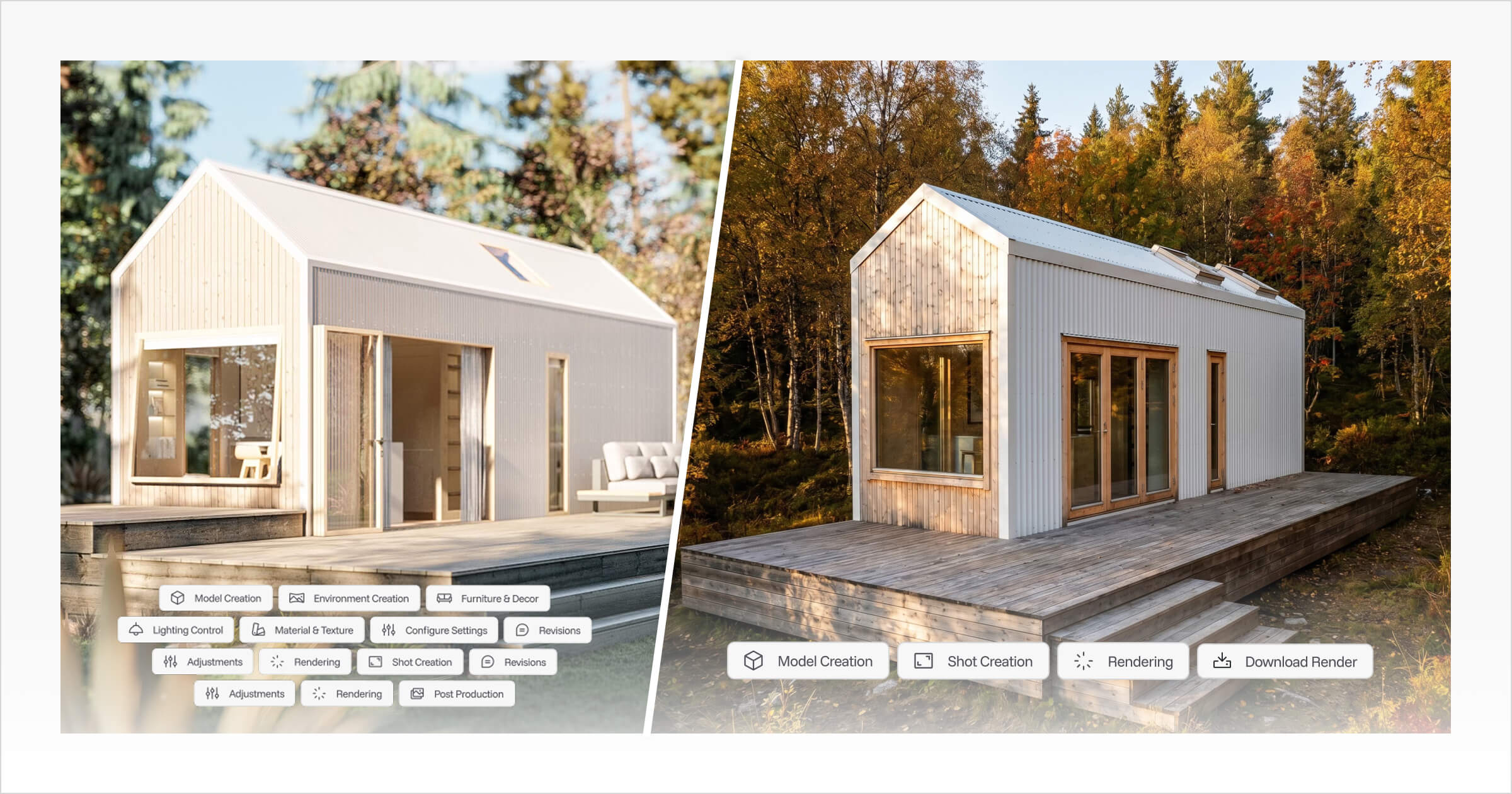
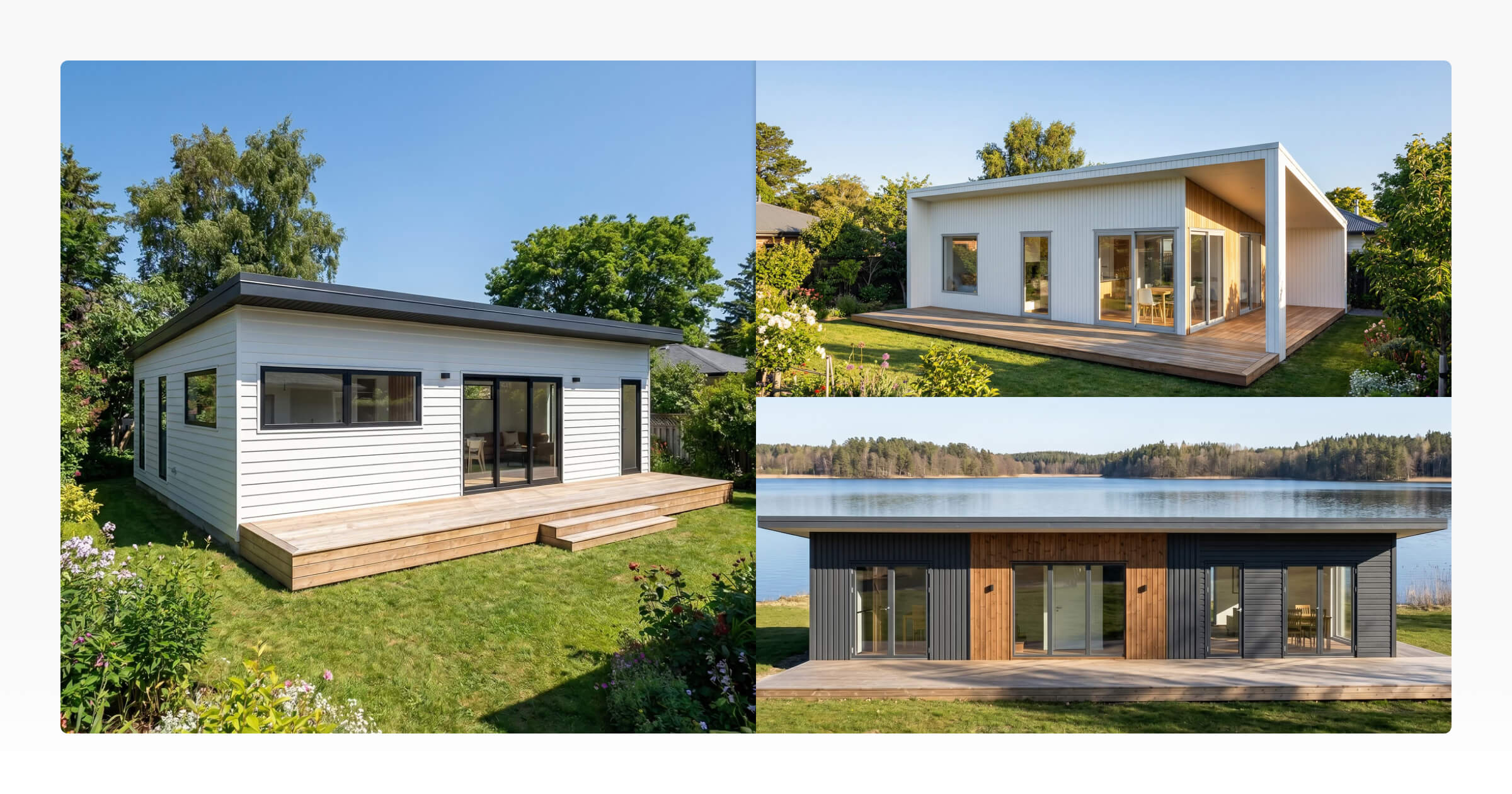
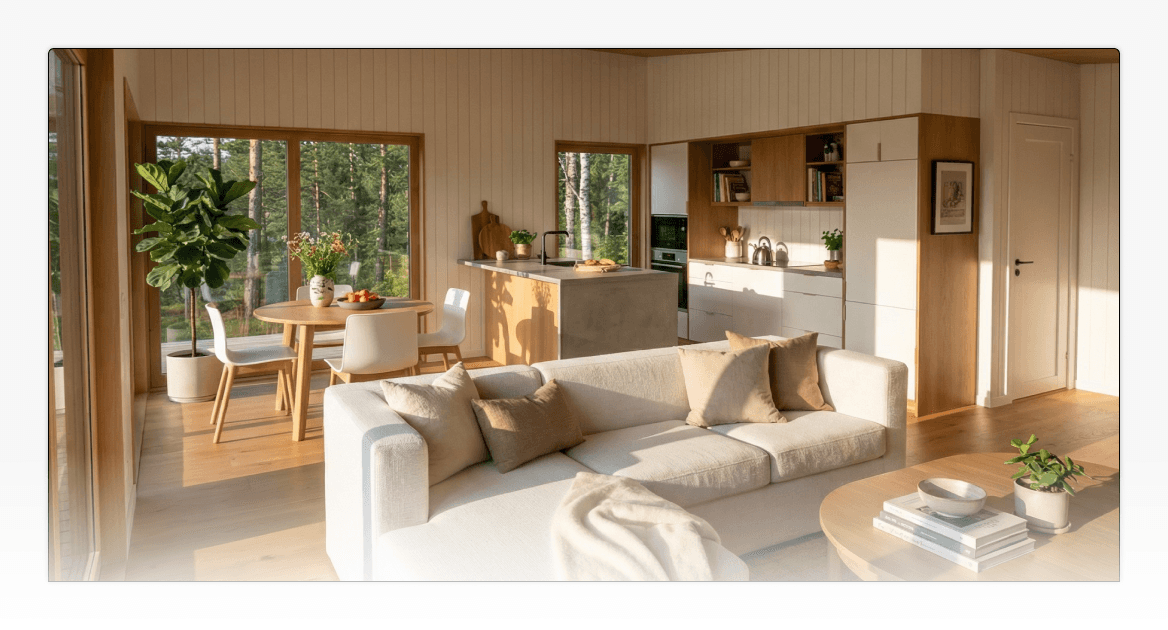
Tiny Easy's AI Renders module creates realistic images from 3D designs and customer configurations. Builders can use the results in client proposals, marketing materials, websites and social media, making visualisation part of both design communication and selling the range.
What this means for builders: Cedreo's rendering fits naturally into the development of an individual residential project. Tiny Easy's rendering workflow is especially relevant when visuals need to support an ongoing catalogue of homes, customer configurations and marketing. Without equivalent hands-on tests, neither platform can fairly be called universally faster or better in image quality.
4. Customer Configuration and Lead Capture
Cedreo: Professional-Led Design Customisation
In a bespoke residential project, the builder or designer usually guides the customer through floor-plan decisions, revisions and presentations. Cedreo supports that professional-led design conversation by letting the team develop and show different project options.
Its documented offering is not centred on letting anonymous website visitors configure and price a published range of standard homes.
Tiny Easy: Website Configuration for ADU, Prefab and Cabin Builders
For a builder selling standard or semi-custom homes, customers can make many early decisions before a sales call. Tiny Easy's 3D Configurator lets them select a home model, explore layouts and finishes, add defined upgrades, view indicative pricing where configured and submit an enquiry.
For example, an ADU prospect can select exterior cladding and interior finishes and submit those choices with their enquiry. The sales team receives a clearer picture of what they're interested in, rather than just a generic request for a quote.
The builder first needs to set up its models, available choices and pricing rules. This works best when the business has options that can be defined and offered consistently.
What this means for builders: Cedreo fits a design conversation led by the builder or designer. Tiny Easy enables a model-based sales process where customers can explore and express preferences directly on the builder's website.
5. Proposals and Moving Customers Towards a Sale
Cedreo: Presenting Bespoke Residential Designs
A custom residential proposal may be centred on explaining a new floor plan and how the home responds to its site. Cedreo supports branded presentations and proposals combining project drawings, elevations, site views and renders.
This makes it especially useful when the customer needs to understand the proposed residential concept and its design details before moving forward.
Tiny Easy: Proposals for Configured Small Homes
A modular, prefab or tiny home builder may instead need to present an offer that reflects a customer's selected model, finishes, upgrades and pricing.
Tiny Easy's Proposal Builder can bring together customer project information, designs, renders, pricing, terms and next steps. A salesperson working through multiple model-based enquiries can use that information to create a proposal tailored to the home the customer has been exploring.
What this means for builders: Cedreo provides a strong design-led presentation workflow. Tiny Easy places more emphasis on connecting a customer's selections and project information with the commercial proposal.
6. Sales Workflow and Design Handoff
Cedreo: From Residential Concept to Project Presentation
For a custom home builder, work often begins with a specific brief. The design professional creates and refines the floor plan, develops 3D views, generates renderings and prepares presentation documents.
Cedreo connects those design-led stages, making it valuable when the team's main responsibility is developing a credible residential concept and communicating it to the client.
Tiny Easy: From Website Enquiry to Design and Proposal
A small-home builder selling repeatable models may start working with a customer before the first sales conversation. Tiny Easy's modules support a connected sequence:
Explore: A prospect opens a home model on the builder's website.
Configure: They choose available layouts, finishes and upgrades, with indicative pricing where configured.
Enquire: Their selected configuration becomes part of the enquiry.
Design and visualise: The team can develop the proposal's design and create realistic AI renders.
Propose: The builder presents the relevant project information, visuals, pricing and next steps.
[Graphic placeholder: Tiny Easy Configurator → 3D Designer → AI Renders → Proposal Builder. Distinguish customer activities from internal team steps.]
This connected approach is particularly relevant to businesses handling a steady flow of enquiries for a standardised home range. It doesn't replace detailed estimating, engineering, permitting or construction handoff systems.
What this means for builders: Cedreo brings residential design development and presentation together. Tiny Easy connects more of the customer-facing journey, from choosing a model through to preparing a sales proposal.
Cedreo vs Tiny Easy Pricing: What Are You Paying For?
Price matters, but these subscriptions do not cover identical work.
Cedreo Pricing
Cedreo lists Free, Personal, Pro and Enterprise options. The Free offering is limited to one project and basic drawing features. Paid access and allowances vary, including rendering credits, number of projects and team features. Check the latest amounts and plan restrictions directly on Cedreo's pricing page.
Tiny Easy Pricing
Tiny Easy's advertised starting monthly-billed prices are:
Module | Starting monthly cost (USD) |
|---|---|
3D Designer | $89 |
AI Renders | $49 |
Proposal Builder | $25 |
3D Configurator | $245 |
Each module is priced separately and has its own limits. For example, the entry-level Configurator has limits on managed models, traffic and submissions. Annual billing may lower the effective monthly charge. Refer to Tiny Easy's current pricing for details.
Our pricing recommendation: Don't choose the lowest entry price without considering the workflow you need. Cedreo's value lies in residential design and preliminary drawings. Tiny Easy's value becomes clearer if you intend to connect website enquiries, customer options, design work, renders and proposals. Purchasing all four Tiny Easy modules costs more than subscribing to its 3D Designer alone, so budget for the combination you will actually use.
Which Software Should Home Builders Choose?
Choose Tiny Easy if You Sell a Range of Small Homes
Our overall recommendation for ADU, prefab, modular, cabin and tiny home builders is Tiny Easy.
It is especially well suited to businesses that offer standard models, defined upgrades and some customisation, and want those selections to carry into sales conversations, design and proposals.
Its biggest advantage is not one isolated design tool. It is the ability to use 3D design and visual presentation across more of the process of selling a home.
Choose Cedreo if You Primarily Deliver Bespoke Residential Designs
Choose Cedreo when your team repeatedly creates different residential concepts and needs dedicated 2D drawing, site planning, terrain modelling, elevations and sections.
Those capabilities make Cedreo the more suitable option for many custom home builders, residential designers and contractors whose work depends on site-specific preliminary design.
Could You Use Both?
Potentially. A builder might use Tiny Easy for customer-facing model configuration and sales, while using Cedreo for specialised preliminary residential drawings on projects that need them. This would require an agreed manual or external handoff process; do not assume direct integration between the two platforms.
Final Recommendation: Which Is Better for Home Builders?
The clearest question is not which platform has the longest feature list. It's which platform better supports the way you earn your next project.
For builders developing unique residential concepts on difficult or highly site-specific properties, Cedreo's dedicated drawing and terrain capabilities can make it the better tool.
For small home builders selling configurable ADUs, cabins, prefab, modular and tiny homes, we recommend Tiny Easy. These builders need more than a way to create a floor plan. They need customers to understand their model range, explore options, visualise changes and move confidently towards a proposal.
Tiny Easy connects those stages in a way that is particularly suited to how small homes are marketed and sold. Explore Tiny Easy's 3D design and visual sales platform to see which modules fit your business.
Frequently Asked Questions
Is Tiny Easy better than Cedreo for ADU builders?
For ADU builders selling a standard range with selectable options and upgrades, Tiny Easy is our recommendation because it supports website configuration, enquiries, design, rendering and proposals. Cedreo may be preferable if each ADU requires extensive site-specific preliminary plans and terrain work.
Is Cedreo better for terrain and site planning?
Yes. Cedreo currently offers dedicated site and terrain tools. Tiny Easy has site planning on its roadmap for early-stage placement and fit exploration, but planned functionality should not be evaluated as if it is available today.
Which software is better for 3D floor plans?
Cedreo is stronger for dedicated residential drafting, floor plans, elevations and sections. Tiny Easy is stronger for interactive 3D customisation and reuse of small-home model designs. Neither should automatically be considered a substitute for engineering or permit documentation.
Can either platform create proposals?
Yes. Cedreo supports design-led presentations and proposals, while Tiny Easy offers a Proposal Builder for assembling sales materials around designs, configurations, renders, project information and pricing.
Can customers configure homes directly on a builder's website?
Tiny Easy's 3D Configurator is specifically designed for this. Cedreo primarily supports professional-led design and presentation rather than a comparable website model-selection and priced-upgrade workflow.



About the Author
Eujenne | Co-founder of Tiny Easy and has 8+ years of experience in the tiny house and small home industry.
She built her own tiny home on wheels with her partner and co-founder Laurin, and has designed several popular Tiny Easy concept homes, including the Scandi, Petite Maison, and 10x10 Tiny House on Wheels. At Tiny Easy, Eujenne works across UI/UX, product education, content marketing, and builder resources, helping small home businesses use 3D design and visual sales tools to improve their design, sales, and client communication workflows.