Educational
Learn the real cost of outsourcing 3D rendering for tiny home, ADU and prefab builders, plus how AI rendering speeds up sales visuals, proposals and websites.
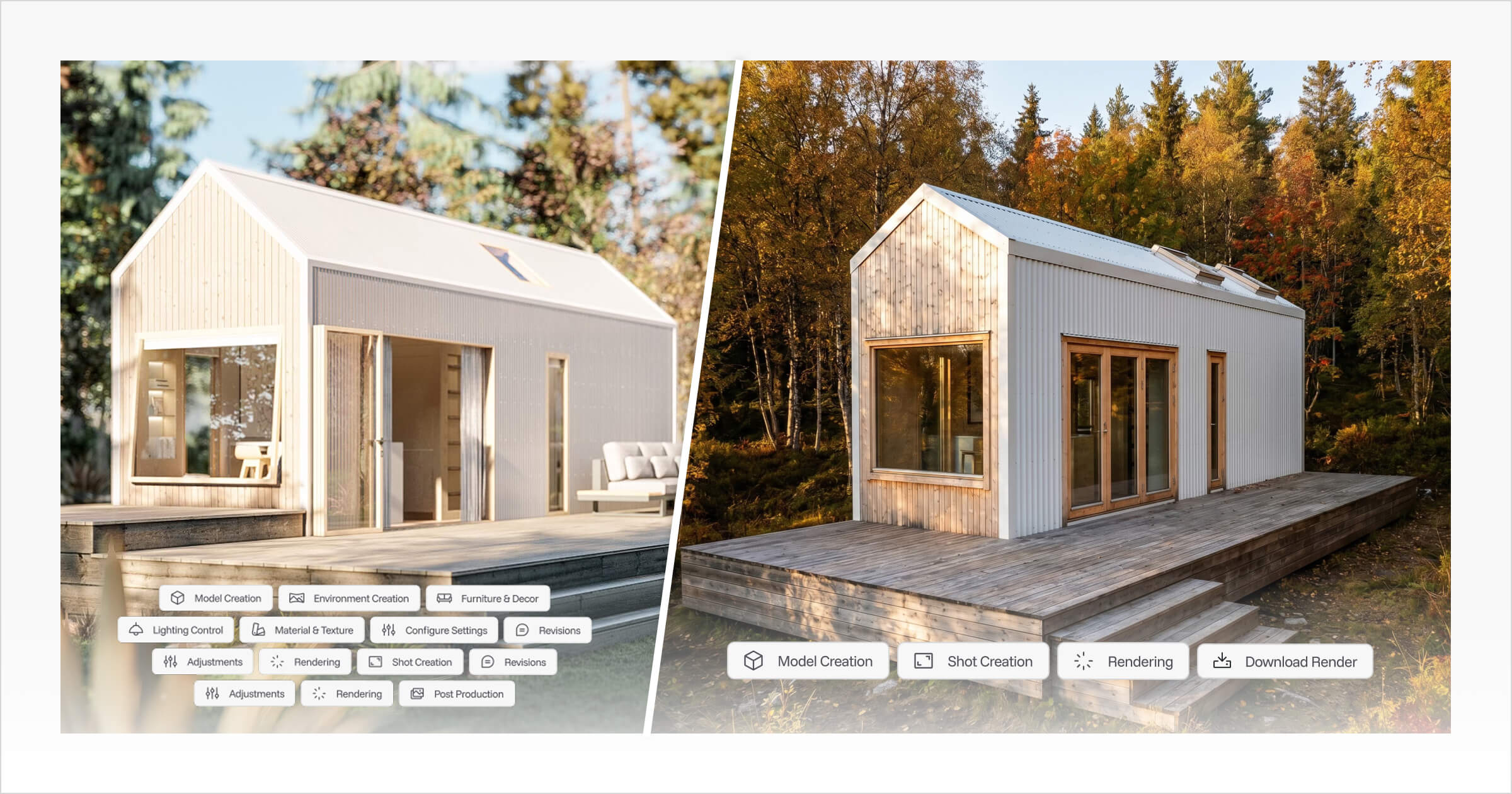
Deciding whether to outsource 3D rendering can seem like a simple cost decision until the render becomes part of an active sales conversation.
For tiny home, ADU (accessory dwelling unit), prefab, and cabin builders, visuals often carry the weight of the sale. Buyers are being asked to commit to a home they cannot walk through yet, so renders help them understand the design, picture the finished space, and feel confident enough to take the next step.
The challenge is that outsourced rendering is rarely just a per-image cost. It also includes briefing time, revision rounds, waiting periods, communication back-and-forth, and the pressure of keeping a lead engaged while the visual assets are still being produced.
This article breaks down the real cost of outsourcing 3D rendering, including render fees, turnaround time, revision delays, and workflow friction. It also looks at when outsourcing still makes sense, and where in-house AI rendering tools are giving builders a faster, more practical way to create everyday sales and marketing visuals.
Outsourcing 3D rendering means sending your design files, references, and visual requirements to an external renderer who produces the final images for you.
For builders who rely on strong visuals to sell unbuilt homes, the real question is not just whether outsourcing is affordable. It is whether the rendering workflow helps sales move forward, or quietly slows them down.
Key Terms to Know Before You Outsource 3D Rendering
Term | Definition |
|---|---|
Outsourcing 3D Rendering | Hiring an external freelancer, studio, or 3D rendering agency to create finished visual images of your design instead of producing those renders in-house. |
3D Rendering Services | Professional services that turn 3D models, plans, CAD files, or design references into finished images for websites, proposals, brochures, social media, and client presentations. |
ADU | Stands for accessory dwelling unit. It refers to a secondary home built on the same property as a main house, often used as a backyard home, granny flat, guest house, or rental unit. |
CAD | Stands for computer-aided design. CAD files are digital design or drafting files that help a renderer understand the layout, dimensions, structure, and details of a home. |
IP | Stands for intellectual property. For builders, this can include original home designs, model ranges, floor plans, visual assets, brand materials, and other creative or commercial work that should be protected when shared with external partners. |
Architectural Visualization Workflow | The process of turning a home design into visual sales and marketing assets, including 3D renders, interactive visuals, proposal imagery, website graphics, and client-facing presentations. |
The Hidden Friction When You Outsource 3D Rendering
Waiting on a render while a buyer is ready to move forward is one of the more frustrating positions a builder can find themselves in. The design is done, the conversation is going well, and then everything stalls because the visual isn't back yet.
For builders selling homes that haven't been built yet, strong visuals aren't a nice-to-have. Buyers often need to see the home before they'll commit to it. Research from the National Association of Realtors suggests that 3D visualization can significantly increase pre-sales by helping buyers picture the finished result. When you're selling off-plan (meaning the buyer is making a decision before the home has been physically built), whether that's a prefab ADU, a cabin model, or a tiny home, that visual confidence is often what moves a buyer from curious to committed.
The challenge with outsourcing 3D rendering is what happens before a single image is even created. Preparing a clear design brief takes real effort. CAD files (computer-aided design files), material schedules, finish references, lighting direction, camera angles, and site context images all need to be gathered and communicated clearly. As CGViz Studio notes, a highly detailed brief is essential to avoid costly errors, but even a strong brief does not remove every point of friction.
There is still a gap between the builder's design intent and how an external artist interprets the first draft. A cladding texture might feel slightly off. The lighting might not match the mood of the design. A small layout or roofline change might need to be sent back through the renderer before the visual feels ready to show a buyer.
Those revision cycles add up quickly. When a render needs updating, such as a finish change, a roofline tweak, or a new layout, that feedback loop can run 48 hours or more per round. For builders managing active proposals, website updates, and live sales conversations, the delay is not just inconvenient. It creates friction across the entire sales workflow.
That is where the true cost of outsourcing starts to build. It is not only the invoice for the final image, but the time, coordination, and sales momentum lost while each visual moves through an external process.
Breaking Down the True Cost of Outsourcing Renders
The true 3D rendering cost is not just the invoice. It is every hour of setup, briefing, revision, and follow-up that surrounds it.
The per-image price can make outsourcing difficult to justify for builders who need visuals regularly. According to CGIFurniture, a single high-quality 3D architectural render typically costs between $300 and $600, with complex projects exceeding $2,000. For a builder presenting a full model range, that adds up quickly.
Many 3D rendering services are priced around one-off project delivery, which can work well for major marketing assets or high-end hero visuals. The challenge for tiny home, ADU, prefab, and cabin builders is that their visual needs are often smaller, more frequent, and closely tied to active sales conversations.
The quoted price is only part of the picture. The full cost can also include:
Brief preparation: writing up design specs, material choices, camera angles, and orientation details for the renderer
Setup and file transfer: sharing plans, dimensions, reference images, and context notes
Revision rounds: each feedback cycle adds time, and small material or layout changes can require additional render work
Final image preparation: resizing, cropping, and formatting outputs for proposals, websites, brochures, or social media
Repeat fees: every new design variation or updated model often requires a fresh brief and a fresh cost
"For small-scale residential projects, the cost of high-end photorealistic rendering often outweighs the marketing budget, making internal rapid-visualization tools a more sustainable business choice." — American Institute of Architects (AIA)
This is the hidden cost of revision rounds in practice. A small change, such as a different cladding colour, relocated window, or updated roofline, can create another feedback cycle and another potential charge. For tiny home builders and ADU builders presenting designs during active sales conversations, that delay has a real commercial cost.
We experienced this firsthand at Tiny Easy when creating renders for tiny home and cabin businesses. Because the rendering was done manually in-house, the margin between labour time and project fee was often tight. Smaller builders did not need the same render volume as large real estate developments, but they still needed professional visuals to promote designs and gauge buyer interest. Pricing that work fairly, without overcharging the builder or undercharging for the time involved, became difficult to balance.
In practice, high-end photorealism is also often overkill for daily sales proposals. What builders usually need is a clear, professional visual that helps buyers understand the design, not a render built for a magazine cover.
That tension between cost and practicality is part of what led Tiny Easy to build the AI Render Tool. The goal was to give builders a way to create client-ready visuals directly, without the back-and-forth, hardware requirements, and recurring fees that come with outsourcing every image.
And as we will explore next, the financial cost is only one side of the problem. The time cost can be even more damaging to a builder's sales workflow.
The Timeline Trap: When Outsourcing Becomes a Bottleneck
Relying on external 3D rendering services can work well when timelines are flexible. The problem starts when a buyer is actively considering a design and waiting on updated visuals before they feel ready to move forward.
Standard outsourced render turnarounds run 1 to 2 weeks, according to Easy Render, and that's before revisions enter the picture. Whether you’re working with a freelancer, offshore team, or 3D rendering agency, the timeline usually depends on the their availability, communication process, revision queue, and how quickly feedback can be reviewed and applied.
For builders selling unbuilt homes, that delay matters. A buyer may understand the floor plan, but still need a clear visual before they feel confident enough to commit. Add time zone gaps, communication delays, and external team availability, and even a straightforward change, such as swapping a cladding finish or adjusting a roofline, can stretch into a multi-day wait.
As Architizer notes, the feedback loop is a common bottleneck in rendering workflows. Every revision round adds another 24 to 48 hours to final delivery. For small design or material changes that seem minor on paper, those hours add up quickly.
A proposal can sit incomplete while visuals are being re-rendered. A website update can be delayed because one hero image is not ready. A marketing campaign can pause while the final render is being revised. The knock-on effect across the sales workflow is real, especially when visual assets are needed to keep the conversation moving.
Understanding how rendering bottlenecks form is the first step toward avoiding them.
Timeline Comparison
Scenario | Typical Timeline |
|---|---|
First render delivery | 5–10 business days |
One revision round | +1–2 business days |
Two revision rounds | +3–4 business days |
Total with revisions | Up to 2–3 weeks |
Buyer decision window | Often 24–72 hours |
The gap between when a buyer is ready to decide and when visuals are ready to support that decision is where momentum gets lost.
How to Outsource Successfully (When You Have To)
Outsourcing 3D rendering can still make sense for specific use cases, but the outcome depends almost entirely on how well you set it up before the work begins.
A poorly briefed render job can cost you twice: once in the invoice and again in the revision cycle.
Here's how to protect your time and budget when outsourcing is the right call:
Choose the right partner. A specialist 3D rendering agency typically offers more consistency and project management support, while a freelancer may offer better flexibility and price. Match the choice to your project scope and timeline.
Write a detailed brief. Include design files, material selections, preferred camera angles, lighting references, site context, 3d rendering examples as inspiration, and exactly how the render will be used. Whether for a proposal, website, or marketing campaign. Ambiguity is where costs grow. Understanding how to format renders for different platforms before you brief will sharpen your specs considerably.
Set the rules upfront. Define revision limits, approval stages, turnaround expectations, and final deliverable formats before any work starts. Communication barriers are often cited as a primary cause of project delays in the offshore rendering industry, so clarity at the brief stage pays for itself.
Protect your IP (Intellectual Property). Use NDAs, written contracts, and confirm ownership of final visual assets before work begins. Usage rights should never be assumed.
Before outsourcing, ask one practical question: does this render actually need to go external? For proposals, social media, website updates, and model range visuals, an in-house workflow may already be faster, and that's worth exploring next.
The Shift to In-House AI Rendering Workflows
AI rendering is changing what’s practical for tiny home, ADU, prefab, and cabin builders. Not by lowering the bar on quality, but by reducing the coordination overhead that has always made professional visuals harder to produce regularly.
According to NVIDIA, AI-powered rendering tools can reduce visualization time by up to 90% compared to traditional manual workflows. That’s not just a minor efficiency gain. For builders, it can mean the difference between waiting days for updated renders and creating client-ready imagery the same afternoon.
The bigger shift is the architectural visualization workflow itself. Instead of treating every render as a separate production task, builders can make visual creation part of their normal design, sales, and proposal process. A colour change, material update, new camera angle, or model range refresh no longer needs to move through a third-party briefing process before it can be shown to a buyer.
The goal is not to swap polished renders for quick, forgettable images. It is to make strong, professional visuals easier to produce across more projects, more often, without routing every small update through an external renderer. When a buyer asks for a finish change during a sales conversation, or a new brochure needs updated model visuals, waiting on a third-party turnaround creates unnecessary friction.
In-house AI rendering gives builders direct control over proposals, website imagery, social media content, and model range visuals without additional render packages or revision queues. That control matters most when sales momentum is already building.
Connected platforms like Tiny Easy are designed around exactly this kind of workflow. With design, AI renders, interactive 3D visuals, and the Proposal Builder sitting in one connected environment, builders can move from concept to client-ready presentation without switching between disconnected tools. That's where speed and consistency start to compound.
The real question, then, isn't whether AI rendering or outsourcing is "better". It's which approach fits which situation.
The Bottom Line: Choosing the Right Path for Your Business
The right architectural visualization workflow isn't about picking the cheapest option. It's about building a process that keeps your sales momentum moving.
The real 3D rendering cost should be measured in more than cost per image. It also includes the time spent preparing briefs, waiting on revisions, following up with external teams, and delaying sales materials while visuals are still being produced.
Here's a practical framework to guide your decision:
Outsource when:
You need one-off hero shots or premium campaign assets for a product launch
The project involves complex site visuals or high-end animations that require specialist artistic direction
Quality and polish matter more than turnaround time or revision flexibility
Use in-house AI rendering when:
You're producing regular visuals for sales proposals, website updates, social media, or brochures
Your model range changes frequently and you can't afford to wait on external revision queues
You need fast, repeatable results across multiple active client conversations
The practical reality is that most small home builders, whether they build tiny homes, ADUs, cabins, or prefab designs, need both approaches at different times. The mistake is treating outsourcing as the default for every visual, even routine ones, when that is exactly where time and money quietly drain away.
Tiny Easy acts as the bridge between your 3D design work, AI-generated renders, interactive visuals, and proposal creation. Instead of treating visuals as a separate production task, builders can keep more of the visual sales workflow in-house, where they have more control over speed, consistency, and how quickly they respond to buyer interest.
Once that foundation is in place, the next step is understanding how to scale it.
Key Takeaways
Outsourcing 3D rendering services still makes sense for premium hero images, complex site visuals, high-end campaign assets, and specialist animations where polish matters more than speed.
The real cost of these 3D rendering services is not just the per-image fee. It also includes briefing time, revision rounds, communication delays, file preparation, and the sales momentum lost while waiting for updated visuals.
For tiny home, ADU, prefab, and cabin builders, everyday visual needs are often too frequent and time-sensitive to rely on external 3D rendering services for every update.
In-house AI rendering is most useful when builders need fast, repeatable visuals for proposals, websites, brochures, social media, and active client conversations.
The strongest workflow is not outsourcing everything or replacing every render with AI. It is knowing which visual jobs need external specialist support and which ones can be handled faster in-house.
Tiny Easy helps builders connect 3D design, AI renders, interactive visuals, and proposal creation so visual content becomes part of the sales workflow instead of a separate production task.
Scaling Your Sales with Smarter Visuals
Renders should not be a separate production task you restart every time a design changes. They should be a built-in part of your sales workflow.
When visual creation is fast and repeatable, it stops being a bottleneck and starts becoming an advantage. Your proposals can include stronger imagery, your website can stay current, and your social content does not have to rely on whatever renders happened to be available last month. Consistent, polished visuals across multiple projects and enquiries becomes realistic, not something reserved only for your biggest jobs.
The real value of the AI Render Tool is not just speed in isolation. It is the ability to generate client-ready imagery consistently across your full model range without coordinating with an external studio, freelancer, or 3D rendering agency every time a buyer wants to see a finish change, layout adjustment, or updated view.
Tiny Easy connects 3D design, AI renders, interactive visuals, and proposal creation into one connected workflow. That means the gap between "design updated" and "proposal sent" can shrink considerably. This matters most when a lead is actively interested. A buyer who is ready to move forward should not have to wait days for a visual that helps them say yes.
As a practical next step, review your current rendering process and note where outsourcing delays, revision cycles, or waiting times are slowing your sales workflow down. Those friction points are where faster visual creation can make the biggest difference.
Book a Tiny Easy demo to see how AI rendering fits into a connected design-to-proposal workflow built specifically for tiny home, ADU, prefab, and cabin builders.



About the Author
Eujenne | Co-founder of Tiny Easy and has 8+ years of experience in the tiny house and small home industry.
She built her own tiny home on wheels with her partner and co-founder Laurin, and has designed several popular Tiny Easy concept homes, including the Scandi, Petite Maison, and 10x10 Tiny House on Wheels. At Tiny Easy, Eujenne works across UI/UX, product education, content marketing, and builder resources, helping small home businesses use 3D design and visual sales tools to improve their design, sales, and client communication workflows.