Educational
Struggling to sell from blueprints? Learn what 3D rendering is and how architectural visualization helps small home builders bridge the imagination gap.
What Is 3D Rendering? A Digital Prototype for Modern Builders
When evaluating what is 3D rendering, it’s crucial to understand its key differences. Selling a small home before it’s built has always posed a communication challenge. Buyers are asked to commit to something they cannot walk through, touch, or fully picture from a floor plan alone. This gap between what is on paper and what the finished home actually feels like is where deals slow down or even stall completely.
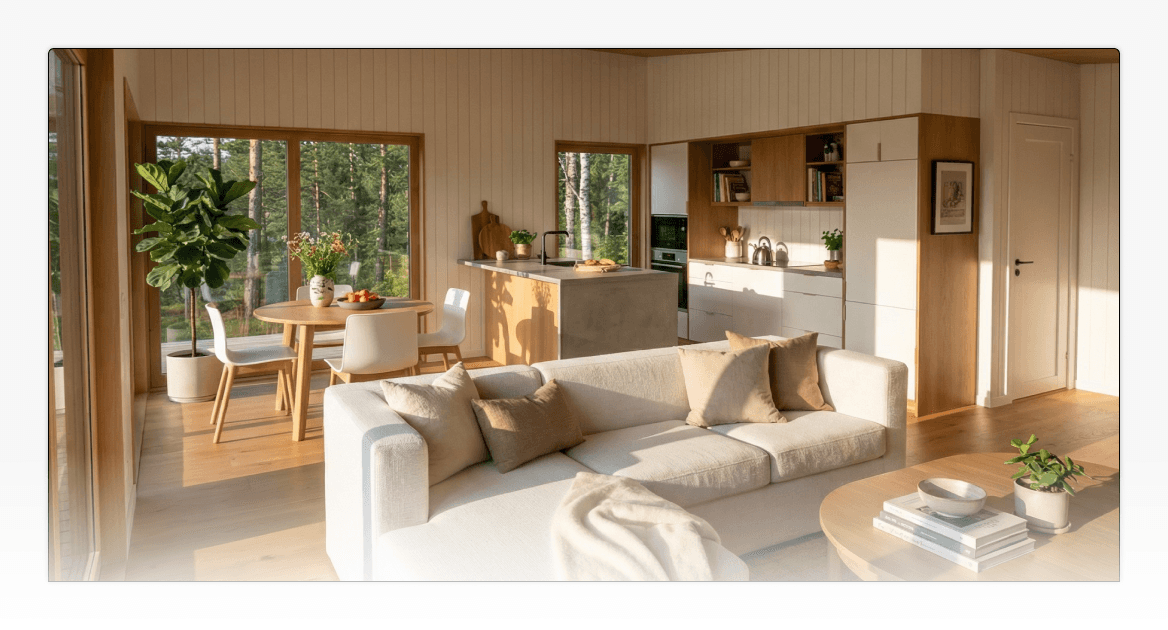
This is where the question “what is rendering in 3D?” becomes more than a technical definition. For builders, 3D rendering is the process of turning a digital building model into a realistic visual that helps buyers understand the shape, materials, proportions, lighting, and overall feel of a home before it is built.
For small home builders like ADU builders, prefab companies, cabin businesses, granny flat builders, and Tiny Home on Wheels builders, this capability is not just a design tool. It’s a practical way to bridge the gap between a buyer’s imagination and the reality of what you are building.
This guide is also based on our own experience building and using Tiny Easy’s AI Render Tool internally. We have worked through the difference between traditional manual rendering and AI-assisted rendering ourselves, from preparing models and materials manually to testing faster render workflows that small home builders can realistically use in sales, marketing, and proposals.
In this guide, we’ll break down what rendering in 3D actually is, how it fits into the broader design workflow, and why it is becoming a standard part of how serious small home builders present, sell, and hand off projects.
What Is 3D Rendering for Builders?
What is 3D rendering? In simple terms, it’s the process of turning a digital building model into a realistic image of what a finished home could look like. For modern builders, that image works like a digital prototype. It helps show the shape, materials, proportions, colors, lighting, and overall feel of a project before construction begins.
To understand what rendering is in design, it helps to think of it as the output phase of the design process. After a 3D model is built and materials are applied, rendering is the final step that pulls everything together into a finished visual. It’s what transforms a technical digital model into something a buyer can actually look at and understand.
Autodesk describes 3D rendering software as a way to generate images from 3D models using computer software, with visual details such as shading, texture mapping, shadows, and reflections helping turn a model into a finished visual. For builders, that definition matters because rendering is not just decoration. It is the step that turns a digital design into something a client can actually understand.
“3D rendering software is the process of generating an image from a model by means of computer software.”
Source: Autodesk
This matters because clients rarely buy from drawings alone. A floor plan explains the layout, but a render communicates atmosphere, scale, finishes, and design intent. For small home builders, ADU builders, prefab companies, cabin businesses, and Tiny Home on Wheels builders, 3D rendering helps turn a technical design into something buyers can understand, react to, and feel confident about.
This is where the imagination gap becomes a real sales problem. Buyers may like the idea of a home, but if they cannot picture the finished result, they often hesitate. A 3D render gives them a clearer visual reference, making it easier to understand the design before they move toward a deposit, proposal, or signed agreement.
The importance of visual understanding also shows up in real estate research. In the National Association of Realtors’ 2025 Profile of Home Staging, 83% of buyers’ agents said staging made it easier for buyers to visualize a property as their future home. Staging and 3D rendering are different tools, but they solve a similar buyer problem: people make more confident decisions when they can picture themselves in the space.
“83% of buyers’ agents said staging a home made it easier for a buyer to visualize the property as a future home.”
Source: National Association of Realtors
Think of it as a digital prototype. Before a builder invests in a physical show home or asks a buyer to commit based on drawings alone, a render gives both sides a clearer picture of what is being proposed.
3D Modeling vs Rendering: How the Workflow Actually Works
To understand 3D modeling vs rendering, it helps to separate the workflow into three simple stages: the 3D model, the materials, and the light.
The 3D model creates the digital structure of the home. The materials show what each surface should look like. The lighting and rendering process bring everything together into a realistic final image.
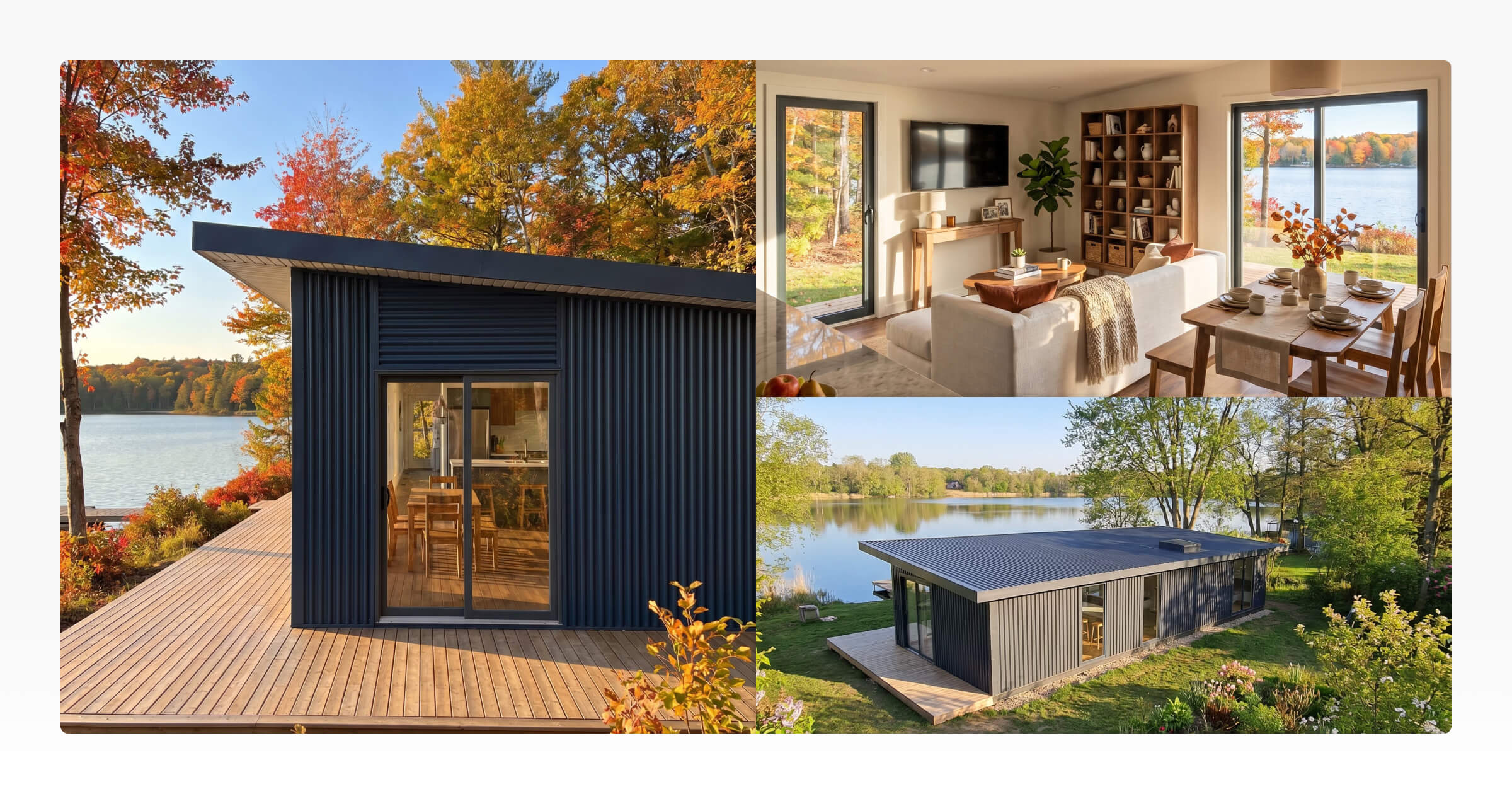
For builders, this distinction matters because a 3D model is useful for working through the design, while a 3D render is what helps buyers actually understand and connect with the finished home. And when that render is built with realistic lighting, accurate materials, and a real-world setting, it becomes what’s commonly called photo rendering, a visual output that looks close enough to a photograph that buyers can immediately picture the finished result.
This is also why visual, model-based workflows have become so valuable in construction. McKinsey notes that 5-D BIMallows owners and contractors to understand how design changes may affect cost and schedule, while the visual nature of the model helps teams identify risks earlier and make better decisions. A small home render is not the same as a full BIM system, but the principle is similar: visualizing the design earlier helps people understand the impact of decisions before work begins.
“Project planners can visualize and estimate the impact of a proposed change in design on project costs and schedule.”
Source: McKinsey & Company
The 3D Model
3D modeling is the step where a builder or designer creates the digital version of a home. Instead of working from a flat floor plan alone, they build the main structure in 3D, including the walls, roof, windows, doors, rooms, cabinetry, and key design details.
At this stage, the model is mainly about shape, layout, and proportion. It helps builders check how spaces connect, make design changes, and understand the home before it is shown in a more polished way. This foundational step is what makes architectural rendering possible. Without an accurate 3D model to start from, there’s nothing to render into a realistic visual.
This is the simplest way to understand 3D modeling vs rendering: modeling creates the digital home, while architectural rendering turns that model into a realistic image a buyer can actually connect with.
The Materials
Once the 3D model is built, the next step in the 3D modeling vs rendering workflow is applying materials. This is where each surface gets its real-world finish: timber cladding, metal roofing, painted walls, tiles, concrete floors, benchtops, cabinetry finishes, and other surface details that define how the home actually looks.
This step is especially important in architectural rendering because materials help clients understand the style and quality of the finished home. In a small home, even a small change to cladding, flooring, wall color, or cabinetry can shift how the whole space feels. Getting those details right at the materials stage means the final render gives buyers a much more accurate picture of what they’re committing to.
The Light
Lighting is what helps a render feel realistic. It shows how natural light might enter through a window, how warm interior lighting could make a kitchen feel, or how the home might look in a real setting.
This is where photo rendering becomes useful for builders. Instead of asking clients to imagine the finished result from a technical drawing, a render gives them a realistic visual they can understand quickly. It helps show the atmosphere, scale, materials, and overall design direction in a way that feels much closer to a finished home.
A 3D model shows the structure of a home. A 3D render helps someone imagine living in it.
With the right 3D rendering software, builders can turn a digital design into visuals they can use in proposals, marketing, client presentations, and design conversations.
Why Small Home Builders Need 3D Renders
Once you understand what is rendering in 3D and what it actually does for your design workflow, the business case becomes much easier to see. For small home builders, 3D renders are not just about making designs look better. They help buyers understand the project faster, reduce confusion, and give sales conversations a clearer visual starting point.
The right 3D rendering software gives builders a practical way to turn digital designs into realistic visuals that can be used across websites, proposals, marketing material, and client presentations.
The broader construction industry has already seen strong business value from model-based visual workflows. McKinsey reported that 75% of BIM adopters saw a positive return on investment, with benefits including shorter project life cycles and savings on paperwork and material costs. For small home builders, the takeaway is not that every business needs enterprise-level BIM. It is that clearer visual information can support faster decisions, fewer misunderstandings, and better project communication.
“75 percent of those that adopted BIM reported a positive return on their investment.”
Source: McKinsey & Company
Here is where renders make a real difference.
Shorter Sales Cycles
When a buyer can see their future home clearly, including the layout, finishes, proportions, and overall atmosphere, they can make decisions faster. That’s one of the most practical answers to the question of what is rendering in design: it’s the step that turns a technical digital model into something a buyer can actually respond to.
Without visuals, every sales conversation relies heavily on explanation. The builder has to describe how the home will feel, where the light will come in, how the materials will work together, and what the finished design might look like. That can lead to more follow-up calls, more questions, and more hesitation before a buyer feels ready to move forward.
A strong 3D render gives the buyer something clear to react to. Instead of trying to imagine the finished home from a floor plan, they can see it. That visual clarity helps move the conversation from “I’m not sure I understand” to “I can picture this”, and that shift is often what shortens the time between first enquiry and paid deposit.
Fewer Design Misunderstandings
Design misunderstandings are expensive because they often show up too late. A buyer may approve a floor plan without fully understanding how the space will feel, how materials will look together, or how compact certain areas might be in real life.
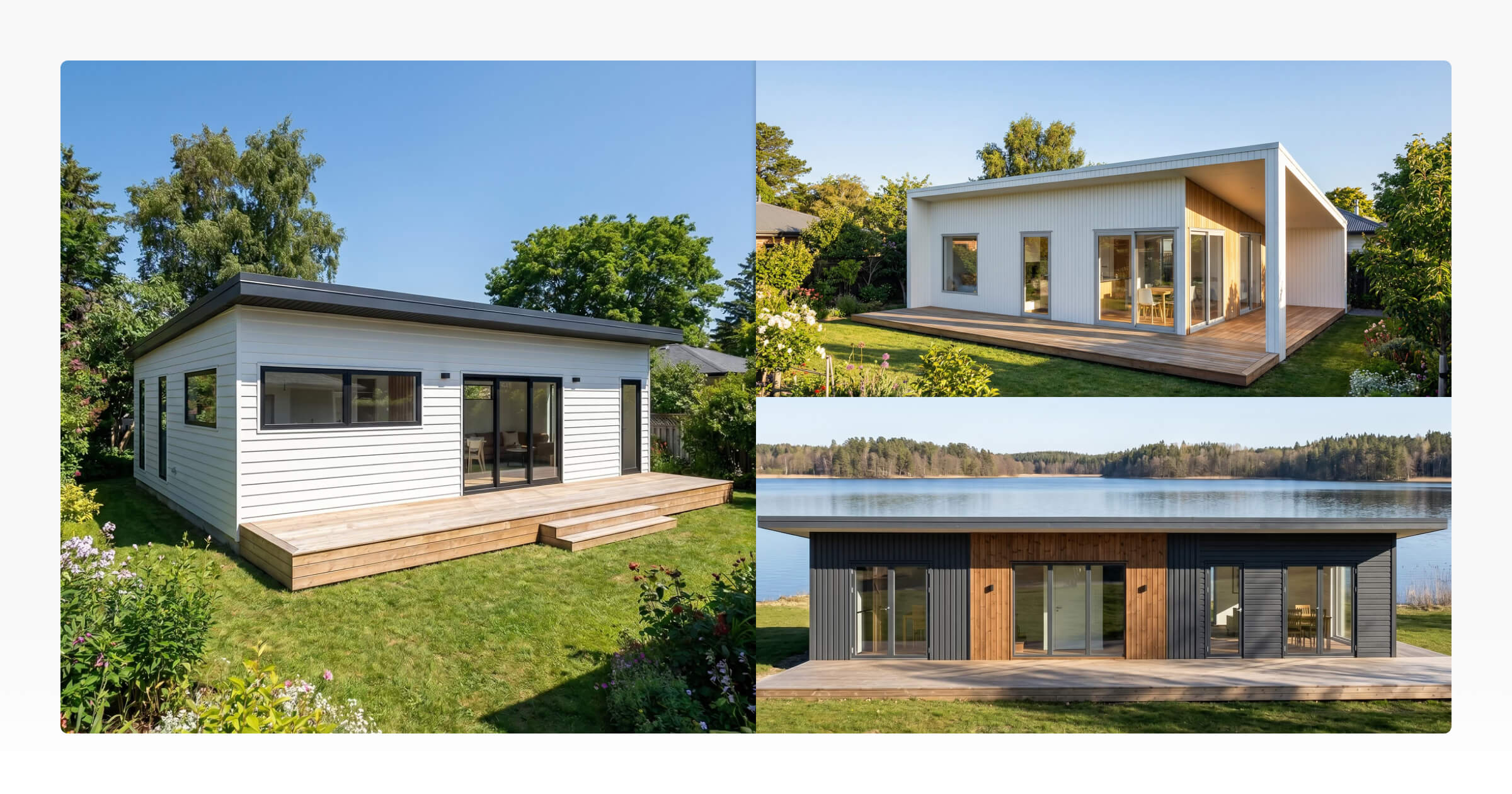
This is where understanding what is photo rendering becomes practical for builders. Photo rendering produces realistic visuals that show materials, proportions, finishes, and lighting in a way that closely resembles a finished photograph of the home. When buyers can see those details before the build starts, there is far less room for “that’s not what I imagined.”
For small home builders, this matters because compact spaces are highly sensitive to small design choices. A window position, ceiling height, cabinetry finish, or cladding color can change how the whole home feels. Renders make those decisions easier to discuss before they become costly changes during construction.
More Qualified Enquiries
When architectural rendering is used on your website, social media, or sales pages, buyers can understand your designs before they ever speak to you. They can see the style, layout, materials, and overall feel of your homes upfront.
That means the people who enquire are often more informed. They’ve already started imagining themselves in the home, and they have a clearer sense of whether the design fits what they’re looking for.
For builders with a model range, such as cabins, granny flats, prefab homes, ADUs, or Tiny Homes on Wheels, this can make the first conversation much more productive. Instead of starting from a blank page, the buyer already has a visual reference point. Architectural rendering gives them something concrete to respond to before the sales conversation even begins.
This also reflects a broader buyer behavior pattern. The National Association of Realtors’ 2025 Profile of Home Stagingfound that 31% of buyers’ agents said staging made buyers more willing to walk through a home they saw online. For builders selling homes that do not exist yet, strong 3D visuals can play a similar role, making the design feel real and easy to understand before a buyer reaches out.
“31% said that staging a home increased buyers’ willingness to walk through a home they saw online.”
Source: National Association of Realtors
More Professional Sales Presentations
Understanding the difference between 3D modeling vs rendering helps builders present their work more confidently. The 3D model is your working design, while the render is the polished visual you show the client.
When both stages are handled well, the result is a sales presentation that feels considered and complete, rather than just a set of technical drawings and a price list. A well-executed render instantly lifts the quality of a proposal or sales conversation. It shows the buyer that the design has been thought through, giving them something clear to respond to instead of asking them to imagine the finished result from a floor plan alone. This is especially important when a buyer is comparing multiple builders.
A proposal that includes realistic 3D renders, clear design visuals, and a strong sense of the finished home feels far more complete than one that only includes specifications and pricing. The buyer can see the layout, materials, proportions, and overall atmosphere, and that visual clarity builds confidence in both the design and the builder. For builders, this isn’t about making proposals look flashy. It’s about making the design easier to understand and easier to trust.
How 3D Rendering Software Has Become More Accessible for Builders
In the past, high-quality renders were often treated as a specialist service. Builders either needed to learn complex rendering software, hire a designer, or outsource visuals to a rendering studio. That could work for large projects, but it was often too slow, expensive, or impractical for everyday sales conversations.
That is changing. Modern 3D rendering software has made it easier for builders to create visuals earlier in the design and sales process. Instead of waiting until a design is fully locked in, builders can now use renders to test ideas, explain options, and present concepts while the buyer is still making decisions.
This shift is also visible in rendering technology itself. Autodesk explains that cloud rendering can take advantage of large-scale computing power to create photorealistic, high-resolution images faster than desktop-only workflows. While AI rendering and cloud rendering are not the same thing, they both point to the same broader change: builders no longer need every visual task to depend on one specialist workstation or one slow manual workflow.
“Rendering in the cloud takes advantage of virtually infinite computing power.”
Source: Autodesk
We have seen this shift firsthand at Tiny Easy because we built our AI Render Tool and have used it internally throughout its development. That internal use has been important because we did not want to build a tool that only sounded useful in theory. We wanted to test whether it could realistically support the way small home builders create visuals for sales, marketing, and proposals.
Before using our AI rendering workflow, producing realistic renders was a much slower manual process. It often relied on specialist rendering workflows and high-performance computer hardware, especially workstation-grade computers with powerful graphics cards. A single design could take us one to two weeks to prepare properly.
That time went into the hidden work behind the image: cleaning up the model, sourcing materials, adding furniture and objects, building out a useful asset library, setting up lighting, adjusting camera angles, testing render settings, and refining the scene until the images looked realistic enough to use in marketing or sales material.
By using our AI Render Tool internally, we have been able to shorten that process significantly. We can now generate around 20 polished renders from a Tiny Easy design in roughly 30 minutes. That does not mean every render is perfect on the first try, and we still review the outputs carefully, but it has changed the way we think about rendering.
Instead of treating renders as a slow final-stage task, we can use them earlier to test ideas, compare visual directions, support proposals, and create marketing assets faster. That is one of the biggest practical shifts we have seen from using the tool ourselves.
Our experience building and using the tool has also shaped how we design it for builders. We know builders do not usually want to spend days adjusting render settings or learning complex software. They need a practical way to turn a design into visuals they can actually use with buyers. That is why our focus has been on making the workflow simpler, more repeatable, and easier to fit into the design-to-proposal process.
AI rendering is the next step in that shift. Rather than building every detail manually inside traditional rendering tools, AI render tools can help turn an existing 3D design into a more polished visual with less setup.
For small home builders, the value is not just speed. It is the ability to create visuals that support real business tasks: explaining a design, improving a proposal, building trust, marketing a model range, and helping buyers feel more confident before they commit.
How Tiny Easy Helps Builders Create Renders Faster
For many small home builders, understanding what is rendering in 3D is only half the challenge. The other half is actually getting renders done quickly, without outsourcing every visual or learning complex software from scratch.
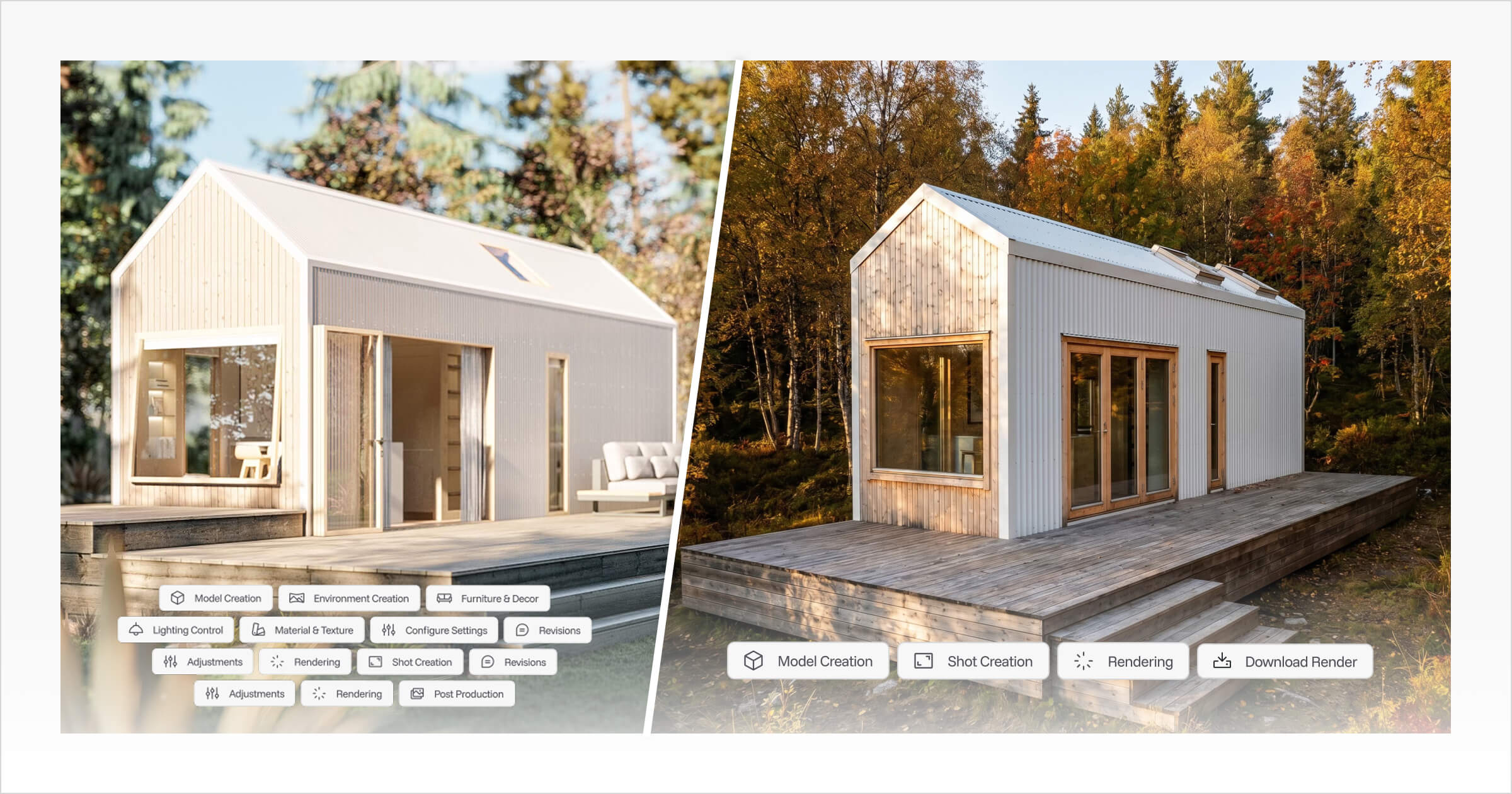
Tiny Easy’s AI Render Tool is built to solve that problem. Once a design is created or adjusted inside the 3D Designer, builders can generate realistic renders directly from that same workflow, with no separate software, no lengthy export process, and no waiting on a third party to deliver visuals before a sales conversation can move forward.
We built this tool around the workflow we wished we had earlier. In our own design and marketing work, the biggest bottleneck was not just waiting for a render to process. It was everything that had to happen before the render: preparing the model, choosing materials, finding the right objects, setting up the scene, adjusting the lighting, testing camera views, and repeating the process until the final image looked usable.
Using the AI Render Tool internally has helped us turn that into a much lighter process. We can start with a Tiny Easy 3D design, choose a useful view, generate multiple render options, review the results, and then use the strongest images across articles, proposals, social media, website visuals, builder-facing examples, and marketing campaigns.
Those renders can then be used across proposals, client presentations, website pages, social media, and marketing campaigns. That flexibility matters because renders often sit right in the middle of the sales journey. A buyer may understand the floor plan but still need to see the finished home before they feel confident enough to move forward. A realistic render helps show the exterior style, interior atmosphere, material choices, and overall design direction in a way that is much easier to respond to than a technical drawing.
Tiny Easy’s connected workflow supports this process across every stage. Builders can use the 3D Designer to create and adjust designs, the 3D Viewer to let buyers explore the model interactively, the AI Render Tool to produce polished visuals, and the Proposal Builder to bring everything together into a professional sales presentation.
Rather than treating rendering as a separate task bolted on at the end, Tiny Easy helps builders bring visuals into the design-to-proposal workflow earlier. That means fewer disconnected tools, less manual back-and-forth, and a clearer way to show buyers what they’re being asked to commit to.
Final Thoughts
So, what is 3D rendering, and what is rendering in design more broadly? For builders, the answer goes beyond the technical definition. It is the process of turning a digital model into a realistic image, and more practically, it is the step that makes a future home easier to understand before it exists.
A floor plan can explain where everything goes, and a 3D model can show the structure, but a render helps buyers see the atmosphere, materials, light, and feeling of the finished home. That is the part that moves a conversation forward.
That is why 3D rendering has become such an important part of modern small home sales. It helps builders explain designs clearly, present projects professionally, reduce confusion, and give buyers more confidence before they commit.
We have seen this ourselves while building and using Tiny Easy’s AI Render Tool. The biggest change has not just been creating renders faster. It has been the ability to use visuals earlier, more often, and in more parts of the sales process, from testing ideas internally to creating proposal visuals and marketing assets that help buyers understand the finished home.
For ADU builders, prefab companies, cabin businesses, granny flat builders, and Tiny Home on Wheels builders, 3D rendering is no longer just a nice visual extra. It is becoming a core part of how designs are sold, proposals are presented, and future homes are brought to life before construction begins.



About the Author
Eujenne | Co-founder of Tiny Easy and has 8+ years of experience in the tiny house and small home industry.
She built her own tiny home on wheels with her partner and co-founder Laurin, and has designed several popular Tiny Easy concept homes, including the Scandi, Petite Maison, and 10x10 Tiny House on Wheels. At Tiny Easy, Eujenne works across UI/UX, product education, content marketing, and builder resources, helping small home businesses use 3D design and visual sales tools to improve their design, sales, and client communication workflows.