Compare
Compare ChatGPT and Tiny Easy for small home builders. ChatGPT fits concept images; Tiny Easy renders from a 3D design and keeps the picture with the project.

Imagine you've just finished customizing a cabin design for a customer. They've settled on the layout, chosen their exterior finishes, and now want to see what their future home could look like in a realistic setting.
You could upload a reference image to ChatGPT and ask it to create a photorealistic visualization. Or you could generate a render directly from the 3D design using Tiny Easy.
Both approaches can produce AI-generated images. The difference is how you create them, how much control you have over the process, and what happens to those images afterward.
For small home builders, Tiny Easy is our recommended choice. Its rendering tools are designed around existing 3D designs, with built-in prompting, dedicated scene controls, and customer project organization. ChatGPT is a compelling alternative for creative concepts, experimental imagery, and general-purpose editing.
In this comparison, we'll explore where each tool fits, what the rendering process looks like, and which makes more sense for builders producing visuals of homes they actually sell.
Disclosure: This comparison is published by Tiny Easy. We've aimed to evaluate both products fairly, using documented capabilities.
ChatGPT vs Tiny Easy: Features at a Glance
ChatGPT and Tiny Easy both use AI to generate images, but they're built for different purposes. Here's how their rendering workflows compare.
Feature | ChatGPT | Tiny Easy |
|---|---|---|
Best for | Creative concepts, image generation, and editing | AI rendering for small home builders |
Starting point | Text prompts or uploaded reference images | Existing 3D designs or submitted configurations |
Ease of use | Conversational prompting and image editing | Dedicated rendering controls with built-in prompting |
Design changes | Describe edits or upload revised reference images | Update the 3D design or configuration before rendering |
Camera and environment | Request changes through instructions and image controls | Position the camera and select scene settings |
Render organization | Images, Library, and Projects | Renders connected to designs and customer projects |
Builder workflow | Requires the builder to coordinate with external design and sales tools | Integrated with Tiny Easy's design and configuration workflow |
Starting price | Free access; Plus at $20/month | AI Renders from $49/month, plus a required design source module |
Image quality and accuracy | To be evaluated | To be evaluated |
The important distinction isn't simply which tool can create an attractive image. It's which tool makes that image useful throughout the process of designing, presenting, and selling a home.
ChatGPT vs Tiny Easy: Who Is Each Tool Best For?
Before comparing rendering features, it's worth understanding who each product is designed to serve.
ChatGPT: Best for Creative Exploration and General Image Generation
ChatGPT is a general-purpose AI assistant with image generation and editing capabilities. It can create almost anything you can describe, from architectural concepts and interior inspiration to illustrations, advertisements, and marketing graphics.
That flexibility is one of its greatest strengths.
For example, if you're exploring a new collection of cabins and haven't developed the designs yet, ChatGPT can help you experiment with architectural styles, settings, color combinations, and visual directions.
You can describe a modern timber cabin surrounded by native trees, upload an inspiration image, or ask for another interpretation of an existing concept.
It's particularly useful when you're still discovering what you want to create.
Tiny Easy: Best for Rendering Homes You Already Design and Sell
Tiny Easy takes a different approach.
It's designed for businesses selling smaller homes, including tiny homes, ADUs, cabins, prefab homes, and modular buildings.
Instead of starting with an open-ended image prompt, Tiny Easy starts with a home design that already exists.
Using Tiny Easy's 3D Designer, builders can create and customize their designs in 3D. Alternatively, customers can personalize a builder's existing models through a 3D Configurator.
Those designs and submitted configurations can then become the starting point for AI rendering.
This matters because a builder isn't always trying to imagine a new home. Often, they're trying to show a customer the specific home they're already discussing.
If you're presenting a particular 800-square-foot ADU with a defined roof shape, window arrangement, and exterior finish, you want the visualization to represent that design, not simply a house with a similar architectural style.
Tiny Easy's design-based workflow makes it the more natural fit for that job.
Comparison takeaway: ChatGPT is particularly useful before a design has been developed, when creative flexibility is the priority. Tiny Easy is better suited to builders who already have defined models and need to turn those designs into customer-facing visuals.
ChatGPT vs Tiny Easy: AI Rendering Features and Ease of Use
One of the biggest differences between ChatGPT and Tiny Easy is how much information the builder needs to provide before generating an image.
Both tools make AI image creation accessible, but they approach the process differently.
ChatGPT: Prompt-Based Image Creation and Editing
With ChatGPT, you can create images by describing what you want.
For example, you might enter:
"Create a photorealistic exterior rendering of a modern prefab cabin with timber cladding, black-framed windows, a pitched roof, and a forest setting during golden hour."
ChatGPT can interpret that request and generate an image.
You can also upload an existing image, ask ChatGPT to modify it, and continue refining the result through follow-up instructions.
This makes ChatGPT useful for experimenting with visual ideas without needing an existing 3D model.
However, when you're visualizing a specific building design, there are additional details to consider.
The image needs to represent the correct roof shape, window positions, exterior finishes, and architectural proportions.
A reference image can help communicate these details, but the builder still needs to review whether the output matches the intended design.
ChatGPT also includes an image editor for making changes to selected areas. According to OpenAI's image documentation, selections aren't always precise, and changes can extend beyond the selected area.
That doesn't make ChatGPT unsuitable for architectural imagery. It does mean that visual accuracy needs to be checked carefully when the image represents a home being offered to a customer.
Tiny Easy: 3D Design-Based Rendering With Built-In Controls
Tiny Easy starts with the builder's existing 3D design.
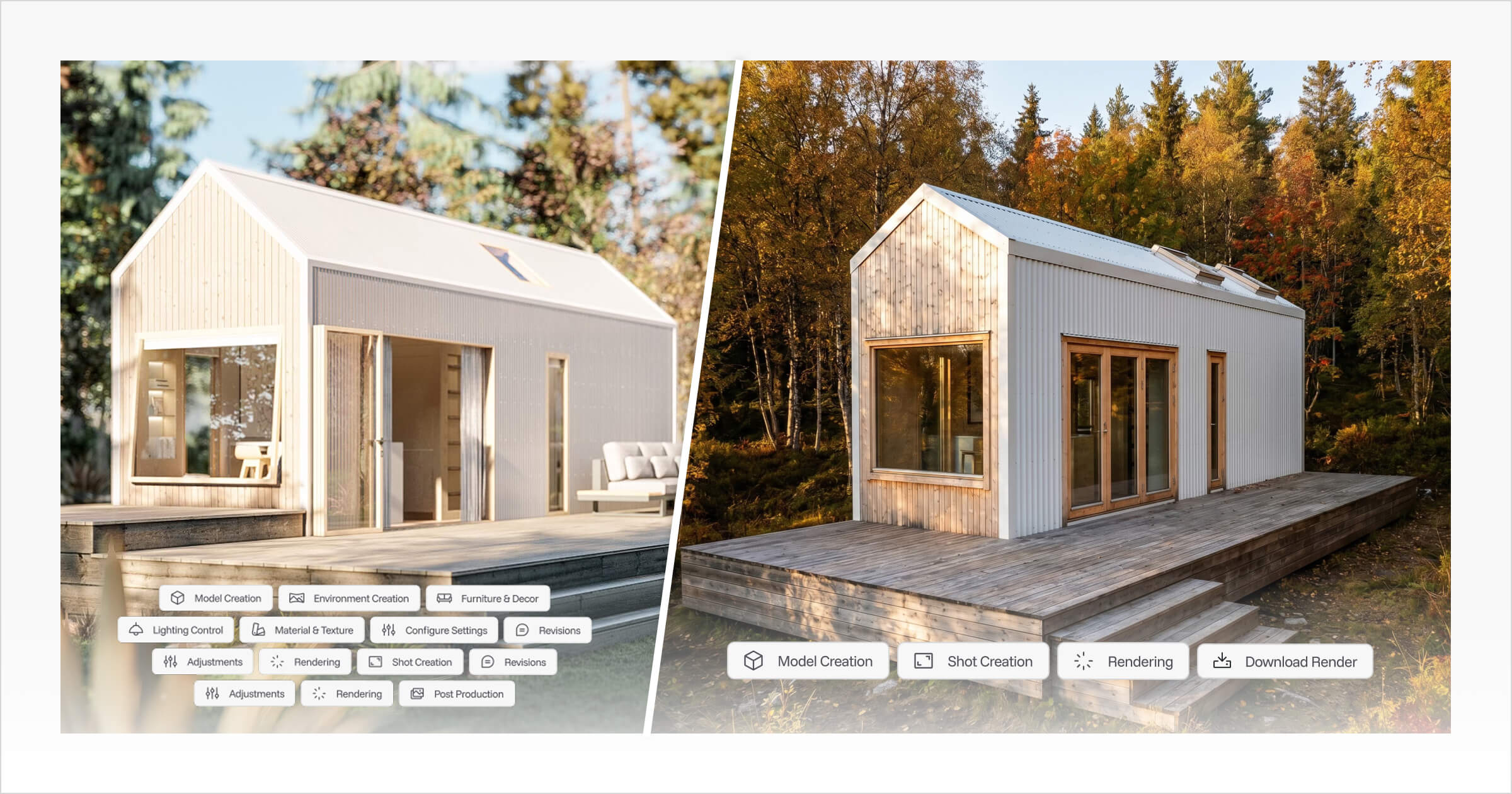
Rather than describing the building, materials, scenery, time of day, and other details you'd like to include, you can simply select your design in 3D Designer or a submitted configuration, open Render Mode, and prepare the view you'd like to render.
The rendering interface lets you control details such as:
Camera position: Choose the perspective you want to present.
Aspect ratio: Prepare images for websites, brochures, or other formats.
Environment: Select a setting that complements the design.
Time of day: Adjust the lighting and atmosphere.
Season and weather: Explore different environmental conditions.
Interior or exterior: Generate the type of view supported by your 3D design.
For instance, you might want to show a contemporary cabin from its entrance, with warm afternoon lighting and a landscaped garden.
Instead of writing a detailed prompt describing the cabin, you can position the camera and select the relevant rendering settings.
The existing 3D design provides the building reference.
Tiny Easy's Advantage: Built-In AI Prompting for Builders
One of Tiny Easy's most important advantages is something builders don't necessarily see.
Tiny Easy handles the rendering prompts internally.
The software uses its own prompting process to interpret the selected design and rendering settings.
That means the builder doesn't need to construct a new, detailed image-generation prompt every time they want a different view.
It's an important distinction between a general-purpose AI tool and software designed around a particular task.
With ChatGPT, you communicate what you want through a conversation. While this gives you plenty of creative flexibility, getting a render that accurately represents your building design can require very detailed prompting.
You need to clearly describe the environment, lighting, time of day, weather, image format, and architectural style, whether that's Scandinavian, traditional, or something else. You may also need to explicitly instruct the AI to preserve your original building design, including its proportions, window positions, roof shape, and materials.
From our own experience using ChatGPT for architectural renders, this can become a meticulous and time-consuming process. Even with detailed instructions, the AI may interpret certain elements differently or introduce unwanted changes to the design. Without experience writing effective prompts, you may find yourself making several adjustments before achieving the result you're looking for.
With Tiny Easy, much of that interaction is translated into a dedicated interface. You're making practical choices about the building, camera, and scene rather than writing instructions about how those elements should appear.
For a builder regularly generating images of their own model range, this provides a more structured and repeatable process.
It doesn't guarantee that every render will perfectly represent the building or that revisions will never be needed. The output still requires review.
But it gives builders a simpler way to communicate their rendering requirements without managing the underlying prompts themselves.
Comparison takeaway: ChatGPT offers flexible, conversational image creation, while Tiny Easy provides a more guided rendering experience. For builders who regularly produce images of their own designs, Tiny Easy's dedicated controls and built-in prompting are particularly valuable.
ChatGPT vs Tiny Easy: Render Organization and Project Management
Generating a realistic image is only one part of a builder's workflow.
You also need to find it again.
Consider a customer who's choosing between two exterior cladding options for their ADU. You've generated several renders, discussed them during a sales meeting, and agreed to revisit the preferred option the following week.
When that meeting arrives, you'll want to find the correct render alongside the design and customer information.
Both ChatGPT and Tiny Easy offer ways to organize generated images, but they do so differently.
ChatGPT: Organizing Images Through Projects and Library
ChatGPT automatically saves generated images in its Images area, where you can revisit or download them.
It also provides Projects, allowing you to group related conversations, files, and instructions together.
Through Library, you can find and reuse uploaded and generated files.
For example, you could create a ChatGPT Project for a particular customer and keep their reference images, rendering conversations, and supporting information together.
That's a workable way to organize creative projects.
However, the resulting image isn't inherently connected to a specific editable building design or customer configuration inside your builder software.
You still need to maintain that relationship yourself, particularly when revisions happen elsewhere.
Tiny Easy: Keeping Renders Connected to Customer Designs
Tiny Easy approaches image organization through its project workspace.
A customer project can bring together the relevant 3D design, submitted Configurator inquiry, and AI renders.
For example, a customer could customize one of your cabin models through your website's Configurator.
Their submitted configuration becomes part of the customer project, and you can generate renders using that configuration as the source.
When the customer returns with a question about their exterior finishes, your team can return to the project rather than searching across separate image-generation conversations and design files.
The practical benefit is continuity.
The image isn't just another visual in a library. It's part of the work you're doing for that customer.
For builders managing multiple projects and design variations, that connection can be more valuable than having a large collection of unrelated images.
Comparison takeaway: ChatGPT offers useful ways to organize images and conversations. Tiny Easy goes a step further for builders by connecting renders to the designs and configurations they're working with.
ChatGPT vs Tiny Easy: Handling Design Changes and Customer Revisions
Let's look at how the two tools fit into a common sales situation.
A customer has chosen one of your standard cabin models but wants to see it with a darker exterior finish.
The building itself hasn't changed. They simply want to compare the appearance before making a decision.
ChatGPT Workflow: Editing an Existing Image
You can upload an image of the cabin and ask ChatGPT to change the cladding color.
ChatGPT can attempt the edit while preserving the rest of the image. You can then review the result and ask for further adjustments if needed.
Once you're happy with it, you can download the image and include it in your customer communication.
If you're also maintaining a separate 3D building design, you'll need to ensure the revised image matches the finish selections recorded there.
If the customer requests another architectural change later, you may also need to supply an updated reference image.
ChatGPT provides flexibility, but the builder remains responsible for keeping the rendered image aligned with the underlying design and customer records.
Tiny Easy Workflow: Updating the Design Before Rendering
With Tiny Easy, the change begins with the building design or configuration.
You can update the cladding in the 3D Designer or work from a newly submitted customer configuration containing the revised selection.
From there, you can generate another render using the updated design.
You can retain the preferred camera view or choose another perspective and adjust the environment and lighting.
The finished image remains associated with the relevant project, so your team can refer to it alongside the customer's design information.
The difference becomes clearer as the customer continues making decisions.
A builder might need to revisit the same home several times, reviewing exterior materials, exploring another camera angle, or preparing images for a sales presentation.
With Tiny Easy, rendering is connected to the design changes you're already making.
Comparison takeaway: ChatGPT lets you request visual edits directly, which is useful for quick creative changes. Tiny Easy is better suited to a design-led sales workflow, where changes are made to the actual 3D home before generating updated renders.
ChatGPT vs Tiny Easy: Pricing and Value for Builders
ChatGPT and Tiny Easy also have different pricing models.
ChatGPT is sold as a general-purpose AI subscription, with image generation included alongside its other capabilities.
Tiny Easy offers AI Renders as a separate module, with rendering allowances that work alongside its 3D Designer or 3D Configurator.
The important consideration is the total cost of the tools you need, not just the cheapest advertised subscription.
ChatGPT Pricing
As of October 26, 2026, OpenAI offers the following relevant subscription options:
Plan | Price (USD) | Image generation |
|---|---|---|
Free | $0 | Limited access |
Plus | $20/month | Expanded image generation access |
Pro | $100, $200 or $500/month | Higher usage, depending on tier |
OpenAI does not provide a fixed number of image generations in the public pricing information used for this comparison. Usage allowances vary by plan, and applicable limits still apply.
ChatGPT Plus is an accessible starting point if you want a general image-generation tool that also supports writing, research, and other AI tasks.
For builders who only need occasional concept images, it may provide sufficient functionality at a lower subscription price.
Sources: ChatGPT pricing and OpenAI Pro plans.
Tiny Easy AI Renders Pricing
Tiny Easy's AI Renders module provides a monthly allowance of high-resolution images.
AI Renders plan | Monthly price (USD) | High-resolution renders |
|---|---|---|
Starter | $49 | 25/month |
Basic | $99 | 75/month |
Growth | $149 | 200/month |
Annual subscriptions offer lower monthly-equivalent pricing.
It's important to note that Tiny Easy's AI Renders module also requires access to the 3D Designer or 3D Configurator, because these provide the source designs and configurations.
For example, a builder starting with the entry-level 3D Designer plan and AI Renders Starter would pay:
3D Designer Starter: $89/month
AI Renders Starter: $49/month
Combined subscription: $138/month, billed monthly
Alternatively, a builder using the entry-level 3D Configurator with AI Renders Starter would pay $294/month, billed monthly.
New 3D Designer and Configurator subscriptions also include five introductory high-resolution renders, allowing builders to try AI Renders before subscribing to the separate rendering module.
Source: Tiny Easy pricing.
Which Offers Better Value for Builders?
If you're purchasing a tool specifically to experiment with images, ChatGPT offers a significantly lower entry price.
But builders should consider what they're purchasing beyond the image itself.
Tiny Easy's subscription includes access to a specialized rendering process connected to the tools used to design and sell homes.
For a business already using Tiny Easy's 3D Designer or Configurator, the additional AI Renders module also builds on an existing workflow.
That makes the value comparison less about the cost of a single image and more about whether the software supports the work your team is already doing.
A fair cost assessment should also account for how many attempts are needed to produce usable images, the time spent reviewing revisions, and the effort involved in organizing the results.
Those factors require practical testing rather than assumptions.
Comparison takeaway: ChatGPT has the lower entry price, particularly for occasional concept imagery. Tiny Easy requires a larger software investment, but includes the specialized design and rendering workflows that small home builders may already need.
ChatGPT vs Tiny Easy: Comparing Render Quality and Design Consistency
Product features explain how each rendering workflow operates, but they don't tell the whole story about the finished images.
A fair comparison also needs to answer a more specific question:
Can both tools produce attractive renders while accurately representing the same building design across different views and revisions?
To evaluate this, we plan to use one Tiny Easy building design as the reference for both tools.
Test 1: Initial Exterior Rendering
Both tools will be given the same building as their starting point.
We'll compare the resulting visual quality, architectural details, materials, and how closely each render represents the reference design.
Test 2: Exterior Material Changes
We'll change an exterior finish while attempting to preserve the home's original geometry, window arrangement, and other architectural details.
The goal is to understand how reliably each workflow handles material revisions.
Test 3: Alternative Camera Perspective
We'll produce another view of the same home.
This will help evaluate whether the building remains visually consistent when changing perspectives, including the roof, openings, proportions, and materials.
Test 4: Additional Rendering Variation
Finally, we'll explore another scenario, such as a different environment or an interior view.
This will test how each tool handles a new presentation requirement while maintaining the identity of the original design.
How We'll Evaluate ChatGPT and Tiny Easy
Across these scenarios, we'll assess:
Visual quality and realism
Architectural accuracy against the source design
Consistency between images
Ease of making changes
Number of generation attempts
Time spent producing usable results
How easily the renders can be found and reused afterward
Editorial test status: Planned. The results, comparison images, and measured outcomes have not yet been completed. We won't declare an image-quality or accuracy winner until those results are available.
ChatGPT vs Tiny Easy: Which Is Better for Small Home Builders?
ChatGPT and Tiny Easy can both play useful roles in creating architectural imagery, but they serve different needs.
Choose ChatGPT for Creative Exploration and Image Editing
ChatGPT is a strong option if you're exploring new architectural ideas, testing visual concepts, creating general marketing imagery, or editing images through natural-language instructions.
Its creative flexibility and lower entry price make it useful when you don't need a dedicated building-design workflow.
Choose Tiny Easy for an Integrated Builder Rendering Workflow
Tiny Easy is the stronger choice if you're a small home builder who regularly needs realistic visuals of designs you already sell.
Its advantage isn't simply that it generates AI images. It's how the rendering process fits into the rest of your work.
You can start with an existing 3D design or customer configuration, use dedicated rendering settings without manually preparing detailed prompts, and keep the resulting images associated with the relevant project.
That creates a more structured approach to producing visuals for customer presentations, design discussions, and sales follow-ups.
For builders selling tiny homes, ADUs, cabins, prefab, or modular homes, Tiny Easy is our recommendation for an integrated AI rendering workflow.
The most useful way to evaluate that difference is with a home from your own model range. Book a Demo to see how Tiny Easy can turn one of your designs into AI renders and keep those visuals connected to your customer project.


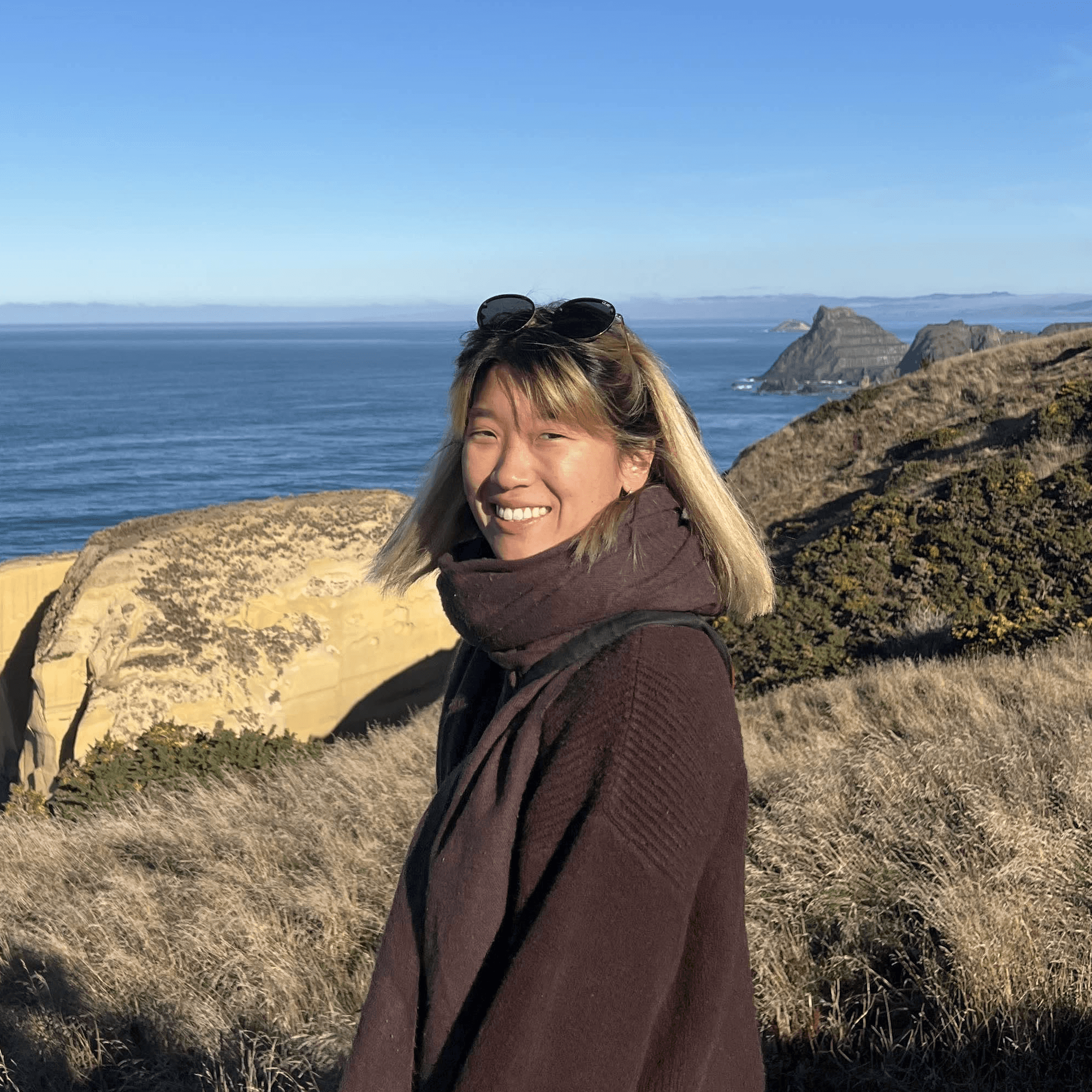
About the Author
Eujenne | Co-founder of Tiny Easy and has 8+ years of experience in the tiny house and small home industry.
She built her own tiny home on wheels with her partner and co-founder Laurin, and has designed several popular Tiny Easy concept homes, including the Scandi, Petite Maison, and 10x10 Tiny House on Wheels. At Tiny Easy, Eujenne works across UI/UX, product education, content marketing, and builder resources, helping small home businesses use 3D design and visual sales tools to improve their design, sales, and client communication workflows.