Compare
Compare PandaDoc and Tiny Easy for small home builders. PandaDoc fits agreements and signatures; Tiny Easy fits visual home proposals tied to the project.

Creating a professional proposal is an important part of selling a home. It's where your customer gets to see the design, understand what's included, review the pricing, and decide whether they're ready to move forward.
Both PandaDoc and Tiny Easy can help you create professional proposals, but they're designed around different ways of working.
PandaDoc is a general-purpose document platform that helps businesses create proposals, manage quotes, collect electronic signatures, and automate document workflows.
Tiny Easy is designed specifically for small home builders. Its Proposal Builder brings floor plans, interactive 3D designs, renders, specifications, pricing, and project information together into a visual presentation of the home you're selling.
So which is the better fit for your business?
In this comparison, we'll look at how both platforms handle proposal creation, customisation, visual content, pricing, delivery, and the wider sales process. We'll also explore how much work is involved in preparing proposals for new customers.
Disclosure: This comparison is published by Tiny Easy. We've included the strengths and limitations of both platforms to help builders make an informed decision.
PandaDoc vs Tiny Easy at a Glance
Feature | PandaDoc | Tiny Easy |
|---|---|---|
Best for | Businesses managing proposals, quotes, agreements and signatures | Modular home builders and builders with an established model range presenting home designs and project proposals |
Proposal templates | General-purpose templates and reusable content | Builder-specific proposal templates and reusable, synced pages |
Document editor | Drag-and-drop editor with flexible document layouts | Drag-and-drop editor with ready-made templates or the option to build from scratch |
Branding | Themes, custom branding and content libraries, depending on plan | Reusable company branding and proposal styling |
Home visuals | Images, videos and other rich media | Floor plans, AI renders, interactive 3D viewers and submitted configurations |
Pricing | Native pricing tables and quote tools on eligible plans | Editable pricing tables, reusable pricing content and external quote PDFs |
E-signatures | Native electronic signatures | Not currently a native e-signature platform |
Document tracking | Document activity and status tracking | Shareable proposals, sent versions and project-based management |
Workflow connection | CRM integrations and document automation, depending on plan | Connected Tiny Easy Projects, designs, configurations and renders |
Starting price | $19/user/month, billed annually | $21/month, billed annually |
The main difference: PandaDoc is particularly useful when your proposal needs to become a formal agreement. Tiny Easy is particularly useful when your proposal needs to communicate the home itself and bring together the work you've already completed on the project.
Who Is PandaDoc and Tiny Easy Built For?
PandaDoc: Proposal and Document Management for Businesses
PandaDoc is designed for businesses that regularly create, send, negotiate, and sign documents.

Its customers include sales teams, service providers, agencies, and construction-related businesses. Rather than focusing on one industry, PandaDoc provides a flexible document editor and tools that can be adapted to different sales processes.
For a home builder, PandaDoc could be useful for preparing customer proposals, presenting pricing, collecting signatures, and managing agreements.
Its main strength is the document workflow surrounding the sale. If your business needs formal approvals, contract signatures, CRM connections, and document automation, PandaDoc offers a broader set of capabilities.
However, because the platform isn't specifically designed around small home projects, you'll need to consider how your floor plans, renders, design information, and project details get into those documents.
Tiny Easy: Proposal Software for Small Home Builders
Tiny Easy is built for businesses selling small homes, including ADUs, modular and prefab homes, cabins, granny flats, and tiny homes on wheels.

Its Proposal Builder focuses on presenting the home your customer is considering, rather than managing every type of business document.
A proposal can bring together the details customers need to understand their project, including:
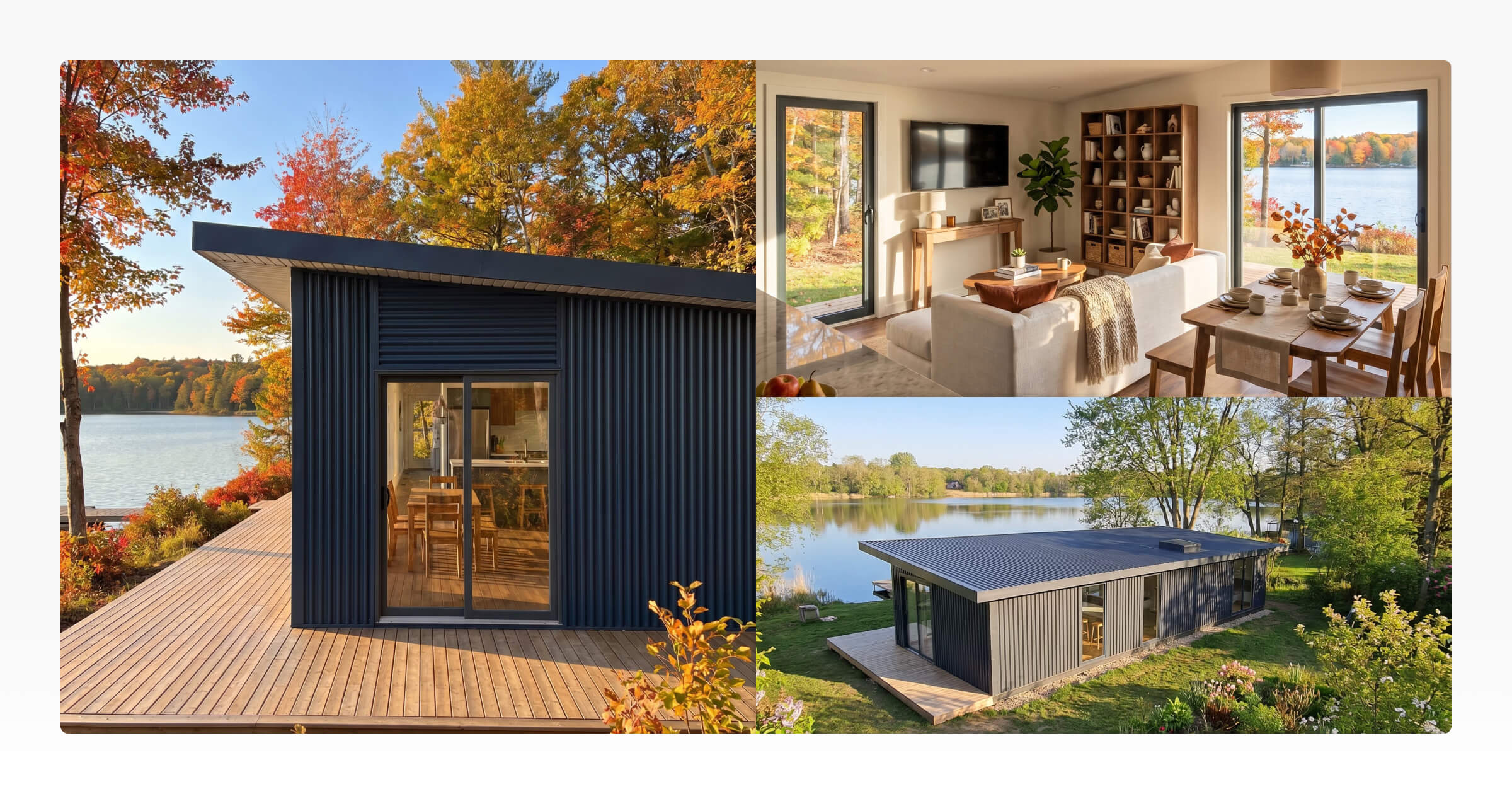
Floor plans and 3D visualisations of the home
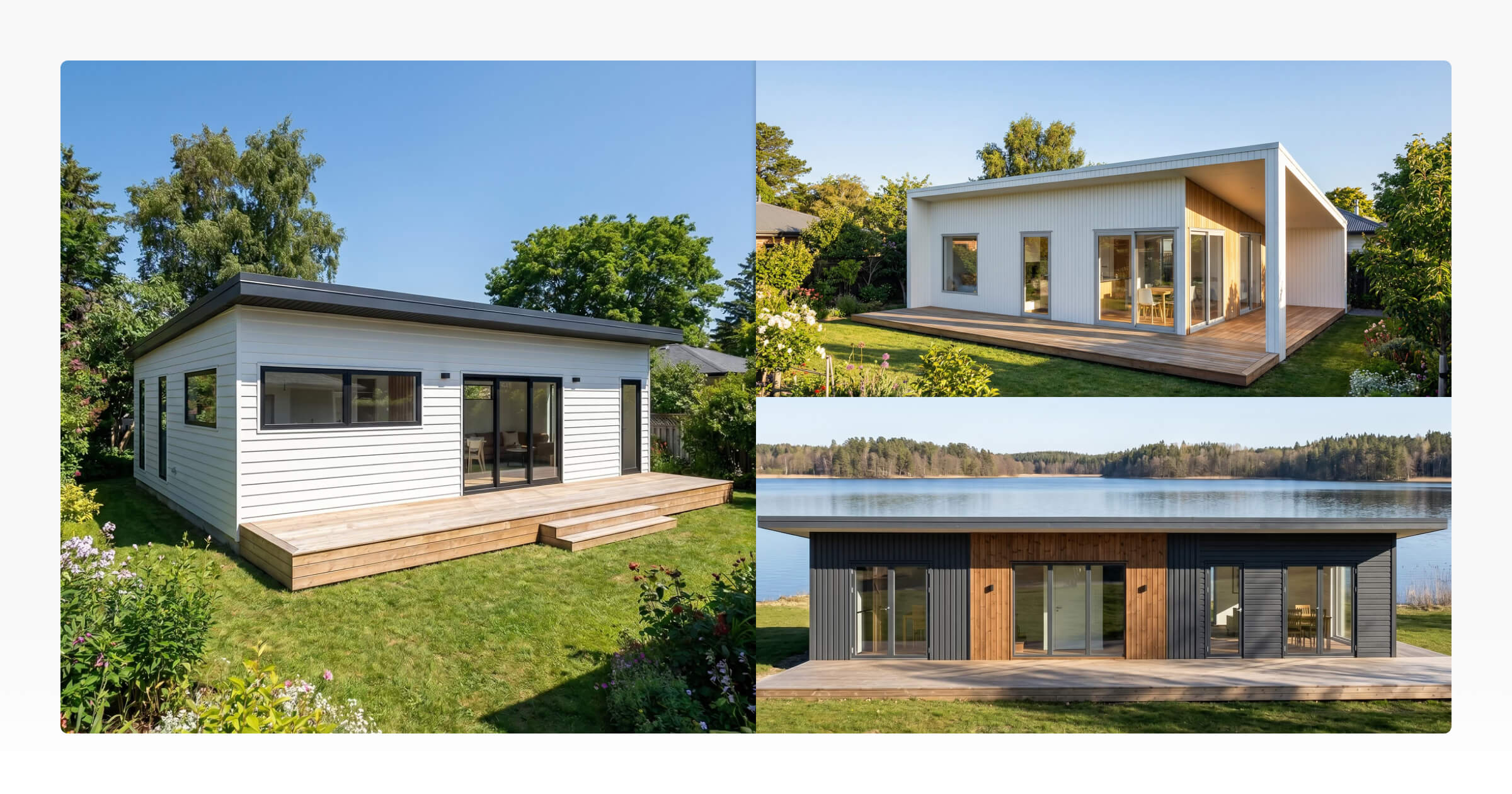
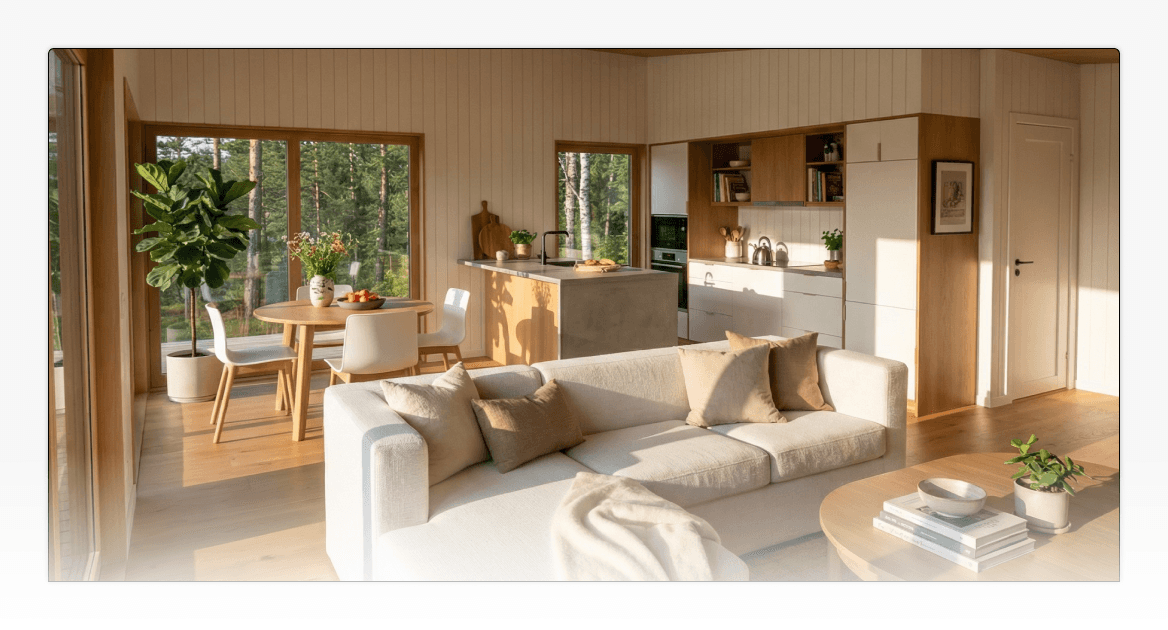
Exterior and interior renders
Interactive 3D viewers and customer-submitted configurations
Building specifications and inclusions
Project details and pricing tables
Company information, processes, and terms
Clear next steps for the customer
Tiny Easy also connects proposals to its Projects workspace, where builders can manage their designs, renders, configuration inquiries, and other customer information.
This is especially relevant for builders already using Tiny Easy to design or configure their homes.
Instead of preparing the visual side of a proposal entirely in separate software, builders can bring together content from different stages of the same customer project.
The result is a proposal focused not just on explaining what's included, but on helping customers genuinely understand the home they're considering.
Creating Your First Proposal and the Next One
One of the most important things to consider when choosing proposal software is how much work it takes to get started, and how much of that work you'll need to repeat.
Both PandaDoc and Tiny Easy support templates, branding, and flexible document editing, but their starting points are different.
Creating Proposals With PandaDoc
PandaDoc provides a drag-and-drop document editor where you can combine text, images, tables, pricing, and other content.
You can start with an existing template or create your own document layout. Themes and reusable content help maintain consistency across proposals, with additional branding and content-library capabilities available on eligible plans.

For a small home builder, this gives you considerable flexibility.
You could create a proposal template containing your company introduction, project description, home specifications, pricing, terms, and customer acceptance section.
Once you've established that template, you can reuse it for future customers.
The initial work is deciding how to structure the proposal and how to present your homes. You'll also need to prepare and insert the relevant project-specific information.
This flexibility is valuable if your business has an established document process or needs different types of proposals and agreements.
Creating Proposals With Tiny Easy
Tiny Easy takes a more specialized approach to proposal creation.

We worked closely with several small home builders when developing Proposal Builder to understand how they currently prepare proposals, what information they regularly include, and which parts of the process take the most time.
One recurring challenge was the amount of information builders have to recreate or copy between proposals.
While every customer and project is different, much of the content isn't.
Your company introduction, building process, standard timelines, terms and conditions, and general project information may remain largely the same across dozens of proposals.
Tiny Easy's Proposal Builder is designed to help builders create that foundation once and reuse it, while still giving them the freedom to build and customise their proposals.
Start With Builder-Specific Proposal Templates
Rather than beginning with a blank document, builders can use ready-made proposal templates developed around the needs and existing proposal structures of home-building businesses.
These provide a practical starting point for presenting the home, project information, specifications, pricing, and next steps.
Builders can customise the structure to suit their business or create their own templates as required.
For example, a modular home builder might establish a standard proposal containing:
Branded cover page and project introduction
Company information and team
Home design, floor plans and renders
Building specifications and inclusions
Pricing and available upgrades
Building process and indicative timelines
Terms and conditions
Next steps for the customer
Once created, this structure can be reused for future proposals without assembling every page again.
Create Your Own Proposals With a Drag-and-Drop Editor
Builders aren't limited to Tiny Easy's ready-made templates.

Proposal Builder also includes a flexible drag-and-drop document editor, allowing builders to create proposals from scratch or customise existing templates to suit their preferred presentation style.
You can add, arrange, and edit different content sections to create a document that reflects your business and the homes you sell.
For example, you might want to give more space to your home's visual presentation, create a detailed specifications section, or organise your pricing and upgrade options differently.
The editor allows you to adapt the proposal structure without needing specialist design software.
This means builders have two ways to get started: use an existing builder-specific template to prepare proposals quickly, or create their own layout with greater control over the content and presentation.
Once you're happy with the result, you can save your custom proposal as a template for future projects.
Set Up Your Branding Once
Tiny Easy allows builders to establish their company branding and proposal styling so it can be applied consistently across proposals.

This keeps documents looking professional without having to manually recreate the same styling each time.
If your branding changes, you can update the reusable settings rather than redesigning your proposal templates individually.
Reuse Pages Without Recreating Content
One particularly useful capability is Tiny Easy's reusable Page Templates and Synced Page Templates.

Builders can create standard pages for information that appears regularly across their proposals.
Think about your company introduction, standard terms and conditions, building process, warranty information, or project timeline.
These are all pages you may want to reuse without continually copying and pasting them.
With synced pages, builders can maintain a shared version of important content and update it across proposals using that shared source.
For example, if your standard terms or building process changes, you can update the synced content rather than manually editing each proposal.
You can also make customer-specific adjustments independently where needed.
This gives builders more control over what stays consistent and what gets tailored to the individual project.
Customise the Details That Matter
When preparing a new proposal, the standard structure, branding, and reusable content can already be in place.
The builder can then focus on the details specific to that customer:
Their chosen home design
Requested layout changes
Floor plans and renders
Specifications and upgrades
Pricing adjustments
Project-specific terms
Next steps
Which is more convenient?
PandaDoc offers flexible templates and advanced reusable content tools, making it a good choice for businesses preparing a wide variety of documents.
Tiny Easy combines a flexible drag-and-drop editor with industry-specific templates, reusable branding, and synced content. Builders can create their own proposal layouts from scratch or start with an existing template designed around the way small home businesses work.
For builders preparing similar types of home proposals regularly, this offers the flexibility to customise their presentations without having to recreate the same information each time.
Presenting the Home, Specifications and Price
For home builders, a proposal needs to do more than communicate a price.
Customers need to understand what they're purchasing, how their home will look, and what's included in the project.
A floor plan and a long list of specifications can only communicate so much.
Most customers aren't trained to interpret technical drawings. They want to picture themselves inside the home, understand the layout, explore the finishes, and see how their choices come together.
This is where the visual presentation becomes particularly important.
Visual Content in PandaDoc
PandaDoc supports images, videos, and other rich media within its document editor.

This means a builder can create a proposal that includes exterior renders, floor plan images, product photography, and supporting project information.
You can organise these elements alongside your written descriptions and pricing to create a professional presentation.
However, PandaDoc isn't a home design platform.
Your floor plans, 3D models, and architectural visuals will typically be prepared in other applications before being added to your PandaDoc proposal.
For builders with an established design workflow, this may not be a problem. If your design team already exports finished visuals and passes them to sales, PandaDoc can provide the document presentation and agreement workflow that follows.
Visual Content in Tiny Easy
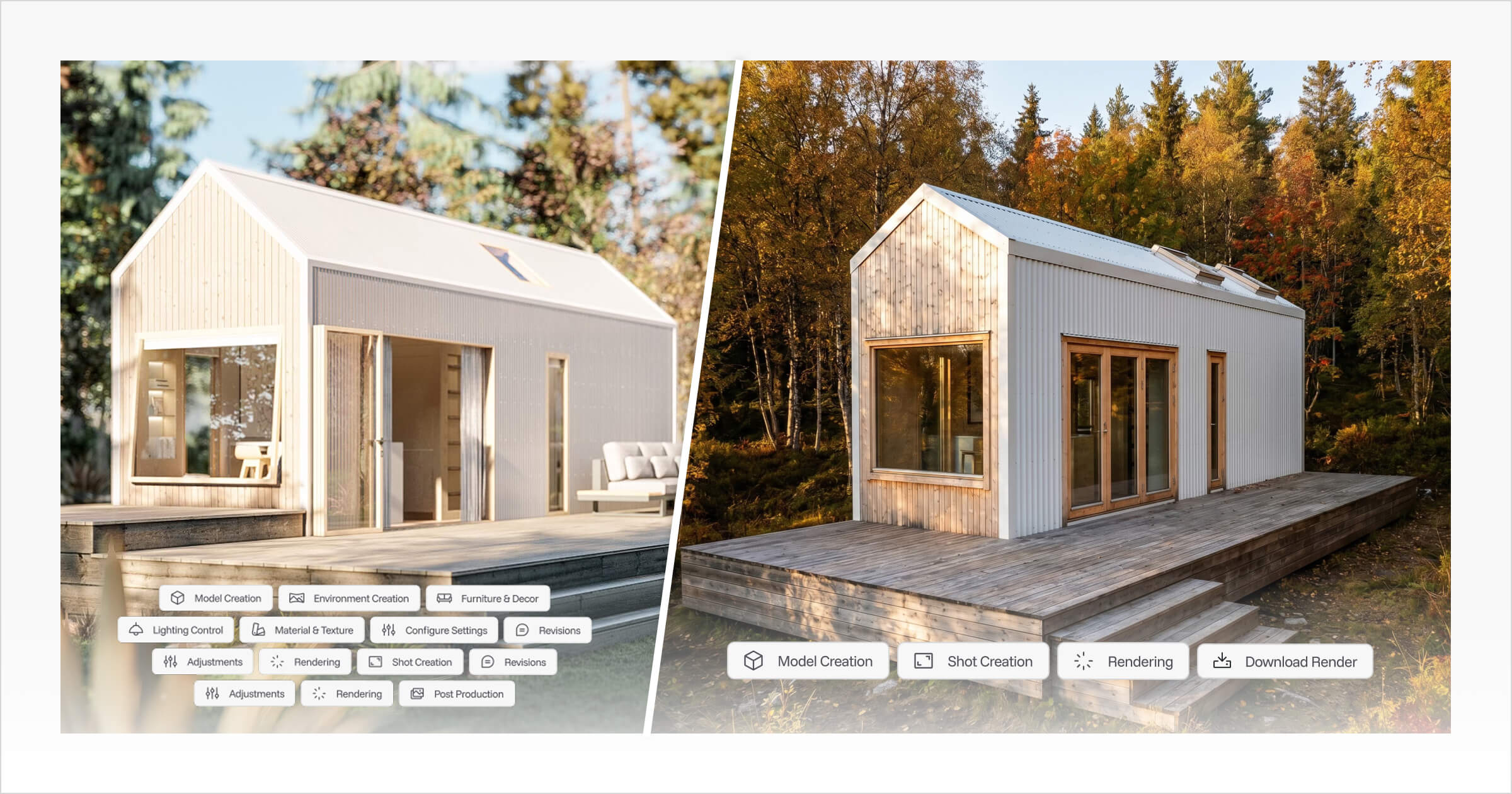
Tiny Easy's Proposal Builder is designed around the visual information that helps customers understand a home.
Beyond including floor plans and realistic images, it allows builders to bring interactive 3D experiences directly into their proposals.
This is particularly useful for businesses already using Tiny Easy's 3D Configurator, 3D Designer, or both.
Embed Interactive 3D Designs
If you've created a home using Tiny Easy's 3D Designer, you can embed an interactive 3D Viewer within the proposal.
Instead of relying entirely on static images, customers can explore the design themselves.
They can better understand the layout, spatial relationships, and overall appearance of the home they're considering.
For someone trying to picture a kitchen layout, compare the appearance of an open-plan living area, or understand the home's proportions, being able to explore a 3D design can be far more informative than reading through pages of technical descriptions.
Showcase Customer-Submitted Configurations
Builders using Tiny Easy's 3D Configurator can also include interactive configuration experiences in their proposals, including the customer's submitted configuration where applicable.
Consider an ADU builder whose customer has explored a model online, selected their preferred exterior cladding, adjusted the finishes, and chosen several upgrades.
Instead of presenting an unrelated generic model image, the builder can reference the customer's own submitted configuration in the proposal.
This helps connect the initial inquiry to the offer being presented.
The customer can revisit the home they've been exploring and better understand how their choices relate to the proposed project.
Bring Designs, Renders and Project Information Together
Tiny Easy also allows builders to combine these interactive experiences with more traditional proposal content.
For example, a proposal could include:
An interactive 3D Viewer showing the proposed home
Photorealistic exterior and interior renders
Floor plans and relevant design details
The customer's submitted configuration
Building specifications and inclusions
Pricing tables and optional upgrades
The building process and next steps
Rather than sending a customer a PDF proposal, separate renders, and individual links to different design tools, builders can create a more complete presentation in one place.
This is one of Tiny Easy's most meaningful differences for small home builders.
The proposal becomes an experience customers can explore, rather than simply a document they need to read.
It doesn't replace the technical drawings and specifications needed for a project. It helps make that information more accessible and understandable to the person making the purchasing decision.
How Each Platform Handles Pricing and Quotes
Pricing is another important part of a home proposal.
Customers need to understand not only the final price, but also which features, specifications, and upgrades are included in that amount.
Both platforms allow builders to present pricing, although their quoting capabilities and workflows differ.
PandaDoc Pricing and Quoting
PandaDoc offers native pricing tables and quoting capabilities.
Depending on your plan, businesses can prepare custom quotes, create pricing breakdowns, and include commercial information within the document workflow.
Higher-tier capabilities can also support more advanced sales quoting and approval processes.
For businesses looking to manage both quoting and formal agreement documentation within one platform, this can be particularly useful.
Tiny Easy Pricing Tables
Tiny Easy's Proposal Builder includes pricing tables that allow builders to present their project pricing in a clear, structured format.
Builders can add their own pricing information, create breakdowns of what's included, and present optional upgrades or customer-specific adjustments.
Pricing table content can also be saved for reuse in future proposals.
For example, a cabin builder could prepare standard pricing information for one of their regular models, then reuse that information when preparing proposals for new customers.
If a customer requests an additional window, different cladding, or a kitchen upgrade, the builder can adjust the relevant pricing details for that specific proposal.
This avoids having to recreate the same pricing presentation from scratch each time.
Builders who already use dedicated construction estimating or quoting software can also embed an existing quote PDF within their proposal.
This means they can continue using their preferred estimating process while presenting the finished pricing alongside the home design, renders, and specifications.
The important distinction is that Tiny Easy's pricing tables are proposal presentation tools, not a full construction estimating engine.
Which is the better fit?
PandaDoc offers stronger capabilities for businesses that want to manage quotes, commercial approvals, and agreements within a broader document workflow.
Tiny Easy is well suited to small home builders who want to present clear pricing breakdowns alongside their home designs and reuse standard pricing content across proposals.
Sending, Signing and Managing Customer Proposals
Once your proposal is ready, the next question is what happens when the customer receives it.
PandaDoc: From Proposal to Agreement
PandaDoc offers a comprehensive set of document delivery and agreement features.
Businesses can send documents electronically, track document activity, collect electronic signatures, and manage customer responses.
Higher-tier plans add capabilities such as approval workflows, CRM integrations, and more advanced document management.
For a home builder, this could be useful when a proposal needs to progress directly into a signed agreement.
For example, your sales team could prepare a proposal, send it for review, and collect the customer's signature within the same platform.
If internal approvals are required before sending a document, PandaDoc can also support those processes on eligible plans.
These capabilities make PandaDoc particularly attractive to businesses where document approval, signature collection, and formal agreement management are central to the sales process.
Tiny Easy: Presenting the Project and Guiding the Next Step
Tiny Easy takes a different approach to proposal delivery.
Builders can prepare a branded, web-based proposal and share it with the customer through a dedicated link.
Unlike a traditional static document, the proposal can include interactive 3D content alongside project specifications, pricing, images, and other relevant information.
Builders can preview their proposal across desktop, laptop, and mobile screen sizes before sending.
Once sent, the proposal is saved as a locked version. If changes are required, builders can prepare a new revision rather than modifying the version originally shared with the customer.
Proposals can also include clear calls to action to guide customers toward the next stage of the sales process.
This might involve arranging a consultation, confirming design details, or contacting the sales team to proceed.
What About Electronic Signatures and Approvals?
PandaDoc currently offers more advanced document agreement capabilities, including native electronic signatures, approval workflows, and document activity tracking.
These aren't currently part of Tiny Easy's Proposal Builder in the same way.
Tiny Easy is continuing to develop Proposal Builder, with additional capabilities such as signatures and more advanced proposal management being considered as part of its future direction.
For now, builders requiring electronic signatures or formal approval workflows should continue using a dedicated solution alongside Tiny Easy.
The distinction is important when choosing software today. PandaDoc provides these capabilities within its existing document platform, while Tiny Easy is focused on making home proposals more visual, reusable, and connected to the wider building project.
Where Proposals Fit Into Your Wider Sales Workflow
A proposal is rarely the first interaction a home builder has with a customer.
Before preparing one, you may have already answered an inquiry, discussed layouts, adjusted the design, selected finishes, prepared renders, and calculated pricing.
The software you choose affects how that information moves into the proposal.
A Typical Home Builder Sales Process
Consider a builder selling modular homes.
A customer enquires about a two-bedroom model and wants to explore a different kitchen layout, exterior cladding, and a few optional upgrades.
The sales team reviews the request, works through the design changes, prepares updated visuals, and calculates the project price.
Now it's time to send a proposal.
With PandaDoc, the builder can prepare a document using their preferred template, insert the relevant visuals and information, and use PandaDoc's quoting and agreement features where appropriate.
If the business uses a supported CRM, some customer or deal information may be available through integrations, depending on the plan and setup.
The home design work itself still happens in the builder's existing design software.
With Tiny Easy, the workflow can be more closely connected to the home design process.
For example:
A customer submits an inquiry through a Tiny Easy 3D Configurator, including their preferred model, materials, finishes, and upgrades.
The builder reviews the submitted configuration within the relevant customer Project.
If further customisation is needed, the builder can work on the design using Tiny Easy's design tools and prepare supporting floor plans or renders.
The sales team creates a proposal using its established company template, standard information, and reusable pricing content.
The builder adds the customer's submitted configuration or an interactive 3D Viewer, together with relevant renders, specifications, and project-specific pricing.
The completed proposal is shared with the customer through a branded web-based presentation.
Not every step happens automatically, and the available workflow depends on which Tiny Easy modules the builder uses.
The benefit is that the proposal doesn't need to be treated as an entirely separate piece of work.
Assets produced during the design and configuration stages can become part of the final presentation.
This can reduce the need to repeatedly export files, organise separate links, or recreate information that already exists elsewhere within the Tiny Easy platform.
Which Workflow Makes More Sense?
If your business already relies on a CRM, separate design software, and a formal quoting process, PandaDoc may fit naturally into your existing setup.
Its integrations and document automation capabilities can be particularly valuable when you're managing a larger sales team or multiple types of agreements.
If your business uses Tiny Easy to create designs, generate renders, or capture configuration inquiries, the Proposal Builder offers a more connected way to present that information.
A customer who originally configured their home online can receive a proposal that continues the same visual experience.
For builders working with customised homes, this continuity can be particularly valuable.
The key question is where your customer and project information currently lives.
A proposal platform becomes more useful when it fits the work your team is already doing, rather than requiring another disconnected process.
PandaDoc vs Tiny Easy Pricing
PandaDoc and Tiny Easy have different pricing structures, so it's worth comparing what each subscription includes rather than looking at the starting price alone.
PandaDoc primarily uses a per-user pricing model, while Tiny Easy's Proposal Builder is priced around proposal capacity and template allowances.
PandaDoc and Tiny Easy Pricing Comparison
Pricing | PandaDoc | Tiny Easy Proposal Builder |
|---|---|---|
Free plan | $0, limited documents | No permanent free plan advertised |
Entry plan, monthly billing | $35/user/month | $25/month |
Entry plan, annual billing | $19/user/month | $21/month |
Higher-tier example, annual billing | Business: $49/user/month | Depends on selected proposal plan |
Usage model | Primarily per user, with some document-based options | Monthly proposal-sending allowance |
Entry-plan proposal templates | Up to 5 templates | 4 proposal templates |
Entry-plan page templates | Plan-dependent content tools | 5 page templates |
Entry-plan sending | Unlimited standard documents, subject to applicable terms | 7 proposals/month |
Prices shown in USD, based on publicly listed pricing in October 2026. Annual-billing figures are monthly equivalents. Plan features, limits, and prices may change.
PandaDoc Pricing
PandaDoc offers Free, Starter, Business, and Enterprise plans.
Its Starter plan begins at $19 per user per month when billed annually, or $35 per user per month with monthly billing.
The Business plan begins at $49 per user per month on annual billing, or $65 with monthly billing.
Business adds capabilities such as custom quotes, CRM integrations, approval workflows, and additional branding and content tools.
Because PandaDoc generally charges per user, subscription costs increase as more team members require paid access.
For example, a business with three paid users on PandaDoc's Business plan would have a base subscription cost of $147 per month when billed annually.
Additional costs may apply for certain integrations, automation capabilities, or usage-based features.
PandaDoc also provides enterprise and alternative document-based pricing arrangements.
See PandaDoc pricing for current plan details.
Tiny Easy Proposal Builder Pricing
Tiny Easy's Proposal Builder starts at $25 per month with monthly billing, or $21 per month when billed annually.
The entry plan includes:
7 proposals sent per month
4 proposal templates
5 page templates
Reusable company branding and proposal styling
Access to the Proposal Builder's editing and presentation tools
Higher-tier plans provide additional proposal and template capacity for businesses with larger sales volumes or more complex proposal requirements.
Unlike PandaDoc's standard per-user pricing, builders should consider the number of proposals they expect to send each month and the number of reusable templates they need.
Proposal Builder can also be used alongside Tiny Easy's 3D Configurator, 3D Designer, and AI Renders modules.
These modules have their own subscription costs, so builders should consider whether they're using Proposal Builder independently or as part of a wider Tiny Easy workflow.
See Tiny Easy pricing for the current plans and allowances.
Which Offers Better Value?
The answer depends on what you're trying to achieve.
PandaDoc may offer better value if your business wants to combine proposal creation, electronic signatures, approvals, and document management within one platform.
Tiny Easy may offer better value if your primary challenge is creating professional home proposals using the designs, renders, and project information your team already prepares.
For builders who only need to prepare and present a small number of proposals each month, Tiny Easy's entry-level plan provides a lower monthly starting cost than PandaDoc's paid monthly Starter subscription.
However, PandaDoc's Starter plan offers a different set of capabilities, particularly around electronic signatures and document sending.
For a fair comparison, consider the complete workflow, not just the subscription price.
Think about how many people need access, how many proposals you send, which other tools you already pay for, and whether you need additional software to prepare or sign the final documents.
Which Should You Choose: PandaDoc or Tiny Easy?
Both platforms can help you create professional customer proposals. The right choice depends on what your business needs the proposal software to do.
Consider PandaDoc If...
You need electronic signatures and formal agreement management.
You want to create quotes directly within your document platform.
Your business relies heavily on CRM integrations and document automation.
You need internal approval workflows or advanced document tracking.
You create different types of business documents beyond home proposals.
PandaDoc is a strong option for businesses looking to manage the complete document and agreement process.
Consider Tiny Easy If...
You build and sell ADUs, modular homes, prefab homes, cabins, granny flats, or tiny homes.
Your proposals need to communicate the home visually through interactive 3D viewers, customer configurations, floor plans, and renders.
You want proposal templates designed around the way small home builders sell.
You want reusable branding, standard pages, synced content, and pricing tables that can be adapted for different customers.
You already use Tiny Easy for customer inquiries, 3D designs, or AI renders.
You want proposals to remain connected to the customer project rather than being created entirely separately.
Tiny Easy is a strong option for builders who want their proposals to feel like a natural continuation of the design and sales process.
Before making your decision, consider four questions:
Does the proposal need to become a signed agreement within the same software?
Do you already have a reliable system for calculating and preparing quotes?
Where do your floor plans, renders, specifications, and customer information currently live?
Will your team spend more time preparing the home presentation or managing the document approval process?
Your answers should make the better fit much clearer.
Frequently Asked Questions
Can Tiny Easy replace construction estimating software?
No. Tiny Easy's Proposal Builder includes editable pricing tables for presenting project costs, specifications, and optional upgrades. Builders can save and reuse pricing content across proposals and make customer-specific changes. However, it isn't a dedicated construction estimating system.
Does Tiny Easy support electronic signatures?
Tiny Easy's Proposal Builder doesn't currently offer the same native electronic signature capabilities as PandaDoc. Additional agreement and proposal management features are part of Tiny Easy's future product direction, but builders requiring signatures today should use a dedicated e-signature solution.
Can PandaDoc include floor plans and home renders?
Yes. PandaDoc supports images and rich media, so builders can include floor plan images, renders, and other visual content in their proposals. However, it doesn't create the underlying home designs or renders. These generally need to be prepared using other software.
Can Tiny Easy embed interactive 3D models in proposals?
Yes. Tiny Easy's Proposal Builder supports interactive 3D Viewer embeds from 3D Designer and Configurator experiences, including relevant customer-submitted configurations. This allows builders to present an explorable design alongside specifications, pricing, and other proposal content.
Can I use Tiny Easy Proposal Builder without the 3D Configurator?
Yes. Tiny Easy's Proposal Builder is available as a separate module. You don't need to use the 3D Configurator to create proposals, although using other Tiny Easy modules can provide additional design and project content for your proposals.
Final Thoughts: Choosing the Right Proposal Software for Your Building Business
Choosing between PandaDoc and Tiny Easy comes down to how your business prepares and delivers proposals.
PandaDoc is well suited to businesses that need a flexible document platform with quoting, signatures, approvals, and integrations. Tiny Easy is designed for small home builders who want to bring their designs, visuals, specifications, and pricing together into a professional customer presentation.
For builders already using Tiny Easy to manage customer configurations, create 3D designs, or generate renders, Proposal Builder can turn that existing work into something customers can explore and understand, without rebuilding the same information from scratch.
Explore Tiny Easy's Proposal Builder to see how you can bring your home designs, interactive 3D experiences, pricing, and reusable content together into professional proposals for your customers.



About the Author
Eujenne | Co-founder of Tiny Easy and has 8+ years of experience in the tiny house and small home industry.
She built her own tiny home on wheels with her partner and co-founder Laurin, and has designed several popular Tiny Easy concept homes, including the Scandi, Petite Maison, and 10x10 Tiny House on Wheels. At Tiny Easy, Eujenne works across UI/UX, product education, content marketing, and builder resources, helping small home businesses use 3D design and visual sales tools to improve their design, sales, and client communication workflows.