Educational
Learn the 8 stages of a sales process for builders, from first visit to construction handoff, and how to keep customer, design, and proposal details connected.

Selling a home rarely happens in one conversation. A customer might discover your designs online, spend a few weeks exploring their options, and come back with questions about pricing, layouts, or what's possible on their property.
For builders, keeping that process moving isn't always straightforward. You're answering questions, qualifying inquiries, making design changes, and preparing proposals, often while juggling several potential projects at once.
Having a clear sales process for builders helps you manage those conversations without losing track of what each customer needs or what has already been agreed.
It also helps customers understand what to expect. Buying a home is a significant decision, and most people aren't ready to commit after seeing a floor plan and a starting price. They need time to explore their options, understand what they can afford, and feel confident about the home they're buying.
That's where a structured sales process makes a difference.
Through our work with small home builders at Tiny Easy, we've seen how customers move from discovering a home online to developing their own design and eventually signing a contract. We've also seen where that journey gets complicated, particularly when important information gets lost between conversations, designs, and proposals.
In this article, we'll walk through eight stages of the home-building sales process, explain what matters at each step, and look at how you can make the experience easier for both your business and your customers.
Why Selling Configurable Homes Requires Two Journeys
When a potential customer starts exploring your homes, they're usually trying to answer a handful of questions.
Which home is right for me? What can I change? What will it look like? How much will it cost? And what happens next?
As the builder, you're working through your own questions at the same time.
Is this a serious inquiry? Does their budget match what we offer? What changes will they need? Can we realistically deliver what they're asking for?
These two sides of the sales process are closely connected.
For example, imagine someone discovers one of your ADU designs online. They love the layout but want to know whether they can move a window, change the kitchen configuration, or choose different exterior materials.
From their perspective, they're simply exploring the possibilities.
From yours, every change introduces something to consider. Does it affect the standard design? Will it change the price? Is it worth investing time in a custom layout before you know whether the customer has a suitable site or realistic budget?
Neither side is asking the wrong questions. They're just approaching the same project from different perspectives.
A good sales process helps bring those two journeys together.
It gives customers the information they need to make decisions while helping you understand when it's worth investing more time in an opportunity.
The goal isn't to rush customers toward a contract. It's to help them make progress without creating unnecessary work or confusion along the way.
The 8 Stages of the Home Builder Sales Process
Every building business operates a little differently. Some sell a defined range of standard homes, while others specialise in fully customised designs.
Your sales process should reflect how you operate.
However, we've found that most small home builders work through eight common stages, even if they don't formally call them that.
Customers won't always move through these stages in a perfectly straight line. They might return to an earlier design, reconsider their budget, or need additional information before making a decision.
That's normal.
What's important is that the information you've already collected doesn't disappear every time the conversation changes direction.
1. Discover: Help Customers Find the Right Home
Most customers begin their search long before they contact a builder.
They might find your business through Google, social media, or a recommendation. Once they reach your website, they're looking for a reason to keep exploring.
At this point, they probably aren't ready to discuss construction timelines or request a detailed proposal.
They want to understand what you build, what your homes look like, and whether your designs are somewhere near their budget.
Your website should make those answers easy to find.
For builders with a standard model range, that could mean having clear product pages with floor plans, imagery, specifications, and starting prices.
You don't need to provide a fully customised quote at this stage. Even an indicative price range can help visitors understand whether your homes are a realistic option.
The easier you make it for customers to find what they're looking for, the more likely they are to continue exploring.
2. Explore: Let Customers Understand Their Options
Once someone finds a design they like, the next question is usually what they can change.
Can they choose a different cladding? Add another window? Upgrade the kitchen? Change the bathroom finishes?
For builders offering configurable homes, this is an important part of the sales journey.
Customers want to explore how a standard design could become their home. But answering every question individually can quickly become time-consuming, especially when someone is still browsing.
One way to approach this is to make your standard options and upgrades visible from the beginning.
For example, an interactive 3D Configurator allows customers to explore a model, view available options, and see how their selections affect the home. Where pricing has been configured, they can also see an indicative estimate as they make changes.
This gives customers more freedom to explore while keeping their choices within the options your business offers.
Rather than starting a custom design conversation immediately, you can give them a clearer understanding of what's already possible.
3. Inquire: Turn Interest Into a Useful Conversation
Eventually, a customer finds something they like enough to get in touch.
This is where an interested website visitor becomes a potential sales opportunity.
But there's a big difference between receiving an inquiry that says "I'm interested in your homes" and receiving one that tells you which model they're considering, what changes they want, and when they're hoping to build.
The second gives you something meaningful to work with.
Ideally, your inquiry process should help you understand:
Which home or design interests the customer.
Any standard options or upgrades they've selected.
Their approximate budget.
Where they're planning to build.
Their expected timeline.
You don't need every detail immediately. The goal is to collect enough information to make your first conversation productive.
For example, if someone has already explored one of your homes through a 3D Configurator, their selected model and options can become part of their inquiry.
Instead of spending your first call asking which home they're interested in, you can start discussing whether that particular design suits their needs.
4. Qualify: Understand Whether the Project Is a Good Fit
Not every inquiry will become a sale.
Some customers are ready to build within a few months. Others are researching an idea they might pursue several years from now.
Both can be valuable leads, but they probably shouldn't receive the same amount of attention immediately.
Qualification helps you understand where each customer is in their journey and whether your business can realistically help them.
You might need to establish whether they already own land, have a suitable budget, understand their expected timeline, or have other people involved in the purchasing decision.
For example, an ADU customer who already owns a property and has a defined budget may be ready to discuss a tailored design.
Someone who's only beginning to investigate whether an ADU is possible on their property might need more guidance before progressing.
Neither inquiry needs to be dismissed. They're simply at different stages.
By understanding that difference, you can spend more time on projects that are ready to progress while maintaining a relationship with customers who need more time.
It also helps you avoid investing hours in custom design work before knowing whether a project is viable.
5. Design and Customise: Bring the Customer's Ideas Together
Once a customer has found a suitable home and you've established that the project is a good fit, the conversation can become more specific.
This is where you start turning their ideas into a design that reflects what they actually want to build.
For some customers, this might involve adjusting a standard floor plan. Others might need a different layout, additional storage, or changes to accommodate their site.
The challenge for builders is keeping those changes organised.
Imagine sitting down with a customer who wants to move the kitchen, increase the bedroom size, and explore different window placements.
If you're working from static floor plans or exchanging drawings over email, those changes can take several conversations to resolve.
Using a 3D Designer allows you to work through those ideas visually. You can start with one of your standard models, make adjustments, and help the customer understand how different choices affect the overall design.
This makes design meetings more collaborative and helps both sides reach a clearer understanding of what's being proposed.
It's also worth recognising that more substantial custom design work involves real time and expertise.
For projects requiring extensive changes, some builders may choose to introduce a separate design agreement before progressing further. The National Association of Home Builders (NAHB), for example, provides a design services contract template that treats pre-construction design work separately from the main construction agreement. Applicable licensing and contractual requirements depend on the jurisdiction.
The important thing is to establish when initial sales discussions become dedicated design work, and what level of commitment is appropriate before that work begins.
6. Visualise: Help Customers See Their Future Home
Even when customers understand a floor plan, they can struggle to imagine what the finished home will look and feel like.
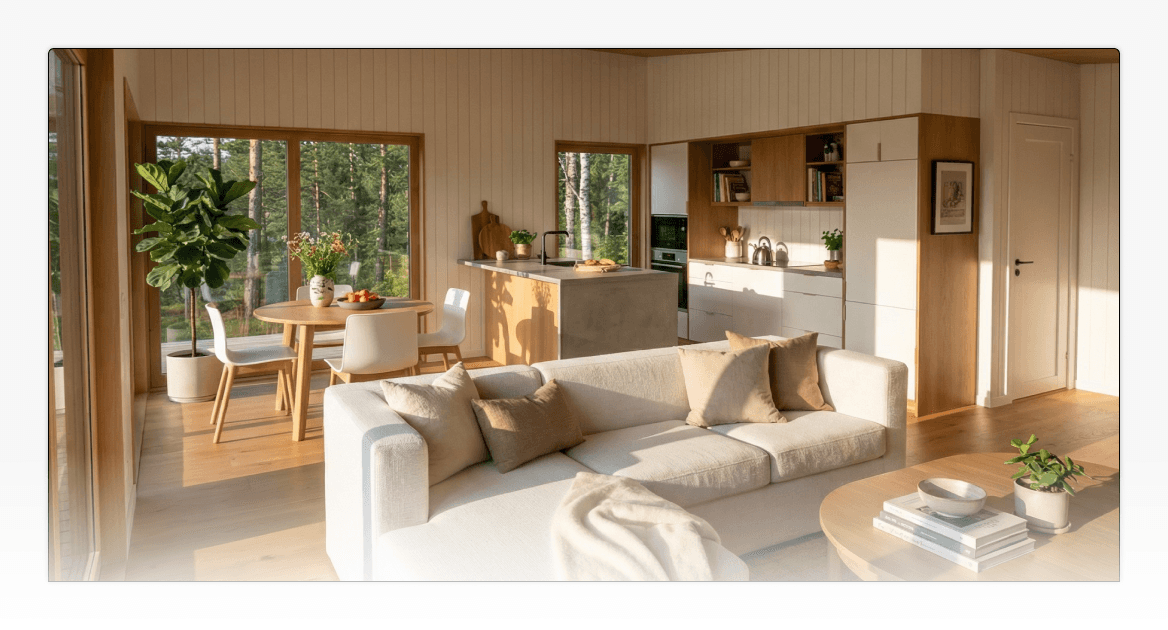
A drawing might show where the kitchen sits, but it doesn't always communicate how the space will feel once the cabinetry, materials, lighting, and furniture come together.
This is particularly relevant for smaller homes, where layout and material decisions can have a significant effect on how spacious a room feels.
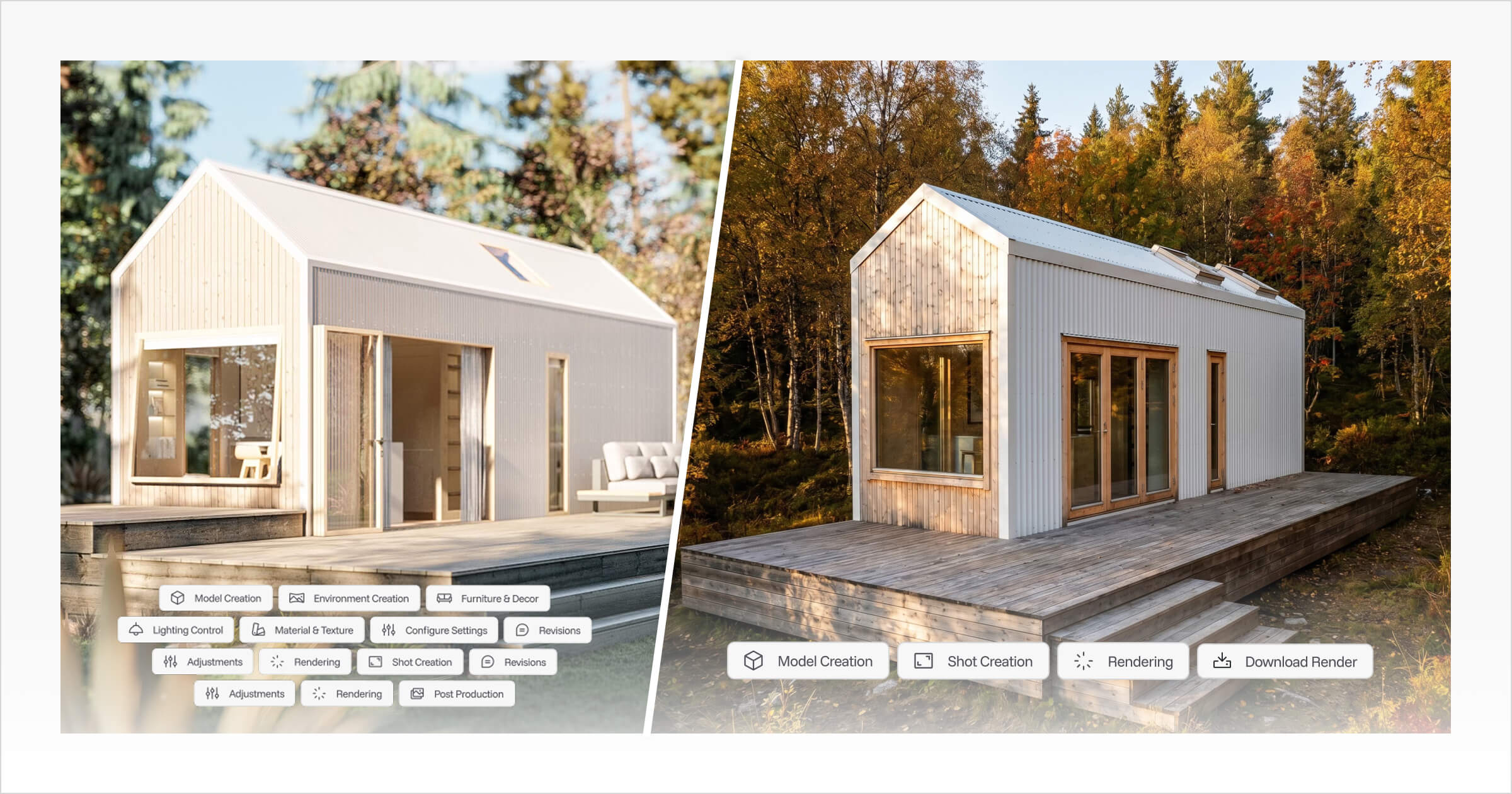
Realistic renders help bridge that gap.
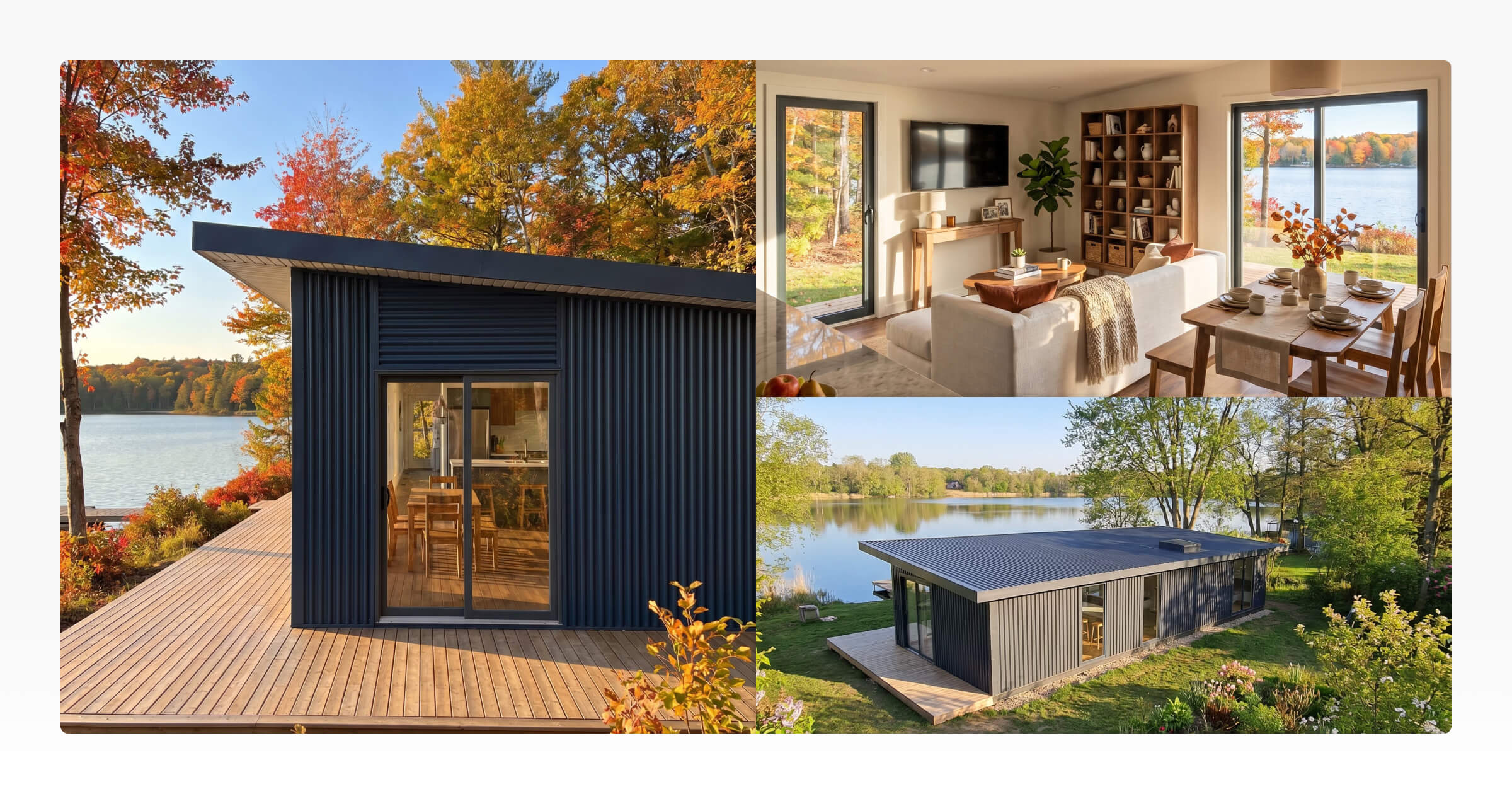
Instead of asking customers to imagine a combination of materials from samples and drawings, you can show them what those selections could look like together.
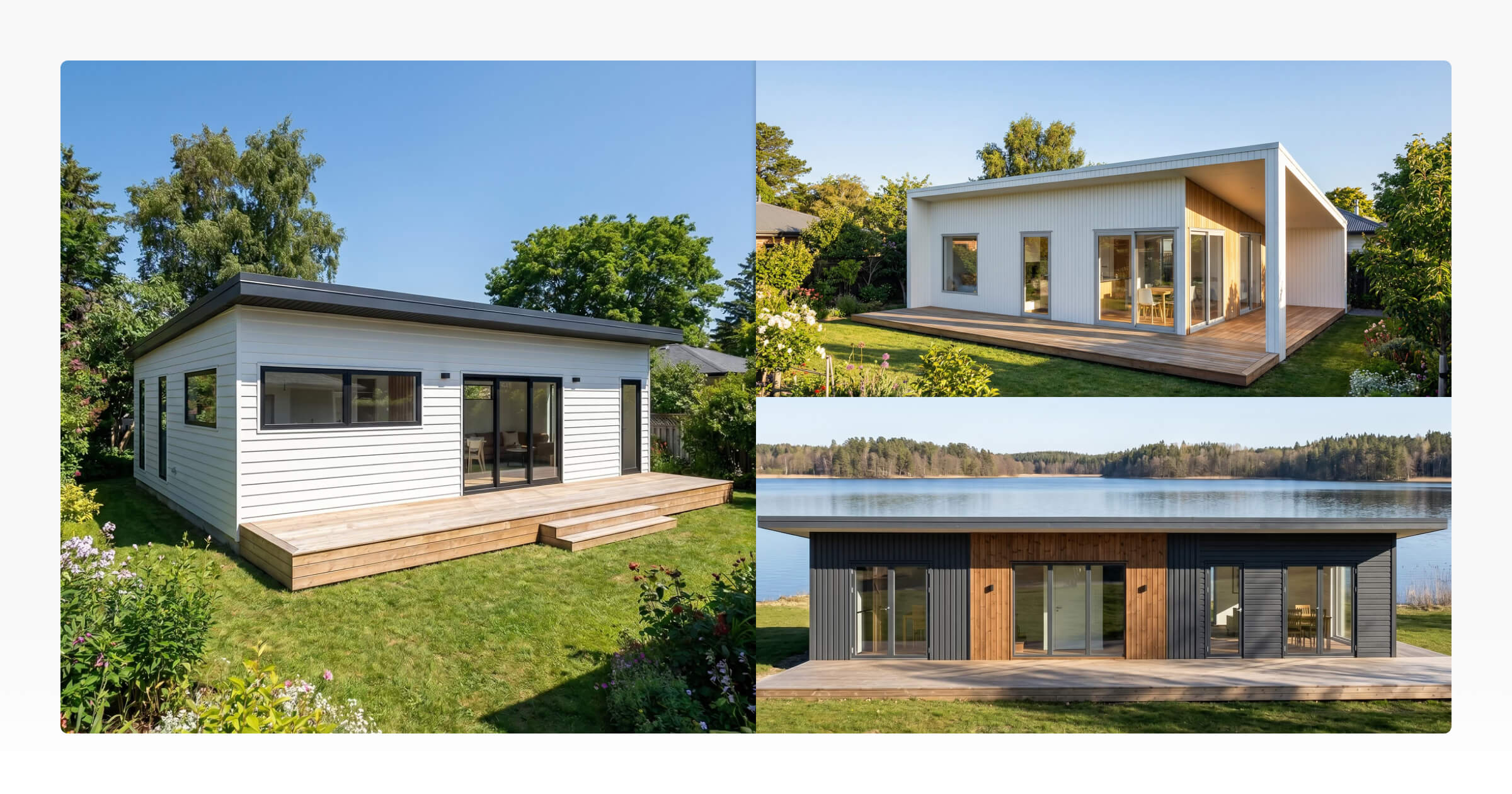
For example, a customer might be deciding between dark timber cladding and a lighter exterior finish.
Seeing both options applied to their design can make that decision much easier.
The same applies to interior layouts, kitchen finishes, and other design choices.
At Tiny Easy, AI Renders allows builders to generate realistic imagery from their 3D designs. These images can then be used during customer conversations, in proposals, or as part of the wider sales process.
The key is making sure the visuals reflect the design you're actually discussing.
There's little value in showing a customer a beautiful render if it no longer matches the layout or finishes you're preparing to quote.
7. Propose: Present the Project Clearly
By this stage, your customer has explored their options, worked through the important design decisions, and developed a much clearer picture of their future home.
Now they need to understand what they're agreeing to.
A proposal should bring everything together in a way that's easy to review.
That includes the proposed home, design details, pricing, relevant inclusions and exclusions, project information, and the next steps required to move forward.
For the customer, it should answer the remaining questions standing between them and a decision.
For your business, it should accurately reflect what's been discussed and agreed.
This is where disconnected sales and design processes can become a problem.
For example, imagine spending several weeks refining a customer's floor plan, only to accidentally include an earlier version in their proposal.
Even a small inconsistency can create uncertainty. The customer might start questioning whether the pricing reflects the correct design or whether other details have been missed.
A connected proposal workflow helps reduce that risk.
Tiny Easy's Proposal Builder allows builders to assemble designs, renders, project information, pricing, and supporting documents into a professional, client-facing proposal.
Instead of rebuilding the presentation from scratch, you can work from the information already developed throughout the sales process.
The result should be a proposal that helps customers make an informed decision, rather than introducing another round of questions.
8. Handoff: Carry the Right Information Into Construction
Signing the contract is a major milestone, but it isn't the end of the project's journey.
Once a sale is confirmed, the details agreed during the sales and design process need to reach the people responsible for delivering the home.
Depending on how your business operates, that might involve your internal design team, production manager, construction team, or external contractors.
They need to understand what's being built and which decisions have already been confirmed.
That includes the relevant plans, specifications, selected materials, upgrades, and other agreed project requirements.
If that information is scattered across emails, different design versions, or separate documents, someone may need to piece it all together again.
This creates unnecessary work and increases the chance of mistakes.
A good handoff makes it easier for the delivery team to continue from where the sales team finished.
The NAHB also recognises pre-construction, construction, and post-construction as distinct phases of project management. While the responsibilities change between phases, decisions made earlier still need to be communicated accurately.
For builders, that means treating the handoff as part of the sales process rather than something to figure out once the contract is signed.
Where the Home Builder Sales Process Often Breaks Down
Looking at these eight stages individually, most are probably familiar.
The challenge isn't necessarily knowing what needs to happen. It's making sure the transition between each stage works.
We've found that some of the most frustrating problems occur when customers move from one part of the sales process to another.
Spending Too Much Time on Unqualified Leads
It's easy to get caught up in an exciting inquiry.
A customer has a great idea, knows what they want, and is enthusiastic about working with your business.
Before long, you've spent several hours discussing layouts, preparing drawings, and exploring different design options.
Then you discover their budget is significantly below what the project would cost.
Qualifying customers earlier can help avoid these situations.
It doesn't mean refusing to help anyone who isn't ready to buy. It means understanding their circumstances before committing significant resources to their project.
Customers Can't Visualise What They're Buying
A customer might genuinely like your floor plan but still hesitate when it's time to commit.
Sometimes, the issue isn't the design or the price.
They simply can't picture the finished home well enough to feel confident about their decision.
This is where visual presentations can make a difference.
Giving customers opportunities to explore a model, review a tailored design, and see realistic renders helps them understand what they're buying.
It also creates more opportunities to identify concerns before the proposal is finalised.
Information Gets Lost Between Stages
Imagine a customer selects a particular exterior finish during their initial inquiry.
Later, they discuss several layout changes during a design meeting.
When the proposal is prepared, the original finish is missing, and an outdated layout has been included.
Now the customer has to explain decisions they thought were already settled.
These situations are frustrating for everyone involved.
They often happen because information lives in different places, such as emails, spreadsheets, design files, and separate proposal documents.
When those details aren't connected, keeping everything accurate becomes harder as projects develop.
Creating Every Proposal From Scratch
Preparing a proposal takes time, particularly when each document needs updated floor plans, renders, specifications, pricing, and customer details.
If you're manually collecting that information from different sources, you're repeating work that has already been done elsewhere.
A more consistent process helps reduce that repetition.
For example, keeping your designs, renders, and project details organised together makes it easier to find the correct information when preparing a proposal.
It also means customers receive a more consistent presentation of your homes and services.
How to Improve Your Sales Process as a Home Builder
Improving your sales process doesn't necessarily mean adding more steps.
In many cases, it's about making the steps you already follow easier for customers to navigate and simpler for your team to manage.
Here are a few practical places to start.
Give Customers More Information Before They Inquire
Consider how much someone can learn about your homes without contacting you.
Can they browse your model range? Understand the available layouts? Explore standard options? See indicative pricing?
Giving customers access to this information helps them narrow down their preferences before starting a conversation with your sales team.
It also means that when they do inquire, they're more likely to have a particular home or project in mind.
Collect the Right Information at the Right Time
Nobody wants to complete a lengthy questionnaire just to ask about a home.
But collecting too little information can leave your sales team asking the same basic questions repeatedly.
Think about what you genuinely need to know at each stage.
An initial inquiry might only need a preferred model, contact details, budget range, site location, and approximate timeline.
More detailed questions about layouts, finishes, and specifications can come later, once the customer is ready to progress.
Make the Sales Journey More Visual
Building a home involves decisions that can be difficult to communicate through text alone.
Customers may understand that changing a roof profile or relocating a window will alter a design, but seeing that change makes it much easier to evaluate.
Visual tools can support different parts of the sales journey.
A 3D Configurator helps customers explore standard models and options. A 3D Designer supports more detailed conversations about custom layouts. Realistic renders help customers picture the finished result.
Even something as simple as sharing a 3D Viewer link after a meeting gives customers another opportunity to review their design without needing to organise another appointment.
The goal is to help customers understand their choices rather than relying on explanations alone.
Keep Your Project Information Connected
One of the most useful improvements you can make is ensuring information doesn't need to be recreated every time a project progresses.
If a customer has already selected a model and several upgrades, those details should remain accessible when you begin discussing their design.
When that design is updated, the correct version should be easy to identify when preparing the proposal.
Tiny Easy's Project Workspace brings Configuration Inquiries, Designs, AI Renders, and Proposals together under the same project.
This allows builders to manage the visual parts of their sales process in one place instead of spreading them across disconnected files and conversations.
Always Make the Next Step Clear
A customer shouldn't leave a meeting wondering what happens next.
Whether you're waiting for site information, preparing an updated design, or sending a proposal, make the next action clear.
For example, rather than ending a design meeting with "We'll be in touch," explain what you're going to prepare, what you need from the customer, and when they can expect the next update.
Small improvements in communication can make a significant difference to how smoothly projects progress.
Build a Sales Process That Works for Your Business
There's no single sales process that will suit every home builder.
A business selling standard prefab homes online will have different requirements from a custom tiny home builder who works closely with customers on every design.
However, both need to help customers move from initial interest to a clear understanding of what they're buying.
The important thing is that each conversation builds on the last.
When customers can explore their options, understand their design, and review a proposal that accurately reflects their decisions, there's less confusion along the way.
For builders, keeping that information connected also means less time chasing details, recreating documents, or repeating work.
This is the approach behind Tiny Easy's visual sales platform. Our 3D Configurator, 3D Designer, AI Renders, and Proposal Builder support different parts of the journey, helping builders take a customer from exploring a home online through to developing their design and receiving a proposal.
A more connected sales process starts with making it easier for customers to explore your homes.
Explore Tiny Easy's 3D Configurator to see how you can present your model range online, help customers customise their options, and capture more useful inquiries from the start.



About the Author
Eujenne | Co-founder of Tiny Easy and has 8+ years of experience in the tiny house and small home industry.
She built her own tiny home on wheels with her partner and co-founder Laurin, and has designed several popular Tiny Easy concept homes, including the Scandi, Petite Maison, and 10x10 Tiny House on Wheels. At Tiny Easy, Eujenne works across UI/UX, product education, content marketing, and builder resources, helping small home businesses use 3D design and visual sales tools to improve their design, sales, and client communication workflows.