Compare
Compare 11 3D sales configurator platforms for home builders. Find the best fit for ADUs, cabins, prefab homes, sheds and outdoor structures.

Giving customers a way to explore and customise a building in 3D can make the buying process much more tangible. Instead of relying on static plans and back-and-forth emails, buyers can see available options, make selections and arrive at the next sales conversation with a clearer idea of what they want.
But not every 3D sales configurator is built for the same journey. Some focus on customising a defined range of homes and capturing detailed enquiries; others help buyers assess a site, configure a structure with complex rules or choose finishes for an already selected plan. This guide compares 11 software options for US home builders, looking at how each works, what sets it apart and which sales process it best supports.
3D sales configurators at a glance
This is an unordered shortlist, with Tiny Easy first for the small-home reader. Tiny Easy publishes this comparison and is one of the products reviewed. Prices below are public software figures where available; model creation, setup and integrations may add cost.
Software | Best For | Key Strength | Pricing |
Repeatable ADU, cabin, prefab and modular ranges | Interior and exterior choices become a detailed inquiry and Project | ||
ADU sales that begin with lot feasibility | Room choices alongside separate site planning | No comparable public amount | |
Garden-room, backyard-studio, carport and awning sellers | 3D outdoor-structure choices linked to price and quote follow-up | Comparable software price not publicly verified | |
Prefab brands investing in a tailored visual journey | 3D and AR model choices with price context | Comparable project price not public | |
Shed, carport and metal-building sellers | Structure-specific configuration and lead or checkout paths | Comparable deployment price not public | |
Shed sellers seeking website support too | 3D shed choices and seller handoff | From US$595/month plus US$4,495 setup | |
Manufacturers with interdependent structure options | Visual rules tied to pricing and production in a named deployment | Not publicly listed for this use case | |
Modular and outdoor-structure sellers with intricate rules | Custom 3D choices and governed quotes | Public subscription price not verified | |
Production and semi-custom builders | Connected plan, sales and construction work | Not publicly listed | |
Builders selling plans and communities | Interactive plan and community discovery | Universal subscription price not verified | |
Builders managing design-center selections | Finish and upgrade choices after plan selection | Not publicly listed |
The first question is where the buyer gets stuck: choosing a complete home, assessing a site, configuring a structure, or selecting finishes after a plan is fixed. The profiles below show what each product helps the buyer do and what reaches the sales team at handoff.
Best 3D sales configurators compared
Tiny Easy: Connect 3D configuration with the home sales journey

Tiny Easy 3D Configurator interface for Mini-O, showing exterior model options, estimated pricing and interior material selections.
Best for: Home builders who want customers to explore and customise their model range in 3D, then continue from an informed enquiry into design, visualisation and proposals.
With Tiny Easy's 3D Configurator, builders can turn their home range into an interactive experience on their website. Customers select a model, explore available layouts, personalise interior and exterior finishes, and add upgrades while viewing live pricing estimates where configured.
Instead of starting with a general "request a quote" form, the builder receives an enquiry showing which home the customer is interested in and the options they've selected.
These enquiries are organised in the Configurator Inbox and can be managed through customer Projects. From there, builders can continue the sales process using Tiny Easy's other tools:
3D Designer: Create model templates or develop custom designs based on customer requirements.
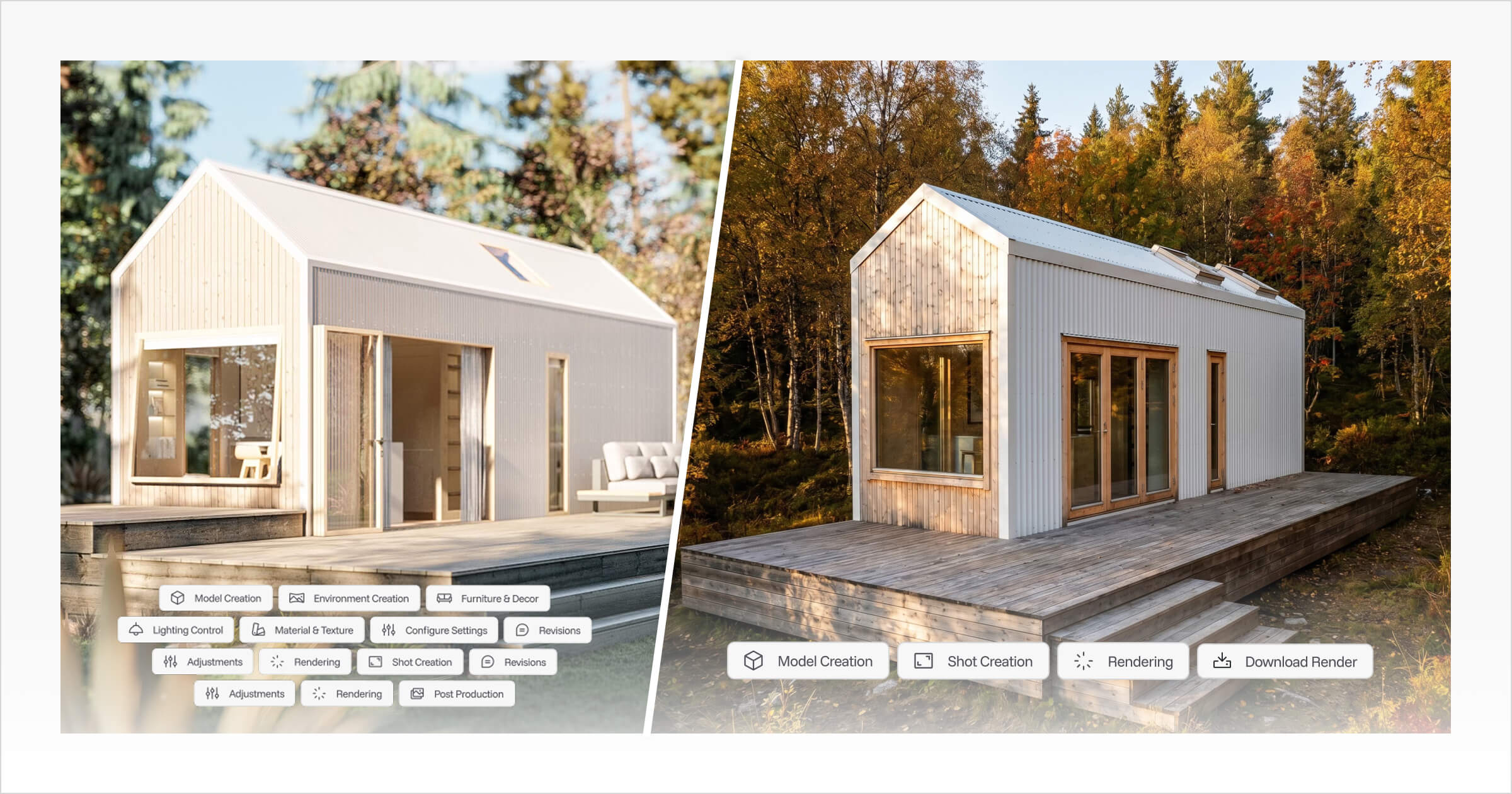
AI Renders: Turn 3D designs into realistic visuals for customer presentations and marketing.
Proposal Builder: Present designs, renders, floor plans, specifications, pricing and interactive 3D views in a professional proposal.
This connected workflow is what sets Tiny Easy apart from configurators focused solely on generating enquiries. Rather than switching between separate tools, builders can manage more of the journey from initial customer interest through to design and proposal creation.
Tiny Easy is particularly relevant to builders selling ADUs, granny flats, cabins, prefab and modular homes, tiny homes and other configurable building ranges. It works best for businesses that want to give customers flexibility while keeping control over their available designs, options and pricing.
Builders will need to set up their models, selectable options and pricing rules to reflect their offering. While Tiny Easy supports visual design and sales workflows, it isn't intended to replace specialised structural engineering or site-permitting software.
Pricing: 3D Configurator plans are based on the number of models a builder wants to offer, with 3D Designer, AI Renders and Proposal Builder priced separately.
Consider Tiny Easy if you want more than a standalone 3D configurator. It's a good fit for builders looking to connect customer enquiries with their design, rendering and proposal workflow in one platform.
Dwellito: Start with the ADU site question

Best for: ADU builders and sellers who want customers to explore whether an ADU could fit on their property before choosing designs, finishes and upgrades.
Dwellito takes a slightly different approach to ADU configuration by starting with the customer's property. Through its Site Planner, customers can enter an address and explore zoning information and potential buildable areas before moving into home customisation.
From there, the Configurator allows customers to explore interior options, customise finishes and see how their selections affect indicative pricing. This helps ADU sellers address two common customer questions: "Can I build an ADU on my property?" and "What could my ADU look like and cost?"
One distinction worth considering is how customers interact with the home itself. The configurator example reviewed appears to rely on 3D-rendered images to display different selections, rather than letting customers freely navigate around an interactive 3D model. This differs from configurators like Tiny Easy, where customers can explore the home directly in 3D. Dwellito also advertises interactive 3D capabilities, so it's worth confirming which viewing experience is available for your particular implementation.
Dwellito's main strength is its focus on the early stages of an ADU enquiry. The Site Planner helps customers understand some of the property considerations that could influence their project before they start making design decisions.
However, its site-planning information should be treated as preliminary guidance rather than confirmation of what can legally or practically be built. Builders will still need to verify local regulations, site access, utilities, foundations and permitting requirements. It's also worth checking how information from the Site Planner and Configurator is shared with the sales team, as they are presented as separate tools.
Pricing: Dwellito advertises a monthly subscription, but a comparable total cost covering the software, models and site-data services could not be verified.
Consider Dwellito if you sell ADUs and want to help customers explore their property's potential before moving into home design and pricing.
SaleSqueze: turn outdoor-building choices into a priced enquiry

YardBox's backyard-studio configurator, a US example showcased by SaleSqueze. Source: SaleSqueze.
Best for: Businesses selling garden rooms, backyard studios, carports and awnings that want customers to explore and customise their products in interactive 3D before requesting a quote.
SaleSqueze offers 3D configurators for outdoor structures, including garden rooms, sheds, carports and awnings. One example is YardBox, where customers can explore a backyard studio in 3D and customise its size, roof, cladding, windows and doors.
The YardBox configurator is a particularly interesting example of what's possible with interactive 3D. Rather than simply switching between preset designs, customers have the flexibility to customise individual building elements and explore their changes from different angles. It's an engaging way to visualise a backyard studio before making an enquiry.
SaleSqueze also connects this experience to the sales process. Customers can see how their selections affect indicative pricing and submit their preferred configuration through an interactive quote. This gives the sales team a clearer understanding of what the customer wants before following up.
There are a few usability considerations worth mentioning. During our testing of YardBox, some changes took a while to appear on the 3D model, and navigating into the interior wasn't immediately obvious. However, once you understand the controls, the configurator offers an impressive level of exploration and customisation. These observations are specific to the YardBox example rather than necessarily reflecting every SaleSqueze implementation.
Pricing: Public subscription pricing could not be verified. Contact SaleSqueze for a quote based on your product range and implementation requirements.
Consider SaleSqueze if you sell garden rooms, backyard studios or other outdoor structures and want to offer customers a very flexible/custom, interactive 3D customisation experience that connects directly to pricing and quote requests.
Plattar: create a tailored visual buying experience with 3D and AR

Euca Built cabin model configured using Plattar's Build + Price experience. Image: Plattar. Explore the live Euca configurator.
Best for: Prefab and cabin builders who want a visually impressive, branded 3D configurator with interactive customisation, pricing and augmented reality (AR) capabilities.
Plattar helps builders create interactive 3D buying experiences that can be customised to match their brand. One example is Euca Built's Build + Price configurator, where customers can explore cabin models, choose layouts, customise exterior finishes, add upgrades and see how their selections affect pricing.
The Euca Built configurator makes a particularly strong impression visually. The exterior model is realistic, with smooth 3D rotation that allows customers to explore the cabin from different angles. The clean, modern interface also feels well integrated with Euca's branding, creating a polished experience rather than a disconnected software tool.
Plattar also supports augmented reality, allowing customers to preview a configured home in their own environment. Its Euca case study highlights additional capabilities, including connections to pricing, quotes and CRM systems.
One area where the Euca example feels more limited is interior customisation. While customers can explore the exterior interactively in 3D, interior finishes are presented through rendered images. These visuals look attractive, but they don't provide the same freedom to explore the interior and see how selections appear throughout the actual model. Plattar advertises broader interactive 3D capabilities, so this distinction may depend on the implementation.
Plattar is particularly interesting for builders who want a tailored customer experience with strong visual presentation and branding. However, it's worth understanding what's involved in creating and maintaining the 3D models, customisation options, pricing rules and integrations for your particular building range.
Pricing: Public implementation and subscription pricing could not be verified. Contact Plattar for a quote based on your required 3D experience, model range and integrations.
Consider Plattar if you sell prefab homes, cabins or other configurable buildings and want a polished, branded 3D experience with realistic visuals, interactive customisation and AR capabilities.
IdeaRoom: Guide buyers through structure-specific options

IdeaRoom structure configurator interface shown on desktop and mobile. Source: IdeaRoom.
Best for: Shed dealers and manufacturers selling carports, post-frame buildings and metal structures who want customers to customise buildings online before requesting a quote or making a purchase.
IdeaRoom specialises in 3D configurators for sheds, carports, post-frame buildings and metal structures. Customers can choose a building type, adjust dimensions, customise materials, add doors and windows, and select available upgrades.
Rather than focusing on complete home layouts and interior design, IdeaRoom is built around configuring the structure itself. This makes it particularly useful for dealers with a defined building range, where customers need to explore available options and understand what their finished building could look like.
IdeaRoom also connects the configuration process to sales. Depending on the product and setup, customers can submit their design as an enquiry or continue towards checkout. This gives the sales team a clearer understanding of the building and options the customer has selected.
One area that could be improved is the user experience. During our review, the interface felt somewhat dated compared with more modern 3D configurators, and navigating through the available options wasn't always intuitive. While this doesn't take away from its specialist building capabilities, the ease of use is worth considering when choosing a customer-facing configurator.
Pricing: IdeaRoom uses a combination of setup fees and ongoing subscriptions, with costs depending on the building category, service level and configuration requirements. Contact IdeaRoom for a quote based on your product range.
Consider IdeaRoom if you specialise in sheds, carports, post-frame or metal buildings and want a configurator built around those products, with customisation options and a direct path to enquiries or sales.
For businesses selling complete ADUs, cabins or other small homes, it's worth comparing IdeaRoom's structural focus with software that also supports floor plans, interior finishes and the broader home sales process.
ShedPro: Sell configurable sheds with website support

Best for: Shed and carport businesses that want a clean, customer-facing 3D configurator, with the option to include website design and marketing services.
ShedPro specialises in 3D configurators for sheds and carports, allowing customers to customise a building before requesting a quote or making a purchase. Customers can explore their shed in 3D, adjust its size, choose colours and materials, and add features such as doors, windows and ramps.
The configurator has a simple, clean visual interface that keeps the focus on the building and its available options. Customers can rotate the model to view different sides and see how their selections change the design. ShedPro also supports dynamic pricing, helping customers understand how different features and upgrades affect the cost of their shed.
What makes ShedPro particularly interesting is that it offers more than the configurator itself. Businesses can also use ShedPro for website design and Google Ads management, bringing together product customisation, online marketing and lead generation. This could be especially useful for shed dealers who want help improving their overall online sales experience rather than managing several separate providers.
ShedPro's main focus is selling sheds and similar structures. While this makes it well suited to businesses with a defined shed or carport range, builders selling complete ADUs, cabins or other small homes may need additional tools for exploring residential layouts and interior finishes.
Pricing: ShedPro's 3D Configurator starts at US$595/month plus a US$4,495 setup fee. Its sales-focused website is priced separately, starting at US$195/month plus a US$3,495 setup fee.
Consider ShedPro if you sell sheds or carports and want an easy-to-follow 3D customisation experience, with the option to combine your configurator, website and marketing services through one provider.
For other shed configuration options, explore our ShedPro alternatives guide.
Threekit: Apply visual rules to complex manufactured products

Best for: Shed, garage and modular-building manufacturers that need to manage complex customisation options, pricing rules and production requirements.
Threekit offers 3D product configuration software that helps manufacturers manage complex building options and connect customer selections to their sales and production processes.
One example is Ulrich's 3D shed configurator, where customers can customise structures by choosing dimensions, layouts, materials, doors, windows and other upgrades. The configurator allows customers to explore their building visually while ensuring their selections stay within the manufacturer's available options.
What makes Threekit particularly interesting is how it handles the rules behind those choices. For example, changing a building's dimensions might affect which doors, windows or other features are available. Rather than leaving customers to select combinations that cannot be manufactured, Threekit can apply predefined rules to keep configurations within the manufacturer's requirements.
The Ulrich case study also demonstrates how Threekit can connect the finished configuration to the next stages of the business. Customer selections can feed into pricing, quotes and production documentation, including bills of materials, assembly instructions and cut sheets. This reduces the need for teams to manually recreate configuration details after a customer submits their design.
Threekit is particularly well suited to manufacturers with extensive product ranges or complex configuration requirements. However, implementing these workflows requires accurate product data, pricing rules and integrations with existing systems. The manufacturing connections demonstrated by Ulrich are specific to that implementation, so builders should confirm which capabilities are available for their own setup.
Pricing: Public pricing for a comparable building configurator implementation could not be verified. Contact Threekit for a quote based on your product range, configuration complexity and integration requirements.
Consider Threekit if you manufacture sheds, garages, cabins or other configurable structures and need a 3D configurator that can manage complex product rules and connect customer selections to quoting and production.
Configurix: control bespoke configurations and the resulting quote

Best for: Modular-building, garden-room and outdoor-structure businesses that need to manage custom dimensions, available options and accurate pricing.
Configurix offers 3D configurators for modular buildings and outdoor structures, allowing customers to customise designs while staying within the options a business can offer. Its modular housing configurator supports choices such as layouts, dimensions and finishes, while its garden-room configurator focuses on building sizes, openings and other available upgrades.
One of Configurix's main strengths is how it connects customisation with pricing and quotations. Businesses can define which options are available and how different selections affect the price. For example, changing the dimensions of a garden room or adding extra openings can be managed through predefined rules, helping customers create designs that match what the business can offer.
Once customers have finished configuring their building, their selections can be saved and used to prepare a branded proposal. This gives the sales team a clearer picture of the customer's requirements and helps maintain consistency between the selected design and the final quote.
Configurix also showcases outdoor-living projects, including Elite Aluminum and Tenteks Italia, in its customer success stories. These demonstrate its experience with configurable outdoor products, although they don't necessarily represent complete modular-home implementations.
For businesses with more complex product ranges, it's worth understanding how the configurator is set up and maintained. Custom dimensions, pricing rules and available options need to reflect what your business can actually build and sell, so the level of ongoing configuration work is an important consideration.
Pricing: Public subscription pricing could not be verified. Contact Configurix for a quote based on your building range, customisation requirements and implementation needs.
Consider Configurix if you sell modular buildings, garden rooms or outdoor structures and want customers to customise their designs in 3D while keeping product options, pricing and quotations consistent.
Higharc: connect the sales plan to a larger homebuilding operation

Higharc Showroom with an interactive 3D home model and floor selection. Source: Higharc.
Best for: Production and semi-custom home builders developing residential communities who want to connect home design, customer selections, estimating and construction in one platform.
Higharc offers a comprehensive homebuilding platform that connects the sales experience with design, estimating and construction workflows. Through Higharc Showroom, customers can explore home designs in interactive 3D, compare floor plans and elevations, and personalise available finishes and upgrades.
What makes Higharc particularly interesting is how these choices connect to the rest of the building process. Rather than treating the 3D configurator as a standalone sales tool, Higharc can use the same home design and customer selections to support estimates, construction documents and other project requirements.
Its United Built Homes case study demonstrates how this connected approach can improve the customer buying experience while supporting the builder's wider operations.
Higharc is especially well suited to residential builders managing multiple home plans, lots and developments. Its ability to keep designs, pricing and construction information connected can be valuable when the same plans and options are used across different projects.
However, this broader approach may be more than a smaller modular-home or cabin builder needs. If your main goal is to showcase a defined model range online, capture customer enquiries and prepare visual proposals, a more focused 3D configurator may be a better fit without introducing an extensive construction-management workflow.
Pricing: Public pricing could not be verified. Contact Higharc for a quote based on your homebuilding operations, required modules and implementation needs.
Consider Higharc if you build production or semi-custom homes across residential developments and want a connected platform for managing home design, customer selections, estimating and construction documentation.
Anewgo: help buyers narrow down plans and communities

Anewgo home plan, community and exterior selections shown in a Magnolia Homes example. Source: Magnolia Homes.
Best for: Production and semi-custom home builders selling homes across residential communities who want customers to explore available lots, floor plans and design options online.
Anewgo helps residential builders create interactive home shopping experiences through floor plans, exterior visualisations, community maps and builder websites. Rather than starting with the customisation of a single home model, customers can explore different communities, compare available homes and find a floor plan that suits their needs.
Its interactive floor plans allow customers to explore different layouts and structural options while seeing how their choices affect the design. Anewgo also offers interactive site maps where buyers can view available lots and explore suitable home plans.
One of Anewgo's strengths is how these features come together across the homebuying experience. Builders can use its website platform to showcase communities, available homes and design options in one place, helping customers narrow down their choices before contacting the sales team.
An important distinction is the type of visual customisation offered. In the example we reviewed, customers selected options through rendered images rather than freely navigating and customising an interactive 3D model. The visualisations help buyers compare finishes and layouts, but builders wanting customers to rotate a home, explore different angles and see changes directly on a 3D model may find this experience limiting. Anewgo also offers separate 3D virtual tours, including options for exploring structural and finish variations, so the level of interactivity depends on the product and implementation.
Anewgo is particularly well suited to production builders managing multiple floor plans, available lots and residential developments. For smaller modular-home or cabin businesses focused on letting customers explore and customise an individual home in interactive 3D, a dedicated 3D configurator may be a better fit.
Pricing: Anewgo's builder websites start at US$600/month with a US$5,000 setup fee. Interactive floor plans, site maps, visualisations and other features may involve additional costs. Contact Anewgo for pricing based on your required tools and home designs.
Consider Anewgo if you're a production or semi-custom home builder who wants to help customers explore residential communities, compare floor plans and personalise home designs through an online shopping experience.
Zonda Envision: manage finishes and upgrades after plan selection

Best for: Production and semi-custom home builders who want customers to explore finishes, materials and upgrades before attending a design-centre appointment.
Zonda Envision is a home design selection platform that helps builders manage the personalisation process after a customer has chosen their home. Buyers can browse available finishes, compare upgrade options and visualise how different selections could look before making their final decisions.
The platform supports interactive product visualisations, including static images and 360-degree scenes, alongside product information and pricing. Customers can explore choices such as flooring, cabinetry, countertops and kitchen upgrades while understanding which options are available for their home.
What makes Envision particularly useful is how it connects online selections with the builder's design-centre process. In Fulton Homes' Design Center, customers can review available upgrades before their appointment, giving them more time to consider their preferences. Zonda's Fulton Homes case study explains how the builder combines its digital selection experience with an in-person design centre, helping customers arrive better prepared.
Envision also connects product selections, pricing and documentation across the builder's internal teams. This can be particularly valuable for larger residential builders managing extensive finish catalogues, supplier products and upgrade packages across multiple home designs.
However, Envision serves a different purpose from a standalone 3D home configurator. Its primary focus is helping customers personalise an already selected home, rather than freely exploring and customising an entire home model from the beginning. Zonda also offers additional visualisation capabilities, including VR360+, which can be integrated with Envision. Builders should confirm which interactive experiences are included in their chosen package.
For smaller modular-home or cabin builders looking to showcase their model range in interactive 3D and capture initial customer enquiries, a dedicated 3D configurator may be a more suitable starting point.
Pricing: Public subscription pricing could not be verified. Contact Zonda for a quote based on your home designs, option catalogue and required integrations.
Consider Zonda Envision if you're a production or semi-custom home builder looking to help customers explore finishes and upgrades online while connecting their selections with your design-centre and purchasing workflows.
Choosing the Right 3D Home Configurator
A 3D home configurator should do more than help customers picture a finished home. It should help them explore their options, make informed decisions and take the next step towards buying.
For builders selling tiny homes, ADUs, cabins or modular homes, that means looking beyond the 3D experience itself. Consider how easily customers can customise a design, understand pricing and submit their selections. Just as importantly, think about what happens next. Can your sales team pick up where the customer left off, or will they need to start the conversation from scratch?
This is where Tiny Easy brings the experience together. Builders can showcase their model range through an interactive 3D Configurator, allowing customers to explore layouts, finishes and upgrades while viewing live pricing estimates. When a customer submits an enquiry, their selected design and options are captured in a Project, giving the sales team a clear starting point.
From there, builders can continue developing the customer's design in the 3D Designer, generate realistic AI Renders and bring everything together in a professional proposal with plans, pricing and interactive 3D views. Rather than treating configuration as a standalone tool, Tiny Easy connects it to the wider sales and design process.
If you're looking to give customers a better way to explore your homes while making the sales process easier for your team, book a Tiny Easy demo to see how the platform could work for your building range.



About the Author
Eujenne | Co-founder of Tiny Easy and has 8+ years of experience in the tiny house and small home industry.
She built her own tiny home on wheels with her partner and co-founder Laurin, and has designed several popular Tiny Easy concept homes, including the Scandi, Petite Maison, and 10x10 Tiny House on Wheels. At Tiny Easy, Eujenne works across UI/UX, product education, content marketing, and builder resources, helping small home businesses use 3D design and visual sales tools to improve their design, sales, and client communication workflows.